
Photo Gallery Widget
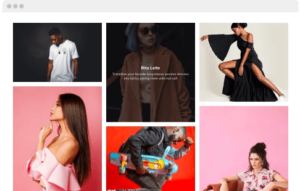 Why do I need Elfsight Photo Gallery?
More astonishing photos. More sales.
Charge visitor engagement
Your impossible-to-miss photos will attract more views and capture people for longer, increasing visitor engagement.
Enhance website sales
With tempting product photos, no visitor will be able to resist a purchase and you will lift the sales level.
Improved user experience
Demonstrate all your visual materials in one handy-to-navigate widget and make the user experience better.
Feature 1: Photography
There’s nothing better than a clean and simple gallery, when you need to showcase your best works in photography on the website. Just skip all the text elements and allow your users enjoy the images. They can start a slideshow for full immersion.
Feature 2: Product showcasing
You can highlight all the advantages of your goods or show every aspect of your work to deliver the best service – all through the pictures. Adding descriptions, you can tell more, explain something, give a comment, or pay attention to important things.
Feature 3: Magazine
Increase the number of your magazine readers showing each issue through an engaging gallery. Slider layout will help achieve slide-by-slide look, resembling magazine pages. Users can drag or use arrows to turn the page.
Feature 4: Fitness
Let users check as much as possible about your gym, fitness, or health center with the help of the photo gallery. The interiors, the coaches, the equipment, the team – it’s all important for those who think about joining. Remove all their doubts by demonstrating a grid of photos.
Feature 5: Hotel
Make your potential guests doomed to become actual ones. In Columns layout, the photos of your facilities will look so stylish and make your offer irresistible. You can change the shape of the photos and their size, too.
Feature 6: Seven stylish layouts for marvellous transformations
The widget features seven variants of the layout. You can choose vertical or horizontal type of Masonry, show photos one by one in Slider, build a custom Grid, or organize the images into Stripes or into Columns. There’s also Thumbnails layout. With such a wide choice, you will definitely find the best way to present your images.
Feature 7: Add text information and reorder your photos
Need to add some text to your photos? Our widget allows you to introduce image title and description. Just add the text and choose its position: on the picture or below it, and it can also appear or disappear on hover. The order of the photos is also under your control – reorder them as you need or switch Random.


Why do I need Elfsight Photo Gallery?
More astonishing photos. More sales.
Charge visitor engagement
Your impossible-to-miss photos will attract more views and capture people for longer, increasing visitor engagement.
Enhance website sales
With tempting product photos, no visitor will be able to resist a purchase and you will lift the sales level.
Improved user experience
Demonstrate all your visual materials in one handy-to-navigate widget and make the user experience better.
Feature 1: Photography
There’s nothing better than a clean and simple gallery, when you need to showcase your best works in photography on the website. Just skip all the text elements and allow your users enjoy the images. They can start a slideshow for full immersion.
Feature 2: Product showcasing
You can highlight all the advantages of your goods or show every aspect of your work to deliver the best service – all through the pictures. Adding descriptions, you can tell more, explain something, give a comment, or pay attention to important things.
Feature 3: Magazine
Increase the number of your magazine readers showing each issue through an engaging gallery. Slider layout will help achieve slide-by-slide look, resembling magazine pages. Users can drag or use arrows to turn the page.
Feature 4: Fitness
Let users check as much as possible about your gym, fitness, or health center with the help of the photo gallery. The interiors, the coaches, the equipment, the team – it’s all important for those who think about joining. Remove all their doubts by demonstrating a grid of photos.
Feature 5: Hotel
Make your potential guests doomed to become actual ones. In Columns layout, the photos of your facilities will look so stylish and make your offer irresistible. You can change the shape of the photos and their size, too.
Feature 6: Seven stylish layouts for marvellous transformations
The widget features seven variants of the layout. You can choose vertical or horizontal type of Masonry, show photos one by one in Slider, build a custom Grid, or organize the images into Stripes or into Columns. There’s also Thumbnails layout. With such a wide choice, you will definitely find the best way to present your images.
Feature 7: Add text information and reorder your photos
Need to add some text to your photos? Our widget allows you to introduce image title and description. Just add the text and choose its position: on the picture or below it, and it can also appear or disappear on hover. The order of the photos is also under your control – reorder them as you need or switch Random.


