
Level Up Your Marketing Game
Running a small business requires smart marketing. This list of top 10 marketing tools for small business will help you achieve more with less effort. Discover solutions for social media management, email marketing, graphic design, analytics, and SEO, empowering you to reach more customers and grow your business in the UK. We'll cover essential tools like HubSpot, Mailchimp, Canva, and more.
1. The Digital Marketing Toolbox
For UK small businesses navigating the complexities of the digital marketing landscape, finding the right tools can feel overwhelming. The sheer number of options, each promising to be the silver bullet for growth, can make it difficult to know where to start. That's where The Digital Marketing Toolbox comes in. This centralized platform acts as a comprehensive directory and resource hub, connecting businesses, freelancers, and agencies with a curated selection of leading digital marketing solutions. It simplifies the often daunting process of discovering, evaluating, and implementing the tools you need to succeed online. This toolbox offers a broad spectrum of solutions, spanning analytics, SEO, email marketing, social media management, AI-driven content creation, PPC optimization, push notifications, webinars, and website widgets. The Digital Marketing Toolbox aims to streamline your workflow, automate repetitive tasks, and ultimately, drive growth for your business.
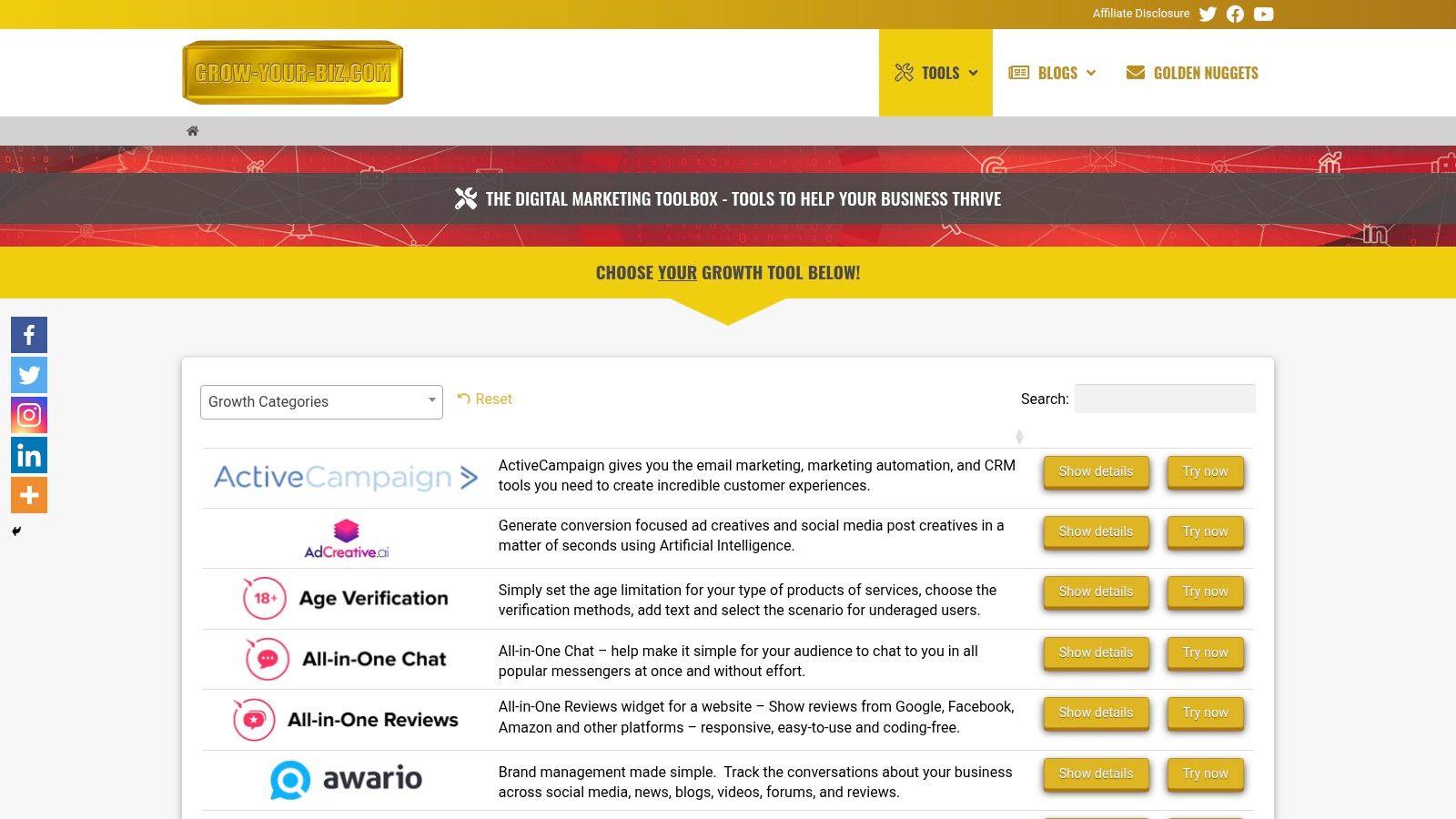
The strength of The Digital Marketing Toolbox lies in its comprehensive approach. Instead of jumping between individual vendor websites, you can explore a wide range of tools categorized by function. Need to boost your email marketing efforts? You'll find solutions like ActiveCampaign and AWeber readily available. Looking to leverage the power of AI for content creation? Copy.ai is integrated within the platform. Want to enhance your website with interactive elements? Explore options from Elfsight for adding functionalities like reviews, chatbots, and more. This centralized access saves valuable time and allows for direct comparison between different tools. The platform’s user-friendly interface with intuitive filters and comparison features helps you quickly narrow down the options based on your specific needs and budget. Direct links to free trials further simplify the evaluation process, allowing you to test-drive solutions before committing to a subscription.
Imagine you’re a small business owner in London trying to boost your online presence. The Digital Marketing Toolbox allows you to explore different SEO tools to improve your website’s ranking, experiment with email marketing platforms to nurture leads, and even delve into AI-powered content creation to streamline your blog posting schedule. For a UK-based digital marketing agency juggling multiple clients, the platform provides a centralized location to research, compare, and implement new tools for various campaigns. E-commerce managers seeking to increase conversions can explore tools for optimizing product listings, personalizing customer experiences, and automating abandoned cart emails. The toolbox also offers invaluable support for content creators and bloggers, providing access to SEO analysis tools, social media scheduling platforms, and even AI writing assistants. Learn more about The Digital Marketing Toolbox and how it can integrate with your overall marketing plan.
While The Digital Marketing Toolbox offers a powerful suite of resources and represents a valuable resource for businesses of all sizes seeking to enhance their digital marketing efforts. Its comprehensive catalogue, user-friendly interface, and focus on leading vendors make it a powerful platform for discovering, evaluating, and implementing the right tools to drive growth and achieve marketing objectives. By centralizing access to a wide range of solutions and simplifying the often-complex process of tool selection, The Digital Marketing Toolbox empowers businesses to navigate the digital landscape with confidence and efficiency. This toolbox is a significant asset for anyone seeking to level up their marketing game and achieve tangible results in today’s competitive online marketplace.
2. HubSpot CRM
For small businesses in the UK navigating the complexities of digital marketing, a robust Customer Relationship Management (CRM) system is no longer a luxury, but a necessity. HubSpot CRM stands out as a leading contender in the crowded field of marketing tools for small business, offering a powerful blend of functionality, user-friendliness, and affordability. Its comprehensive suite of tools enables businesses to manage every stage of the customer journey, from initial contact to long-term engagement, all within a single integrated platform. This makes it an invaluable asset for streamlining operations, boosting sales, and fostering customer loyalty.
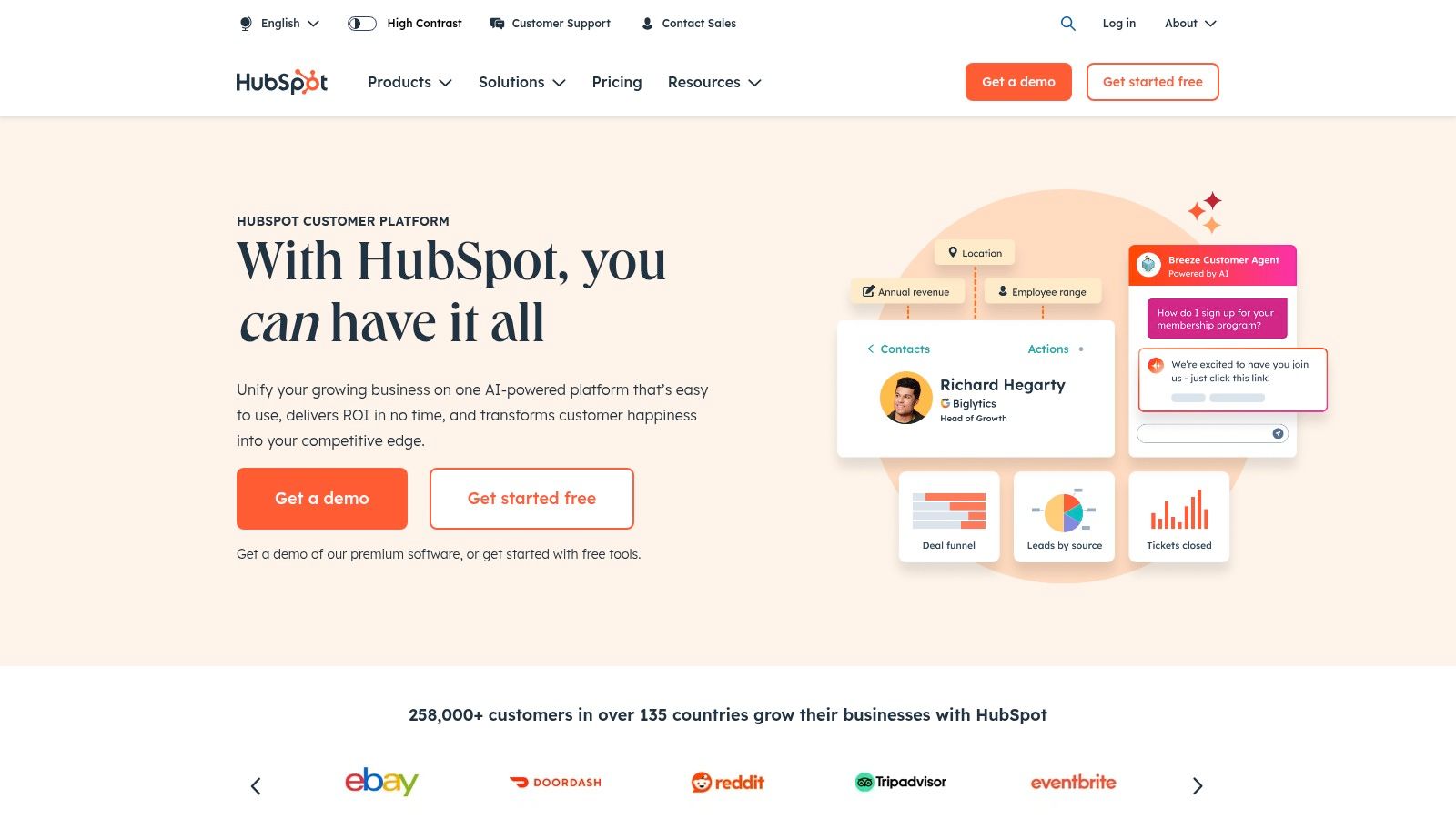
HubSpot CRM's generous free tier makes it particularly appealing to budget-conscious small businesses. This free version provides access to a surprising number of features, including unlimited users and contacts, contact management, deal tracking, email marketing, and ad management (with HubSpot spend requirements). This allows smaller businesses to experience the benefits of a full-fledged CRM without a hefty upfront investment. As your business grows, you can seamlessly upgrade to a paid plan to unlock more advanced features, ensuring scalability and flexibility.
One of HubSpot CRM’s key strengths lies in its email marketing automation capabilities. You can create targeted email sequences triggered by specific actions, such as website visits or form submissions. This automated nurturing helps to guide leads through the sales funnel, increasing conversion rates and freeing up valuable time for your team. For e-commerce managers in the UK, this means personalized product recommendations, abandoned cart reminders, and post-purchase follow-ups, all working in the background to maximize sales and customer lifetime value. Content creators and bloggers can leverage HubSpot's SEO and social media tools to schedule posts, track performance, and engage with their audience more effectively.
Beyond email marketing, HubSpot CRM also excels in lead tracking and pipeline management. The intuitive interface allows you to visualize your sales pipeline, monitor deal progress, and identify bottlenecks. This level of transparency is essential for making data-driven decisions and optimizing your sales process. For digital marketing agencies in the UK, this means a streamlined client onboarding process, simplified reporting, and enhanced collaboration within teams.
The platform also boasts robust social media management and scheduling features, allowing you to connect your social media accounts, schedule posts, and monitor engagement from within the CRM. This centralized approach simplifies your social media strategy and ensures consistent brand messaging across all platforms. Marketing professionals seeking AI-driven automation and analytics will find HubSpot's features for predictive lead scoring and reporting particularly beneficial, enabling them to target high-potential leads and demonstrate the ROI of their marketing efforts.
While the free tier offers significant value, it's important to be aware of the limitations. Customization options are restricted in the free version, and some features have usage limits. As your business grows and your needs become more complex, migrating to a paid plan becomes necessary to access the full potential of the platform. These paid plans can become quite expensive, particularly as your business scales and requires more advanced functionalities like custom reporting or A/B testing. Furthermore, while the interface is generally user-friendly, mastering the more advanced features can require some time and effort.
Despite these limitations, HubSpot CRM remains a highly valuable marketing tool for small businesses in the UK. The generous free tier provides a low-risk entry point, allowing you to explore the platform's capabilities before committing to a paid plan. The comprehensive suite of features streamlines marketing, sales, and customer service operations, making it easier to manage the entire customer lifecycle. The user-friendly interface minimizes the learning curve, allowing you to quickly implement the platform and begin reaping the benefits. For more information and to sign up, visit https://www.hubspot.com.
3. Mailchimp
Mailchimp is a powerhouse amongst marketing tools for small businesses, offering a comprehensive suite of features that extend beyond its email marketing roots. From crafting compelling email campaigns to building landing pages, managing social media ads, and even integrating with your e-commerce platform, Mailchimp has evolved into a versatile all-in-one marketing platform. Its user-friendly interface and robust features make it a top choice for businesses of all sizes, especially those just starting out. Its appeal lies in its ability to centralise many marketing activities, saving small business owners valuable time and resources. For UK businesses looking to streamline their marketing efforts, Mailchimp offers a localized experience, ensuring compliance with UK data privacy regulations and providing resources tailored to the UK market.
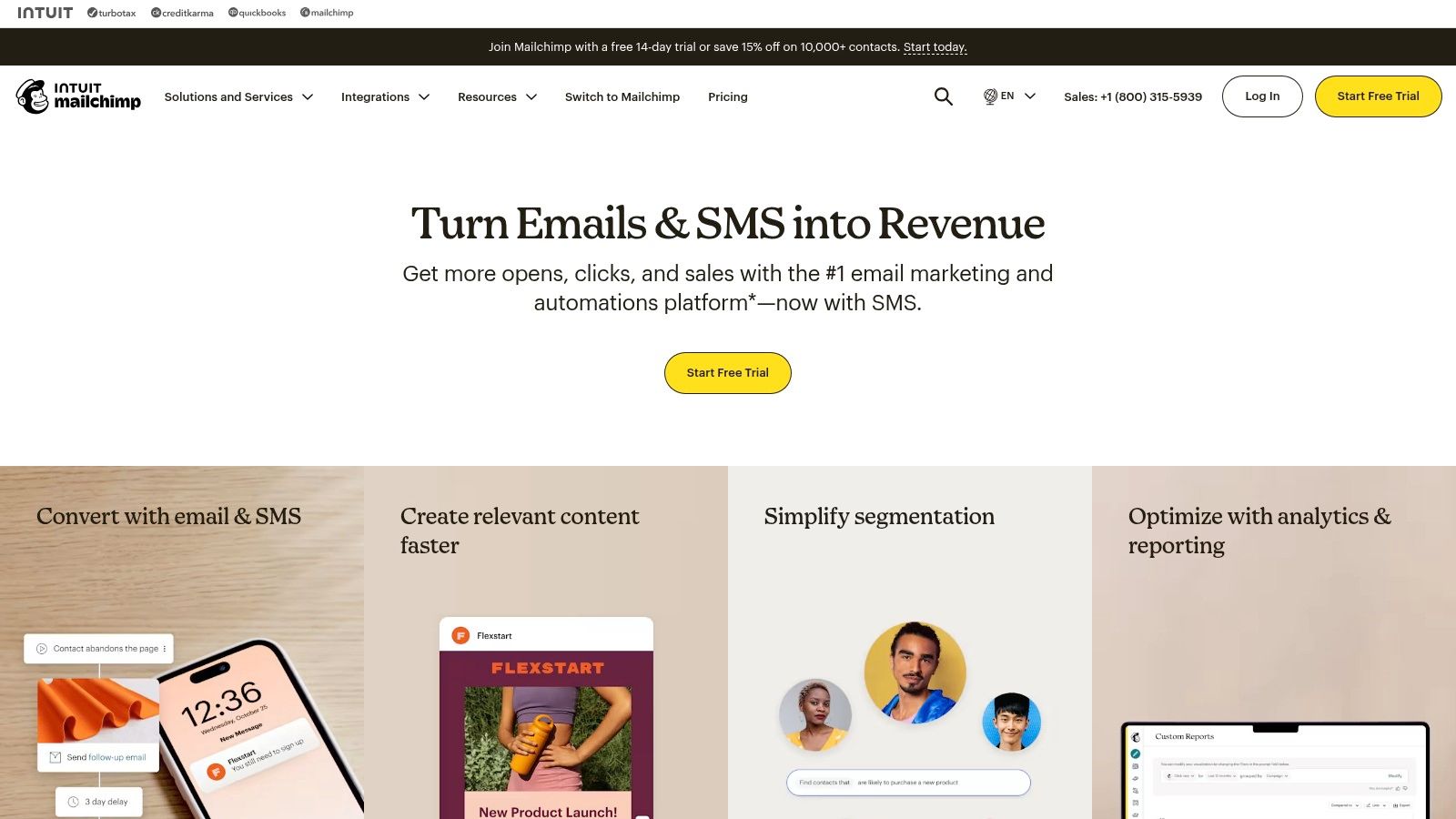
One of Mailchimp's standout features is its intuitive drag-and-drop email campaign builder. Even without design experience, you can create visually appealing emails with ease, choosing from a vast library of pre-designed templates or customizing your own. Need to segment your audience for targeted messaging? Mailchimp lets you divide your contacts based on demographics, purchase history, engagement levels, and more. This powerful segmentation capability allows you to send the right message to the right people, boosting engagement and conversions. For e-commerce businesses, Mailchimp integrates seamlessly with popular platforms like Shopify and WooCommerce, enabling automated product recommendations, abandoned cart emails, and post-purchase follow-ups.
Beyond email, Mailchimp offers tools to automate your marketing workflows. Imagine welcoming new subscribers with a tailored welcome series, or automatically sending a discount code to customers on their birthday. These automated workflows nurture leads, build customer loyalty, and free up your time to focus on other aspects of your business. Mailchimp also provides A/B testing capabilities, allowing you to experiment with different subject lines, email content, and send times to optimise your campaign performance. Comprehensive analytics and reporting provide valuable insights into your campaign effectiveness, showing you open rates, click-through rates, and conversion data. This data-driven approach empowers you to refine your strategies and maximize your ROI.
While Mailchimp offers a generous free plan for up to 2,000 contacts, it's important to be aware of its limitations. Automation features are restricted in the free plan, and customer support is primarily through email. As your contact list grows, the pricing can escalate quickly, making it essential to carefully consider your budget. Some advanced features, like multivariate testing and transactional emails, are reserved for higher-tier plans. Learn more about Mailchimp and the advantages of incorporating email marketing into your overall strategy.
Compared to similar tools like Constant Contact and Sendinblue, Mailchimp stands out with its comprehensive feature set and user-friendly interface. Constant Contact offers excellent customer support but lacks the advanced automation capabilities of Mailchimp. Sendinblue provides more affordable pricing for larger contact lists but can have a steeper learning curve.
To get started with Mailchimp, simply create an account, import your contact list, and start designing your first campaign. The platform provides helpful tutorials and resources to guide you through the process. Implementing Mailchimp effectively requires planning. Define your target audience, segment your lists strategically, and create engaging content that resonates with your subscribers. Regularly analyse your campaign performance and adjust your strategy based on the data.
For UK small businesses, Mailchimp is a valuable marketing tool that can drive growth and engagement. Its diverse functionalities, from email marketing and automation to website building and social media advertising, offer a centralised platform to manage and optimise your marketing efforts. While the pricing structure and limitations of the free plan should be considered, Mailchimp's overall value and user-friendliness make it a worthwhile investment for businesses seeking to enhance their online presence and connect with their customers.
4. Canva
As a small business owner in the UK, you're likely juggling multiple roles, and marketing often gets pushed down the priority list. Creating eye-catching visuals for social media, websites, or even printed materials can feel daunting, especially if you lack design skills. That's where Canva comes in. This user-friendly graphic design platform empowers you to create professional-quality visual content without needing a design degree, making it a must-have marketing tool for small businesses. Whether you're designing social media graphics, crafting marketing brochures, creating presentations, or building your brand assets, Canva provides the tools and resources to bring your vision to life. Its intuitive interface, vast template library, and affordability make it an ideal solution for UK small businesses looking to elevate their marketing efforts.
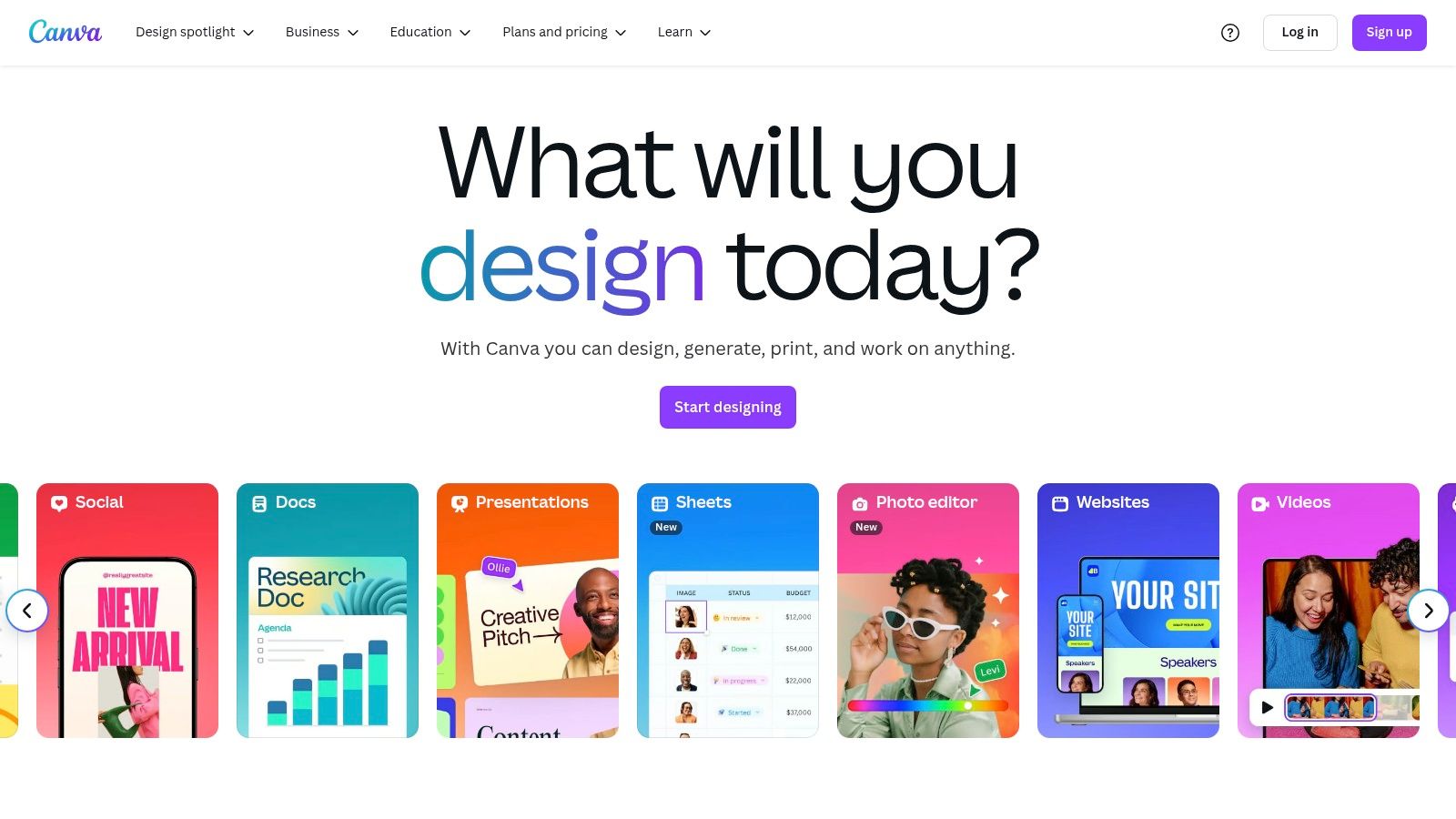
Canva's drag-and-drop interface simplifies the design process, allowing even the most design-challenged individuals to produce stunning visuals. Thousands of pre-designed templates cater to various needs, from Instagram posts and Facebook covers to email headers and presentations. You can easily customize these templates with your own branding, images, and text. A key feature for maintaining a consistent visual identity is the Brand Kit. Here, you can store your brand colours, logos, and fonts, ensuring all your designs align with your brand guidelines. This is crucial for brand recognition and building a strong presence in the UK market. Beyond static images, Canva also offers video editing and animation tools, allowing you to create engaging video content for social media or your website.
For small businesses operating in the fast-paced world of digital marketing, efficiency is key. Canva’s social media scheduling and publishing feature allows you to plan and schedule your social media posts directly from the platform. This saves valuable time and ensures consistent posting across various platforms. Team collaboration is also streamlined with Canva’s sharing features, enabling seamless workflow amongst team members. This is especially useful for marketing agencies or small businesses with multiple individuals contributing to content creation.
Compared to professional design software like Adobe Photoshop or Illustrator, Canva offers a significantly lower barrier to entry. It's much more intuitive and easier to learn, eliminating the need for extensive training or design expertise. The extensive library of free templates and design elements makes it a cost-effective solution, particularly beneficial for small businesses working with limited budgets. While the free version provides substantial functionality, the affordable Pro plan unlocks even more advanced features, such as access to a larger library of premium stock photos, graphics, and templates, and the ability to create and resize designs with one click. Canva regularly updates its platform with new templates and features, ensuring you always have access to the latest design trends and tools.
While Canva is an excellent tool for small businesses, it's important to be aware of its limitations. Customization options, although extensive, are not as granular as those offered by professional design software. Some premium elements, like stock photos or graphics, require a paid subscription. Complex designs with numerous elements can sometimes cause the platform to slow down. Furthermore, export options are limited in the free version.
Pricing: Canva offers a free plan with generous features. The Pro plan is priced competitively, currently at £10.99 per month (or less if billed annually) for up to five people.
Technical Requirements: Canva is a web-based platform, accessible from any device with an internet connection. There are also mobile apps available for iOS and Android devices.
Similar Tools: Other tools like Adobe Spark, Crello, and PicMonkey offer similar functionalities. However, Canva stands out due to its comprehensive features, extensive template library, user-friendly interface, and competitive pricing, making it an ideal choice for UK small businesses.
Implementation Tip: Start by creating a Brand Kit to maintain visual consistency. Explore the vast template library and customize designs to match your brand identity. Utilize the social media scheduling feature to streamline your social media marketing efforts.
Canva's simplicity, affordability, and robust features make it a valuable asset for any small business in the UK looking to enhance its marketing efforts and create a lasting impression. Visit their website at https://www.canva.com to explore the platform and discover how it can elevate your brand's visual presence.
5. Google Analytics
As a small business owner in the UK, understanding your online presence is crucial for success in today’s digital landscape. One of the most powerful marketing tools available, and completely free, is Google Analytics. This robust web analytics service provides detailed insights into your website traffic, user behaviour, and marketing campaign performance, enabling you to make data-driven decisions that can significantly impact your bottom line. Google Analytics is essential for tracking conversions, identifying your target audience, and optimising your marketing efforts for maximum ROI. It deserves its place on this list due to its comprehensive features, free access, and seamless integration with other Google marketing tools, making it a must-have for any small business looking to thrive online.
Imagine knowing exactly where your website visitors are coming from, what pages they're viewing, and how long they're staying. Google Analytics provides this and much more. With real-time website traffic monitoring, you can see how many people are currently on your site, their geographic location, and the source of their visit (e.g., organic search, social media, paid advertising). This real-time data is invaluable for understanding immediate trends and reacting quickly to changes in user behaviour. For instance, if you launch a new social media campaign, you can instantly monitor its impact on website traffic and make adjustments as needed.
Furthermore, conversion tracking and goal setting allow you to define specific actions you want users to take on your website, such as making a purchase, filling out a contact form, or signing up for a newsletter. By tracking these conversions, you can measure the effectiveness of your marketing campaigns and identify areas for improvement. For example, an e-commerce manager can track the entire customer journey from product discovery to purchase, pinpointing any drop-off points and optimising the checkout process to increase conversions. Content creators can measure blog post performance by tracking engagement metrics like time on page and social shares. These insights help refine content strategy and cater to audience preferences.
Google Analytics also provides detailed audience demographics and behaviour analysis. This information helps you understand who your target audience is, their interests, and how they interact with your website. This data is essential for tailoring your marketing messages, creating targeted advertising campaigns, and personalising the user experience. For example, if you discover that a significant portion of your audience is accessing your site from mobile devices, you can prioritize mobile optimization to ensure a seamless browsing experience.
Marketing channel attribution reporting allows you to see which marketing channels (e.g., organic search, paid advertising, social media) are driving the most valuable traffic and conversions. This helps you allocate your marketing budget effectively and focus on the channels that deliver the best return on investment. Custom dashboards and automated reports allow you to visualise key metrics and track your progress over time. This feature is incredibly beneficial for digital marketing agencies managing multiple client accounts, providing a clear overview of performance and facilitating data-driven reporting.
For small businesses new to digital marketing, the learning curve can be steep. The sheer volume of data can be overwhelming, and setting up advanced features requires some technical expertise. Learn more about Google Analytics to get a grasp on the fundamentals. While the platform is free to use, compliance with privacy regulations like GDPR may limit data collection in some instances. Despite these challenges, the benefits of Google Analytics far outweigh the drawbacks, making it an invaluable tool for any UK small business striving for online success. It integrates seamlessly with other Google tools like Google Ads and Google Search Console, further enhancing its functionality. While other analytics tools exist, Google Analytics remains the industry standard for web analytics due to its comprehensiveness, free access, and powerful insights. Setting up a Google Analytics account is straightforward, requiring the insertion of a tracking code into your website.
In conclusion, Google Analytics is a cornerstone marketing tool for small businesses in the UK seeking cost-effective solutions. From real-time traffic monitoring to in-depth audience analysis, it empowers businesses with the data they need to optimise their online presence, boost conversions, and achieve sustainable growth. With its comprehensive features, free access, and seamless integration with the broader Google ecosystem, Google Analytics is an indispensable asset for any business navigating the digital landscape.
6. Hootsuite
For small businesses in the UK navigating the bustling world of social media, effective management is crucial. Juggling multiple platforms can be time-consuming and overwhelming. This is where Hootsuite comes in, earning its place on this list of essential marketing tools for small business. Hootsuite offers a comprehensive social media management platform allowing you to schedule, publish, and monitor content across various channels, all from a single, streamlined dashboard. This centralised approach saves valuable time and resources, allowing you to focus on other crucial aspects of your business.
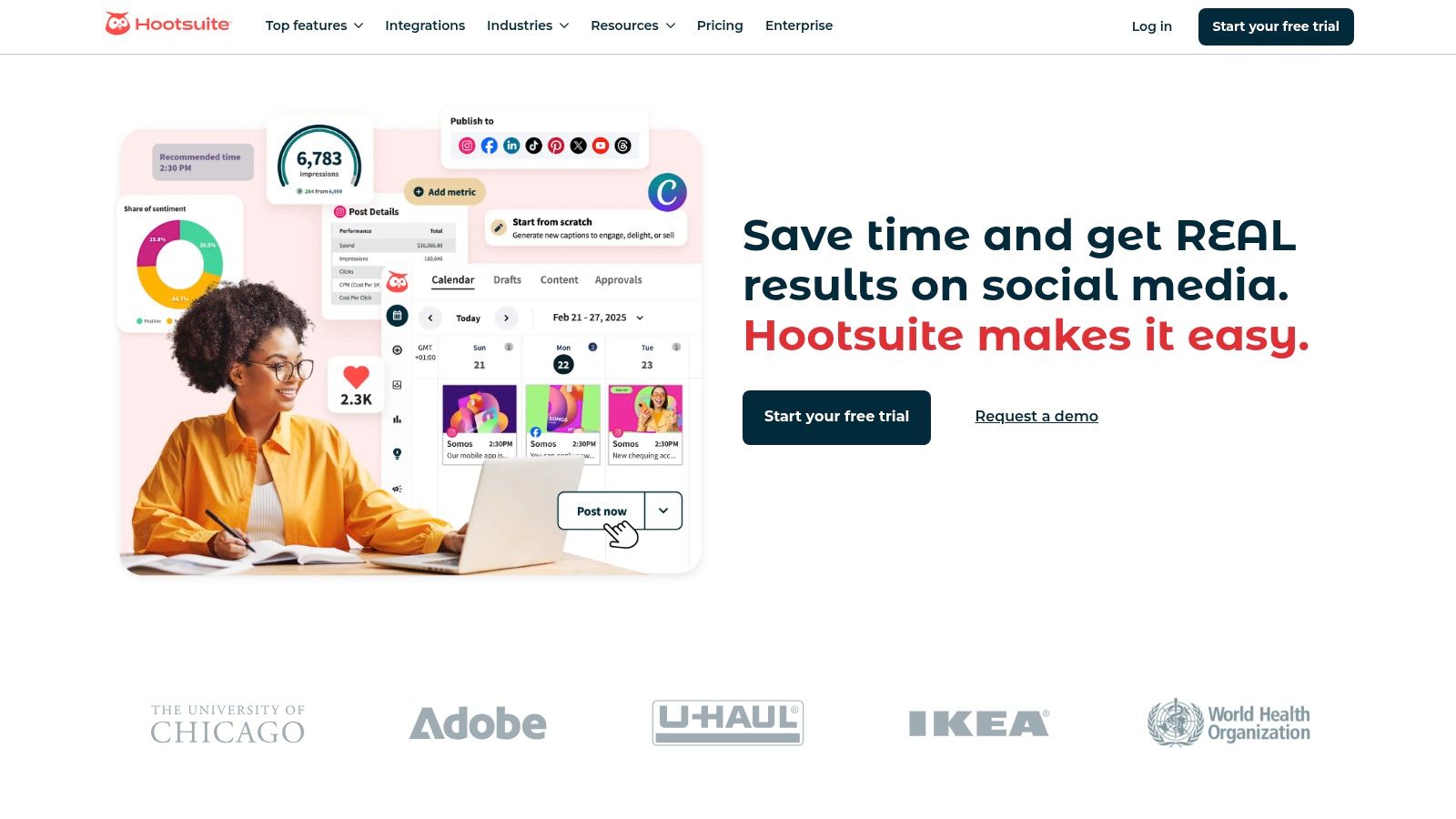
Imagine being able to schedule your week's worth of social media posts in one sitting. Hootsuite makes this a reality. Its multi-platform scheduling feature supports a wide range of social media networks, including Facebook, Twitter, Instagram, LinkedIn, YouTube, and Pinterest. This allows you to maintain a consistent online presence and engage your audience across different channels without constantly logging in and out of various platforms. For example, a small bakery in London could schedule daily posts showcasing their latest creations on Instagram, while simultaneously sharing promotional offers on Facebook and engaging in industry discussions on LinkedIn.
Beyond scheduling, Hootsuite provides powerful analytics and reporting tools that give you valuable insights into your social media performance. Track key metrics like engagement, reach, and follower growth to understand what content resonates with your audience and refine your social media strategy accordingly. These insights are crucial for measuring the ROI of your social media efforts and demonstrating the value to stakeholders. Specifically, you can analyse which posts are driving traffic to your website or generating leads, enabling data-driven decisions to optimise your marketing campaigns. Hootsuite's reporting features allow you to easily export data and create visually appealing reports to share with your team or clients.
Collaboration is key, especially for growing businesses. Hootsuite facilitates teamwork through its built-in collaboration and approval workflows. Assign tasks, share feedback, and manage approvals within the platform, ensuring consistent brand messaging and avoiding potentially embarrassing social media mishaps. This is especially beneficial for agencies managing multiple client accounts or for businesses with dedicated social media teams.
Keeping an ear to the ground is essential in the digital age. Hootsuite offers social listening and monitoring tools that allow you to track brand mentions, industry trends, and competitor activity. By understanding online conversations related to your business, you can identify potential PR crises, engage with customers in real-time, and gather valuable market intelligence. For example, a small independent bookshop could monitor mentions of specific authors or genres to understand customer preferences and tailor their stock accordingly.
Hootsuite offers various plans, catering to different needs and budgets. The free plan allows you to manage up to three social profiles and provides basic scheduling and analytics capabilities. Paid plans unlock additional features, such as unlimited scheduling, more in-depth analytics, and team collaboration tools. While the higher-tier plans can be an investment for small businesses, the free plan offers a great entry point for those just starting with social media management. Explore the different pricing tiers to find the best fit for your specific requirements. [Specific pricing information should be obtained from the Hootsuite website as it can change.]
While Hootsuite offers a powerful suite of tools, it’s important to be aware of its limitations. The free plan’s restriction to three social profiles can be limiting for businesses managing a larger social media presence. The interface, while comprehensive, can be somewhat complex for beginners, requiring some time to master. Also, some platform-specific features, such as Instagram shopping tags, may have limited functionality within Hootsuite.
Setting up Hootsuite is relatively straightforward. Simply create an account, connect your social media profiles, and you're ready to start scheduling and managing your content. Hootsuite integrates with a wide range of third-party apps, further extending its functionality. For example, you can integrate with CRM platforms, analytics tools, and content curation services.
For UK businesses seeking an all-in-one social media management solution, Hootsuite is definitely worth considering. It provides a centralised platform for scheduling, monitoring, and analysing your social media activity, helping you save time, improve efficiency, and achieve your marketing goals. Explore Hootsuite (https://hootsuite.com) to discover how it can empower your social media strategy.
7. SEMrush
SEMrush is a comprehensive suite of digital marketing tools designed to help businesses of all sizes thrive in the online landscape. It stands out as an all-in-one platform covering a broad spectrum of marketing activities, from SEO and PPC to content marketing and competitive research. This makes it a particularly compelling option for small businesses in the UK seeking a powerful yet centralized platform to manage their online presence. Instead of juggling multiple subscriptions and interfaces, SEMrush offers a single point of access for a wide array of essential marketing functions. This streamlined approach can save small business owners valuable time and resources, allowing them to focus on their core business objectives. For those new to the digital marketing world, the sheer breadth of features can feel overwhelming, but the platform offers a wealth of educational resources and certifications to help users maximize its potential.
One of SEMrush's key strengths lies in its robust SEO toolkit. Small businesses can leverage its keyword research functionality to identify valuable search terms relevant to their products or services. The platform provides insights into keyword search volume, difficulty, and competitor rankings, enabling businesses to make data-driven decisions about their SEO strategy. Beyond keyword research, SEMrush offers tools to track keyword rankings, conduct website audits, and identify technical SEO issues that might be hindering performance. These functionalities are invaluable for optimising website content and improving organic visibility in search engine results pages (SERPs).
SEMrush also excels in competitive analysis, providing a detailed view of competitor strategies. Small businesses can use the platform to identify their main online competitors, analyze their backlink profiles, and understand their content marketing efforts. This intelligence allows businesses to benchmark their performance against industry leaders, identify opportunities to gain a competitive edge, and refine their own marketing strategies accordingly. For example, a small e-commerce business in the UK could use SEMrush to analyze the SEO and PPC strategies of larger competitors selling similar products, gaining insights into their target keywords and ad copy.
For businesses running paid advertising campaigns, SEMrush offers a suite of PPC tools for campaign management and analysis. These tools can help businesses optimize their ad spend, track keyword performance, and improve their overall return on investment. The platform's comprehensive reporting features provide valuable insights into campaign metrics, enabling businesses to make informed adjustments and maximize their advertising effectiveness.
Content marketing is another area where SEMrush shines. The platform offers tools for content optimization, topic research, and competitor content analysis. Small businesses can use these tools to create high-quality content that resonates with their target audience, improves their search engine rankings, and drives organic traffic to their websites. Furthermore, SEMrush integrates with social media platforms, enabling businesses to schedule and monitor their social media activity, track brand mentions, and analyze competitor social media strategies.
While SEMrush offers an impressive array of features, it's important to acknowledge its limitations. The platform does not offer a free plan and the free trial is limited. The pricing structure, while offering various tiers, can be expensive for small businesses with limited budgets. The sheer number of features can also be overwhelming for beginners, and some of the more advanced features require higher-tier subscriptions. Alternative tools like Ahrefs and Moz offer similar functionalities, but they too come with their own pricing structures and feature sets.
Pricing: SEMrush offers several subscription tiers, starting at approximately £83 per month for the Pro plan, rising to £333 per month for the Guru plan, and £583 for the Business plan (prices may vary).
Technical Requirements: SEMrush is a cloud-based platform, accessible through any web browser. No specific software installations are required.
Implementation Tips:
- Start with a clear objective: Define your specific marketing goals before diving into SEMrush. This will help you focus on the tools and features most relevant to your needs.
- Utilize the educational resources: SEMrush offers a wealth of tutorials, webinars, and certification programs. Take advantage of these resources to learn how to use the platform effectively.
- Start with the free trial: Explore the platform's features and functionalities during the free trial period to determine if it’s the right fit for your business.
- Focus on one area at a time: Don't try to master every feature at once. Start with one area, such as SEO or PPC, and gradually expand your usage as you become more comfortable.
SEMrush deserves its place in this list due to its comprehensive nature, providing small businesses with a powerful toolkit to manage virtually every aspect of their digital marketing efforts. While the cost might be a consideration, the potential return on investment through improved online visibility, increased traffic, and enhanced brand awareness makes it a valuable asset for businesses looking to succeed in the competitive digital landscape. SEMrush Website
8. Buffer: Streamlined Social Media Management for Small Businesses
In the bustling world of digital marketing, social media presence is no longer optional but a necessity for small businesses in the UK. Juggling multiple platforms, creating engaging content, and tracking performance can be a daunting task. This is where Buffer comes in, earning its place on this list of essential marketing tools for small business success. Buffer is a streamlined social media management platform designed for simplicity and ease of use. It focuses on the core essentials of content scheduling, publishing, and basic analytics, making it ideal for small businesses that want straightforward social media management without the complexity of larger, more expensive platforms.
Buffer’s strength lies in its intuitive interface, making it accessible even for those new to social media marketing. Imagine effortlessly planning your week's worth of social media posts across platforms like Facebook, Instagram, Twitter, and LinkedIn, all from a single dashboard. Buffer's visual content calendar and planning tools allow you to drag and drop posts, adjust timings, and preview your planned content with ease. This visual approach eliminates the guesswork and helps maintain a consistent and engaging online presence.
For small business owners in the UK, time is a precious commodity. Buffer’s browser extension further simplifies the process by enabling quick sharing of interesting articles, blog posts, or website updates directly to your Buffer queue, streamlining content curation and saving valuable time. You stumble upon a relevant industry article during your morning coffee? Share it to your Buffer queue instantly, and it will be automatically published according to your pre-set schedule.
Beyond scheduling, Buffer provides basic analytics and engagement tracking. While not as in-depth as dedicated analytics platforms, these features offer valuable insights into post performance, audience engagement, and optimal posting times. You can see which posts resonated best with your audience, track clicks, likes, and shares, and adjust your strategy accordingly. This data-driven approach helps refine your social media efforts and improve your return on investment.
Buffer also caters to small teams with its collaboration and approval features. Team members can draft posts, submit them for approval, and manage social media tasks collectively, ensuring brand consistency and efficient workflow. This is particularly useful for businesses with multiple individuals contributing to social media content.
Pricing and Technical Requirements:
Buffer offers a free plan with basic features, making it a fantastic starting point for small businesses with limited budgets. Paid plans unlock additional features like more social media profiles, team members, and advanced analytics. The affordable pricing tiers make it accessible for businesses of all sizes in the UK. Technical requirements are minimal; Buffer is primarily web-based and accessible from any device with an internet connection. There are also mobile apps for iOS and Android for managing your social media on the go.
Comparison with Similar Tools:
Compared to competitors like Hootsuite or SproutSocial, Buffer focuses on simplicity and ease of use, sometimes at the expense of advanced features like in-depth social listening or complex automation. If you're looking for a simple, cost-effective solution for scheduling and publishing content, Buffer is an excellent choice. However, if your needs require comprehensive social listening, detailed competitor analysis, or complex automation workflows, exploring other platforms might be necessary.
Implementation and Setup Tips:
Setting up Buffer is straightforward. Simply connect your social media accounts, create a posting schedule, and start adding content to your queue. Buffer’s intuitive interface guides you through the process, making it a quick and painless experience. To maximize its effectiveness, dedicate time to planning your social media content calendar, experiment with posting times, and regularly review your analytics to optimize your strategy.
Pros:
- Simple, user-friendly interface
- Affordable pricing for small businesses
- Good free plan with basic features
- Excellent customer support and resources
Cons:
- Limited advanced analytics compared to competitors
- Fewer features than comprehensive platforms
- No social listening or monitoring tools
- Limited automation capabilities
Website: https://buffer.com
In conclusion, Buffer is a valuable marketing tool for small business owners in the UK looking for a straightforward and efficient way to manage their social media presence. Its focus on simplicity, affordability, and ease of use makes it an excellent choice for those starting out or those who prioritize efficiency and core functionality. While it may lack some of the advanced features of larger platforms, it excels in providing the essential tools for creating a consistent and engaging online presence.
9. Constant Contact
Constant Contact is a robust email marketing platform tailored for small businesses and non-profits in the UK seeking streamlined solutions to connect with their audience. Its focus on ease of use, combined with a comprehensive suite of features, makes it a valuable marketing tool for small business owners looking to enhance their online presence and drive customer engagement. Whether you’re a local bakery sending out weekly specials, a charity promoting an upcoming event, or an online retailer nurturing customer relationships, Constant Contact provides the tools to manage your email marketing effectively. It earns its place on this list due to its dedicated support, intuitive interface, and proven deliverability rates, making it a reliable choice for businesses navigating the complexities of digital marketing.
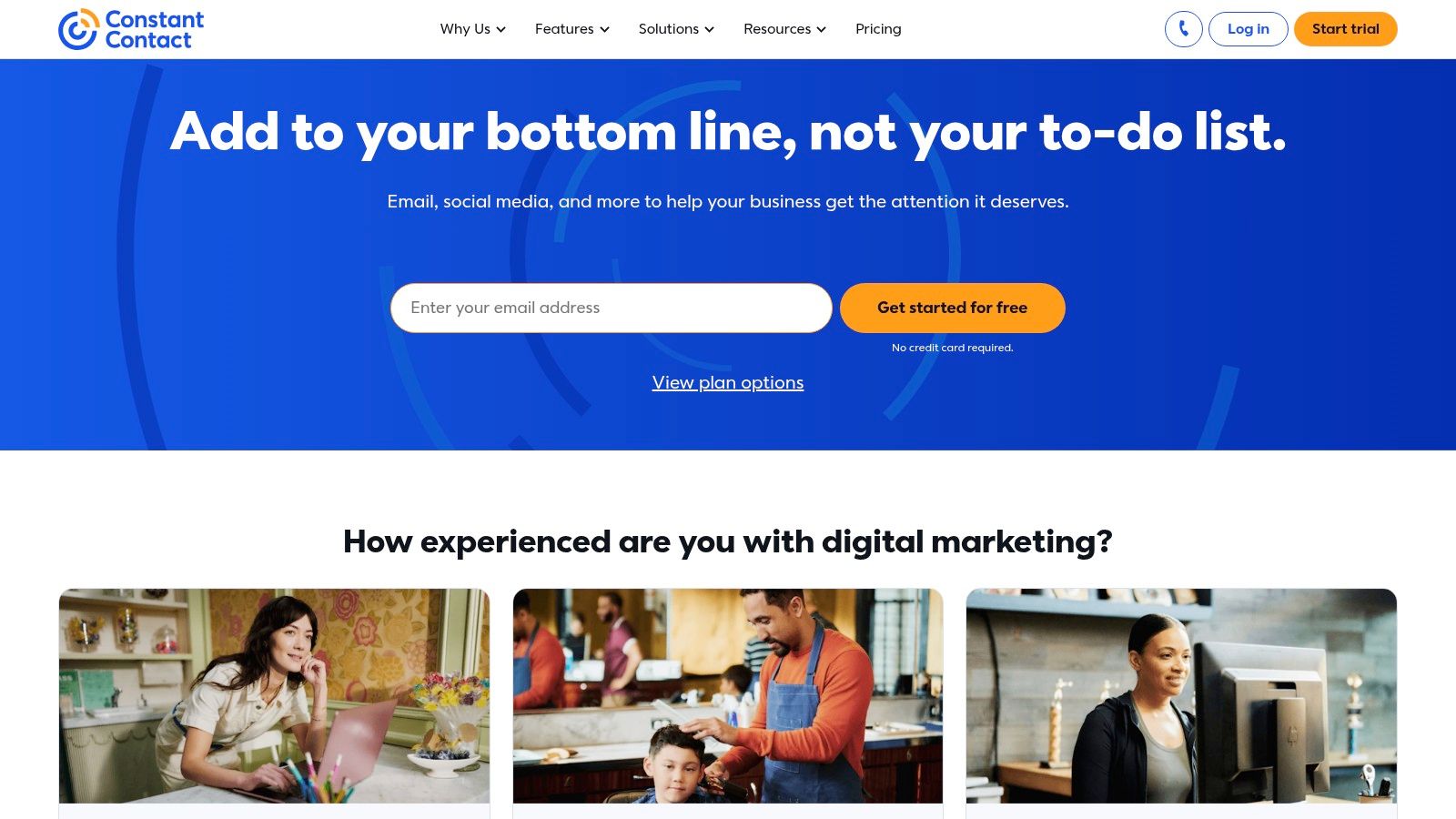
Constant Contact shines with its user-friendly email editor, which allows even the least tech-savvy users to create professional-looking emails. Pre-designed templates cater to various industries and marketing objectives, from newsletters and promotional announcements to seasonal greetings and event invitations. The drag-and-drop functionality simplifies the process of adding images, text, and call-to-action buttons, ensuring your emails are visually appealing and effective. For e-commerce managers, the integration with popular platforms allows for automated email campaigns triggered by specific customer actions, such as abandoned carts or purchase confirmations, boosting conversions and customer lifetime value.
Beyond email creation, Constant Contact provides robust contact list management tools. You can easily import existing contacts, segment your audience based on demographics or behaviour, and track engagement metrics to refine your targeting. This segmentation is crucial for delivering personalised content and achieving higher open and click-through rates. For digital marketing agencies managing multiple clients, this feature allows for efficient campaign management and tailored communication strategies for each business.
Automation features, while not as extensive as some competitors like Mailchimp or ActiveCampaign, offer sufficient capabilities for small businesses to automate welcome emails, drip campaigns, and follow-up messages. This allows for consistent communication with your audience without requiring constant manual intervention, freeing up time for other essential tasks. Content creators and bloggers can leverage these features to automate newsletter delivery and promote their latest content, nurturing their subscriber base and driving traffic to their website.
Constant Contact also extends its functionality beyond email with event management and social media integration tools. You can create event registration pages, manage attendee lists, and promote your events through social media channels. This integrated approach simplifies event marketing and streamlines the process from promotion to registration.
While Constant Contact offers a free trial, it lacks a free plan. Pricing is tiered based on the number of contacts and features required, and while it's competitive, it can be slightly higher than some alternatives. For example, Mailchimp offers a free plan for up to 2,000 contacts, while Constant Contact’s pricing starts at around £15 per month for a similar number of contacts. However, Constant Contact's superior customer support, including phone and chat assistance, often justifies the slightly higher price tag, especially for businesses that value readily available expert guidance.
Implementation Tips:
- Start with a clear objective: Define your email marketing goals before diving into the platform.
- Segment your audience: Don't treat all subscribers the same. Segment your list based on demographics, purchase history, or engagement levels for more targeted campaigns.
- Utilise A/B testing: Experiment with different subject lines, email content, and call-to-action buttons to optimise your campaigns for maximum impact.
- Integrate with other tools: Connect Constant Contact with your CRM, e-commerce platform, and social media channels for a seamless marketing workflow.
- Take advantage of the customer support: Don't hesitate to reach out to Constant Contact's support team if you have any questions or need assistance with setup or campaign management.
In conclusion, Constant Contact (https://www.constantcontact.com) is a powerful yet user-friendly email marketing platform ideal for UK small businesses and non-profits. Its robust features, excellent customer support, and focus on deliverability make it a valuable investment for organisations seeking to connect with their audience, build stronger relationships, and drive business growth. While the lack of a free plan and potentially dated templates are drawbacks, the overall package, especially for businesses prioritizing ease of use and reliable support, solidifies Constant Contact's position as a leading marketing tool for small business.
10. ConvertKit
ConvertKit is a powerful email marketing platform specifically designed for creators, bloggers, and small businesses in the UK looking to cultivate stronger relationships with their audience. Unlike generic email marketing tools, ConvertKit prioritizes simplicity, robust automation, and precise subscriber segmentation. This targeted approach empowers businesses to grow their email lists organically, boost engagement, and ultimately drive conversions. Its focus on building and nurturing an audience makes it a standout marketing tool for small businesses, particularly those centred around content creation and direct engagement.
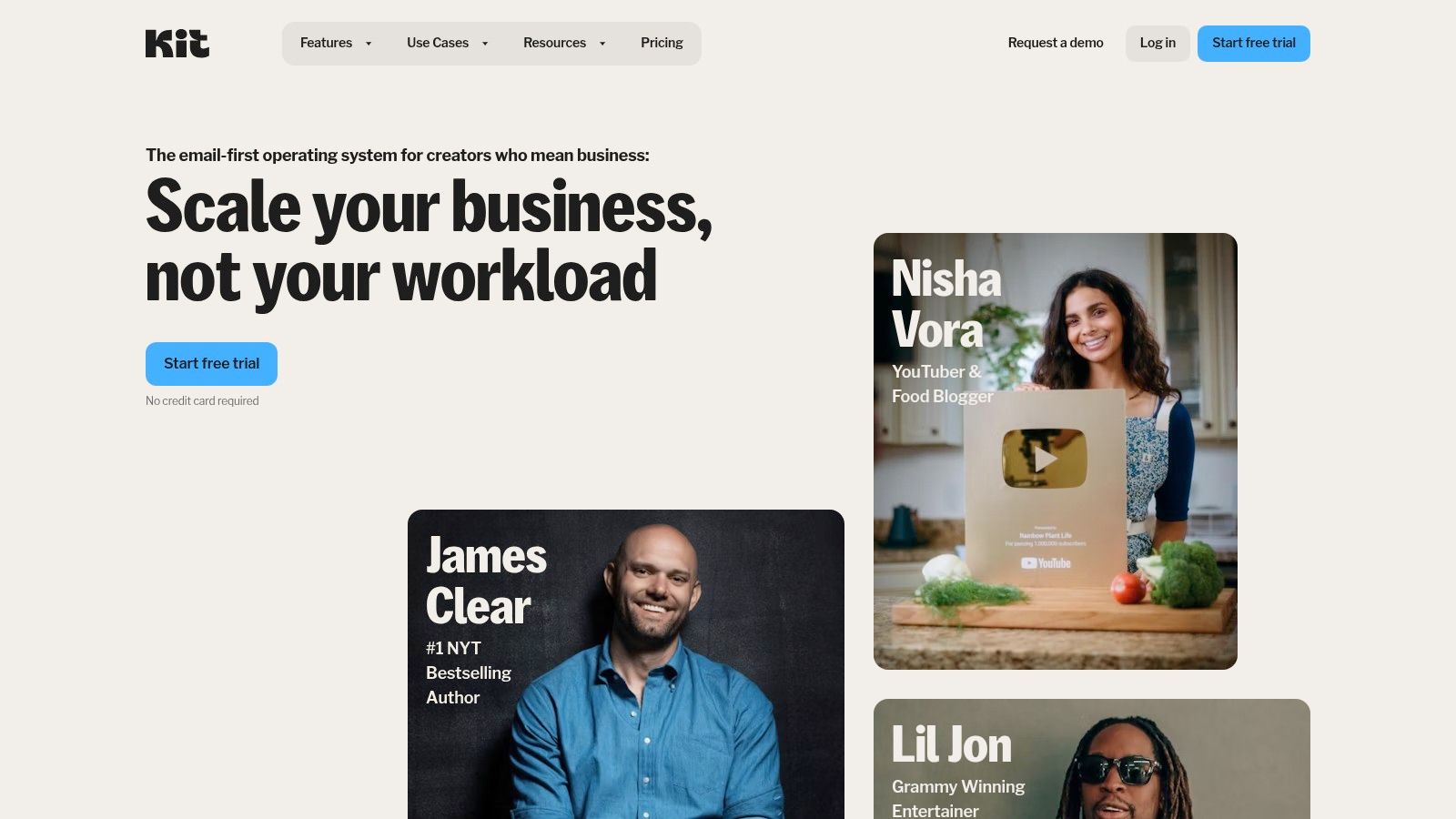
For small businesses in the UK operating in a competitive landscape, connecting with your audience on a personal level is crucial. ConvertKit facilitates this by enabling granular segmentation based on subscriber behaviour, interests, and engagement history. Imagine you run a cooking school in London. You can segment your subscribers into groups like “Beginner Bakers,” “Advanced Pastry Chefs,” or “Vegan Cooking Enthusiasts.” This allows you to tailor your email content, sending targeted promotions, recipe recommendations, or class announcements relevant to each specific group. This level of personalization significantly increases engagement and fosters a sense of community around your brand.
ConvertKit's visual automation builder simplifies the process of creating sophisticated email sequences. You can visually map out automated email flows based on triggers like subscribing to a specific lead magnet, purchasing a product, or completing a course. This automation frees up your time to focus on other aspects of your business while ensuring consistent and timely communication with your audience. For instance, a new subscriber to your cooking school's newsletter could trigger a welcome sequence introducing them to your offerings, followed by a series of emails providing helpful cooking tips and exclusive discounts.
Compared to larger, more general email marketing platforms like Mailchimp or Constant Contact, ConvertKit distinguishes itself with its creator-centric approach. While platforms like Mailchimp offer a broader range of features and integrations, ConvertKit excels in simplifying complex email marketing tasks for creators. Its clean, intuitive interface minimizes the learning curve, making it easier for small business owners without technical expertise to set up and manage their email marketing campaigns effectively.
One of ConvertKit's major advantages is its generous free plan, which allows businesses with up to 1,000 subscribers to access its core features. This makes it an attractive option for startups and small businesses in the UK just starting to build their email lists. As your subscriber base grows, paid plans offer more advanced features and automation capabilities, scaling with your business needs. Pricing then scales based on subscriber count, starting at approximately £21 per month for up to 1,000 subscribers and increasing as your list expands. Always check the ConvertKit website for the most up-to-date pricing information.
While ConvertKit excels in automation and segmentation, it has some limitations. The platform offers fewer pre-designed template options compared to competitors, which might require more manual customization if you're seeking a highly designed email aesthetic. Additionally, its reporting capabilities are considered basic compared to enterprise-level solutions, although sufficient for most small businesses.
Implementing ConvertKit is straightforward. You can easily embed customizable opt-in forms on your website, landing pages, or social media profiles to capture leads and grow your subscriber list. Integrations with popular creator tools and platforms further streamline your workflow.
In summary: ConvertKit is a valuable marketing tool for small businesses in the UK, especially those focused on content creation and direct audience engagement. Its strength lies in its powerful automation, segmentation capabilities, and user-friendly interface. While it may not offer the breadth of features found in larger platforms, its focused approach makes it an excellent choice for creators, bloggers, and small businesses seeking to build genuine connections with their audience and drive growth through targeted email marketing. You can learn more and sign up at https://convertkit.com
Top 10 Small Business Marketing Tools Comparison
| Platform | Core Features & Capabilities | User Experience & Quality ★★★★☆ | Value & Pricing 💰 | Target Audience 👥 | Unique Selling Points ✨ |
|---|---|---|---|---|---|
| 🏆 The Digital Marketing Toolbox | Centralized discovery across analytics, SEO, email, AI, social, PPC, widgets | Intuitive UI with filters & direct trial access | Diverse tool options; pricing varies by vendor | Small businesses, agencies, e-commerce managers, content creators | Curated top vendors; automation & optimization without tech skills |
| HubSpot CRM | CRM, email automation, lead & pipeline management | Easy to use; robust analytics ★★★★☆ | Free tier available; paid plans costly | Small businesses needing integrated CRM & marketing | Generous free tier; strong integrations |
| Mailchimp | Email builder, automation, audience segmentation | Intuitive drag/drop; strong reporting ★★★★☆ | Free plan up to 2,000 contacts; can escalate | Small businesses focused on email marketing | All-in-one marketing with e-commerce support |
| Canva | Graphic design templates, brand kit, video tools | User-friendly for non-designers ★★★★☆ | Free with affordable Pro upgrade | Small businesses and marketers needing visuals | Extensive templates; social scheduling |
| Google Analytics | Web traffic, conversion tracking, audience insights | Industry standard but steep learning curve ★★★☆☆ | Completely free | Small businesses needing deep analytics | Powerful, free with Google ecosystem |
| Hootsuite | Social scheduling, analytics, team collaboration | Feature-rich but complex ★★★☆☆ | Free basic plan; higher tiers costly | Small businesses managing multiple social profiles | Multi-platform management & social listening |
| SEMrush | SEO, PPC, competitive research, content marketing | Comprehensive but overwhelming ★★★☆☆ | No free plan; expensive for small biz | Small businesses focused on SEO & PPC | In-depth competitor & SEO insights |
| Buffer | Simple social media scheduling, basic analytics | Very user-friendly ★★★★☆ | Affordable; good free tier | Small businesses preferring simplicity | Clean UX; strong support |
| Constant Contact | Email marketing, automation, event tools | Beginner-friendly; excellent support ★★★★☆ | No free plan; higher pricing | Small businesses & nonprofits | Phone/chat support; event management |
| ConvertKit | Email automation, segmentation, landing pages | Simple, creator-focused ★★★★☆ | Free up to 1,000 subscribers; scaling cost | Creators, bloggers, small businesses | Visual automation; creator-centric features |
Maximize Your Marketing ROI
The right marketing tools for small business can be the key to unlocking unprecedented growth. From email marketing powerhouses like Mailchimp and Constant Contact to social media management platforms like Hootsuite and Buffer, and SEO giants like SEMrush, the options we’ve explored in this article offer a powerful suite for any UK small business. Leveraging tools like Canva for visual content creation and HubSpot CRM for customer relationship management can streamline your workflows and free up valuable time. Don't forget the importance of data analysis with Google Analytics, which provides invaluable insights into your audience and campaign performance. Finally, ConvertKit offers targeted email marketing specifically designed for creators.
The most important takeaway is to select tools that align with your specific business objectives. Consider your budget, technical expertise within your team, and the scale of your operations. Are you primarily focused on social media engagement, email campaigns, or SEO? Do you need a comprehensive CRM, or will a simpler solution suffice? Choosing the right mix from the marketing tools for small business discussed is crucial for maximizing your return on investment and achieving sustainable growth.
Implementing these tools effectively requires careful planning and integration. Don’t try to adopt everything at once. Start with a few key tools, master them, and gradually expand your toolkit as your business evolves. With a strategic approach and the right marketing tools for small business, you can achieve remarkable results in 2025 and beyond.
Looking for a comprehensive resource to help you navigate the world of digital marketing tools? Explore The Digital Marketing Toolbox at The Digital Marketing Toolbox. This valuable platform offers resources and guidance specifically tailored for small businesses seeking to leverage the best marketing tools available.


