
Level Up Your Small Business with the Right CRM
Stop juggling spreadsheets and sticky notes. This list of the top 8 CRM software for small business in 2025 will help you streamline your customer interactions, boost sales, and improve customer satisfaction. We've compiled options to fit every budget and need, from free platforms like HubSpot CRM to robust solutions like Salesforce Essentials and Pipedrive. Find the perfect CRM software for small business to scale your operations and gain a competitive edge, whether you're focused on marketing automation with Zoho CRM and Freshsales, project management with Monday.com CRM, or specialized solutions like Insightly and Copper.
1. HubSpot CRM
For small businesses in the UK seeking a powerful yet budget-friendly CRM solution, HubSpot CRM stands out as a compelling option. It's a completely free customer relationship management platform offering a robust suite of features designed to streamline your sales and marketing efforts. From contact management and deal tracking to email integration, HubSpot CRM provides the essential tools to nurture leads and grow your business without incurring immediate CRM costs. This makes it particularly appealing for startups and small businesses operating on tight budgets. It's a platform that allows you to get started with CRM functionality without a significant financial investment, allowing you to focus your resources on other critical areas of your business. Its free tier removes the barrier to entry often associated with adopting new software, providing a risk-free opportunity to experience the benefits of a CRM.
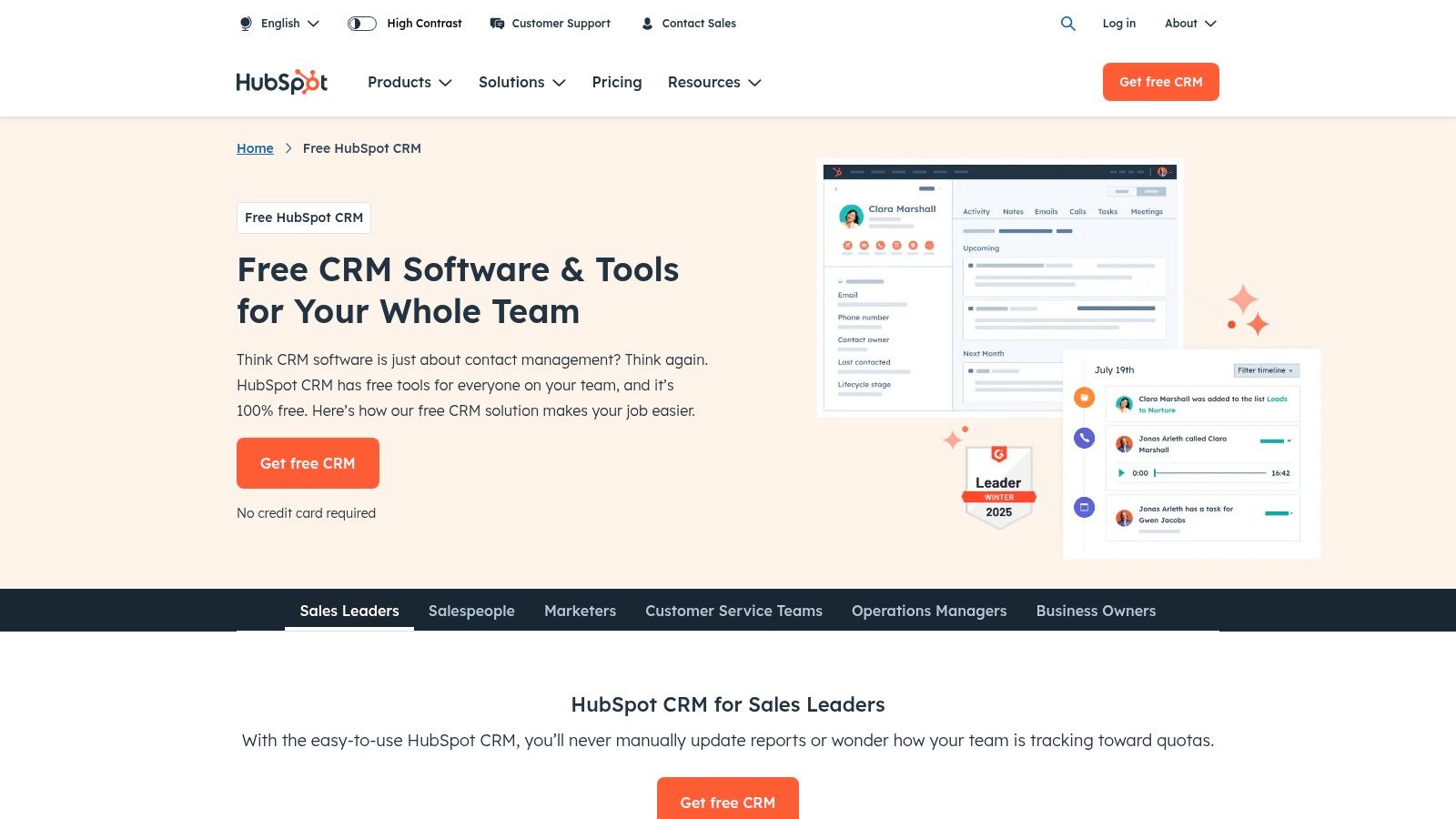
HubSpot CRM's free plan offers unlimited contacts and users, eliminating the per-user fees common in many other CRM platforms. This is a significant advantage for growing businesses as your team expands. Features like email tracking and scheduling allow you to monitor email opens and clicks, giving valuable insights into customer engagement. Furthermore, the deal pipeline management feature helps you visualise and manage your sales process, ensuring no lead slips through the cracks. The inclusion of live chat and chatbot functionality on the free plan allows you to engage website visitors in real-time, providing instant support and capturing valuable leads. Seamless integration with Gmail and Outlook simplifies your workflow by centralising your communication within the CRM.
One of the key strengths of HubSpot CRM lies in its seamless integration with HubSpot's broader marketing and sales ecosystem. This is particularly beneficial for businesses looking to implement a cohesive marketing strategy. As your business grows and requires more advanced functionalities, you can seamlessly upgrade to HubSpot's paid plans, accessing tools for marketing automation, sales enablement, and customer service. If you’re looking to develop a robust marketing strategy for your small business, you may find this article helpful: Learn more about HubSpot CRM. This integrated approach simplifies your tech stack and ensures consistent branding and messaging across all customer touchpoints. For digital marketing agencies in the UK, this integration offers a powerful platform to manage multiple client accounts and campaigns efficiently. E-commerce managers can leverage HubSpot CRM to personalize customer interactions, track purchase history, and segment audiences for targeted marketing campaigns, ultimately boosting conversions and customer engagement.
While the core CRM functionality is free, it's important to note that advanced features, such as custom reporting and advanced automation, require paid upgrades. The free plan also offers limited customization options. As your business expands and your CRM needs become more complex, the cost of adding premium features can become a significant investment. Therefore, it's crucial to carefully evaluate your current and future needs to determine if HubSpot CRM's pricing model aligns with your budget.
Setting up HubSpot CRM is relatively straightforward thanks to its user-friendly interface. The platform requires minimal technical expertise, allowing even non-technical users to quickly navigate and utilize its features. HubSpot provides extensive documentation and support resources to guide you through the setup process. Implementation tips include defining your sales process, customising your deal stages, and integrating your existing email accounts. For content creators and bloggers, HubSpot CRM can be a valuable tool for managing media contacts, tracking outreach efforts, and building relationships with influencers. Marketing professionals looking to leverage AI-driven automation and analytics will find HubSpot’s paid plans offer features such as predictive lead scoring and automated email sequences.
Compared to other CRM solutions like Zoho CRM or Salesforce, HubSpot CRM’s free tier offers a competitive advantage for businesses starting out. While Zoho CRM also offers a free plan, its features are more limited compared to HubSpot. Salesforce, while a powerful CRM, is significantly more expensive and may be overkill for small businesses with basic CRM needs. Therefore, HubSpot CRM strikes a balance between affordability and functionality, making it an ideal starting point for small businesses in the UK seeking to implement a CRM system.
2. Salesforce Essentials
Salesforce Essentials is a popular choice for small businesses in the UK seeking robust CRM software without the complexity of a full-blown enterprise solution. Designed specifically for businesses with up to 10 users, it offers a streamlined version of the industry-leading Salesforce platform, providing essential tools for contact management, sales tracking, and basic automation. This makes it a strong contender for any small business looking to improve customer relationships and boost sales. For those familiar with the Salesforce brand but intimidated by the enterprise-level offerings, Essentials provides an accessible entry point.
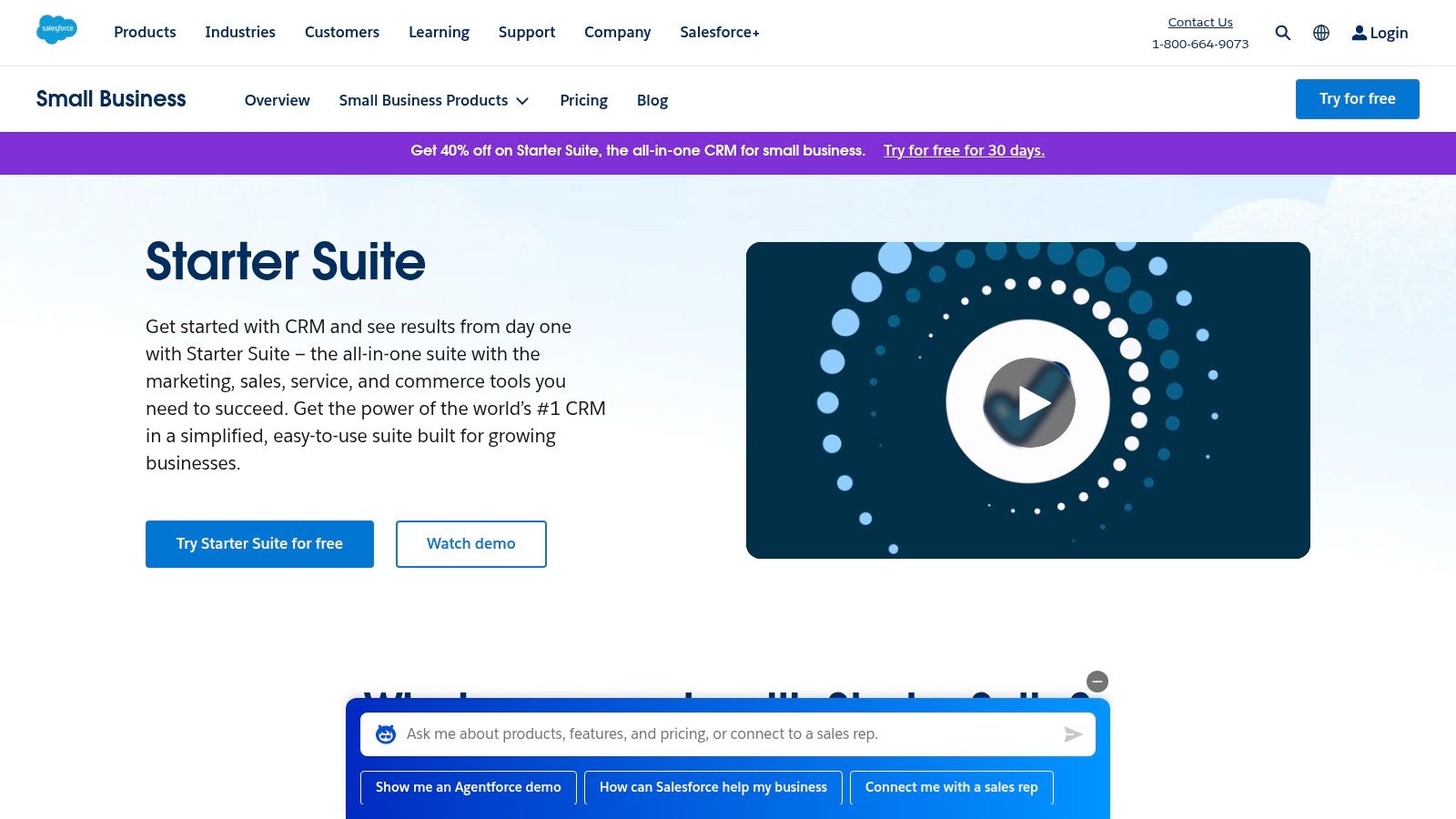
This CRM software for small business empowers you to centralize customer data, track interactions, and manage your sales pipeline effectively. Imagine effortlessly logging customer calls, scheduling follow-ups, and viewing the entire customer journey from initial contact to closed deal, all within a single platform. This level of organization can significantly enhance your team's productivity and improve customer satisfaction. For example, a small e-commerce business in the UK could use Salesforce Essentials to track online orders, manage customer queries through integrated email, and segment customers for targeted marketing campaigns. Similarly, a digital marketing agency can manage client communication, track project progress, and monitor campaign performance within the platform.
Key features of Salesforce Essentials include contact and account management, opportunity and lead tracking, email integration with templates, a mobile app for iOS and Android, and basic reporting and dashboards. The platform’s integration with popular tools like Gmail, Outlook, and QuickBooks streamlines workflows, eliminating the need for manual data entry and reducing the risk of errors. For instance, syncing Salesforce Essentials with Gmail allows automatic logging of email communications with clients, keeping a complete record of every interaction. Furthermore, the mobile app enables access to crucial customer data on the go, empowering sales teams in the field and ensuring they’re always prepared for client meetings.
Pricing and Technical Requirements:
Salesforce Essentials is priced at £20 per user per month (billed annually). It requires a stable internet connection and is accessible through a web browser or dedicated mobile apps. While the platform doesn’t have extensive hardware requirements, ensuring your team has reliable devices and internet connectivity is crucial for seamless operation.
Implementation and Setup Tips:
Setting up Salesforce Essentials is relatively straightforward. The platform offers guided setup wizards and helpful resources to get you started quickly. Start by importing existing customer data from spreadsheets or other CRM systems. Then, customize fields and layouts to match your specific business needs. Finally, train your team on how to use the platform effectively. Integrating Salesforce Essentials with your existing email client and other business tools is a crucial step for streamlining workflows and maximising the platform's benefits.
Pros:
- Backed by Salesforce's reliable infrastructure: Benefit from the stability and security of a world-leading CRM platform.
- Easy migration path to the full Salesforce platform: Scale up easily as your business grows.
- Strong mobile capabilities: Access customer data and manage your sales pipeline from anywhere.
- Good integration with third-party apps: Connect with your favourite business tools for seamless workflows.
Cons:
- Limited to 10 users maximum: Not suitable for larger teams.
- Fewer customization options than full Salesforce: May not meet the complex needs of all businesses.
- Pricing can be high for very small teams: Consider the cost-benefit for micro-businesses.
- Some advanced features require upgrades: Be aware of potential additional costs for advanced functionalities.
Comparison with Similar Tools:
While other CRM software for small business options like Zoho CRM and HubSpot CRM offer free plans, Salesforce Essentials provides a robust platform with the backing of Salesforce's extensive resources and support. This makes it a worthwhile investment for businesses seeking a reliable and scalable solution.
Website: https://www.salesforce.com/products/essentials/
Salesforce Essentials earns its place on this list due to its powerful features, reliable infrastructure, and seamless integration with other business tools. It's a valuable asset for small businesses in the UK aiming to streamline their CRM processes and enhance customer relationships. By centralizing customer data and automating key tasks, Salesforce Essentials allows you to focus on what matters most: growing your business.
3. Pipedrive
For small businesses in the UK seeking a straightforward yet powerful CRM solution, Pipedrive presents a compelling option. Designed with a laser focus on sales pipeline management, Pipedrive simplifies the process of tracking leads, managing deals, and closing sales. Its intuitive interface and activity-based selling approach make it particularly well-suited for small sales teams looking to streamline their workflow without getting bogged down in complex features. This CRM software for small business prioritizes actionable insights over overwhelming data, allowing you to concentrate on what matters most: driving sales and growing your business. Its ease of use combined with a reasonable price point makes it a strong contender for the best CRM software for small business currently available.
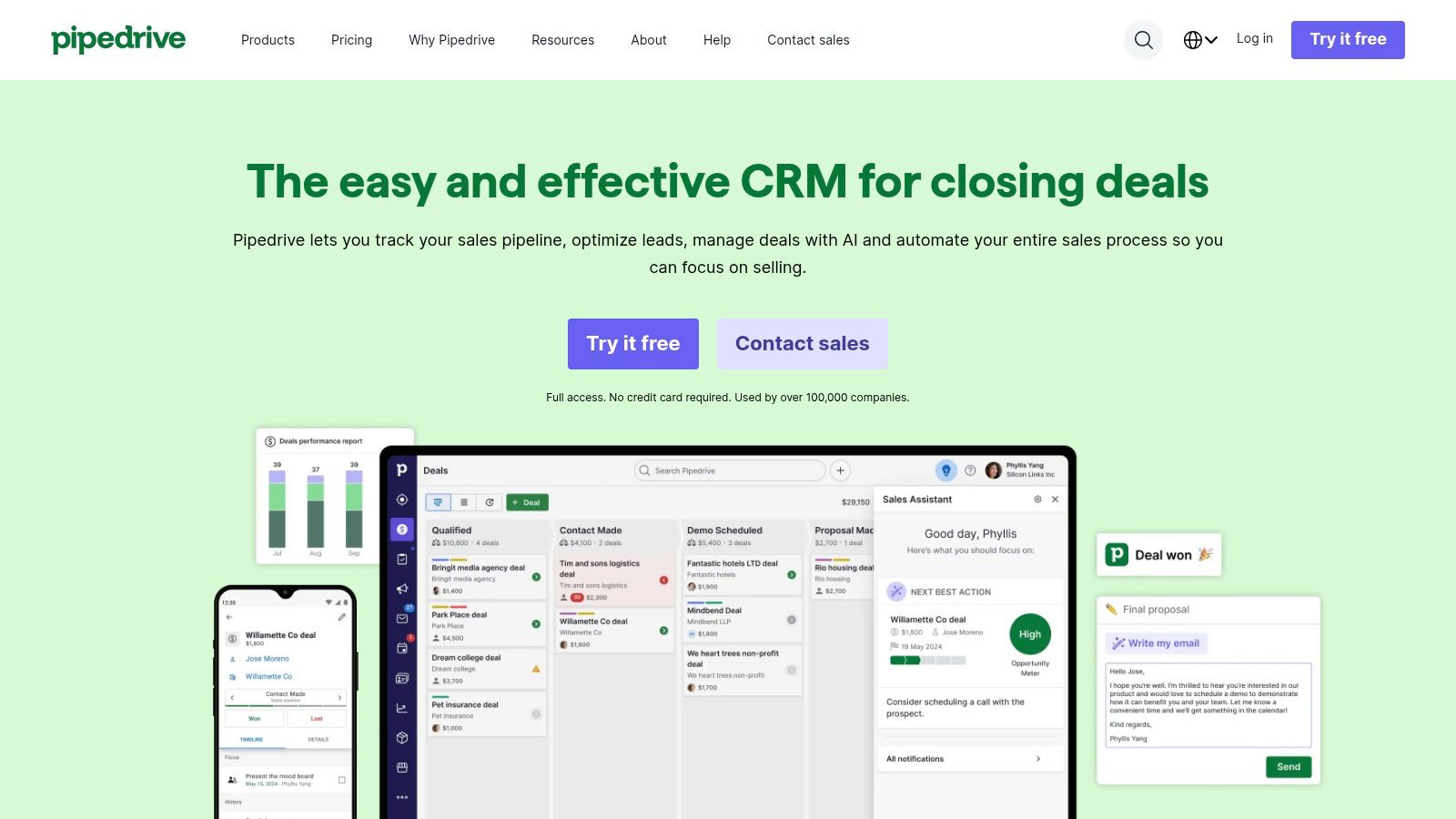
Pipedrive earns its place on this list due to its user-friendly design, affordable pricing, and strong focus on sales pipeline visualization. Unlike some CRM software for small business options that try to be everything to everyone, Pipedrive excels in its core competency: managing the sales process from lead generation to deal closure. This specialized approach makes it particularly beneficial for small businesses in the UK that are primarily focused on sales growth and don't require extensive marketing automation or complex reporting functionalities.
Key features that make Pipedrive stand out include its visual sales pipeline management, which allows you to drag and drop deals across different stages, providing a clear overview of your sales progress. Activity reminders and scheduling ensure that no crucial follow-up is missed, while email synchronization and tracking keep your communication streamlined and efficient. The ability to set goals and track progress against them helps maintain momentum and provides valuable performance insights. Customizable fields and stages further allow you to tailor the platform to your specific sales process.
Pricing for Pipedrive starts at $14.90 per user per month for the Essential plan, making it an affordable CRM software for small business option, especially for smaller teams. The more advanced plans, Advanced, Professional, and Enterprise, offer additional features like workflow automation, revenue forecasting, and custom reporting, catering to growing businesses with more sophisticated needs. These higher tiers offer more in line with what other crm software for small business offers, such as HubSpot or Salesforce, but at a more manageable price point for smaller operations.
Practical Applications and Use Cases for UK Businesses:
- Independent Retailers: Manage customer interactions, track orders, and personalize follow-ups to build stronger customer relationships.
- Service-Based Businesses: Schedule appointments, manage client communication, and track service delivery progress.
- E-commerce Businesses: Integrate with e-commerce platforms to track customer orders, manage sales pipelines, and personalize marketing efforts.
- Startups: Manage early-stage sales processes, track leads, and build a solid foundation for future growth.
Implementation and Setup Tips:
- Define your sales stages: Clearly outline your sales process and customize Pipedrive's stages accordingly.
- Integrate with existing tools: Connect Pipedrive with your email client, calendar, and other essential applications for seamless data flow.
- Train your team: Ensure all team members understand how to use the platform effectively to maximize its benefits.
- Start with the basics: Focus on mastering the core features before exploring advanced functionalities.
Pros:
- Intuitive and easy-to-use interface
- Strong focus on sales pipeline management
- Excellent mobile app functionality for managing sales on the go
- Affordable pricing for small teams
Cons:
- Limited marketing automation features compared to some competitors like HubSpot.
- Basic reporting compared to more comprehensive CRM solutions like Salesforce.
- Fewer customization options for complex workflows. Customer support can be slow during peak times.
Website: https://www.pipedrive.com
Pipedrive, despite some limitations, offers a strong value proposition as a CRM software for small business in the UK. Its focus on simplifying sales pipeline management, combined with its affordability and ease of use, makes it an ideal choice for small teams looking to boost their sales performance without the complexity of a full-blown CRM solution. While it might not be suitable for businesses requiring extensive marketing automation or complex reporting, its strengths lie in its core functionality, making it a powerful tool for managing and growing your sales pipeline effectively.
4. Zoho CRM
Zoho CRM is a powerful and versatile CRM software for small business owners in the UK looking to streamline their sales and marketing processes. As part of the extensive Zoho suite of business applications, it offers a remarkably comprehensive set of features at a competitive price point, making it a compelling option for businesses looking to maximize their return on investment. From lead management and sales automation to insightful analytics and customer support, Zoho CRM empowers businesses to build stronger customer relationships and drive growth. Its robust feature set, combined with the potential for seamless integration with other Zoho applications, makes it a worthy contender in the crowded CRM market. This makes it especially attractive for businesses already utilizing other Zoho tools, creating a unified and efficient business ecosystem.
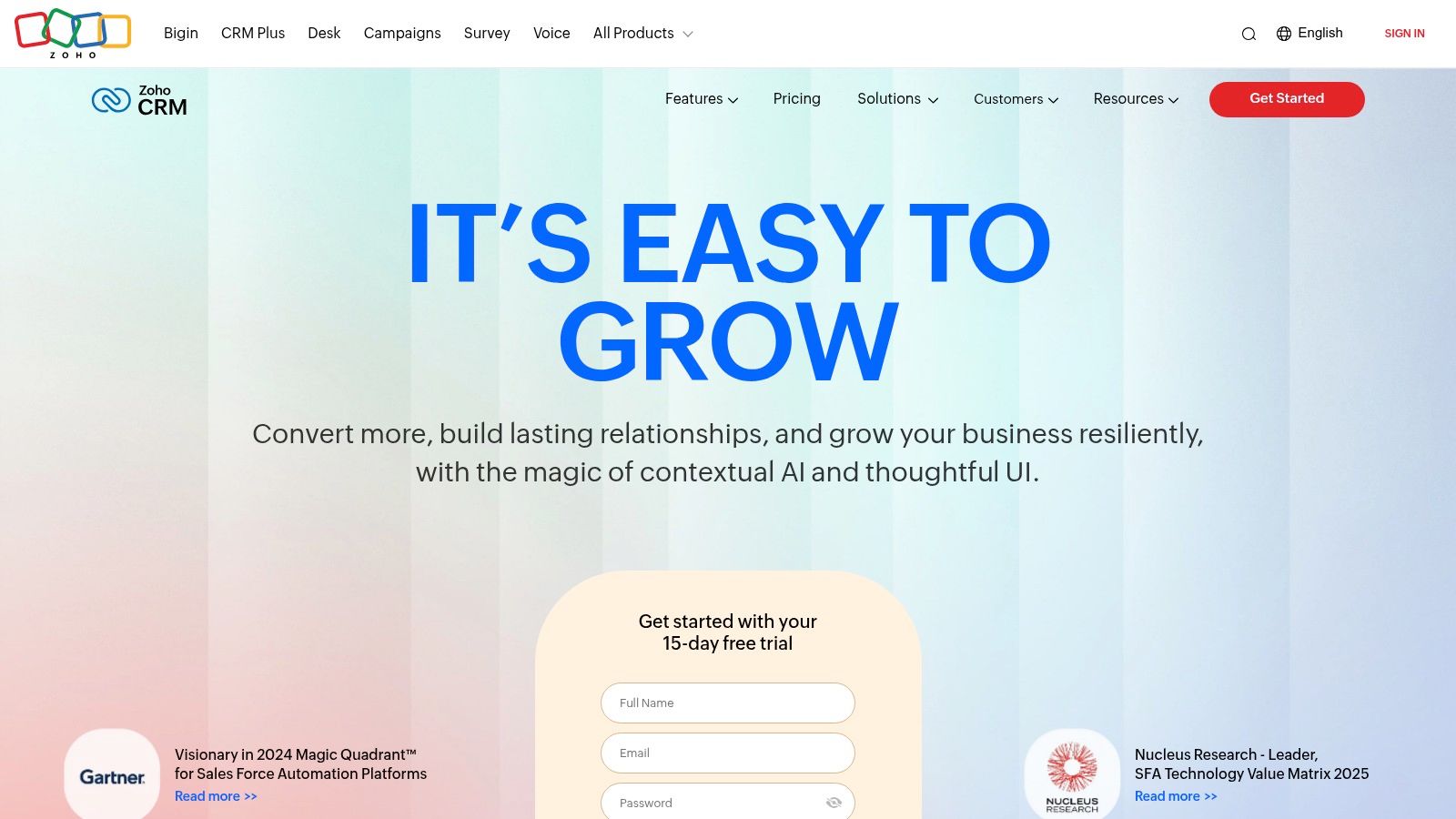
One of Zoho CRM's standout features is Zia, its AI-powered sales assistant. Zia provides valuable sales insights, predicts potential deals, and automates routine tasks, freeing up your team to focus on building relationships and closing deals. Imagine having an assistant that can analyze your sales data, identify patterns, and predict which leads are most likely to convert. Zia does just that, giving your sales team a significant advantage. For small businesses in the UK, this functionality can be incredibly valuable, especially when resources are limited.
Workflow automation is another key strength of Zoho CRM. The platform allows you to automate repetitive tasks, such as lead assignment and follow-up emails, ensuring efficiency and consistency in your sales processes. Automated approval processes can also be established for discounts or special offers, further streamlining operations and minimizing manual intervention. Consider a scenario where a new lead enters your system. Zoho CRM can automatically assign that lead to the appropriate sales representative, trigger a welcome email, and even schedule a follow-up call. This level of automation not only saves time but also ensures that no leads slip through the cracks.
For businesses actively engaged in social media marketing, Zoho CRM's social media integration offers a significant advantage. This feature allows you to monitor social media mentions, engage with prospects and customers, and track the effectiveness of your social media campaigns, all within the CRM platform. This unified view of customer interactions, across multiple channels, provides valuable context and insights for your sales and marketing teams.
Zoho CRM offers a range of pricing plans to suit different business needs. A free plan is available for up to 3 users, providing a great entry point for very small businesses. Paid plans start at $14 per user per month and unlock additional features and user capacity. For businesses in the UK, this tiered pricing model allows for scalability, ensuring that you only pay for the features and users you require. While technical requirements are minimal, a stable internet connection and a compatible web browser are essential.
Compared to other CRM software for small business like HubSpot or Salesforce, Zoho CRM offers a more comprehensive feature set at a lower price point. While HubSpot excels in inbound marketing and Salesforce is known for its enterprise-grade capabilities, Zoho CRM provides a balanced approach, offering a wide range of features tailored for small and medium-sized businesses.
Implementing Zoho CRM is relatively straightforward. The platform offers a user-friendly interface and extensive documentation to guide you through the setup process. However, new users might find the interface slightly cluttered initially, and the learning curve for advanced features can be steep. While Zoho's customer support quality can vary depending on the region, they offer various support channels including email, phone, and online forums. One tip for a smooth implementation is to start with the core features and gradually explore the more advanced functionalities as your team becomes more familiar with the platform.
Despite some minor drawbacks, Zoho CRM is a strong contender for small businesses in the UK seeking a robust and cost-effective CRM solution. Its comprehensive features, AI-powered insights, and competitive pricing make it a valuable tool for managing customer relationships, automating sales processes, and driving business growth. The free plan also provides an excellent opportunity for smaller teams to test the platform before committing to a paid subscription. The integration within the Zoho ecosystem is a significant advantage for businesses already using other Zoho applications, simplifying workflows and maximizing efficiency. Link to website: https://www.zoho.com/crm/
5. Freshsales (Freshworks CRM)
Freshsales, a product of Freshworks, stands out as a robust CRM software for small business owners in the UK looking to streamline their sales, marketing, and customer service operations within a single platform. Its comprehensive suite of features, coupled with a flexible pricing model, makes it a compelling choice for growing businesses seeking an all-in-one solution. This allows businesses to manage their entire customer journey, from initial contact to ongoing support, all within a unified environment.
Freshsales excels at providing a comprehensive suite of built-in tools that cover a wide range of CRM functionalities. For example, its integrated phone and email capabilities allow sales teams to connect with leads and customers directly from the platform, eliminating the need for separate communication tools and streamlining workflows. This not only saves time but also provides a centralised hub for all customer interactions. Imagine being able to track every email, phone call, and meeting related to a specific customer, all within a single click. This provides valuable context and ensures that no crucial information gets lost. If you're looking to leverage email marketing more effectively, you might want to Learn more about Freshsales (Freshworks CRM) to explore its benefits.
Beyond communication, Freshsales offers advanced lead scoring and qualification features. This helps small businesses identify and prioritise high-potential leads, enabling sales teams to focus their efforts on the most promising opportunities. The platform's territory and team management tools allow for efficient allocation of resources and tracking of performance across different sales regions or teams. This is particularly beneficial for businesses operating across multiple locations or with distributed sales teams. Furthermore, event tracking and behavioural triggers automate follow-up actions based on specific customer activities, ensuring timely engagement and nurturing of leads.
Advanced reporting and analytics dashboards provide valuable insights into sales performance, marketing campaign effectiveness, and customer behaviour. These data-driven insights empower businesses to make informed decisions, optimise strategies, and drive growth. This is especially crucial in today's competitive landscape where understanding customer behaviour and market trends is essential for success. Freshsales offers a range of pre-built reports as well as customisable dashboards, allowing businesses to tailor the analytics to their specific needs.
One of the key advantages of Freshsales is its all-in-one approach to sales and marketing. This integration eliminates the need for multiple disparate tools, reducing complexity and streamlining operations. The built-in communication tools further simplify workflows and enhance team collaboration. The platform’s strong automation capabilities empower businesses to automate repetitive tasks, freeing up time for more strategic activities. Freshsales offers a responsive customer support team to assist users with any questions or technical challenges.
While Freshsales boasts a robust feature set, it's important to consider its potential drawbacks. For small businesses with very simple CRM needs, the platform's extensive functionalities might be overwhelming. Lower-tier plans offer limited customisation options, which may restrict businesses with unique requirements. Some of the more advanced features may require technical setup, potentially necessitating external assistance or dedicated IT resources. Finally, the pricing can increase significantly as businesses opt for higher tiers with more advanced features. For example, businesses seeking advanced AI-driven features or enterprise-level integrations might find the higher-tier pricing substantial.
Freshsales offers a free plan for up to 3 users, making it a viable option for very small businesses or startups just getting started with CRM. Paid plans start at $15 per user per month, providing access to a wider range of features and functionalities. As a small business owner in the UK, you can compare these pricing tiers with other CRM solutions available in the market to determine the best fit for your budget and requirements. It’s worth considering the long-term costs and the potential return on investment when evaluating the pricing structure.
Implementing Freshsales successfully requires careful planning and execution. Begin by clearly defining your CRM objectives and identifying the key features you need. Data migration from existing systems is a crucial step, and ensuring data integrity is essential. Train your team thoroughly on how to utilise the platform effectively. Leveraging Freshsales' automation features can significantly improve efficiency, so explore these capabilities fully. Regularly review and analyse the data provided by Freshsales to gain insights and optimise your sales and marketing strategies. You can find further resources and support on the Freshsales website: https://www.freshworks.com/crm/sales/
Freshsales earns its place in this list due to its comprehensive features, flexible pricing, and integrated approach to sales, marketing, and customer service. While it may not be the simplest solution for businesses with very basic needs, its powerful functionalities make it a compelling option for growing small businesses in the UK seeking a scalable and robust CRM platform.
6. Insightly
For UK small businesses juggling both customer relationships and project deliverables, Insightly emerges as a compelling CRM software solution. Unlike traditional CRMs, Insightly uniquely integrates project management functionalities within its platform, offering a centralized hub for managing both client interactions and project execution. This makes it particularly attractive to businesses that need to track client communications alongside project progress, tasks, and deadlines, all within a single unified system. This blended approach streamlines workflows and eliminates the need for separate project management and CRM tools, potentially saving businesses time and money. It's a valuable tool for CRM software for small business users in the UK.
Imagine a small marketing agency in London managing multiple client campaigns. With Insightly, they can link specific client communications directly to project tasks, deadlines, and budgets. The agency can track email exchanges, schedule meetings, assign tasks to team members, monitor project progress, and manage invoices, all within the Insightly platform. This level of integration facilitates better collaboration, improves project visibility, and enhances client communication.
Insightly’s relationship linking and mapping feature is a standout tool for small businesses aiming to build stronger client relationships. This feature visualizes the connections between individuals and organizations, providing valuable insights into complex business networks. For example, if a sales team is targeting a large corporation, they can use Insightly to map the key decision-makers, understand their relationships, and tailor their outreach strategy accordingly. This level of detail can significantly improve sales effectiveness and build stronger, more strategic relationships.
Workflow automation is another key strength of Insightly. Small businesses can automate repetitive tasks like lead assignment, follow-up emails, and progress reporting, freeing up valuable time for more strategic activities. Insightly also offers robust email marketing features, including email templates and mass email campaigns, empowering businesses to nurture leads and engage customers effectively.
While Insightly offers a free plan for up to two users, the paid plans, starting at $29 per user per month, provide access to more advanced features like custom fields, page layouts, and increased data storage. This pricing structure makes it a good value proposition for businesses needing both CRM and project management capabilities, although it's worth noting that the starting price is higher than some alternative CRM-only solutions. For UK businesses, it’s crucial to consider the per-user cost in GBP, taking into account current exchange rates.
Before implementing Insightly, consider these tips:
- Define your needs: Clearly outline your CRM and project management requirements. Insightly’s combined functionality is powerful but might be overkill for businesses with simple CRM needs.
- Data migration: If you're transitioning from another CRM, plan your data migration strategy. Insightly offers import tools, but ensuring a smooth data transfer is crucial.
- Training: Invest time in training your team on how to effectively use Insightly’s features. This will maximize the platform's potential and ensure a smooth transition.
- Integrations: Explore Insightly’s integration options with other business tools you use. This can further enhance productivity and streamline workflows.
Although Insightly’s interface feels slightly dated compared to some competitors, its powerful combination of CRM and project management functionalities makes it a worthwhile contender for UK small businesses. Its robust features, particularly its relationship mapping and workflow automation capabilities, position it as a strong choice for companies needing a centralized platform to manage both client interactions and project delivery. However, be aware of the potentially steeper learning curve due to the combined functionalities and the higher price point compared to some CRM-only alternatives. Consider your specific needs and budget before making a decision. If your UK-based business demands a robust solution that seamlessly blends CRM and project management, Insightly deserves serious consideration. Visit their website at https://www.insightly.com to learn more.
7. Copper
Copper, formerly known as ProsperWorks, stands out as a CRM software specifically designed for small businesses deeply embedded in the Google Workspace ecosystem. If your business relies heavily on Gmail, Google Calendar, and other Google apps, Copper offers a level of integration that can significantly streamline your workflow. It’s designed to minimise manual data entry by automatically capturing email interactions, contact details, and scheduling information, effectively consolidating your communication and customer management within the familiar Google interface. This makes it a particularly compelling choice for UK small businesses already leveraging the power of Google Workspace. For those seeking seamless integration with their existing Google tools, Copper offers a compelling solution for managing customer relationships. Its focus on simplicity and automation makes it a strong contender for small businesses looking to enhance productivity without a steep learning curve. Pricing starts at $25 (£19.50 approx., depending on the current exchange rate) per user per month.
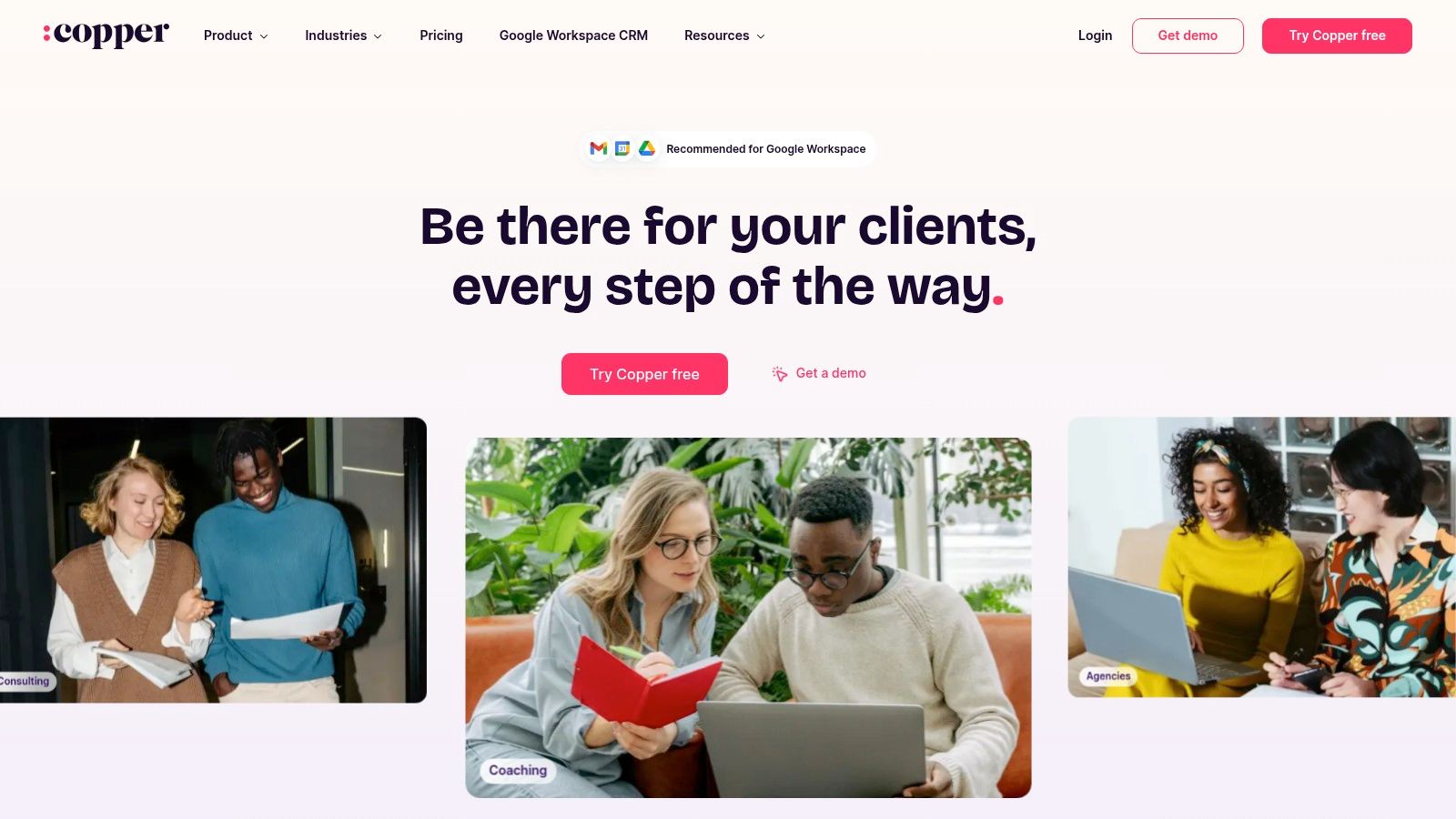
Copper's strength lies in its native Google Workspace integration. This means automatic syncing of emails and calendar events, allowing you to manage your sales pipeline, track opportunities, and schedule tasks without leaving your Google environment. Imagine having all client communication, meeting notes, and deal progress automatically logged and organised within your Gmail inbox and Google Calendar. This level of integration minimizes manual data entry, reducing administrative overhead and freeing up time to focus on building customer relationships and growing your business. The clean and intuitive user interface further enhances this ease of use, making it simple to navigate and manage your CRM data even without extensive technical expertise. The mobile app with offline capabilities allows you to access and update your CRM data on the go, ensuring you stay connected to your customer information even when you're away from your desk. This is especially useful for small business owners and sales teams who are frequently travelling or meeting clients outside the office.
For example, a small digital marketing agency in the UK could use Copper to manage their client projects, track communication, schedule meetings, and monitor progress directly within their existing Google Workspace. E-commerce managers can benefit from automated email follow-ups with customers, track order details, and manage customer interactions within Gmail. Content creators and bloggers can use Copper to manage outreach campaigns, track influencer collaborations, and maintain relationships with key contacts within the familiar Google interface.
However, Copper's tight integration with Google also presents a limitation. Its value proposition diminishes significantly for businesses that don't utilize Google Workspace. If your business relies on other email providers or productivity suites, the seamless integration that makes Copper so attractive becomes irrelevant. Furthermore, compared to some competitors offering crm software for small business, Copper has fewer advanced features. While it covers the essential CRM functionalities, businesses requiring highly customized workflows or advanced reporting capabilities might find it lacking. The higher price point for the basic functionality compared to some other CRM options can also be a deterrent for budget-conscious small businesses, particularly those not fully utilizing the Google Workspace integration. Limited customization options further restrict businesses seeking tailored solutions to specific workflow needs.
Implementation for Google Workspace users is incredibly straightforward. The native integration means minimal setup is required. Simply connect your Google account, and Copper will automatically sync your existing contacts, emails, and calendar events. However, businesses not utilizing Google Workspace will find the setup process less beneficial. It is crucial to consider your existing software ecosystem and future needs when evaluating Copper as your crm software for small business.
While Copper is a powerful tool for Google-centric small businesses in the UK looking for a streamlined CRM solution, it’s crucial to weigh the pros and cons in the context of your specific business requirements. If your business relies heavily on the Google ecosystem, Copper offers a valuable solution to manage customer relationships efficiently. However, if you are outside the Google ecosystem or require advanced features and customization, exploring alternative CRM solutions might be more beneficial. You can explore Copper's features and functionality further on their website: https://www.copper.com.
8. Monday.com CRM
Monday.com CRM offers a fresh, visually-driven approach to customer relationship management, especially appealing to small businesses in the UK seeking a flexible and collaborative platform. Built upon the popular Monday.com work management platform, this CRM isn't a standalone product but integrates seamlessly within the broader suite. This means you're not just getting a CRM; you're tapping into a powerful work operating system (Work OS) that centralizes various business processes. This makes it a strong contender for businesses looking to streamline their operations and improve team communication all in one place.
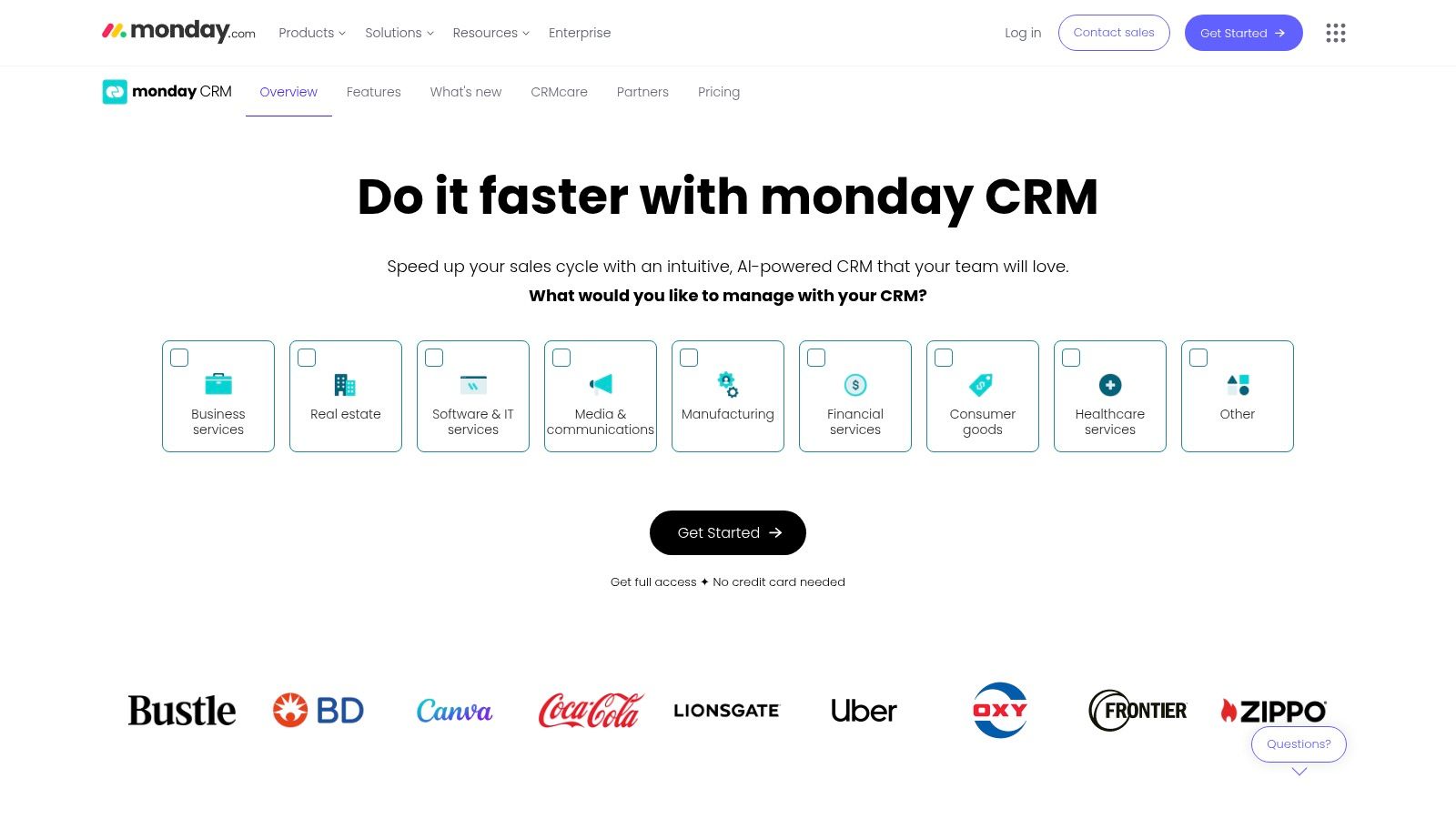
Monday.com CRM stands out with its intuitive, board-based interface. Think of it like a giant, customizable digital whiteboard where you can visually organize your leads, contacts, and deals. This highly visual approach makes it easy to track progress, identify bottlenecks, and manage your entire sales pipeline at a glance. The drag-and-drop functionality simplifies tasks like moving deals through different stages or assigning tasks to team members, boosting overall efficiency.
For small business owners new to CRM software for small business, the visual nature of Monday.com can be a significant advantage, reducing the learning curve often associated with more complex systems. Imagine visualizing your entire sales funnel on a single board, from initial contact to closed deal. You can customize each stage, add notes, attach files, and even integrate with other tools, creating a centralized hub for all your customer interactions. This eliminates the need for multiple spreadsheets and documents, saving valuable time and reducing the risk of data silos. You can even track your digital marketing efforts alongside your CRM within the platform, making it easier to connect marketing activities with sales outcomes. If you're looking to deepen your understanding of digital marketing in general, you can learn more about Monday.com CRM and its role in a broader strategy.
Beyond its visual appeal, Monday.com CRM boasts robust customization features. You can tailor workflows and automations to fit your specific business processes. Need to automatically send a welcome email to new leads? No problem. Want to notify your sales team when a deal reaches a specific stage? Easily done. This level of customization empowers you to create a CRM that truly works for your business, not the other way around. Furthermore, the platform offers strong collaboration features, allowing teams to communicate seamlessly within the platform, share updates, and work together on deals. This collaborative approach fosters transparency and ensures everyone is on the same page.
While the platform offers competitive pricing, starting at $8 per user per month, it's crucial to consider potential add-ons and how they might impact your overall cost. For small businesses with basic CRM needs, the basic plan may suffice. However, as your business grows and your requirements become more complex, you might find yourself needing additional features, which could increase the monthly subscription fee.
One potential drawback is that Monday.com, while powerful, can be overly complex for businesses with very simple CRM needs. If you’re a solopreneur or running a micro-business with a limited number of clients, a simpler, dedicated CRM might be a better fit. Additionally, while the visual interface is generally considered a strength, it can also present a learning curve for users unfamiliar with the Monday.com platform. While intuitive, taking full advantage of the platform's features requires some initial investment in training and exploration.
Despite being a newer entrant to the dedicated CRM market, Monday.com CRM holds its own thanks to its flexibility, visual appeal, and seamless integration with the wider Monday.com work management suite. For UK small businesses looking for a customizable, collaborative CRM that can grow with their needs, Monday.com is certainly worth considering. Remember to explore the various pricing tiers and available integrations to ensure the platform aligns with your budget and specific business requirements. This way, you can leverage the power of a visual CRM within a robust work management ecosystem, driving efficiency and fostering growth.
CRM Software Comparison: Top 8 for Small Business
| CRM Tool | Core Features & Highlights | User Experience ★ | Value & Pricing 💰 | Target Audience 👥 | Unique Selling Points ✨ |
|---|---|---|---|---|---|
| HubSpot CRM | Unlimited contacts/users, deal tracking, live chat | ★★★★☆ | 💰 Free core plan | Small businesses, scaling ops | 🏆 Free with strong marketing integrations |
| Salesforce Essentials | Contact & opportunity mgmt, mobile app | ★★★★ | 💰 Starts moderate, max 10 users | Small businesses, mobile users | 🏆 Reliable Salesforce infrastructure |
| Pipedrive | Visual pipeline, activity reminders, email sync | ★★★★☆ | 💰 Starts $14.90/user/mo | Sales teams, small businesses | ✨ Sales-focused, intuitive UI |
| Zoho CRM | AI assistant, workflow automation, social media | ★★★★ | 💰 Free (3 users), paid from $14 | Small teams, value-seekers | ✨ AI-driven insights (Zia), broad suite |
| Freshsales | Built-in phone/email, lead scoring, territory mgmt | ★★★★ | 💰 Free (3 users), paid from $15 | Growing small businesses | ✨ All-in-one sales & marketing platform |
| Insightly | CRM + project management, workflow automation | ★★★ | 💰 Free (2 users), paid from $29 | Businesses needing CRM + PM | ✨ CRM + project mgmt combo |
| Copper | Gmail & Google Workspace native integration | ★★★★ | 💰 From $25/user/mo | Google Workspace users | ✨ Seamless Google ecosystem integration |
| Monday.com CRM | Visual boards, customizable workflows, collaboration | ★★★★ | 💰 From $8/user/mo | Teams needing visual CRM | ✨ Highly visual & flexible work management |
Ready to Transform Your Customer Relationships?
Choosing the right CRM software for small business can feel overwhelming, but it's a pivotal step towards sustainable growth. From HubSpot's all-in-one marketing platform to Monday.com's adaptable CRM, the tools explored in this article offer diverse solutions for UK businesses. Key takeaways include considering your budget, required features (such as sales pipeline management, email marketing integration, or customer support functionalities), and the level of automation you need. Whether you're a small business owner in London, a digital marketing agency in Manchester, or an e-commerce manager in Edinburgh, finding the perfect CRM can revolutionise your customer interactions. Remember that successful CRM implementation involves proper training, data migration, and ongoing evaluation to maximize its benefits.
Finding the perfect fit for your specific needs is paramount. If you’re focused on sales pipeline management, Pipedrive or Salesforce Essentials might be excellent choices. For a more comprehensive marketing and sales platform, HubSpot or Zoho CRM are strong contenders. And if you need flexibility and customisation, platforms like Monday.com or Insightly could be ideal. Exploring free trials and demos is highly recommended to experience each platform firsthand.
Implementing the right crm software for small business empowers you to nurture leads, personalize customer experiences, and streamline your workflows. By improving customer satisfaction and loyalty, you're not just managing relationships – you're building a thriving business community.
Ready to take the next step? Explore a comprehensive comparison of these tools and unlock exclusive deals on The Digital Marketing Toolbox, your one-stop resource for discovering and optimizing the best marketing software, including leading CRM solutions, for your small business in the UK. Find the perfect tools to elevate your marketing strategy and drive impactful results today.


