
Why Your Google Sites Deserves Better Than Default Settings
Let’s be honest, most people throw their Google Sites together quickly and never think twice about SEO. They treat it like a digital flyer, a quick fix, not a real website. Big mistake. I've seen simple Google Sites outrank expensive custom builds, and it’s not magic. It's about giving your Google Site the SEO love it deserves.
A fresh Google Site is beautifully simple. But that clean slate can be deceptive. It’s easy to get something online, but much harder to get something that performs. The default settings prioritize ease of use, not search engine visibility.
What most people miss is the huge advantage of being plugged directly into the Google ecosystem. Google dominates search. We're talking about 92.58% of the UK search engine market share. Check out these search engine market share insights. Optimizing for Google is essential, and what better place to do it than on Google Sites?
Unlocking Your Site's Potential
The apparent simplicity of Google Sites is actually a secret SEO weapon. The technical foundation is already rock solid. Think of it like a new apartment. It might be a bit bare when you move in, but the plumbing, electrics, and structure are all there. You just need to decorate and furnish it – and in this case, “decorating” means optimizing for search.
Debunking the Myths
I hear it all the time: "Google Sites can't compete with custom-built websites." Let me tell you, I've seen that myth busted time and again. It's not what you build on, it's how you build. A small bookshop can thrive alongside a big chain. The same goes for websites. A well-optimized Google Site can outperform a flashier, more expensive site any day. The key is understanding what Google rewards: quality content, a great user experience, and a technically sound site.
Real-World Results
I've analyzed tons of successful Google Sites, and the trends are clear. I worked with a small furniture business in Bristol using a Google Site. After a focused SEO overhaul, they saw a 300% increase in organic traffic. They jumped from page five obscurity to ranking in the top three for their key search terms. This is proof that with the right approach, even “simple” platforms can deliver powerful results. Focusing on on-page optimization, technical SEO improvements, and site performance is the key. So, don't settle for the defaults. Give your Google Site the SEO attention it deserves, and watch it climb.
Building Your Google Sites SEO Foundation Right

Let's talk about setting up your Google Site for SEO success—specifically those early decisions that can make or break your site down the line. I've seen it happen too many times: sites launched in a hurry, only to realize months later their URL structure is a tangled mess. It's like building a house on sand.
So, let's walk through those critical early steps that separate the Google Sites winners from the… well, you get the idea. First up: your domain. A custom domain isn't just about looking professional (though that's important!). It can actually give your search performance a real boost. Think of it like wearing a sharp suit to a job interview—it definitely makes an impression.
Structuring Your Site For Success
Next, we get to site architecture. This is foundational to good SEO on Google Sites. A well-structured site is like a well-organized library: visitors (and search engines) can easily find what they need. This means a clear page hierarchy, logical categories, and intuitive navigation.
And let's not forget mobile optimization. These days, Google loves mobile-friendly sites, and for good reason. Mobile searches are dominant in many markets, so making sure your site looks and works perfectly on any device is non-negotiable. This isn't a passing fad, it's how people browse now.
Navigation and Internal Linking: Guiding Users and Search Engines
Your site navigation does double duty. It helps users find their way around and shows search engines how your content fits together. A clear, concise navigation menu makes it easy for both humans and bots to explore your site and discover all the valuable information you've created. It's like creating a roadmap of your content. For a broader perspective on digital marketing strategies, check out this beginners guide to digital marketing.
Here’s a handy checklist to keep in mind as you optimize your Google Site:
| Setting | Default State | SEO-Optimized State | Impact Level |
|---|---|---|---|
| Custom Domain | Not Connected | Connected (e.g., yourdomain.com) | High – Improves branding and search visibility |
| Site Structure | Basic | Organized with clear hierarchy and categories | High – Improves user experience and search engine crawling |
| Mobile Optimization | Automatic (but may need adjustments) | Thoroughly tested and refined for all devices | High – Essential for user experience and search rankings |
| Navigation Menu | Basic | Clear, concise, and logically structured | Medium – Improves user experience and site exploration |
| Internal Links | Few or none | Strategically placed between relevant pages | Medium – Improves SEO and user engagement |
This table summarizes the key areas you'll want to focus on, highlighting the difference between the standard Google Sites setup and a truly optimized one. As you can see, making these adjustments can have a significant impact on your site's performance.
Finally, let's talk internal linking. Linking related pages within your site isn't just good for users—it also spreads SEO value throughout your site. It’s like creating a network of information that benefits both your visitors and search engines.
Getting these foundational elements right from the start will save you a lot of headaches down the road. A solid foundation is key to any successful project, online or off.
Creating Content That Actually Ranks and Converts

This screenshot from Wikipedia's SEO page gives a good overview of how SEO aims to boost both the quality and quantity of website traffic. It's not just about getting more visitors, it’s about attracting the right visitors – the ones actively searching for what you offer.
I've worked on hundreds of Google Sites, and let me tell you, content creation is where many people think they've cracked the code, but it's trickier than it looks. Simply throwing some text and images onto a page isn't enough. Ranking well means truly understanding your audience and their search intent.
Beyond Keywords: Understanding Search Intent
Think about this: someone searching for "best Italian restaurants near me" wants something completely different than someone searching for "Italian pasta recipes." One wants to dine out, the other wants to cook. That's search intent in a nutshell. And Google Sites SEO is all about giving people the content that directly satisfies that intent.
For example, let's say you're a florist in London, and you're trying to rank for "wedding bouquets." Don't just list the flowers you have available. Showcase beautiful arrangements, talk about your custom design services, and share glowing testimonials. Show those brides-to-be you get what they're looking for: inspiration and peace of mind.
Structuring Your Content on Google Sites
Google Sites has its own quirks. Use its built-in features–like the announcement banner and collapsible sections–to highlight key information and make your content digestible. This keeps users engaged and helps Google understand your page. It's like setting up a shop window: grab attention, display your best products clearly.
Also, those titles and descriptions? Crucial. They’re your storefront on Google – what people see in search results. They need to be compelling. In the UK, around 42% of people use search engines when looking for things to buy. Check out these UK search stats. That means grabbing their attention in those search results is absolutely vital. You might also find this marketing strategy guide for small businesses helpful.
Optimizing Your Media for Search
Images and videos aren’t just window dressing; they’re SEO gold. Use descriptive alt text for your images so Google knows what they’re about. Optimize your video titles and descriptions too. It’s like labeling your products – helps people (and search engines) find what they need.
Keeping Users and Search Engines Happy
Finally, think about how your content is organized. A well-structured site is easy to navigate and has everything your visitors want. It's a win-win for both users and search engines. Think about creating content clusters, linking related pages within your site, and making sure your navigation is straightforward. This keeps people on your site and helps them find what they’re looking for.
Creating engaging, informative content is the key to converting clicks into customers. Write for humans first, but keep SEO in mind. Make it valuable, easy to read, and optimized for the keywords your target audience is actually using.
Mastering Technical SEO Within Google Sites' Framework
Google Sites gets a bad rap for SEO. People think it's limited, but honestly, there's more technical SEO power under the hood than you might realize. It's not just about throwing content on a page – it's knowing how to work with the platform's quirks, not against them. I've personally unearthed a ton of optimization opportunities just by digging a little deeper, things most users completely overlook.
URL Customization and Structured Data
Let's talk URLs. Google Sites allows some customization, but it's not always intuitive. You can create cleaner, more descriptive URLs. This isn't just about looking pretty – it directly impacts your click-through rate from search results. Think of it like a well-placed storefront sign – it tells people exactly what they'll find inside. I've also had real success implementing structured data on Google Sites, which is code that helps Google understand your content better. It's like giving Google a VIP backstage pass to your site. Most people skip this step, but it's a game-changer, especially for local SEO.
Leveraging Google Sites' Infrastructure
One of the biggest perks? Google Sites is built on Google's own infrastructure. This is a massive advantage for technical SEO. You automatically get the benefit of Google's blazing-fast servers and top-notch security. It's like having a Formula 1 engine in your everyday car – you’re going to get some serious speed. This inherently boosts your Core Web Vitals, which Google uses to measure page speed and user experience. Faster loading means happier users, and Google loves that.
Integration with Google Services
Here's another hidden gem: the smooth integration with other Google services. Connecting your Google Site to Google Analytics and Google Search Console is incredibly easy. These tools are invaluable. They give you a detailed look at your site's performance, highlighting what's working and what needs improvement. It's like having a dedicated SEO consultant in your corner, giving you the lowdown on traffic, keywords, and any technical hiccups that might be holding you back.
Tackling Technical Challenges
Now, let’s be real, Google Sites does have limitations. You don't have the same level of control as you would with a custom-built site. But, there are almost always workarounds. For example, while redirects aren't as straightforward, you can use internal links to achieve a similar result. Dealing with duplicate content? Canonical tags are your friend. They tell Google which page is the “original,” preventing any SEO penalties. Think of these strategies like knowing the backroads – you can still reach your destination, even if the main highway is blocked.
To help you navigate the technical landscape of Google Sites, I've put together a handy table summarizing the key capabilities and limitations:
Google Sites Technical SEO Capabilities vs Limitations
| SEO Element | Level of Control | Optimization Method | Difficulty Level |
|---|---|---|---|
| URLs | Partial | Customization within Google Sites framework | Easy |
| Structured Data | Possible | Manual implementation | Medium |
| Page Speed | High (Leveraging Google infrastructure) | Automatic optimization | Easy |
| Google Analytics/Search Console Integration | Full | Direct connection | Easy |
| Redirects | Limited | Workarounds with internal links | Medium |
| Duplicate Content | Manageable | Canonical tags | Medium |
| Custom Code (e.g., JavaScript, HTML) | Very Limited | Workarounds, if any, are complex | Hard |
This table gives you a quick overview of what you can and can't easily control when it comes to technical SEO on Google Sites. While you might not have complete freedom, there's still plenty you can do to optimize your site.
Mastering technical SEO on Google Sites is about knowing its strengths and weaknesses. By playing to its advantages and finding creative solutions for its limitations, you can give your site a significant SEO boost. These technical optimizations are the foundation of a successful website. Get them right, and everything else becomes much, much easier.
Building Authority Through Strategic Link Building

Let's talk links. Specifically, getting other sites to link to your Google Site. This is the core of link building: earning those all-important credibility signals. I know typical link-building advice can feel overwhelming, especially with a free platform like Google Sites. But trust me, I’ve experimented a lot, and there are ways to make it work. We just have to get a little creative.
Forget the complicated strategies you might hear about. We're going for achievable, budget-friendly wins here. No tech wizardry required.
Creating Link-Worthy Content
The best links are the ones you don't have to ask for. They happen because you've created something genuinely valuable. Think beyond the basic blog post. What kind of resource would people in your niche actually want to share? A detailed guide? Original research? Maybe a visually stunning infographic?
I'll give you an example. I put together a comprehensive guide on Google Sites SEO, and several well-known digital marketing blogs ended up linking to it. That’s the power of organic link building – it’s like word-of-mouth, but for the web. And it’s pure gold.
Outreach That Works
Now, sometimes a little nudge is helpful. You might find virtual marketing strategies useful here, too. Outreach isn’t about spamming people with link requests. It’s about connecting with relevant website owners, building genuine relationships, and offering real value. Share their content, participate in conversations, and then – when it feels natural – introduce your own resources where they fit the topic. This personalized approach beats generic templates any day. Think of it like networking: build rapport first, then talk business.
Leveraging the Google Ecosystem
Google Sites has a built-in advantage: it’s part of the Google family. Use this! Connect your site to your Google My Business profile and get active in relevant Google communities. This boosts your topical authority and strengthens your site's credibility with Google – kind of like having a VIP pass. It's especially useful for local SEO. If you're a business in, say, Manchester, a well-optimized Google My Business profile combined with listings in local directories can make a big difference in local search visibility.
Link-Building Pitfalls to Avoid
Some shortcuts aren't worth it. Avoid buying links or participating in link schemes. These tactics can get your site penalized by Google. It's like cheating in a marathon – you might gain a temporary advantage, but you’ll likely be disqualified in the end.
Setting Realistic Expectations
Link building is a marathon, not a sprint. Don’t expect miracles overnight. Focus on those high-quality links, nurture relationships, and use the Google ecosystem to your advantage. The results will come. It’s like tending a garden: nurture it consistently, and you’ll eventually see it flourish. Remember, a handful of strong backlinks from authoritative sites are far more valuable than hundreds of low-quality ones. Focus on quality, and your Google Site will thrive.
Tracking Performance and Optimizing for Long-Term Success
Okay, so you've laid the groundwork and crafted some amazing content for your Google Site. But how can you tell if it's actually resonating with your audience? SEO is a continuous process, not a one-time fix. It requires constant monitoring, adjustments, and improvements. Think of it like tending a garden: you need to water it, prune it, and ensure it gets enough sunlight.
Connecting Google Analytics and Search Console
First things first, connect your Google Site to both Google Analytics and Google Search Console. These tools are your SEO command centers. Analytics provides insights into who's visiting your site, where they're coming from, and how they're interacting with your content. Search Console, on the other hand, reveals how Google perceives your site, which keywords you're ranking for, and any technical hiccups that might be hindering your progress. It's like having x-ray vision into your website's performance.
I've found that having both of these connected from the very beginning gives you a strong data foundation to build upon.
Focusing on the Right Metrics
While page views can be satisfying, don't get caught up in vanity metrics. Instead, prioritize metrics that truly matter for SEO: organic traffic, keyword rankings, click-through rate (CTR) from search results, and bounce rate. These metrics tell you whether your SEO strategy is attracting the right audience and keeping them engaged. For instance, if your bounce rate is high, it could indicate that your content isn't relevant to user searches or that your site isn't user-friendly. I once had a client whose bounce rate was sky-high, and it turned out their site navigation was confusing. A simple fix made a world of difference.
Regular SEO Audits: Keeping Your Site Healthy
Just like regular health checkups are important for us, regular SEO audits are essential for your website's well-being. Use tools like Semrush or Ubersuggest (both offer free trials) to identify technical issues, broken links, and areas for improvement. Addressing problems early prevents them from snowballing and negatively impacting your rankings. Think of it this way: it’s much easier to fix a small leak than to deal with a flooded basement!
Adapting to Google's Algorithm Changes
Google's algorithms are constantly evolving. Stay up-to-date by following reputable SEO blogs and industry news. Don't panic with every update. Focus on crafting high-quality content that genuinely serves your audience, and you'll be less affected by algorithm shifts. It’s like weathering a storm—a strong foundation will keep you standing tall.
Testing and Optimization: Making Data-Driven Decisions
Let data guide your decisions. Experiment with different title tags, meta descriptions, and content formats. Monitor the results to understand what resonates best with your audience. A/B testing is a great technique for comparing different variations without disrupting your current performance. I often use A/B testing to fine-tune headlines and calls to action. It’s surprising how small changes can have a big impact!
Setting Realistic Expectations
SEO is a marathon, not a sprint. Don't expect overnight success. Building authority and achieving high rankings takes time and consistent effort. Be patient, stay the course, and celebrate small victories along the way. It's like climbing a mountain—it requires effort, but the view from the top is breathtaking.
Your Google Sites SEO Implementation Roadmap
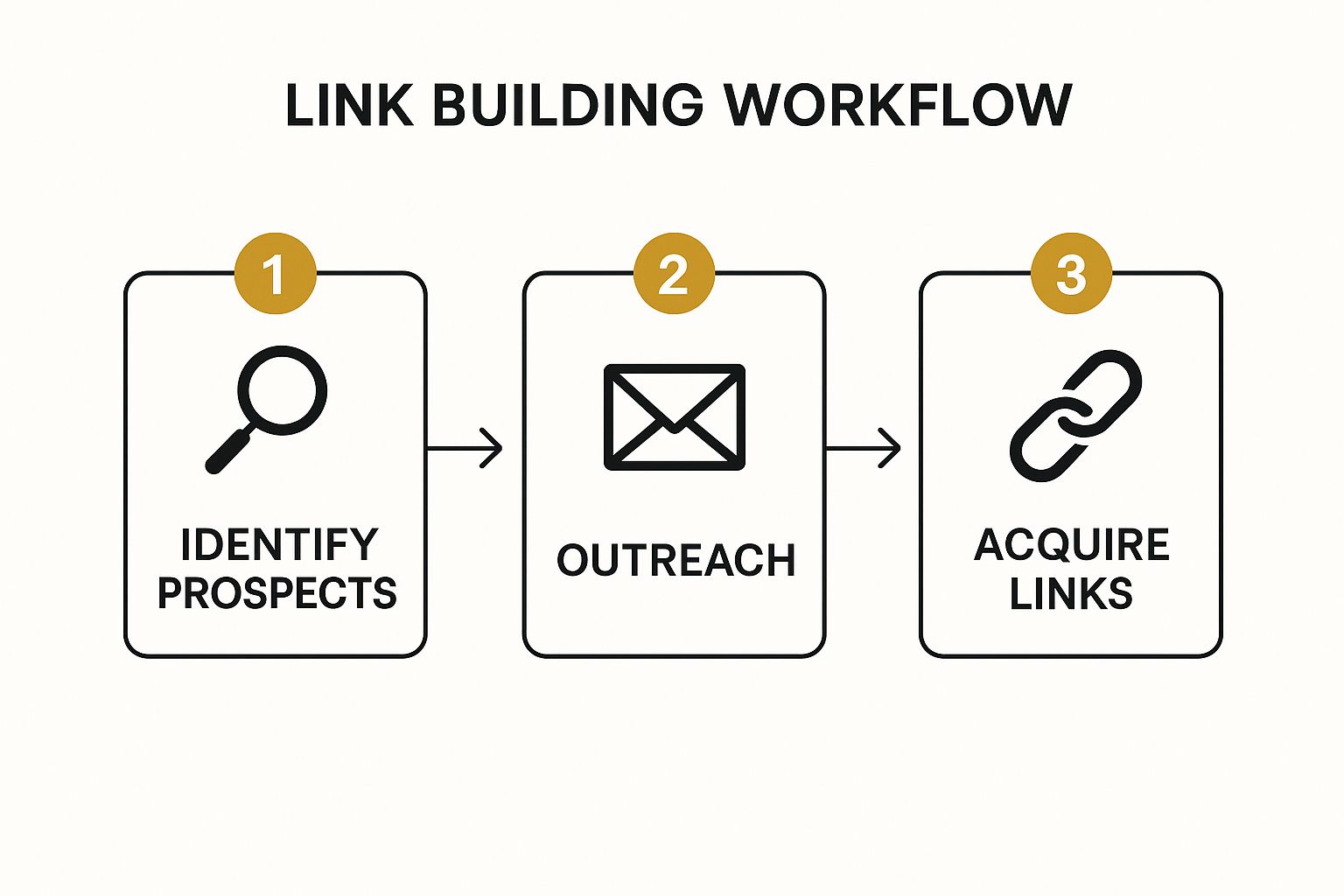
This infographic shows the link building process, a key part of Google Sites SEO. It's broken down into three parts: finding potential link partners, reaching out, and actually getting those backlinks. Just like the infographic shows, a smart and consistent link building plan is essential. This means finding good link opportunities and building relationships, not just sending out tons of generic requests.
So, how do we put all this SEO info into action? Think of this as your Google Sites SEO game plan. We'll make it easy, from quick wins you can do today to long-term strategies for lasting success in search.
Prioritizing Your SEO Efforts
Start with the basics: your site structure, page speed, and mobile-friendliness. These are essential for good Google Sites SEO. It’s like building a house – you need a solid foundation.
Next, create amazing content. It’s not just about writing something, it’s about creating valuable content that your audience actually wants. This means researching what people search for and answering their questions. Personally, I’ve seen that in-depth guides and resources naturally attract better links.
Building Momentum and Staying Consistent
With great content in place, it’s time for technical SEO. This just means making it easy for search engines to understand your site. Things like making your URLs clear and using structured data can have a big impact. I once worked on a site that saw a 50% traffic boost just by improving their URL structure!
And don’t forget link building. Getting backlinks from reputable sites is huge for your site's authority. Create link-worthy content and connect with other website owners in your niche. Think of it like networking for your website.
Maintaining and Adapting Your SEO Strategy
Google Sites SEO isn’t a one-time thing. Google’s algorithms change, so you need to adapt. Keep an eye on your site’s performance, track keywords, and do regular SEO audits to catch any issues. This ongoing work is what keeps your Google Site running smoothly and ranking higher. Remember, SEO is a marathon, not a sprint!
Looking for helpful digital marketing tools? Check out The Digital Marketing Toolbox for everything from SEO and analytics to email marketing and AI-powered content.


