

Click-through rate (or CTR for short) is one of those fundamental metrics you'll hear about constantly in digital marketing. Put simply, it’s the percentage of people who see your link and actually click on it.
Think of it as a direct measure of how well your ad, email subject line, or search result snippet grabs someone's attention.
What Exactly Is Click-Through Rate?
Let’s use a real-world analogy. Imagine you’ve set up a brilliant window display for your shop on a busy high street. The total number of people who walk past and glance at your display are your impressions. But the people who are so captivated they stop and walk into your shop? Those are your clicks.
Your click-through rate is simply the percentage that tells you how effective your window display was at turning casual passers-by into interested visitors.
In the UK marketing world, CTR is a go-to indicator for everything from Google Ads campaigns to email newsletters and organic search results. It helps us quantify just how engaging our content is by calculating the ratio of clicks to views.
The formula itself is beautifully simple:
(Total Clicks ÷ Total Impressions) x 100 = CTR (%)
This little calculation is like a health check for your marketing. It shows you, in black and white, whether your message and visuals are hitting the mark. A high CTR tells you you're on the right track; a low one is a clear sign that something needs a rethink.
To get a quick overview of these key ideas, the table below breaks down the components of CTR.
CTR Explained At a Glance
| Component | What It Means |
|---|---|
| Impressions | Each time your content (ad, search result, etc.) is shown on someone's screen. |
| Clicks | The action a user takes to click your link, showing genuine interest. |
| CTR | The percentage of impressions that resulted in a click, measuring engagement. |
Ultimately, understanding these elements is the first step towards diagnosing and improving the performance of your online marketing.
The Core Components of CTR
Diving a bit deeper, CTR really boils down to just two parts:
-
Impressions: This is every single time your ad, link, or email appears on a user's screen. It's crucial to remember this doesn't mean they read it or even properly registered it—just that it was displayed.
-
Clicks: This is the magic moment. A user has seen your content and been persuaded enough to click on it, wanting to learn more, visit your website, or take another action.
This relationship between seeing and acting is what makes CTR such a powerful metric, as the diagram below illustrates.
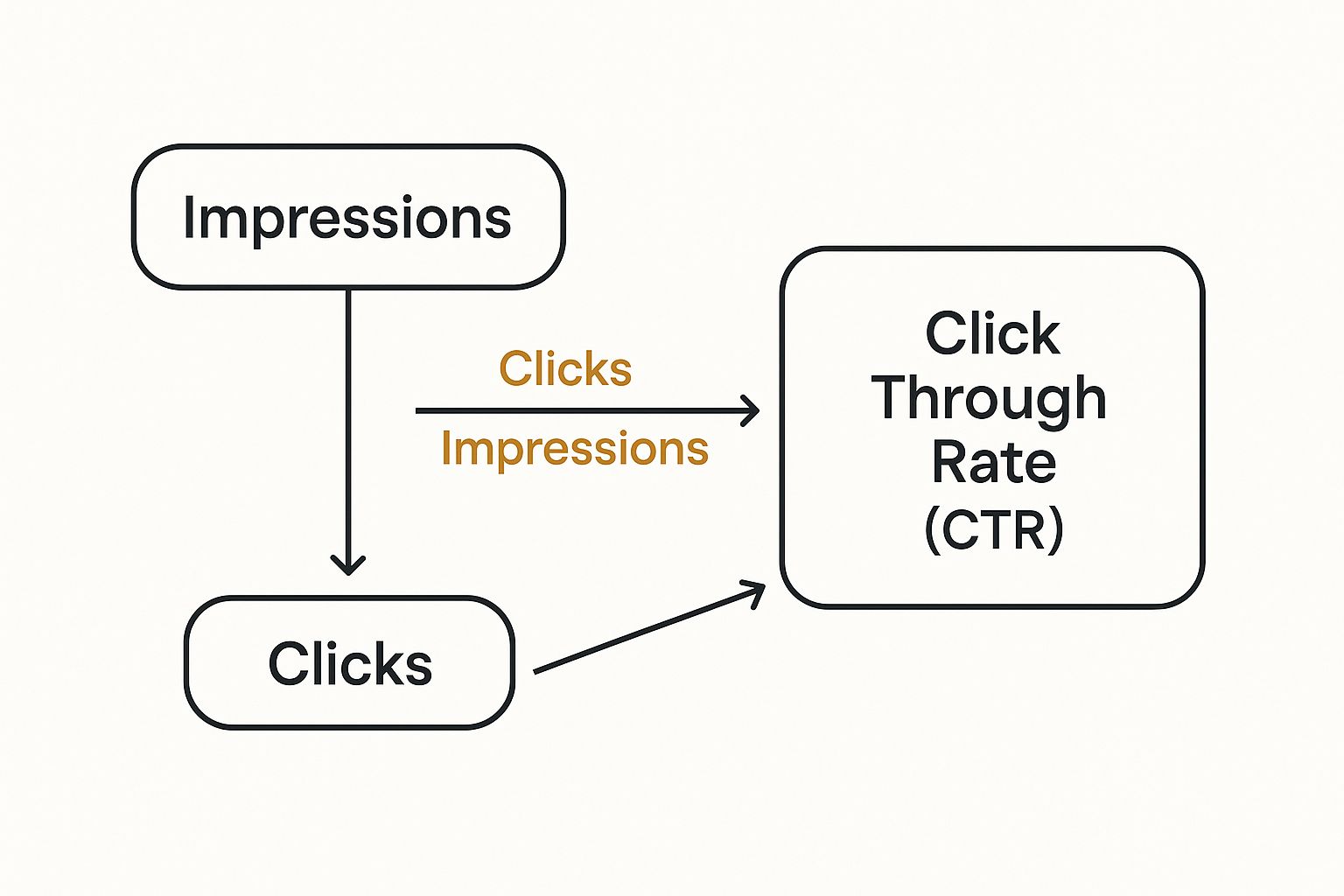
As you can see, CTR isn't just a number floating in a void. It's a ratio that gives crucial context to your performance, whether you're analysing an email campaign, a social media ad, or your organic search presence. If you want a more detailed glossary-style explanation, VCMO offers a great resource on what click-through rate is.
So, How Do You Actually Calculate Your CTR?
Knowing the theory behind click-through rate is great, but the real value comes when you apply it to your own marketing. The good news? You don't need a degree in data science to work it out. While most advertising platforms handle the maths for you, truly understanding how they get that number is what separates the pros from the amateurs.
The formula itself is always the same, no matter what channel you're on: you take the total number of clicks your ad or link received, divide it by the total number of times it was shown (impressions), and then multiply that by 100 to express it as a percentage. To get this right, you need accurate data, which is where robust marketing campaign tracking systems become essential.
Let's walk through a couple of real-world scenarios to see how this plays out.
Calculating CTR in Common Platforms
-
Google Ads: Let's say you're running a search ad. It's been shown 10,000 times (that’s your impressions) and has brought in 200 clicks.
- The Maths: (200 Clicks ÷ 10,000 Impressions) x 100 = 2% CTR
- Where to find it: This data is front and centre in your Google Ads dashboard. You can see it for entire campaigns, specific ad groups, or even individual keywords.
-
Email Marketing: Imagine you’ve sent a promotional email to your list of 5,000 subscribers. Of those, 150 people clicked on the link inside your email.
- The Maths: (150 Clicks ÷ 5,000 Delivered Emails) x 100 = 3% CTR
- An important note: Always check how your email provider defines CTR. Some calculate it based on opens rather than total emails delivered, which will give you a very different number.
The Bottom Line: At the end of the day, you only ever need two core figures: Total Clicks and Total Impressions. Every major platform, from your Facebook Ads Manager to your email marketing tool, puts these numbers right in your campaign reports. This means you can easily monitor your performance without having to break out the calculator every time.
What Does a Good Click-Through Rate Look Like?

One of the first questions almost everyone asks when they start looking at their analytics is, "Is my CTR any good?" The honest, and most useful, answer is always: it depends. There’s no single magic number that qualifies as ‘good’ because your CTR is shaped by your industry, who you're talking to, and, most critically, where you're talking to them.
Think about the user's mindset. Someone typing "emergency plumber in Bristol" into Google is actively looking for a solution right now. An ad that meets their immediate need is almost guaranteed to get a high CTR. Now, picture that same person casually scrolling through their social media feed. An ad there is more of an interruption to their leisure time, so a lower CTR is perfectly normal and expected.
A "good" CTR isn't about hitting some universal target. It's a compass for your campaign, telling you if you're heading in the right direction. Use it to guide improvements, not as a rigid rule for success.
Benchmarks Across Different Channels
It's crucial to realise that CTRs can vary wildly from one marketing channel to another. You simply can't compare the performance of a Google Ad with a display banner on a news site – it's like comparing apples and oranges. The user's intent is completely different in each scenario.
To give you a better idea of what to expect, here are some typical CTRs you might see across different channels.
| Average Click Through Rates by Channel |
|---|
| Channel |
| Search Ads |
| Display Ads |
| Social Media Ads |
| Email Marketing |
As you can see, search ads, which capture people actively looking for something, tend to have a much higher CTR than display ads, which are shown more passively.
Industry-Specific Expectations
On top of the channel, your industry plays a massive role. Some sectors are naturally more 'clickable' than others.
- Retail: This space is competitive but can see strong CTRs, especially when you have eye-catching product images and irresistible offers.
- B2B Services: The journey to a sale is much longer here, so CTRs are often lower. The trade-off is that each click can be incredibly valuable.
- Travel & Hospitality: This industry can hit very high CTRs with tempting, time-sensitive deals, but performance often swings with the seasons.
Ultimately, the goal isn't just to chase an industry benchmark. It's to establish your own baseline and focus on improving it month after month. This continuous improvement is at the heart of any solid strategy, a concept we dive into in our beginners' guide to digital marketing. The real value of your CTR isn't the number itself, but the story it tells you about how well your message is resonating with your audience.
Why CTR Is Crucial for SEO and PPC Success

Knowing how to calculate your click-through rate is one thing, but understanding why it matters is where you can really start making a difference. CTR isn't just another number to track on a dashboard; it’s a vital sign for your most important marketing channels, especially search engine optimisation (SEO) and paid advertising.
Think about it from Google's perspective. When someone searches for something, Google wants to show them the best possible answer. A high CTR acts like a strong endorsement from your audience. It tells the search engine that your page title and meta description perfectly matched what the searcher was looking for.
Every time someone chooses your link over a competitor's, it sends a positive signal to Google. Over time, these 'votes of confidence' can help boost your rankings, as Google starts to see your page as a genuinely helpful result for that query.
The Connection to Paid Advertising Costs
When it comes to paid ads, the importance of CTR becomes even more direct—it hits you right in the wallet. This is particularly true for Pay-Per-Click (PPC) campaigns, where a good CTR can make or break your budget.
Platforms like Google and Facebook use a Quality Score (or Relevance Score) to judge how good your ads are. And guess what one of the biggest factors is? You got it: your click-through rate.
A higher CTR tells the platform your ad is relevant and engaging, which leads to a better Quality Score. The reward for this is significant—you'll often pay less per click (CPC) and get better ad positions. Essentially, you get more bang for your buck.
On the flip side, a poor CTR signals that your ad is missing the mark. This can drive up your costs and reduce your ad’s visibility, making your entire campaign far less effective. This isn't just limited to search ads either; you'll find similar principles when looking into the https://grow-your-biz.com/advantages-of-email-marketing/, where a compelling subject line (and its CTR) is key. Making CTR a priority simply makes your marketing spend go further.
Practical Ways to Boost Your CTR
Alright, so you know what click-through rate is and why it's a big deal. Now for the fun part: turning that knowledge into actual results. Improving your CTR isn't about throwing things at the wall to see what sticks; it's about using smart, proven tactics that make your audience genuinely want to click.
The basic idea is simple. Give people a compelling reason to choose your link over all the others. This holds true whether you’re fine-tuning a Google Ad, writing an email subject line, or optimising a blog post for search results. It all starts with really getting inside your audience's head.
Getting More Clicks from Search and Paid Ads
Think of your headline and meta description as your shop window on a very busy high street. Your mission is to make them stand out and be utterly irresistible.
Here are a few ways to do that:
- Use 'Power Words': Certain words just work. They spark curiosity, create a sense of urgency, or promise a solution. Think words like "Effortless," "Guaranteed," "Secret," or "Instantly."
- Lean on Numbers: Headlines with numbers feel more concrete and promise a well-structured, easy-to-digest answer. For instance, "7 Ways to…" or "How We Boosted Sales by 25%…" are far more enticing than generic titles.
- Write a Clear Call-to-Action (CTA): Don't be shy! Tell people exactly what you want them to do next. Simple phrases like "Shop Now," "Learn More," or "Get Your Free Quote" remove any guesswork and guide them towards the click.
If you're really looking to dive deep, check out these proven strategies to improve Google Ads CTR for some fantastic, focused advice.
Making Your Email Marketing More Clickable
Email is still one of the most powerful tools in your marketing kit, but only if you can get people to open your messages and click on the links inside. Your secret weapon here? Personalisation.
Automated email campaigns—which send tailored content based on what a user has done—see much higher engagement. Their average CTR is around 4.67%, with the best-performing campaigns hitting an impressive 12.21%.
Industries like sporting goods, electronics, and food & beverage do particularly well with this approach, seeing CTRs jump from 4.31% up to 5.39%. UK marketers get these results by crafting really clear, personalised CTAs and sending the right message to the right group of people.
When you segment your email list based on things like past purchases or browsing behaviour, you can send offers that feel like they were made just for them. This level of targeting is a cornerstone of any effective marketing strategy for small business. Pulling these different threads together ensures your hard work pays off with more clicks, and ultimately, a healthier bottom line.
Common Questions About Click-Through Rate

Once you get your head around the basics of click-through rate, the next layer of questions usually starts to pop up. Digging into these details is what separates a basic understanding from being able to use CTR to make real improvements in your marketing.
Let's walk through some of the most common queries that come up. Getting these straight will give you a much clearer picture of how this metric works in the real world.
Is A High Click-Through Rate Always A Good Thing?
Surprisingly, no. A high CTR feels like a win – and it is, to an extent, as it shows your ad or headline is grabbing attention. But the real story is in the quality of those clicks. If your CTR is sky-high but your conversion rate is flatlining, you've got a problem.
This mismatch almost always points to one of two issues:
- Your message is hitting the mark with the wrong crowd entirely.
- Your ad is promising something that your landing page doesn't deliver on, leaving people feeling let down.
The goal isn't just getting any click; it’s about getting qualified clicks from people who are actually a good fit for what you're offering. Always look at your CTR next to metrics like conversion rate and cost per acquisition to see the full picture.
A truly successful campaign finds that perfect balance between getting noticed and getting noticed by the right people.
What Is The Difference Between CTR And Conversion Rate?
This is a really important one to get right. CTR and conversion rate track two separate but connected steps in a customer's journey.
-
Click-Through Rate (CTR): Think of this as measuring initial curiosity. It's the percentage of people who saw your link and were compelled enough to click it. It tells you how well your ad copy, email subject line, or page title is working.
-
Conversion Rate: This measures the final action. It's the percentage of visitors who, after clicking, went on to complete your desired goal, whether that's making a purchase, filling out a form, or signing up.
Put simply, CTR measures interest, while conversion rate measures action. A strong campaign needs both. If one is great and the other is poor, you've got a leak in your marketing funnel that needs plugging.
How Often Should I Be Checking My CTR?
There’s no magic number here; it really depends on the marketing channel and how much data is flowing through it.
For something fast-moving like a high-spend Pay-Per-Click (PPC) campaign, you’ll want to be checking in daily or at least every few days. This lets you react quickly and make sure your budget is being spent wisely.
For organic SEO performance, a weekly or monthly check-in using Google Search Console is usually plenty. This gives you enough data to spot real trends without getting bogged down by normal daily ups and downs. With email campaigns, the key window is the first 24-48 hours post-send – that’s when you’ll see the bulk of the activity.
Can I Improve CTR For My Organic Search Results?
You absolutely can. This is one area where you have a surprising amount of control. The secret lies in optimising the two things people see on the search results page: your page title and meta description.
Your goal is to write compelling, keyword-focused page titles that stay under 60 characters, paired with an engaging meta description under 160 characters. Treat them like a mini-advert for your webpage, highlighting a clear benefit or call to action.
Another powerful technique is using structured data (also known as schema markup). This can unlock 'rich snippets' like star ratings, FAQs, or event info right in the search results, making your listing pop off the page and drawing in a lot more clicks.


