

Getting your website in front of search engines like Google and Bing is one of those first, crucial steps in any SEO strategy. It’s not just about building a great site and hoping they find it. You need to actively tell them you're there, ready for visitors. Think of it as handing them a map—your sitemap—to guarantee faster indexing and unlock a goldmine of performance data.
Why Bother Submitting Your Website Yourself?

It’s a common misconception that search engines will just stumble across your new site straight away. Sure, they might eventually, but proactively submitting your website is your first real handshake with them. It lets you take the reins on how and when your content gets discovered, which is a cornerstone of any decent digital marketing effort. If you're just starting out, you can learn more about the basics in this handy beginner's guide to digital marketing.
Instead of leaving it all to chance, you give search engines an XML sitemap. This is basically a blueprint of your website, showing them every single page you want them to know about. This one small action pays off in a few big ways.
The Real Perks of Proactive Submission
For starters, it puts the indexing process on the fast track. When you’ve just published a brilliant new blog post or launched a key product page, you don't want to wait weeks for it to show up in search results. Manually submitting it through a tool like Google Search Console tells Google, "Hey, look at this new content!", which can get it indexed in days, not weeks.
But speed is only half the story. The real game-changer is the data. Once you register with Google Search Console and Bing Webmaster Tools, you get access to reports that tell you everything:
- Indexing Status: See exactly which of your pages have made it into their index.
- Crawl Errors: Find out if any technical glitches are stopping their bots from seeing your site properly.
- Search Performance: Discover the actual keywords people are using to find you.
By actively submitting your site, you go from being a passive observer to a webmaster who’s truly in control. You gain the power to spot problems, see your site through the eyes of a search engine, and make smart, data-backed decisions to boost your visibility.
This level of control is non-negotiable if you want to build a strong online presence. For a more in-depth look at the process, this easy step-by-step guide to submitting your website to search engines breaks it down even further.
Your Pre-Submission Technical Checklist

Before you hit 'submit' and tell Google about your shiny new website, it pays to do a quick technical MOT. Think of it as a pre-flight check. Getting these fundamentals right from the start can save you weeks of frustration wondering why your pages aren't showing up.
We're not talking about a full-blown technical audit here, just a quick look under the bonnet for the common culprits that trip people up.
First up, go on a hunt for rogue ‘noindex’ tags. These little snippets of code are useful for hiding draft pages, but if you accidentally leave one on an important page, you’re essentially telling Google, "Nothing to see here!" A quick check of your page’s source code will tell you if any are lurking where they shouldn’t be.
Another thing to check is your robots.txt file. This is the first file a search engine crawler looks for, giving it instructions on what it can and can't look at. A simple typo, like a misplaced forward slash, can accidentally block your entire blog. It happens more often than you’d think.
Crafting Your Website Blueprint
With the basic roadblocks cleared, it's time to hand the search engines a map. This map is your XML sitemap, and it's simply a list of all the URLs on your site that you want them to crawl and index.
Most good SEO plugins or website builders can create one for you automatically. Without a clean, up-to-date sitemap, you’re basically asking Google to find its own way around. It might get there eventually, but you’ll probably find it misses some important pages along the way. Getting this right is a fundamental part of any good marketing strategy for small business.
An organised site with a clear sitemap and logical internal linking doesn't just help search engines; it also creates a better user experience. When crawlers can easily navigate your content, it signals a well-structured, high-quality website.
Finally, take a look at your internal linking. Do your most important pages have links pointing to them from your homepage or main navigation? This helps pass authority through your site and guides both users and search engine bots to your best content.
For a more comprehensive look, it’s always a good idea to follow an SEO checklist for new websites to make sure you haven't missed anything crucial before you move on.
Getting Set Up with Google Search Console
Let's be honest, if you want to be found online, you need to be on Google. The first, and most crucial, step is to get your site set up on Google Search Console (GSC). Think of it as your direct communication channel with Google – it’s a free, powerful tool that shows you exactly how your site is performing, what’s been indexed, and flags any technical gremlins that could be holding you back.
Getting started is simple enough. You’ll just need to sign in with a Google account. The first real task is proving you actually own the website you want to add. This is called site verification, and Google gives you a handful of ways to get it done.
This graphic breaks down the whole submission process into three clear stages.
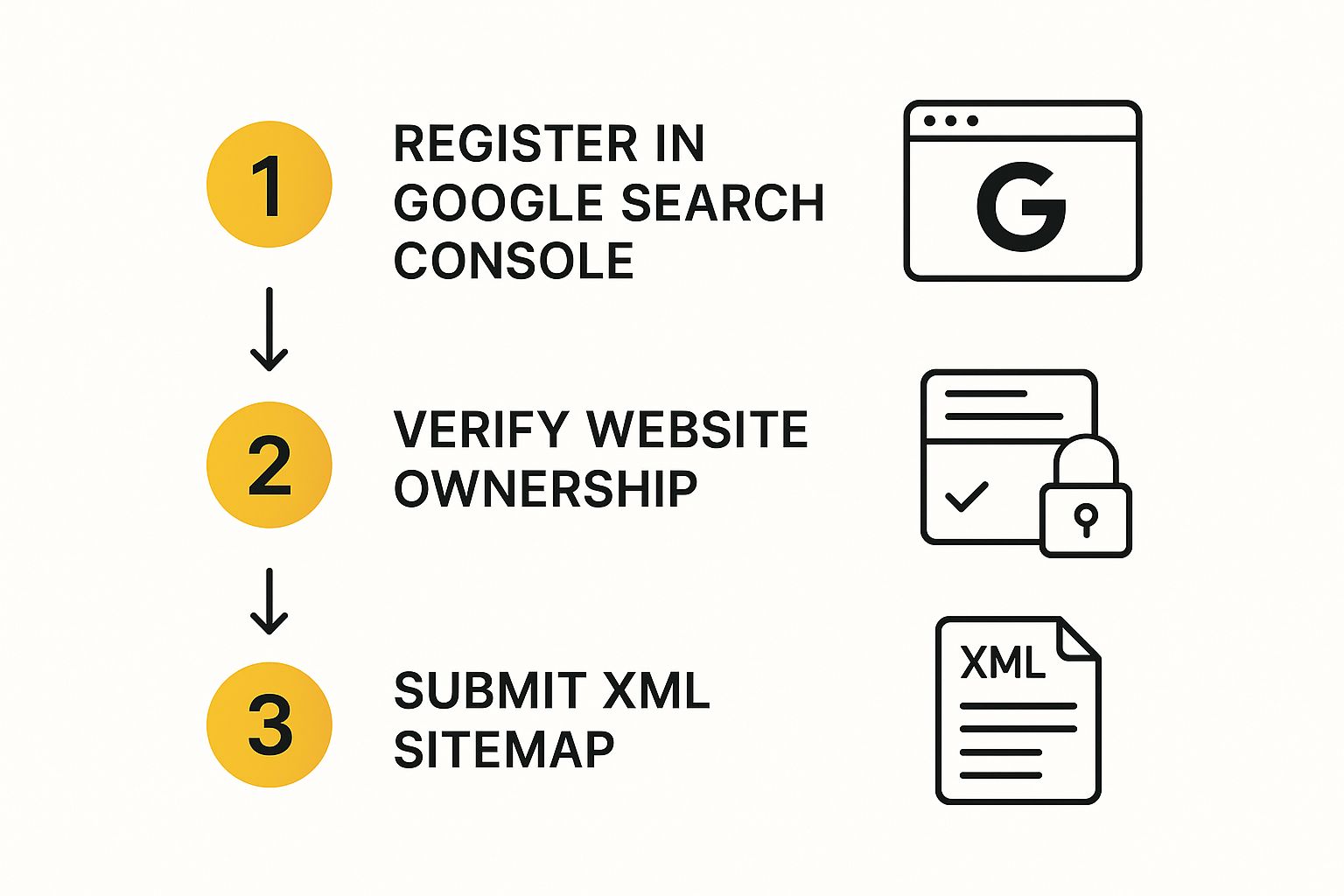
As you can see, it's a logical flow from the initial setup right through to submission, keeping you in the driver's seat the whole time.
How to Verify Your Website
Google will offer you a few different methods to prove you’re the owner. For most of us, it usually comes down to one of these three options:
- HTML file upload: This involves downloading a unique verification file from Google and uploading it directly to your website's root directory. It’s a great option if you're comfortable using FTP to access your site’s files.
- HTML tag: With this method, Google provides a small snippet of code (a meta tag). You simply copy and paste it into the
<head>section of your homepage. This is usually the easiest way if you're using a platform like WordPress or a website builder that gives you access to the header code. - DNS record: This is a bit more technical. You’ll need to add a specific TXT record to your domain's DNS settings. While it requires a bit more know-how, it verifies your ownership at the domain level, which is incredibly robust.
Once you’re verified, you’ve officially opened the line to Google. The next job is to give them a map of your site. The entire process of website submission is vital for making sure UK sites get properly indexed, and it always involves these distinct stages of verification and sitemap submission. For a deeper dive, you can find more details on the full search engine submission process for UK sites at Askdaman.com.
Now for the final piece of the puzzle: submitting your XML sitemap. Inside GSC, find the 'Sitemaps' section in the left-hand menu. All you need to do is paste in the URL of your sitemap (it’s usually found at
yourdomain.co.uk/sitemap.xml) and click 'Submit'. Just like that, Google has a complete list of every page on your site you want it to crawl and index.
For brand-new pages or high-priority content you want indexed quickly, don't forget about the URL Inspection Tool. You can pop a URL in there and request indexing directly, which often gives Google the nudge it needs to find your page much faster.
Don't Forget Bing: Expanding Your Reach with Webmaster Tools
https://www.youtube.com/embed/dSCci6Yh5Ss
While Google is obviously the giant in the room, ignoring other search engines is a classic mistake. Think of it this way: focusing only on Google means you're leaving a chunk of potential traffic on the table for your competitors to scoop up.
Submitting your website to Bing Webmaster Tools is a surprisingly powerful move. It doesn’t just get you indexed on Bing; it also covers its partner networks, like Yahoo and DuckDuckGo, effectively tripling your exposure with one simple action.
Why Bother with Bing in the UK?
It’s true that Google dominates the UK search market. But let's look at the numbers and what they actually mean for your business.
UK Search Engine Market Share Comparison
This table breaks down the search engine landscape in the UK. While one player is clearly dominant, the "smaller" slices still represent millions of users.
| Search Engine | Approximate UK Market Share (%) | Primary Submission Tool |
|---|---|---|
| ~93% | Google Search Console | |
| Bing | ~4% | Bing Webmaster Tools |
| Yahoo! | ~2% | Bing Webmaster Tools (Partner) |
| DuckDuckGo | ~1% | Bing Webmaster Tools (Partner) |
Data sourced from various industry reports, see UK search engine statistics at SQ Magazine for more detail.
That 4% for Bing might not sound like much, but it translates to millions of searches every month. These are potential customers who might never find you if you're only visible on Google. For the minimal effort it takes, getting your site on Bing is one of the highest-return activities you can do.
Getting Your Site on Bing: The Fast Track
The best part? Bing has made this process ridiculously easy. If you've already gone through the trouble of setting up Google Search Console, you're about 90% of the way there.
Bing offers a fantastic import feature that saves you from having to do everything twice. You can simply connect your Google Search Console account, and Bing will pull in all your site details, verification status, and sitemaps automatically. It’s a brilliant time-saver.
Starting from scratch? No problem. If you aren't on Google Search Console yet, the manual setup is just as straightforward. You'll just need to verify you own the site, which usually involves adding a small meta tag to your site's code or uploading an HTML file to your server.
Once you're verified, there's just one last thing to do: tell Bing where to find your sitemap.
- Inside your Bing Webmaster Tools dashboard, find the Sitemaps section.
- Copy and paste your sitemap URL (which is almost always
yourdomain.co.uk/sitemap.xml). - Hit the 'Submit' button.
And that's it. You've just given the second-largest search network a complete map to all your content, unlocking a whole new audience for your website.
What to Monitor After Your Submission

Getting your site submitted is a great first step, but don't close the tab just yet. The real work is just beginning. Think of it less like posting a letter and more like starting a conversation. Your job now is to listen to what the search engines are telling you.
Tools like Google Search Console and Bing Webmaster Tools are no longer just for submission; they're your command centre. This is where you'll find out if your efforts are paying off. You’ll stop guessing and start getting direct feedback on what's working and, more importantly, what isn't.
Checking Your Indexing Status
First things first: are your pages actually being found and stored by Google? This is called 'indexing', and without it, you're invisible.
Inside Google Search Console, your go-to report is Index Coverage. This is your direct line to understanding how Google sees your site's structure. It tells you which pages have been successfully indexed, which have issues, and which have been left out entirely.
Here's what to keep an eye on:
- Valid Pages: This is your success count. As you publish new content, you should see this number steadily climb.
- Errors: Pay immediate attention to these. They’re roadblocks preventing your pages from being indexed, like server errors (5xx) or pages you’ve accidentally blocked in your
robots.txtfile. - Excluded Pages: Don't panic when you see pages here. It's often intentional, like for pages you've marked with a 'noindex' tag. The key is to review this list to make sure no important pages have ended up here by mistake.
Monitoring these reports turns website submission from a passive action into a strategic process. It allows you to confirm that search engines can see your content and to diagnose problems before they hurt your rankings.
With the UK's search engine industry now worth around £5.4 billion, staying on top of your site's technical health is non-negotiable. You can read more about the UK search engine industry's growth on ibisworld.com. The insights you gain here are also gold dust for your wider marketing strategy; for instance, understanding your organic traffic can massively improve the advantages of email marketing.
Got Questions? Let's Clear Things Up
Even when the steps seem straightforward, submitting a site to search engines can leave you with a few head-scratchers. It happens to everyone. Let's walk through some of the most common questions and sticking points I see, so you can get past them and back to building your site.
"How Long Until My Site Gets Indexed?"
This is the million-dollar question, isn't it? The honest answer is: it varies. It could be a few days or it might take a few weeks. There’s no fixed timetable.
Giving Google and Bing your XML sitemap directly through their webmaster tools is the best way to get on their radar quickly. Think of it as handing them the keys to your house instead of hoping they find the front door.
But submission is just the start. Factors like your site's overall reputation, how easily crawlers can navigate it, and the actual quality of your content have a massive impact on speed. My advice? Submit your sitemap, then keep an eye on the indexing reports. Patience is part of the game.
Submission gets you a ticket for the ride, but a high-quality, technically sound site gets you to the front of the queue. Great content and a clean structure always win.
"Do I Have to Resubmit Every Time I Add a New Page?"
Thankfully, no. Imagine the hassle! Once your sitemap is submitted, the search engines will check back on their own to see what's new. You don’t need to do a thing when you publish a new blog post or add a new service page.
That said, if you've just launched a really important piece of content – maybe a huge new guide or a press announcement – you can give it a little nudge. Just pop the specific URL into the 'URL Inspection' tool in Google Search Console and request indexing. This usually gets it seen much faster than just waiting for the next crawl.
"What About Those Automatic Submission Tools? Are They Any Good?"
In a word: no. Steer clear of them.
You'll see services promising to submit your site to hundreds of search engines you've never even heard of. This is a totally outdated tactic. At best, it does nothing. At worst, it can get your site listed in spammy online directories, which can actually hurt your reputation.
The only way to do this right is by going directly to the source yourself. Stick to the official platforms:
- Google Search Console
- Bing Webmaster Tools
This way, you maintain full control, you know your site is safe, and you get access to invaluable data about how you're performing. No third-party tool can offer that.
"Help! My Pages Still Aren't Getting Indexed."
Don't panic. If it's been a while and your pages are still missing in action, your first port of call is the Index Coverage report inside Google Search Console.
This report is your best friend for troubleshooting. It will flat-out tell you what the problem is. Often, it's something simple – a stray 'noindex' tag left on a page by mistake, a rule in your robots.txt file that's blocking access, or some other crawl issue. Using the URL Inspection tool on a specific page will give you an even more granular diagnosis. Nine times out of ten, it’s a quick technical fix once you know where to look.
Ready to find the perfect tools to manage your SEO and other marketing efforts? At The Digital Marketing Toolbox, we bring together the best solutions for analytics, content creation, and campaign management in one place. Discover and compare top-rated tools to grow your business at https://grow-your-biz.com.


