

If you've ever stared at your Google Analytics reports, you know the frustration. You see a massive chunk of your organic traffic lumped under one unhelpful label: (not provided). This isn't a glitch; it's the aftermath of Google's long-term shift to protect user privacy by encrypting search queries. It basically means the specific keywords people used to find you are hidden.
Why Your Keywords Are Hidden in Google Analytics
Seeing that wall of '(not provided)' can feel like trying to navigate with a blindfold on. But it's crucial to understand this isn't an error on your end. It’s a deliberate change Google started making way back in 2011 to enhance privacy for its users.
Back in the day, marketers had it easy. When someone clicked on your site from a Google search, the exact keyword they typed was passed right into your analytics. This gave us a crystal-clear view of which terms drove traffic, which ones converted, and where to focus our efforts. Those were the days.
The Great Keyword Blackout
The change began quietly. At first, Google started encrypting searches only for users who were signed into their Google accounts. By switching from standard HTTP to the more secure HTTPS for these searches, the keyword data was effectively locked away. For website owners, this was the first sign that our most valuable data stream was drying up.
This wasn't a slow trickle, either. The trend picked up speed, and by 2013, the impact was hitting hard across the UK. To give you an idea, the Government Digital Service, responsible for the GOV.UK site, reported that a massive 79% of its Google search traffic was already marked as '(not provided)'. You can still find their reaction on the official GOV.UK blog post about the issue.
Before long, Google made secure search the standard for everyone, logged in or not. That move slammed the door shut on easily accessible organic keyword data in Google Analytics, leaving '(not provided)' to dominate nearly 100% of our reports.
The Evolution of Keyword Data Visibility
To truly grasp the shift, it helps to see how things unfolded over time. This wasn't an overnight change but a gradual, deliberate move towards data privacy that forced our entire industry to adapt.
| Year/Era | Google's Action | Impact on UK Marketers |
|---|---|---|
| Pre-2011 | All search queries passed via HTTP | Full keyword visibility in Google Analytics. Direct keyword-to-conversion tracking was standard practice. |
| 2011 | Google introduces SSL encryption for logged-in users. | The first appearance of '(not provided)'. Initial impact was small but a clear sign of things to come. |
| 2013 | Encryption expanded to more searches. | The '(not provided)' percentage skyrockets. For many UK sites, it quickly became the majority of organic traffic data. |
| Post-2013 | Google makes HTTPS the default for all searches. | Near 100% of organic keywords become '(not provided)', rendering the old keyword reports almost useless for SEO. |
This timeline really underscores why we can no longer rely on Google Analytics alone for keyword-level insights.
This evolution in data privacy fundamentally changed how marketers approach SEO. We had to move away from direct keyword-to-conversion tracking and embrace more creative, inferential methods.
What This Means for Your Strategy
Knowing this history isn't just a trivia point; it's essential for framing your modern SEO strategy. You’re not dealing with a broken tool but adapting to a new era of data privacy. The core principles of creating valuable content that connects with an audience haven’t changed, but how we measure success certainly has.
For anyone just starting out, understanding this context is a cornerstone of building a solid plan. You can explore more of these foundational concepts in our beginner’s guide to digital marketing. Ultimately, this shift challenges us to be smarter marketers and find clever new ways to figure out what our audience is really looking for.
Connecting Google Search Console for Keyword Insights
If there's one thing you absolutely must do to start clawing back your keyword data, it's connecting Google Analytics with Google Search Console (GSC). Honestly, think of GSC as Google's official, privacy-friendly peek behind the curtain. It's the one place they're willing to share the precious search query data that gets scrubbed from Analytics.
This isn't just a friendly suggestion; it's a foundational step for any serious SEO strategy trying to solve the not provided keywords in google analytics problem. The integration pipes GSC data straight into your Analytics property, opening up a whole new suite of reports centred on actual search performance.
The infographic below neatly sums up how we ended up with '(not provided)' in the first place, and it really highlights why GSC is so indispensable.
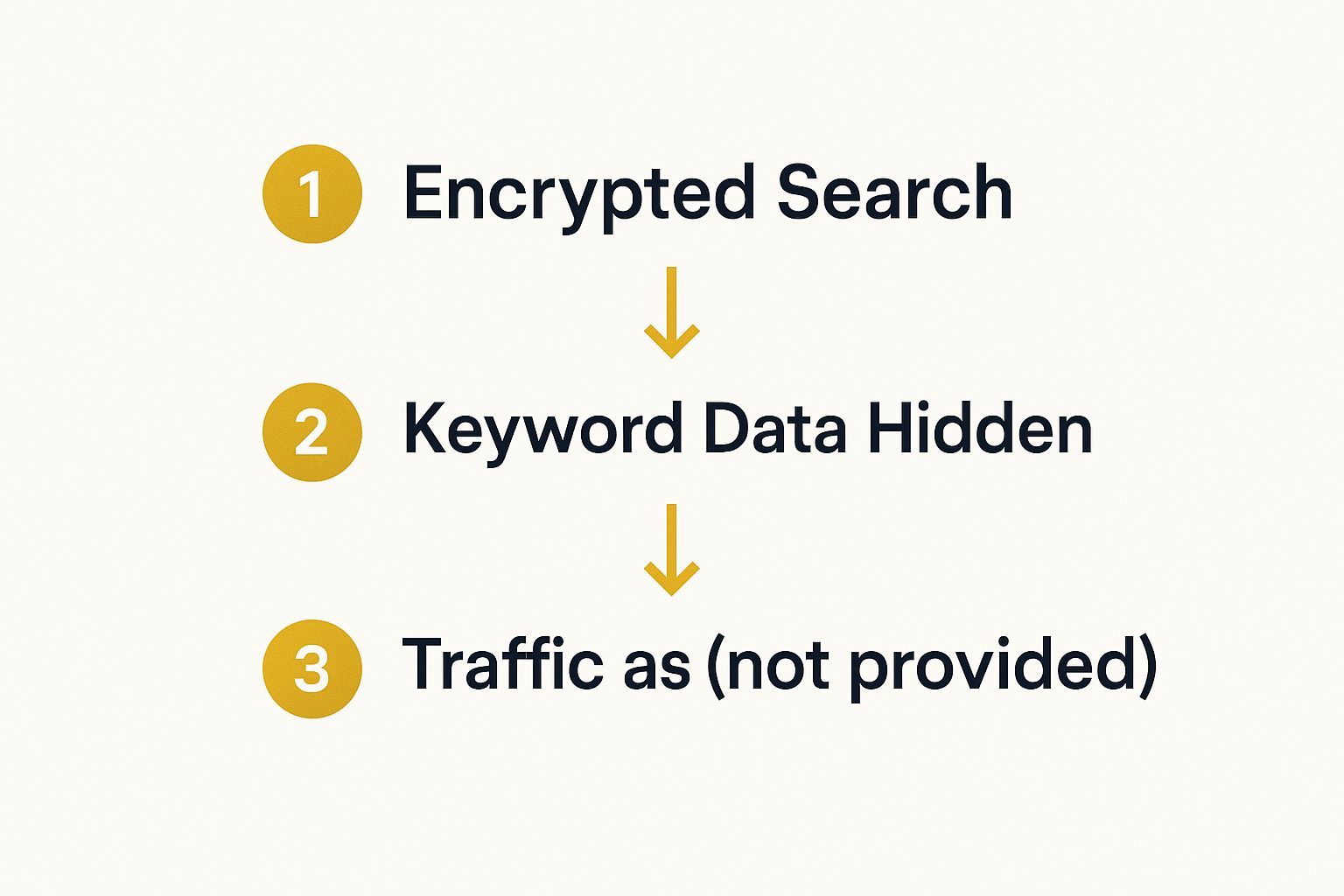
As you can see, user privacy measures are the direct cause of this data gap in Google Analytics, which is exactly why this connection is so vital.
Why This Connection Is Non-Negotiable
When keyword data first vanished, it wasn't just a minor tweak; it was a seismic shift for SEOs. By 2014-2015, the '(not provided)' label had swallowed almost all organic search information for UK websites. I remember seeing reports from agencies where, for many of their clients, over 97% of organic keywords were hidden. This created a massive blind spot.
Suddenly, we couldn't easily see which search terms were driving valuable conversions, forcing everyone to scramble for workarounds. This is precisely where Google Search Console steps in to become your new source of truth.
By linking GSC to GA, you are essentially building a bridge between what users search for (queries) and how they behave on your site (sessions, conversions). It's the closest we can get to the good old pre-2011 days of full keyword visibility.
Once you set this up, your Analytics reports will be enriched with crucial GSC metrics, including:
- Queries: The actual search terms people typed into Google.
- Clicks: The number of times your site was clicked from the search results for a specific query.
- Impressions: How many times your site appeared in search results for a query.
- Average Position: Your site's average ranking for that query.
The Power of GSC Data
With the integration complete, you suddenly have a treasure trove of actionable information right inside Google Analytics.
For instance, you might see a landing page getting tons of organic traffic in GA, but you have no clue why. After connecting GSC, you can dive into the Queries report for that specific page and discover it’s ranking for a bunch of long-tail keywords you weren't even aware of. That's gold. This insight alone allows you to go back and optimise the page further for those terms, doubling down on what already works.
To truly get past the '(not provided)' roadblock, you need to get comfortable with search query analysis. This means digging into the GSC data, looking for patterns, spotting opportunities, and really trying to understand user intent. A deeper dive into Mastering Search Query Analysis is a great next step for a more structured approach.
Ultimately, this integration is your first, most important move to turn anonymous traffic into real, actionable SEO intelligence.
Using Landing Pages to Decode What People Are Really Looking For
While Google Analytics might hide the exact search terms people use, it gives you the next best thing: the landing page. This is the first page someone sees when they arrive from an organic search, and it’s a massive clue to what they were looking for.
Think of it as your Rosetta Stone for deciphering search intent. Instead of getting hung up on the missing keywords, we shift our focus to the destination. After all, a well-built page is designed around a central topic. By looking at which pages are pulling in the most organic traffic, you can make some incredibly accurate guesses about the searches that led people there.
It just makes sense, doesn't it? If your article "The Best UK Tax Software for Freelancers" is getting thousands of organic hits, you can be pretty certain people aren't searching for "cheap summer holidays". They're looking for solutions to their tax problems.
Connecting Your Pages to Real Search Queries
This is where you put the pieces of the puzzle together. We're going to blend the landing page data from Google Analytics with the powerful query data from Google Search Console. By doing this, you can essentially fill in the blanks that (not provided) created.
Let's walk through a practical example. Say you run an online shop that sells bespoke furniture. In Google Analytics, you spot that your "Handmade Oak Dining Tables" page is consistently one of your top five performers for organic traffic.
Okay, now let's jump over to Google Search Console.
- Head straight to the Performance report.
- Click on the Pages tab to see a list of your top-performing URLs.
- Find and click on the URL for your "Handmade Oak Dining Tables" page.
- Now, flip back to the Queries tab.
Boom. GSC will now show you the exact search terms that people used to find that specific page. You'll see things like 'solid oak dining table UK', '8 seater handmade dining table', and 'custom oak furniture London'. Just like that, the anonymous (not provided) traffic now has a face, a voice, and a clear need.
This method of cross-referencing GA and GSC is the most reliable way I know to connect search intent with what people actually do on your site. You're not guessing anymore; you're using Google's own data to join the dots.
This is gold dust for your marketing. You can now revisit that landing page and optimise it even further for the search terms you know are working. Maybe you realise '8 seater' is a much more popular term than you thought, which could inspire you to add a new section or a product filter just for larger tables. This kind of direct feedback loop is essential for any smart marketing strategy for small business.
Turning Page-Level Insights into Real Action
By focusing on your landing pages, you stop worrying about individual not provided keywords in google analytics and start thinking about broader topics and user intent. It’s a much more strategic way to work. Try grouping your top organic pages by theme to spot the bigger picture.
- Informational Pages: These are your blog posts, guides, and articles. Are people asking "how-to" questions or looking for "what-is" definitions?
- Commercial Pages: Your product and service pages fall into this category. Are searchers ready to buy (using terms like 'price' or 'buy') or are they still comparing options ('vs', 'review')?
- Navigational Pages: This is usually your homepage or contact page, which people often find through branded searches.
When you categorise your content like this, you get a much clearer understanding of what your organic audience wants. You might find your informational content is a fantastic magnet for new visitors, which tells you there’s a huge opportunity to improve your internal linking and guide those people towards your commercial pages.
Using Advanced Segments to Filter Your Traffic

Just looking at your overall organic traffic is a bit like trying to read a book with half the pages missing. To make truly sharp decisions, you need to slice and dice that data to understand who is arriving on your site and why.
One of the most effective ways to get around the not provided keywords in google analytics problem is to split your traffic into two fundamental groups: people who already know you (branded) and people who are just discovering you (non-branded).
Creating advanced segments in Google Analytics lets you isolate these distinct audiences and see how they behave. It helps you answer the really important questions. Are new visitors from non-branded searches exploring more pages? Do returning customers searching your brand name convert at a higher rate? This is the kind of insight that shapes a winning SEO and content strategy.
How to Isolate Branded and Non-Branded Traffic
First things first, you need to define what a "branded" term actually is for your business. This is more than just your company name; it should include your specific product names, and even common misspellings or variations people might use.
The best place to build this list is your Google Search Console query report. Hunt through it and pull out every search term where it's obvious the user was looking specifically for you.
With your list of branded terms in hand, you can build custom segments in Google Analytics. We can't filter by the keyword itself anymore, but we can get mighty close by using the landing page as a proxy. Think about it: organic traffic landing directly on your homepage is almost certainly from someone who typed in your brand name.
Here’s a practical approach I’ve used countless times:
- Build a "Branded" Segment: Start by creating a segment that isolates organic traffic landing on pages heavily associated with brand searches. Your homepage, "About Us," or "Contact" pages are prime candidates.
- Build a "Non-Branded" Segment: Next, create another segment that includes all organic traffic but excludes sessions landing on those core brand pages. What you're left with is a much clearer picture of your discovery traffic.
By separating these two traffic streams, you stop looking at vague, blended data. You can finally compare the true value of your brand-building activities against your efforts to attract a completely new audience.
What Different Filters Can Tell You
Applying these segments is where the magic happens. The stories in your data suddenly become much clearer. You can finally see which blog posts are your workhorses for attracting new visitors, and which product pages are closing the deal with your loyal followers.
The table below breaks down the strategic value of each filter. It's a simple comparison, but it highlights the different mindset you need when analysing each traffic group.
Filter Type Comparison for Keyword Analysis
| Filter Type | What It Shows | Key Business Question It Answers |
|---|---|---|
| Branded Traffic | The behaviour of users who searched for your brand by name. This group often has higher engagement and conversion rates. | How effective is our brand recognition, and are we retaining our existing audience? |
| Non-Branded Traffic | The journey of users who found you while searching for a topic, problem, or product category, not your specific brand. | How well are we reaching new customers, and which content is driving top-of-funnel discovery? |
This isn't just a clever workaround; it's a strategic necessity in modern SEO. It transforms that frustrating "(not provided)" data into actionable intelligence, giving you the power to fine-tune your strategy for both attracting new customers and fostering long-term loyalty.
Making Sense of Keywords in a GA4 World
The switch to Google Analytics 4 brought a major change for anyone in SEO. That old frustration with ‘(not provided)’ keywords? It’s a thing of the past, but not in the way we'd hoped. GA4 doesn’t just hide some keywords; it got rid of the organic keyword report entirely. This makes linking up with Google Search Console more important than it's ever been.
When UK marketers really started getting to grips with GA4 in 2023, the new reality hit home. The platform itself gives you absolutely no organic keyword data. Zero. Every single search query is invisible within GA4's own reports, which forced a rapid rethink. We now rely almost completely on the GSC connection for any clue as to what terms people are actually searching for. You can read more about how this shift affected keyword analysis strategies.
Getting to Your GSC Reports in GA4
So you’ve linked GA4 and Search Console, but where are the reports? They’re not exactly front and centre. By default, they’re unpublished, tucked away in the background. You’ll need to add them to your main navigation to make them easy to access.
To do this, head over to the Library section in your GA4 property. You’ll spot an unpublished collection named "Search Console". All you have to do is publish it. Once you do, two new reports will pop up in your main navigation under the Acquisition section:
- Queries: This is the good stuff. It shows the actual search terms people typed into Google that led them to your site.
- Google organic search traffic: This report is brilliant because it connects your GSC query data directly to your top-performing organic landing pages.
Adding these to your main view gives you one-click access to the only reliable source of organic keyword data you've got.
I always tell my team to think of it this way: GA4 tells you what users do on your site, but Search Console tells you how they found you in the first place. Linking them is the only way to get a reasonably clear picture of the full user journey.
Using Your Google Ads Data for Clues
While Search Console gives you a solid look at your organic search performance, don't forget about the treasure trove of data sitting in your Google Ads account. The Search Terms report in Google Ads is incredibly valuable, showing you the exact queries that triggered your ads and resulted in clicks.
This is a direct window into commercial intent.
By digging into which paid search terms are driving actual conversions, you learn the precise language your customers use when they’re ready to pull out their wallets. You can then use this data as a proxy to guide your organic content strategy. It's a fantastic way to identify high-intent, non-branded keywords you might otherwise be completely unaware of. For any business trying to grow smartly, weaving these insights into your broader strategy is a core part of effective virtual marketing.
Answering Your Questions About ‘(not provided)’ Keywords
Even with the best workarounds, ‘(not provided)’ keywords can still be a source of frustration. It’s a topic that brings up the same questions time and again, so let’s clear the air and tackle the most common ones.
Getting a solid understanding of these core concepts is what separates guessing from making genuinely informed decisions. It helps you appreciate why the techniques we've covered work and how to get the most out of them.
Why Does Google Hide Keyword Data in the First Place?
Ultimately, it all comes down to user privacy. The shift started way back in 2011 when Google began encrypting searches for anyone logged into a Google account. They did this by switching from HTTP to the more secure HTTPS protocol.
This secure connection meant that the search query itself was hidden from third-party platforms, and that included Google Analytics. It wasn't long before this became the standard for all searches, logged in or not. The intention was to protect user data, but the side effect for us was the birth of the ‘(not provided)’ keyword category, which quickly grew to encompass nearly all organic search traffic.
Is There Any Way to Fully Recover My Keyword Data?
The short answer is, unfortunately, no. There's no secret back door or special tool that can unlock that data and give you 100% keyword visibility for every visit, just like the old days. The encryption causing this is now a fundamental part of how modern search engines operate.
Instead of thinking about recovering lost data, it's more helpful to think of it as rebuilding the story using different clues. The methods we’ve explored—using Google Search Console, analysing landing pages, and segmenting traffic—are incredibly powerful workarounds, but they aren’t direct replacements. They give you fantastic aggregate insights, but that direct, one-to-one link between a specific user session and the exact keyword they used is gone for good.
So, What’s the Point of Third-Party SEO Tools?
This is a brilliant question because it highlights a common point of confusion. It’s crucial to understand that no third-party tool, no matter how sophisticated, can directly decrypt the ‘(not provided)’ data from your Google Analytics. That information is locked down by Google before it ever even gets to your account.
What platforms like Ahrefs or SEMrush do is offer a vital, external perspective. They operate by maintaining and constantly updating colossal databases of search information, crawling the web to track which websites are ranking for millions of keywords.
From their data, these tools can give you incredibly accurate estimates on things like:
- The keywords your pages are actually ranking for across the UK.
- The monthly search volume for those specific terms.
- A calculated estimate of the traffic those rankings are likely sending your way.
This isn’t the same as seeing the raw data from your own visitors in Analytics, of course. But it’s an absolutely essential piece of the puzzle for any serious SEO strategy. When you take the insights from these platforms and combine them with your own first-party data from Google Search Console, you build a much richer, more complete picture of what’s truly driving your organic search performance.
Ready to build a more effective marketing stack? At The Digital Marketing Toolbox, we bring together the best tools for SEO, analytics, and content creation to help you grow your business. Explore our curated platform to find exactly what you need to succeed.


