
A countdown timer is far more than just a simple clock for your event; it’s a powerful marketing engine. It taps into core psychological triggers like urgency and scarcity, nudging potential customers to stop procrastinating and take action right now.
The Psychology: Why a Ticking Clock Works So Well
Ever felt that little jolt of pressure when you see a clock ticking down? That’s not an accident. It’s a direct line into our brain's decision-making process. A countdown timer makes a future event feel immediate and tangible, transforming a distant "someday" into a concrete, can't-miss opportunity.
This isn't just a marketing gimmick; it's rooted in some fundamental human behaviours.
Urgency, Scarcity, and the Fear of Missing Out
The main force at play is urgency. By putting a firm deadline on an offer or an event registration, you force people to make a choice. It cuts through the noise and defeats the classic "I'll deal with this later" mentality, which, let's be honest, usually means "never." To really get under the skin of this, it's worth understanding the consumer psychology on why urgency causes action.
A countdown doesn't just tell time; it frames value. It transforms an offer from something people can have into something they might lose.
This taps directly into our Fear of Missing Out (FOMO). Nobody likes the feeling of being left on the sidelines while everyone else gets a great deal, joins an exclusive webinar, or attends a sold-out conference. The timer is a constant, nagging reminder that the window of opportunity is closing, which is often the final push someone needs to click "buy" or "register."
Take this event countdown widget, for example. It's clean, simple, and immediately gets the point across: a special offer is ending soon.
The design is impossible to ignore. It funnels all the user's attention toward one thing: acting before the clock hits zero.
This isn't just theory; it gets results. Here in the UK digital marketing scene, we've seen this tactic produce incredible outcomes. With our market being so competitive, businesses that properly implement urgency can see their conversion rates jump by as much as 332%. This makes adding a countdown timer less of a nice-to-have and more of a core part of any serious growth strategy.
Choosing the Right Countdown Timer for Your Campaign
Picking the right countdown timer isn't a simple plug-and-play decision. What works brilliantly on a landing page for a product launch could fall flat in a personalised email sequence. The best choice really comes down to your campaign goals, where you’re trying to reach your audience, and what your tech stack looks like.
First, you need to get your head around the two main types: static and dynamic (often called evergreen) timers. A static timer is the classic, fixed-deadline kind. Think of a Black Friday sale ending at midnight or a webinar starting at a specific time—it's the same for everyone. A dynamic timer, on the other hand, is personal. It kicks off the moment someone takes an action, like signing up for your newsletter or hitting a special offer page for the first time.
Aligning Timers with Your Marketing Channels
Where you place your timer is just as important as what kind it is. A timer built for your website is a completely different tool from one you'd use in an email or on social media.
-
Website Widgets: These are your go-to for high-traffic spots like your homepage or a dedicated event landing page. They're impossible to miss and do a great job of pushing visitors to act now, whether it's for a site-wide sale or an event registration.
-
Email Banners: Dropping a live, ticking countdown right into an email is a proven way to boost click-through rates. These are often clever GIFs or use special HTML so they don't break in fussy email clients like Outlook.
-
Social Media Stickers: Platforms like Instagram have built-in countdown stickers for Stories, and they are fantastic for building buzz. Followers can even tap to set their own reminders, which creates a direct line to them and makes sure they don't forget.
This decision tree gives you a clear path for figuring out when and where a timer will give you the most lift.
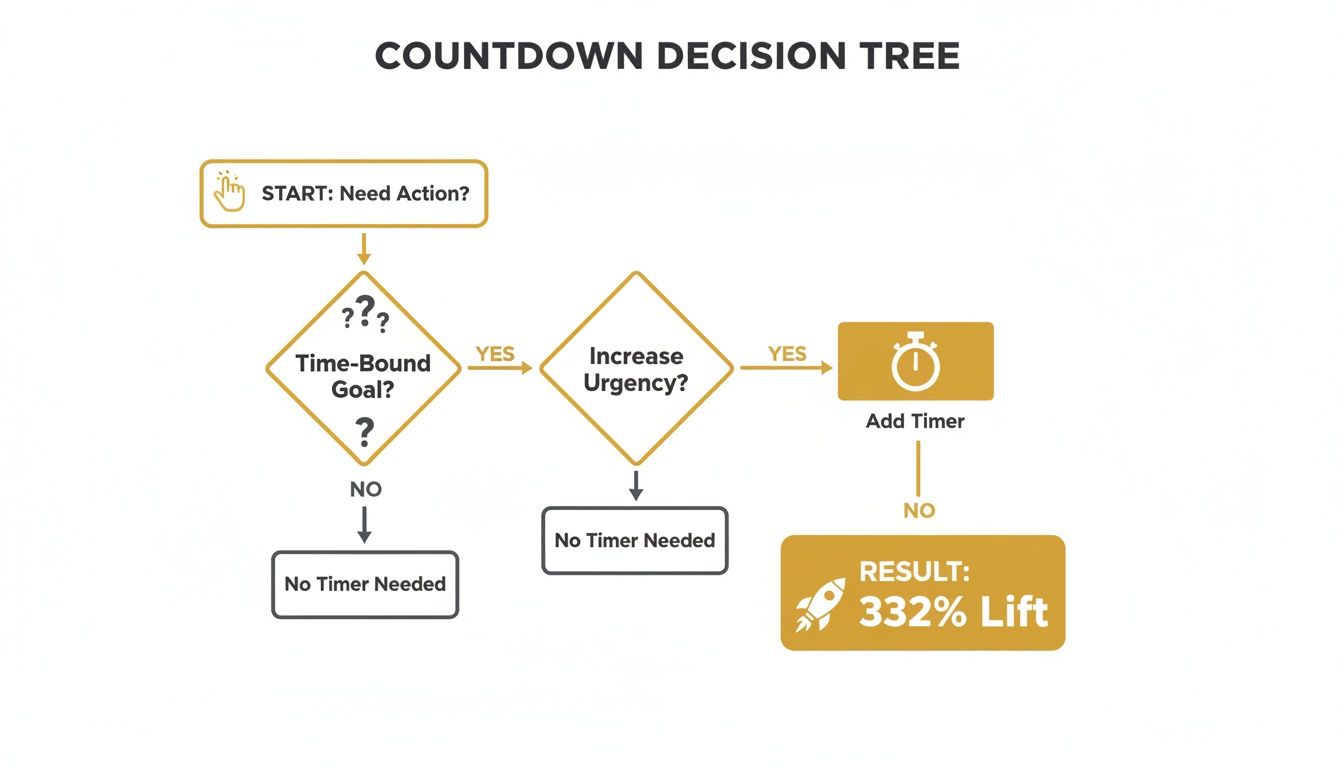
As you can see, the path from needing more action to getting a potential 332% lift often involves simply adding a timer. This isn't just a minor design tweak; it's a powerful psychological trigger that drives real results.
To make the choice even clearer, let's break down the different timer formats and where they shine. This will help you match the tool to your specific campaign.
Countdown Timer Types and Best Use Cases
| Timer Type | Best For | Example Use Case | Recommended Tool Category |
|---|---|---|---|
| Static Website Timer | Fixed-deadline events and sales. | A Black Friday sale ending for all visitors at midnight. | Website builder plugins, dedicated countdown timer tools. |
| Dynamic (Evergreen) Timer | Automated funnels and personalised offers. | A “24-hour discount” that starts when a new user visits a page. | Advanced marketing automation platforms, specialised timer software. |
| Email Countdown Timer | Driving clicks on time-sensitive email offers. | A “last chance” email for an early bird ticket price. | Email marketing platforms with built-in features, third-party email timer services. |
| Social Media Sticker | Building hype and engagement for live events. | An Instagram Story counting down to a live Q&A session. | Native features within social media apps (e.g., Instagram, Facebook). |
Ultimately, the goal is to select a timer that feels like a natural and helpful part of the user's journey, not a tacked-on gimmick.
Key Factors to Consider
Before you jump in and pick a tool, take a moment to think about your own situation. How comfortable are you with tech? Many brilliant tools are completely no-code and can be up and running on your site in minutes.
Also, what's the nature of your campaign?
Is this a one-off special event, or is it a part of an ongoing, automated marketing machine? Your answer there is what will point you toward either a static or an evergreen timer.
Finally, consider your budget. Plenty of free options will get the job done, but paid tools often unlock much deeper customisation, analytics, and integrations with the other marketing platforms you're already using. That extra investment can often deliver a much higher return. Matching the timer's features to your campaign goals ensures you're not just adding a ticking clock—you're deploying a strategic asset built to get results.
Placing Timers on Your Website and Landing Pages
Putting a countdown timer right on your website is one of the quickest ways to dial up the urgency. Think about it: unlike a timer in an email that someone might see later, a website timer grabs a visitor's attention the second they land on your page, pointing them exactly where you want them to go.
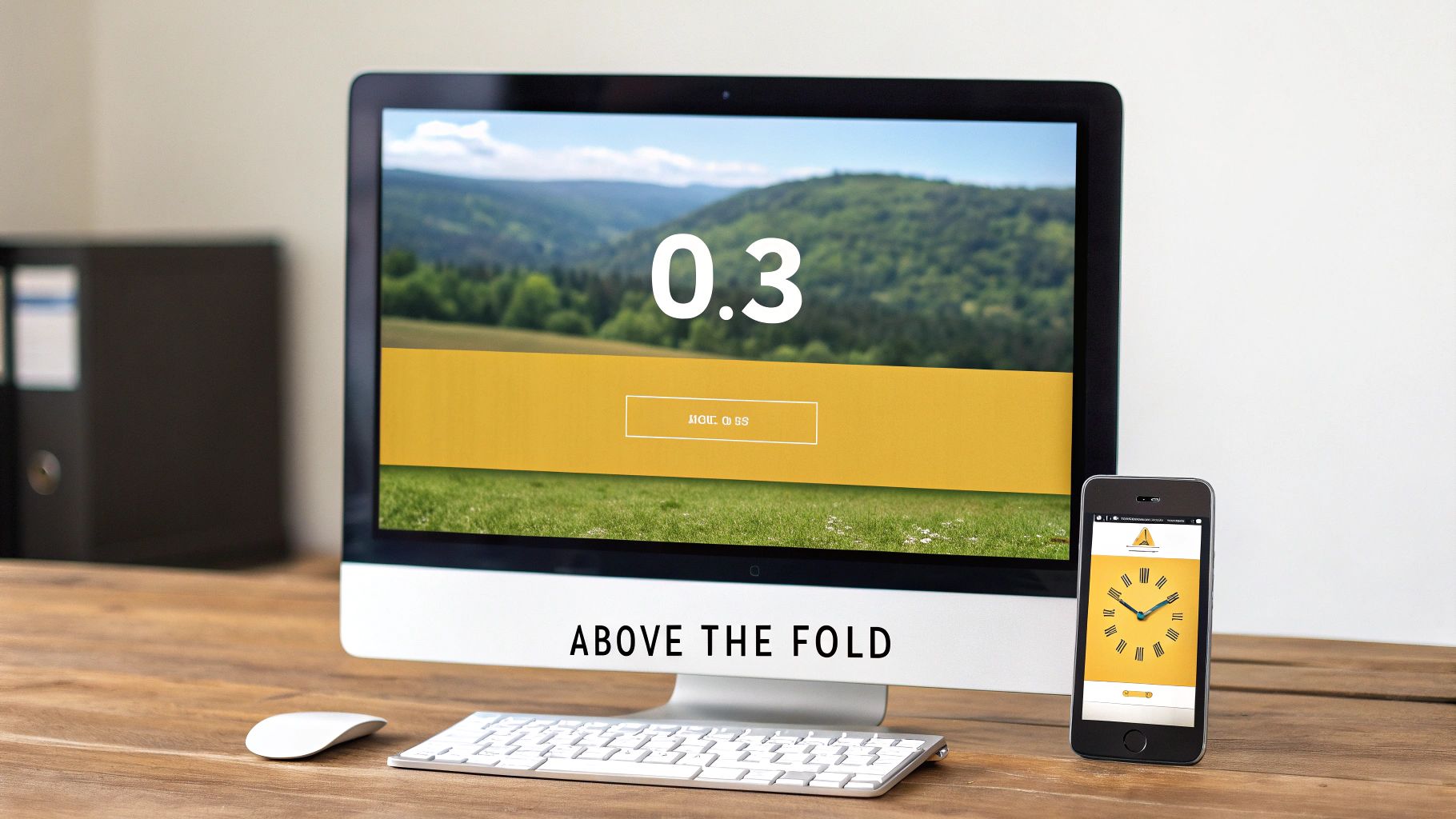
Let's say you’re running a huge Black Friday promotion. The entire goal is to drive sales, so that timer has to be front and centre. It needs to be "above the fold"—the part of your page everyone sees without having to scroll. This is non-negotiable, as it guarantees that every single visitor, whether they're on a laptop or their phone, knows that the clock is ticking.
Best Practices for Placement and Visibility
Where you put the timer matters. Just having one isn't enough; it needs to be positioned for maximum psychological impact. I've found the sweet spot is right next to your main call-to-action (CTA) button, whether that’s "Shop Now" or "Register Today".
This creates a powerful connection in the user's mind. They see the time running out and the action they need to take in the same glance, which makes them far more likely to click. For instance, if you're promoting a webinar, the timer should sit directly above or beside the sign-up form.
The best countdowns don't just show time. They frame a decision. By putting the timer next to the CTA, you’re not just saying "time is running out"—you're saying "time is running out to claim this specific offer."
You could also take it a step further with sticky bars or pop-ups. A sticky timer stays fixed to the top or bottom of the screen as someone scrolls, keeping that sense of urgency in their peripheral vision the whole time. If you're using Divi, for example, it's worth learning how to create a countdown popup in Divi to make sure it's as effective as possible.
Customisation and Mobile Responsiveness
Your countdown timer should look like it belongs on your site, not like some clunky, third-party add-on. Getting the customisation right is crucial for a professional feel.
- Match Your Branding: Tweak the colours, fonts, and overall style to align perfectly with your website's design. This builds trust and keeps the experience consistent.
- Keep Labels Clear: Stick to simple, obvious labels like "Days," "Hours," "Mins," and "Secs." You want the focus on the numbers, not on deciphering what they mean.
- Think Mobile-First: A huge chunk of your traffic comes from mobile, so your timer has to work flawlessly on smaller screens. Always test it on different devices to make sure it scales properly and is easy to read. A broken timer on a smartphone is an instant conversion killer.
The good news is that many tools make this easy. You don’t need to be a developer to get a timer on your site. These platforms, often known as widgets, give you a simple embed code to copy and paste into your website's HTML. You can learn more about how these work by reading up on what are website widgets. It makes the technical side incredibly straightforward.
Taking Your Timers Beyond Your Website: Email & Social Media
Your website is home base, but the real magic happens when your countdown timer shows up wherever your audience is. Seeing that same ticking clock in an email and then again on their social feed creates a powerful, unified sense of urgency. It’s not just a gimmick on a webpage; it’s a real deadline.
This isn't about just repeating the same message. It's a strategic move to meet people where they're already scrolling and clicking. A multi-channel approach like this is how you cut through the digital noise and build genuine anticipation for your event.
Driving Action with Email Countdown Timers
Email is still one of the most powerful conversion tools in any marketer's arsenal. Adding a dynamic countdown timer can give your campaigns a serious shot in the arm. Why just tell people a deadline is approaching when you can show them? It’s a visual punch that plain text just can't deliver.
Most modern email platforms have built-in countdown blocks, making this incredibly easy to implement. You can also grab a snippet of HTML or a GIF from a third-party tool. The best part? These timers often update in real-time every single time the recipient opens the email, so the urgency feels fresh with every glance.
For a more detailed walkthrough, we've put together a guide on using countdown timers for email campaigns.
Here are a few scenarios where I've seen email countdowns work brilliantly:
- Last-Chance Reminders: "Only 4 hours left to claim your early-bird discount!"
- Webinar Sign-ups: "Our live workshop starts in just 24 hours. Secure your spot now!"
- Shopping Cart Abandonment: "Your items are waiting, but this special offer expires in…"
The key is to make the timer and the call-to-action inseparable. The visual urgency from the clock should lead the eye directly to the button you need them to click.
This tactic has exploded in the UK. With influencer marketing ad spend projected to hit £1.04 billion by 2025, brands are getting smarter about creating urgency. In fact, some UK e-commerce managers report a 35% higher conversion rate from countdown-driven push notifications during big sales events. We're even seeing countdown Stories on TikTok yield 18% better retention for live events. You can find more data on UK social media trends on Sproutsocial.com.
Building Hype on Social Media
If you want to create a buzz, social media is the place to do it. It’s a natural home for countdown campaigns. The goal here is less about the hard sell and more about sparking conversation and building that can't-miss-it feeling.
Most platforms have features designed for exactly this. Take Instagram's countdown sticker for Stories—it's a game-changer. Followers can tap it to set their own reminder for your launch or event. When the time is up, Instagram sends them a notification. It's a brilliant way to cut through the algorithm and land right back on their screen.
Here’s how you can use countdowns across the major platforms:
- Instagram & Facebook Stories: The native countdown sticker is perfect for hyping a product launch, a live Q&A session, or the kick-off of a flash sale.
- TikTok & Reels: Think short, energetic videos. Show the "final hours" of a promotion or a sneak peek of event preparations with a countdown timer overlaid.
- Static Posts: Even on platforms without a dynamic feature, you can build momentum with a simple, visually consistent series of graphics: "3 Days Left," "24 Hours to Go," and "Launching Tomorrow!"
By weaving your countdown timer across these channels, you create a cohesive and immersive campaign. Every touchpoint reinforces the message, making sure your event stays top-of-mind and drives the action you're looking for.
Creative Countdown Strategies That Drive Engagement
So, you’ve mastered the basics of putting timers on your site and in your emails. Now, it's time to get a bit more creative. A simple countdown for an event is effective, but the campaigns that really stick with people are the ones that layer multiple strategies to build an experience that feels personal and compelling. The aim is to graduate from a simple clock to an interactive piece of your event's story.
For example, instead of just one timer for a product launch, why not think in stages? You could build a multi-phase countdown that ramps up the anticipation over time.
- Phase 1: The Early Bird: Kick things off with a timer counting down to the end of a special early-bird discount. This is a great way to reward your keenest followers and build some initial momentum.
- Phase 2: The Main Event: As soon as that offer ends, the timer resets and starts counting down to the main launch day. The focus shifts to the big reveal.
- Phase 3: The Final Push: In the last 24-48 hours, switch the messaging to a "last chance" reminder. This creates that final, powerful spike of urgency just before the deadline.
Personalising the Experience
Pairing your timers with personalisation is another incredibly powerful technique. By segmenting your audience, you can deliver a unique countdown experience to different groups. A brand-new visitor might see a welcome offer that expires in 24 hours, while a loyal customer gets an exclusive timer for early access to a sale.
This sort of tailored approach makes the urgency feel far more genuine and relevant to the individual. It’s a core principle of effective marketing, really. For a deeper dive, have a look at our detailed guide on conversion rate optimisation best practices.
The most effective countdowns feel less like a universal deadline and more like a personal invitation. When the offer is tailored to the user, the urgency becomes an opportunity they feel they personally might miss.
This is especially true when you look at the UK's digital advertising market, which is seeing a massive surge in video content. Timers shine here. With digital video expected to dominate ad spend, embedding a countdown in a video ad creates instant urgency on platforms where 58.54% of revenue already comes from smartphone users. It’s not just theory; marketing agencies have seen conversion lifts of up to 332% from timed offers. You can find more insights on the UK digital advertising market on grandviewresearch.com.
Extending Engagement Past the Event
And who says the countdown has to end when the event begins? Think about using timers for post-event engagement to keep the conversation going and extend the value of all your hard work.
You could set a timer for limited-time access to a webinar replay, for instance. Or maybe offer a special discount on a related product that's only available for 72 hours after the main event wraps up.
This approach keeps your audience engaged, provides extra value, and can even generate more revenue long after the initial buzz has faded. It’s a smart way to turn a single event into a longer, more profitable campaign.
Got Questions About Countdown Timers?
Even with the best strategy in place, a few practical questions always seem to pop up when you're getting ready to launch a countdown. Sorting these out beforehand means your campaign will run without a hitch, so you can stop worrying about the tech and focus on the results.
Here are the most common queries I hear from marketers, along with some straight-talking answers.
What Happens When My Countdown Reaches Zero?
This is the big one, and the good news is, you're completely in control. Any decent countdown tool will let you decide what happens after the deadline, so you never leave your audience at a dead end.
Once the clock hits all zeros, you can set it to do a few different things automatically. What you choose really comes down to what you want to achieve.
- Make the timer disappear. A simple option if the rest of the page is still relevant. The urgency driver just vanishes.
- Swap it for a message. You could replace the timer with a quick note like, "Sorry, this offer has ended" or "We're live! Join the event now."
- Redirect them somewhere else. This is a really powerful move. For example, you could automatically send visitors from a "coming soon" page straight to the live product launch, or from an expired offer to your main shop page.
The aim is to make the user's journey feel seamless and logical, even after the big moment has passed.
Can I Use a Countdown for an Evergreen Offer?
You bet. This is where countdowns really shine as an automation powerhouse. We call this an evergreen or dynamic countdown. Instead of being tied to a specific calendar date (like a Black Friday sale), an evergreen timer is personal to each visitor.
It kicks off based on a trigger, like when someone first lands on your page or opens a welcome email. It’s perfect for things like an onboarding sequence where you give a new subscriber a 48-hour discount. It creates real, personalised urgency that works for you 24/7, without you lifting a finger.
Evergreen timers turn a one-off marketing trick into a repeatable system for getting conversions. Every single lead gets the same high-urgency treatment, all on autopilot.
How Can I Be Sure the Timer Is Accurate for Everyone?
Accuracy is everything. If your timer shows different times to different people, it loses all its power. The secret is to use a tool that runs on server-side timing, not the clock on the user's own device (which is called client-side).
This is a non-negotiable detail. A client-side timer can be tricked by anyone who simply changes the time on their computer to get a bit longer on your offer. Server-based timers, on the other hand, have a single source of truth. The deadline is fixed for everyone, no matter their time zone or what they do with their device settings. This protects the integrity of your campaign and makes sure the experience is fair for your entire audience.
Ready to boost your conversions with powerful, easy-to-use marketing tools? The Digital Marketing Toolbox offers a curated selection of the best widgets and platforms to drive urgency and engagement. Discover the right solution for your next campaign at https://grow-your-biz.com.


