
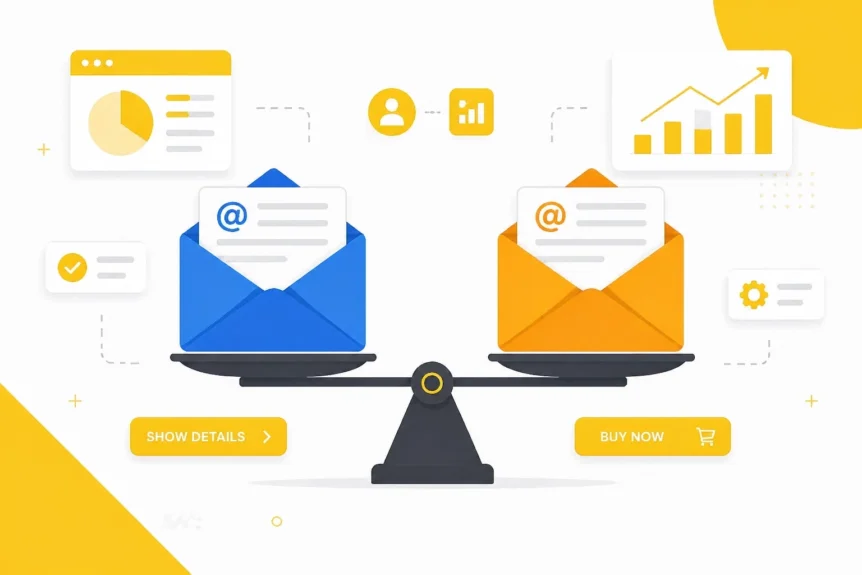
Let’s be blunt: choosing an email marketing tool in 2026 feels a bit like trying to pick a favorite child. They all claim to be the smartest, the fastest, and the most reliable. But when you’re running a small business, you don’t have time for a "participation trophy" software. You need a tool that actually moves the needle, fits your workflow, and doesn’t require a PhD in computer science to set up.
I almost always point people toward two heavyweights in this space: AWeber and GetResponse. Both have been around since the days when modems made those screechy noises, and both have evolved into absolute powerhouses for small businesses.
But which one is actually right for your specific hustle?
I’ve spent a lot of time in the trenches with both, and honestly, the "best" one depends entirely on where you are in your business journey. Whether you're a solo freelancer or scaling a multi-client agency, I’m going to break down the "straight-talk" truth about how these two stack up.
Why Email Marketing Still Rules the Roost
Before we dive into the nitty-gritty, let’s clear one thing up: Is email marketing still worth it? The truth is, while social media algorithms change like the weather, your email list is the only digital asset you actually own. It’s the cockpit of your spaceship.
When you use the right marketing automation software, every dollar you spend on email typically brings back a massive ROI. It’s not just about sending newsletters; it’s about building a relationship with your audience on your own terms.
AWeber: The King of Simplicity
If you’re just starting out or if you’ve ever felt personally victimized by a complex user interface, AWeber is likely your go-to. My favorite thing about AWeber is its "get out of the way" philosophy. It’s designed for people who want to focus on their business, not on fiddling with software.
The Standout: Building Design from a URL

What I love about this is their Smart Designer. You literally just plug in your website URL, and AWeber's AI scrapes your branding, colors, and logos to build a custom email template for you in seconds. Forget the sticker price for a moment: the time this saves you in manual design is worth its weight in gold.
- Drag-and-Drop Ease: Their editor is exceptionally smooth. It’s intuitive, clean, and rarely glitches.
- Simplicity for Beginners: You can get a campaign live in under 15 minutes. No joke.
- Solid Automation: While it might not have the "spaceship" level of complexity some agencies want, its autoresponders and tagging are perfect for 90% of small businesses.
- Web Push Notifications: A great little extra for keeping your audience engaged even when they aren't checking their inbox.
Golden Nugget: If you’re flying solo and your "tech-savviness" ends at using a smartphone, start with AWeber. It’s the most frictionless way to get your first 1,000 subscribers and start selling.
Check out the full breakdown of AWeber’s features here.
GetResponse: The Automation Powerhouse
On the other side of the ring, we have GetResponse. If AWeber is a reliable sedan, GetResponse is a high-performance sports car with a lot of buttons. It offers a suite of tools that goes far beyond simple emails.
The Standout: "Perfect Timing"

Let’s talk about the Perfect Timing feature. This is GetResponse’s secret sauce. The tool analyzes when each individual subscriber is most likely to open their mail and delivers your message at exactly that moment.
Think about that for a second. Instead of blasting everyone at 9 AM Tuesday, your night-owl customers get it at 11 PM, and your early birds get it over their morning coffee. The boost in open rates is usually significant.
- Massive Template & Image Library: They offer 5,000+ licensed stock images from Shutterstock and hundreds of templates. If you don't have a dedicated designer, this is a massive win.
- Advanced Marketing Automation: Their workflow builder is incredibly powerful. You can set up triggers for almost any action a user takes on your site.
- Landing Page Suite: They have some of the best free landing page templates built right into the platform.
- Blog Digest: Automatically turns your latest posts into a newsletter, which is a dream for content creators.
You can find more on GetResponse’s capabilities here.
Side-by-Side: The Tale of the Tape
So, how do they actually compare when you put them in a room together?
| Feature | AWeber | GetResponse |
|---|---|---|
| Best For | Beginners & Solo-preneurs | Scaled Businesses & Agencies |
| Standout Feature | URL-to-Email Design | "Perfect Timing" Delivery |
| Ease of Use | Extremely High | Moderate (Steeper learning curve) |
| Stock Media | Good Library | 5,000+ Shutterstock Images |
| Automation | Reliable & Straightforward | Advanced & Highly Customisable |
| Landing Pages | Included | Included (Advanced Builder) |
| Analytics | Simple & Practical | Deep & Actionable |
Persona Breakdown: Which One Should You Choose?

For the Freelancer
If you're a freelancer or a solo creator, you're likely wearing ten different hats. You don't have time to spend three hours building an automation workflow. AWeber is your best friend here. It’s reliable, the customer support is top-notch (you can actually talk to a human!), and the simplicity means you’ll actually use it instead of letting it sit and burn cash.
For the Agency or Growing SaaS
If you’re managing multiple lists, complex sales funnels, or deep segmentation, GetResponse is the clear winner. The level of detail you can get into with their automation and the Perfect Timing feature makes it a "must-have" for anyone who is treating their email list as their primary revenue driver.
The Truth About Pricing
I’ll be honest: don't choose purely on price. Both platforms offer free tiers to get you started, but as your list grows, you’ll be paying a monthly fee. The difference between them is usually negligible compared to the value of the time you save or the extra sales you make.
Golden Nugget: Focus on the features that will save you an hour of work every week. If AWeber’s smart designer saves you from hiring a freelancer, it’s already paid for itself. If GetResponse’s timing feature increases your sales by 10%, the extra cost is irrelevant.
Moment of Truth
Which one should you go for?
If you want a tool that "just works" and lets you build beautiful emails from your website URL in seconds, AWeber is the winner. It’s the sweet spot of functionality and simplicity.
If you want the "cockpit of a spaceship" where you can control every micro-interaction and ensure your emails land at the perfect second for every user, GetResponse is your best bet.
At the end of the day, both are stellar additions to your digital marketing toolbox. The only real mistake is not picking one and starting today. Your future self (and your bank account) will thank you.
Ready to grow? Check out our full list of digital marketing tools to see what else can help your business thrive!


