
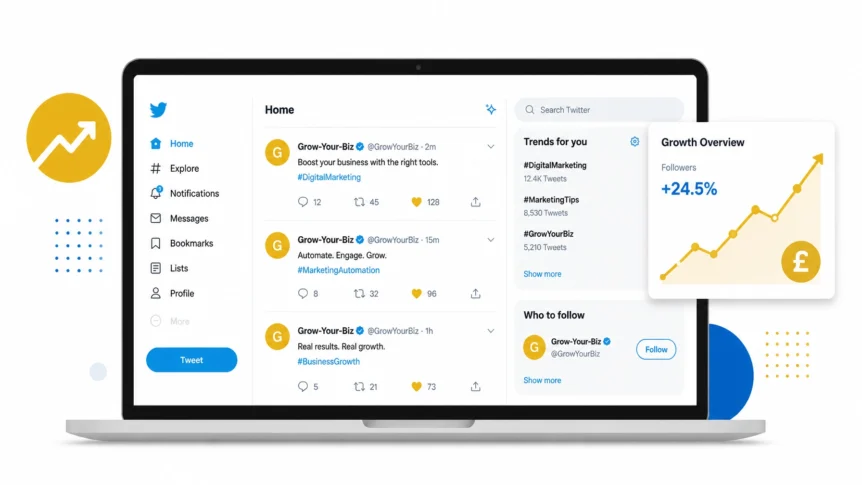
Is your website a ghost town? The Twitter Feed Widget can fix that fast. We’ve all seen sites that look like they were last touched when floppy disks were a thing. In 2026, the digital world moves at the speed of light, and if your site isn’t reflecting that pulse, you’re leaving money on the table. Specifically, you're leaving British Pounds (£) on the table.
Enter the Twitter Feed Widget.
Think of it as the cockpit of a spaceship; it’s your live dashboard that shows the world your business is alive, kicking, and actually talking to humans. We aren't just talking about a “Follow Us” button. We’re talking about a dynamic, living stream of consciousness integrated right into your website widgets ecosystem.
Why does it matter? Because in 2026, authenticity is the only currency that hasn't devalued.
1. Real-Time Social Proof: The Trust Accelerator
Let’s be honest: nobody believes your “About Us” page anymore. It’s polished, it’s corporate, and it’s boring. But a live stream of customers tweeting their love for your brand? That’s gold.
When a prospective client lands on your page and sees a feed of real people interacting with you right now, their trust in your business spikes. It’s the digital equivalent of seeing a packed restaurant, you just know the food is good. By embedding a Twitter Feed Widget, you’re showcasing raw, unfiltered social proof that no marketing copy can replicate.
Golden Nugget: Don't just show your own tweets. Use the widget to filter for mentions or hashtags related to your brand. Positive PR on autopilot? Yes, please.

2. The SEO “Lazy” Hack: Automatic Fresh Content
Google hates a stale website. If you haven't updated your blog in months, the search engine spiders start to think you’ve gone out of business. But who has the time to write a 2,000-word SEO blog post every single day?
The Twitter Feed Widget does the heavy lifting for you. Every time you tweet, your website updates. New keywords, fresh text, and active links appear on your site without you ever touching your CMS. It tells search engines: “Hey, we're still here, and we're relevant.” It’s the ultimate efficiency play for the busy small business owner.
3. Humanizing the Brand: For the Solopreneur
For the Freelancer: You are your brand. People aren't just buying a service; they’re buying you.
A Twitter feed allows you to show your personality. Share a joke, post a behind-the-scenes photo of your workspace, or weigh in on industry news. When potential clients see the human behind the keyboard, the barrier to “Clicking Buy” drops significantly. It turns a cold transaction into a warm relationship.
4. Flash Sales and Urgency: The ROI King
Is it worth the money? If you're using it to drive sales, the answer is a resounding yes.
In 2026, the “Flash Sale” is a staple of digital marketing. By featuring a live feed of your promotional tweets, you create a sense of FOMO (Fear Of Missing Out) that static banners just can't match. “Only 5 slots left for £99 SEO audits, tweet us now!” When that tweet is scrolling across your homepage, it feels urgent. It feels real.

5. Customer Support in the Spotlight
Is it a bit risky? Sure. But showing your customer support interactions publicly is a power move.
When a visitor sees you quickly and politely handling a query on Twitter, they feel confident that you’ll look after them, too. It demonstrates a level of transparency that's rare in the SaaS world. You aren't hiding behind a “No-Reply” email address; you're in the trenches, helping people.
The Efficiency Breakdown: Why Widgets Win
| Feature | Marketing ROI | Effort Level |
|---|---|---|
| Live Updates | High (Freshness signals) | Zero (Automated) |
| Social Proof | Extreme (Trust building) | Low (Curation) |
| Engagement | Medium (Click-throughs) | Low (Plug & Play) |
| Cost | Negligible (£ vs Value) | One-time Setup |
6. Event Live-Blogging: For the Agency
For the Agency: If you’re hosting a webinar or attending a massive industry conference, your website should reflect that energy.
Use the Twitter Feed Widget to stream a specific event hashtag. Suddenly, your website visitors are part of the experience. It positions your agency as an industry leader that’s “at the table” where big conversations are happening. It’s about building authority by association.
7. Reducing Bounce Rates: The Sticking Power
Why are people leaving your site so fast? Usually, it's because they've seen everything they need to see in five seconds.
A scrolling Twitter feed gives them a reason to linger. They read a tweet, click a link, watch a video, or scroll back to see what you said yesterday. Every extra second they stay on your site is an extra second for your brand to sink in. In the battle for attention, the widget is your secret weapon.

8. Direct Social Growth: The Bridge
Why force people to leave your site to follow you? Most modern widgets come with a built-in “Follow” button.
You’re essentially turning your website traffic into a permanent audience. If someone likes what they see in your feed, they can hit follow without ever breaking their session on your site. According to recent 2025/2026 data, brand engagement rates for brand content have surged by 22%, and much of that is driven by cross-platform integration (Source: Social Media Today).
9. Curation: Showcasing Industry Authority
You don't just have to show your tweets. You can curate a list of industry experts.
If you're a small accounting firm, why not show a feed of the latest tax updates from HMRC and top financial influencers? You become a resource, not just a service provider. You’re telling your customers: “We know what’s going on, and we’re keeping you informed.” That’s a high-value relationship that's hard to break.
10. Closing the Loop: Omnichannel Integration
The Twitter Feed Widget shouldn't exist in a vacuum. It’s part of your wider digital marketing toolbox.
Combine it with your email marketing strategy by tweeting out snippets of your newsletter. Or use it alongside a countdown timer to show the buzz surrounding a product launch. When your tools talk to each other, your business grows.

The “Day-to-Day” Reality
Let's talk brass tacks. Setting this up shouldn't take more than five minutes. Most widgets are “copy-paste” simple. You pick your layout, whether it's a sleek sidebar or a full-width masonry grid, and drop the code in.
No hiring expensive developers. No faffing with APIs. Just straight-to-the-point growth. In 2026, if a tool takes longer than a cup of coffee to install, it’s probably not worth your time.
Moment of Truth: Is it for you?
So, should you pull the trigger?
If you are a business that thrives on news, updates, community, or personal branding, then yes. If you want your website to feel like a living, breathing entity rather than a digital brochure, then absolutely.
The ROI of a Twitter Feed Widget isn't just measured in clicks; it's measured in the “Vibe Check.” In a world of AI-generated noise, showing real, human, time-stamped activity is the ultimate competitive advantage.
Stop flying solo with a static site. Plug in the pulse of the internet and watch your engagement soar.
Ready to upgrade your toolkit? Explore our full range of website widgets and start growing your biz today.


