
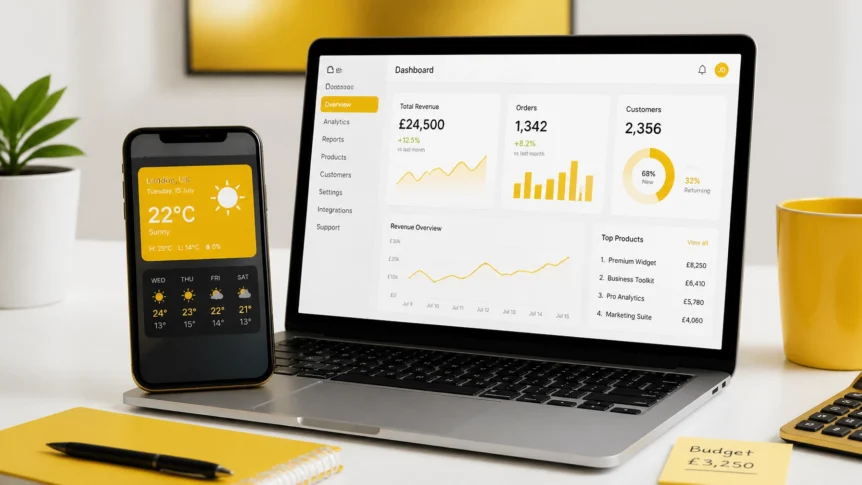
The Golden Nugget: To get the google weather widget on Android, long-press your home screen, select Widgets, and drag the Google Weather (or “At a Glance”) icon to your screen. For websites, Google doesn't offer a native embed; you must use third-party tools like Elfsight or POWR to display live local forecasts.
Whether you're a local business owner looking to keep customers updated or a casual Android user trying to see if you need a brolly, the google weather widget is a staple of digital life. However, how we use and install it in 2026 has changed significantly.
In this guide, we’ve cut through the noise to show you exactly how to set up the widget on your device and, more importantly for the entrepreneurs among us, how to embed high-performance weather tools on your website.
For the Android User: The 60-Second Google Weather Widget Setup
Is there anything more frustrating than having to unlock your phone and open an app just to check the temperature? We didn't think so. Setting up the native google weather widget on your Android device is the ultimate “set it and forget it” move.
How to Install the Google Weather Widget on Android (2026 Edition)
- Long-Press: Tap and hold any empty space on your home screen.
- Select Widgets: Tap the Widgets icon at the bottom of the screen.
- Find Google: Scroll down until you see the Google or Pixel Weather section.
- Pick Your Style: Choose between the classic 2×1 temperature pill or the more detailed 4×2 weekly forecast.
- Drag & Drop: Press and hold your choice, then drag it to your desired position on the screen.
Need Google's official walkthrough for different Android versions and widget behaviour? Check the official Android widget support guide.

Pro Tip: If the weather isn't updating, ensure your Location Permissions are set to “Allow all the time” in your system settings. Without this, your widget is essentially a decorative paperweight.
For the Business Owner: Embedding a Google Weather Widget on Your Site
Why would a business owner care about a google weather widget? If you run a cafe, a garden centre, or an outdoor events venue, the weather is your greatest marketing ally.
Imagine a “Rainy Day Special” discount that automatically pops up on your site when the forecast turns grey. Or a wedding venue that provides a live forecast for the weekend right on the booking page. That’s not just a “nice-to-have” feature; it’s a conversion tool.
“The weather dictates consumer behaviour more than almost any other external factor. If you aren't using that data, you're burning cash on ill-timed ads.” , The Grow Your Biz Team
However, here is the “moment of truth”: Google does not provide an official HTML embed code for their weather widget.
To get that sleek, Google-style look on your website, you need to look at the professional alternatives that play nicely with platforms like WordPress, Shopify, and Wix.

Top 3 Google Weather Widget Alternatives for 2026
Since we can't just copy-paste a code from Google Search, we’ve vetted the best SaaS tools in our digital marketing toolbox to find the ones that offer the best ROI and design.
1. Elfsight Weather Widget
Elfsight is the “gold standard” for widgets on websites. Their interface is incredibly polished, and it offers the closest aesthetic to the native Google look.
- Best for: Businesses that want a premium, high-converting look without touching a single line of code.
- Key Feature: Auto-location detection (it shows the weather for the user's specific city automatically).
- Pricing: Free Lite version; Paid plans start from roughly £4.50/month.
2. POWR Weather
If you already use other marketing automation software, you’re likely familiar with POWR. Their weather widget is part of a massive library of tools.
- Best for: Agencies or businesses that need multiple widgets (forms, reviews, weather) under one subscription.
- Key Feature: High customisability for fonts and colours to match your brand exactly.
- Pricing: Starts around £4.00/month.
3. WeatherWidget.io
For the “DIY” enthusiast or the small business on a tight budget, this is the best free option on the market.
- Best for: Simple blogs or basic informational sites.
- Key Feature: Completely free with no hidden subscriptions, though it does carry minimal branding.
- Pricing: Free.

Comparison: The Best Weather Widgets for Your Business
| Feature | Elfsight Weather | POWR Weather | WeatherWidget.io |
|---|---|---|---|
| Google-Style UI | High | Medium | Medium |
| Auto-Location | Yes | Yes | Limited |
| Custom CSS | Yes | Yes | No |
| WordPress Plugin | Yes | Yes | No (Embed code) |
| Starting Price | £4.50/mo | £4.00/mo | Free |
| Support | 24/7 Priority | Email Only | Community |
How to Choose: Which Google Weather Widget Fits Your Persona?
Are you still unsure which path to take? Let's break it down by your specific business needs.
For the “Solopreneur”
If you’re flying solo and just need a simple display for your local photography blog or gardening site, WeatherWidget.io is your winner. It’s free, it’s fast, and it does exactly what it says on the tin. No need to overcomplicate things when you’re already wearing ten different hats.
For the “Local Retailer or Restaurant”
You need a widget that looks professional and builds trust. We recommend Elfsight. The ability to have the widget change based on the customer's location is a game-changer for businesses with multiple branches. If a customer in London sees a different forecast than one in Manchester, your “hot chocolate” or “iced latte” promotions will actually make sense.
So, does weather accuracy really matter? Absolutely. If you're going to base promos, staffing, or campaign timing on live forecasts, use providers that pull from reputable weather data sources such as The Weather Channel. Bad forecast data leads to bad business decisions. Simple as that.
For the “Digital Agency”
If you’re managing client sites, POWR is the sweet spot. Being able to pull from their entire library of SEO tools and review widgets while also adding weather data makes your client’s site feel like the cockpit of a spaceship.

The Verdict: Is the Google Weather Widget Worth it?
Is adding a google weather widget or a professional alternative worth the five minutes of setup time?
Absolutely.
In an age where customers expect personalised experiences, something as simple as showing them the local temperature makes your brand feel human and attentive. It’s a small detail that separates the “pro” websites from the “amateur” ones.
Whether you're just fixing your Android home screen or overhauling your business site, the right weather tool provides immediate value. Stop making your customers leave your site to check the forecast: bring the forecast to them.


