
Deciding to embed Instagram on your website isn't just about making your site look good. Think of it as a strategic move that turns a static online brochure into a living, breathing hub for your community. It’s the perfect way to connect what you're doing on social media with your main online home.
Why Embed Instagram Content on Your Website
Bringing your Instagram feed directly onto your website is one of the smartest things you can do to prove your brand's authenticity, get visitors more involved, and keep your content from going stale. For businesses here in the UK, it’s a particularly sharp strategy, letting you tap into a huge and very engaged local audience.
Instead of just telling visitors about your brand, you can show them. They get to see it all happen in real-time, complete with genuine interactions from your followers and customers.
There are some solid, immediate wins from doing this:
- Builds powerful social proof: When potential customers see a live feed of others enjoying your products or services, it acts as a powerful, modern-day testimonial. It's instant credibility.
- Makes the most of user-generated content (UGC): Sharing posts from your community effectively turns your customers into your best marketers. People tend to trust content from real users far more than polished brand messages.
- Keeps your website fresh: Every time you post on Instagram, your website gets an automatic update. This signals to both visitors and search engines that your site is active and relevant.
- Boosts visitor engagement: An interactive Instagram feed can keep people on your site for longer, which is a great signal for your SEO.
Connecting with a Huge UK Audience
The real strategic value of this becomes crystal clear when you look at the numbers. As of early 2025, Instagram’s UK user base soared to 33.4 million people. That's over half of everyone aged 13 and up.
With more than 89% of UK brands already using Instagram for their marketing, weaving that content directly into your website is the logical next step to get more value from your efforts. Recent reports on UK digital trends really highlight just how important this platform has become.
You're essentially bringing this familiar mobile experience onto your own turf.
By embedding it, you create a seamless and instantly recognisable experience for anyone who lands on your site.
A Key Part of Modern Digital Marketing
At the end of the day, embedding your Instagram feed isn’t just a neat trick; it's a core tactic in any good digital marketing plan. It makes your online presence feel more vibrant and trustworthy.
By showing off real-world examples and authentic shout-outs, you’re not just building a stronger community—you're driving real results and turning social buzz into actual website conversions. This is a fundamental concept we dig into much deeper in our beginner's guide to digital marketing.
Choosing the Right Way to Embed Your Instagram Content
Picking the right method to embed Instagram on your website is the very first, and most important, step. Your decision here will affect everything from your site's loading speed to how much you can tweak the look and feel of your feed. Honestly, the best approach comes down to your goals, how comfortable you are with a bit of tech, and how much time you're willing to put into it.
Let's break down the main options. It's like choosing the right tool for a DIY project. You wouldn't bring in a sledgehammer to hang a small picture frame, would you? In the same way, you don't need a complex, custom-coded solution if you just want to feature one fantastic customer photo on your homepage. The options generally boil down to four main categories, each with its own balance of simplicity versus power.
First, What’s Your Main Goal?
Before you get bogged down in the "how," take a moment to figure out your "why." Are you trying to drive sales by showcasing products in real-world settings? Or is it about building trust by displaying authentic customer photos? Maybe you just want to inject some personality into your site and boost engagement.
This simple decision tree can help you visualise how your primary objective should steer your strategy.
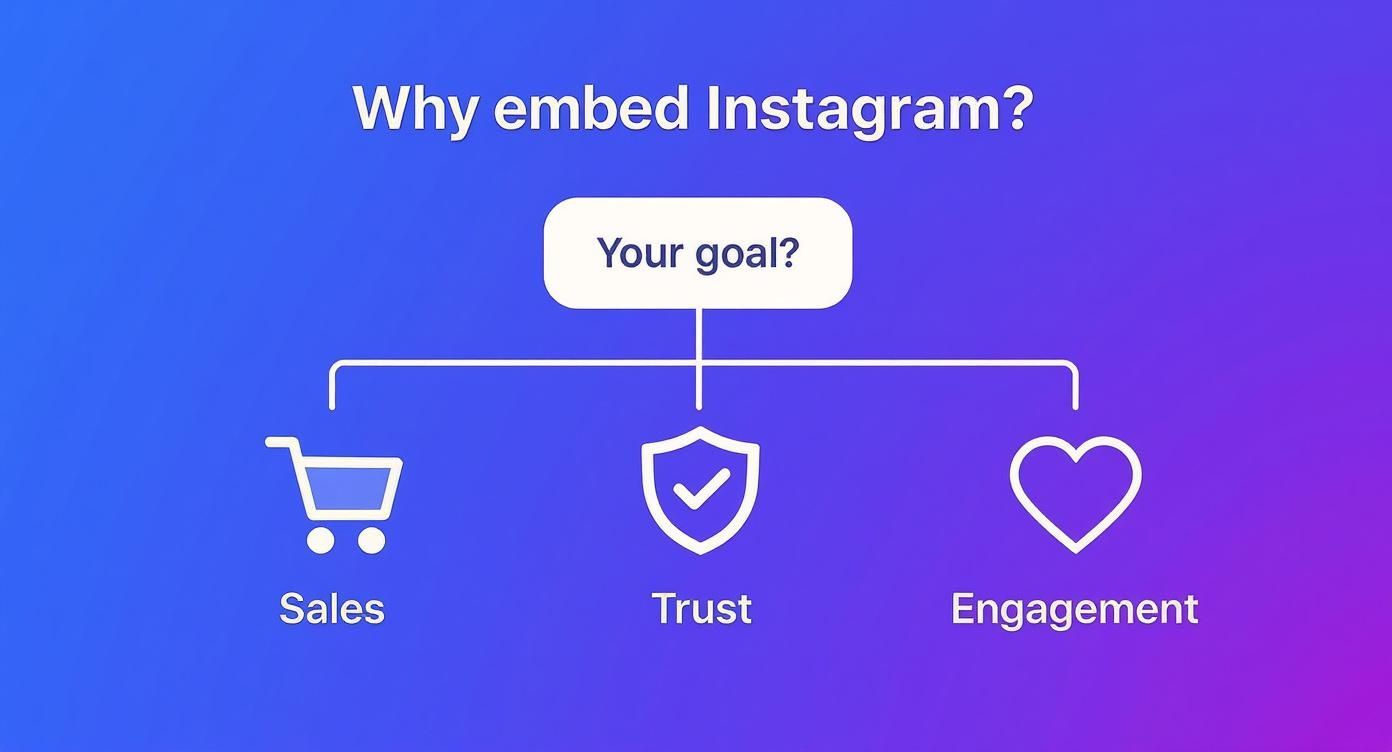
As you can see, what you want to achieve—whether that’s more sales, greater trust, or higher engagement—points you towards a specific type of solution. For example, if driving sales is your top priority, you'll want a tool that lets you create shoppable galleries.
Comparison of Instagram Embedding Methods
To make this choice a bit clearer, I've put together a table comparing the four main methods. This gives you a quick, at-a-glance overview of what each option involves in terms of effort, flexibility, and potential costs.
| Method | Best For | Ease of Use | Customisation | Cost |
|---|---|---|---|---|
| Native Embeds | Highlighting single posts or Reels within blog articles or on specific pages. | Very Easy | Very Low | Free |
| CMS Plugins | Users of platforms like WordPress or Shopify wanting an easy, integrated gallery. | Easy | Medium | Free to Premium |
| Third-Party Widgets | Creating highly customisable, feature-packed feeds on any website platform. | Medium | High | Free to Premium |
| Custom API | Developers who need total creative freedom for a completely unique, bespoke build. | Difficult | Very High | Development Costs |
This side-by-side look really highlights the trade-offs.
For most small businesses I've worked with, a good CMS plugin or a third-party widget hits the sweet spot. They give you a massive upgrade from the basic native embed without throwing you into the deep end with a custom API build.
If you're just dipping your toes in, a simple plugin is a great place to start. But if you see Instagram as a core part of your marketing strategy, investing in a robust third-party widget usually pays off in the long run. You get far more control over moderation, design, and analytics—all things you’ll need as you grow.
Getting Specific with Native Post Embeds
Sometimes, you don't need a whole gallery. You just want to highlight one killer piece of content—a fantastic customer review, a new product reveal, or a video that perfectly captures your brand's personality. For these moments, Instagram’s own native embed feature is your best friend. It’s the most direct way to get a single post onto your website without messing around with extra tools.
It really is as simple as it sounds. Just head to the public post you want to feature, click the three-dot menu, and hit "Embed". Instagram will generate a small snippet of HTML code for you. Copy that code, pop it into your website’s HTML editor where you want it to appear, and you’re done. The post will show up on your page, fully interactive, just like it is on the app.
The beauty of this method is its sheer simplicity. It's a scalpel, not a sledgehammer. But that’s also its limitation—you’re embedding one post at a time, so this isn't the right tool if you're looking to create a dynamic, self-updating feed.
A Few Things to Keep in Mind
While it's mostly a copy-and-paste job, there are a couple of small details worth paying attention to. Getting these right ensures the embedded post looks like it truly belongs on your site, rather than just being dropped in.
Here are a few pointers I've picked up over the years:
- It Must Be Public: This one’s a hard rule. You can only embed content from public Instagram accounts. Private posts won't give you the embed option, for obvious privacy reasons.
- Decide on the Caption: Before you grab the code, Instagram offers a handy little checkbox to "Include caption." If you want a minimalist look or prefer to add your own commentary on your site, just untick that box. It’s a small touch that gives you more creative control.
- Check Responsiveness: The code is built to be responsive, which means it should resize nicely to fit your site’s layout on any device. Still, I always recommend double-checking how it looks on both a desktop and a mobile screen before you publish. You never know when a theme’s styling might throw a spanner in the works.
This direct-from-the-source approach is a favourite among UK marketers because it’s so authentic. With 30% of marketers in the UK set to increase their Instagram budget in 2025, tools that seamlessly bridge the gap between social media and a company website are more important than ever. This spending highlights a wider trend: embedding social proof is now a core part of driving engagement. You can dive deeper and read the full analysis on UK social media trends to understand the full context.
Pro Tip: I love using native embeds to break up long-form articles or blog posts. Dropping a relevant Instagram Reel or a stunning image right into the middle of a text-heavy section is a brilliant way to re-engage your readers. It gives their eyes a break and adds a layer of credible, dynamic content that can boost time on page.
Building Dynamic Feeds with Plugins and Widgets
Let's be honest, embedding single posts is fine, but the real magic happens when you create a full, self-updating Instagram gallery on your website. This is how you transform a static page into a lively showcase of your latest content, keeping your site fresh without you having to lift a finger. Whether you're a WordPress pro or using another platform, this approach is your ticket to a truly dynamic site.
If you’re on a Content Management System (CMS) like WordPress or Shopify, plugins are definitely the path of least resistance. They’re built to slot right into your platform, usually just needing a few clicks to install and link up with your Instagram account. Once that's sorted, you can start crafting a feed that automatically pulls in your new posts.
This method is an absolute time-saver. Forget manually embedding every new photo. The plugin does all the heavy lifting, making sure your website always mirrors your most current social content. This is a core idea in smart virtual marketing; you can actually learn more about automating your marketing efforts in our detailed guide.
Unlocking Customisation with Third-Party Widgets
What if you aren't on a major CMS, or you just need more firepower? That's where third-party widgets come in. Services like Juicer or Elfsight give you a small snippet of code that you can drop into virtually any website builder, from Squarespace to a completely custom-coded site.
The real power of these widgets is in their deep customisation and filtering options. You're not just embedding a generic feed; you're actually curating an entire experience for your visitors.
Here’s a taste of what you can usually control:
- Layout Options: Don't just settle for a standard grid. You can pick carousels, sliders, or masonry layouts to perfectly match your site’s aesthetic.
- Content Filtering: This is where it gets really clever. You can display posts from a specific hashtag campaign, pull in mentions from a particular user, or even filter out posts containing certain words. It gives you surgical precision over your brand's narrative.
- Moderation: Set up rules to automatically approve or reject posts, or go in and manually curate the feed yourself. This is perfect for ensuring only the best user-generated content makes the cut.
This level of control means you can create galleries that are incredibly relevant and engaging. The whole concept of dynamic content is central here, as it allows the feed to adapt and show the most compelling posts to your audience. For instance, a travel agency could create a feed showing only posts tagged with #SummerInCornwall, providing targeted social proof for that exact holiday package.
Key Features to Look For
When you start looking at plugins and widgets, the number of options can feel a bit overwhelming. From my own experience, I’ve found there are a few non-negotiable features that really make a difference.
I always tell clients to prioritise tools that are GDPR compliant and mobile responsive. A feed that looks broken on a phone or creates privacy headaches is honestly worse than having no feed at all. Look for tools that specifically mention their privacy features and offer responsive breakpoints.
Beyond those basics, here are a few other valuable features I recommend keeping an eye out for:
- Analytics: See how visitors are actually interacting with your feed, including clicks and engagement rates.
- "Load More" Button: This is a big one for performance. It stops the feed from slowing down your initial page load by only bringing in a few posts at first.
- Shoppable Tags: Some of the more advanced widgets let you link posts directly to your product pages, creating a seamless path from inspiration to purchase.
Ultimately, picking the right tool comes down to your specific goals. Start by figuring out what you want to achieve—is it showcasing user-generated content, promoting a hashtag, or just keeping your homepage fresh? Once you know that, you can find a tool with the right features to get the job done.
Creating Shoppable Instagram Galleries
Embedding your Instagram feed is a solid first step, but what if you could turn those beautiful posts into a direct sales channel? That’s exactly what a shoppable gallery does. It closes the gap between a visitor seeing something they love on your feed and being able to buy it, transforming passive scrolling into an active shopping experience.
This isn’t just a nice-to-have feature; it’s about meeting your customers right where they’re inspired. Social commerce is booming in the UK, and Instagram is at the heart of it. Globally, Instagram Shopping is used by over 650 million users every month. More importantly for UK brands, a recent survey found that 41% of Gen Z consumers bought something directly through the app in the last month alone. By bringing that seamless experience to your own website, you’re tapping directly into modern buying habits. You can discover more insights about these UK Instagram trends and their impact on sales here.

Choosing the Right Tools for the Job
So, how do you actually make an embedded feed shoppable? You’ll need a tool that can connect the dots between your Instagram posts and your product catalogue. The right choice really comes down to your website platform and what you need the gallery to do.
Most people go one of three routes:
- Integrated E-commerce Features: If you're on a platform like Shopify, you're in luck. They often have native apps or built-in features that sync your Instagram Business account with your product list, making it pretty simple to tag products directly in your embedded feed.
- Specialised Third-Party Apps: Dedicated services like Foursixty or Curalate live and breathe shoppable content. They offer powerful features, from deep analytics on which posts drive the most sales to incredible customisation options that let you match the gallery to your brand perfectly.
- Advanced Plugin Capabilities: Many of the premium WordPress plugins for Instagram feeds have shoppable features baked in. This approach often lets you create manual "hotspots" on your images and link them to any URL you want—perfect for pointing directly to a product page.
Best Practices for a High-Converting Gallery
Just making your feed shoppable doesn't guarantee sales. You have to be thoughtful about it. A good gallery should feel like authentic inspiration, not a hard-sell catalogue. If you're selling clothing online, for instance, you already know how crucial visual presentation is; apply those same principles here.
A key insight from my experience is that user-generated content (UGC) often crushes professional brand shots in these galleries. When you feature real customers using your products, it builds a level of trust that polished ads just can't match. It shows your products in the wild, making them feel instantly more relatable.
Ultimately, a shoppable gallery shouldn't be an afterthought. It needs to be a core piece of your overall marketing strategy for a small business. When it’s properly integrated, it helps guide visitors smoothly from discovery to checkout, turning your hard-earned social engagement into a reliable source of revenue.
Optimising Performance and Ensuring Privacy
Adding a beautiful, dynamic Instagram feed to your site is brilliant for showing off your brand's personality and boosting engagement. But let's be honest, it shouldn't come at the cost of your website's speed or your visitors' trust. A slow-loading site is a sure-fire way to frustrate users and harm your SEO, and overlooking privacy laws in the UK can land you in serious hot water.
The main performance bottleneck is pretty straightforward: every embedded feed adds extra weight. A visitor’s browser suddenly has to download a bunch of extra scripts, stylesheets, and, most importantly, images. A gallery packed with dozens of high-resolution photos can easily slow your page load time to a crawl. This is why a bit of smart optimisation isn't just nice to have—it's essential for anyone looking to embed Instagram on their website without dragging it down.
Keeping Your Website Fast
You can't just drop a feed onto your page and hope for the best. Maintaining a snappy user experience means being deliberate about how you implement it.
A few tactics I always recommend have a massive impact:
- Lazy Loading: This is a non-negotiable, in my opinion. Lazy loading tells the browser to wait and only load the Instagram feed when a visitor actually scrolls down to where it appears on the page. This keeps your initial page load lightning-fast because all those extra resources aren't requested until they're truly needed.
- Choosing Lightweight Tools: Not all widgets and plugins are built the same. Look for solutions that are specifically designed for performance and have a minimal code footprint. It's always a good idea to check reviews and support documents for any mention of speed optimisation.
- Image Compression: The best third-party tools will handle this for you automatically. They'll compress the images pulled from your feed, serving up much smaller file sizes without any noticeable drop in quality.
I once worked with a client whose homepage load time tripled after they added a clunky, unoptimised Instagram gallery. We swapped it out for a lightweight widget with lazy loading switched on, and their performance score shot right back up. It’s often a simple fix that makes a world of difference.
Navigating Data Privacy and GDPR
Here in the UK, data privacy is a very big deal, governed by GDPR. When you embed content from a service like Instagram, you're potentially allowing that service to place tracking cookies on your visitors' devices. You absolutely need their explicit consent for that.
To stay compliant, you must have a consent management platform (CMP) or a cookie banner in place. This gives your users a clear choice to opt-in before any non-essential scripts—like those powering your Instagram feed—are allowed to run. Many modern, privacy-conscious embedding tools are built to integrate with these systems, only activating after a user gives their permission. This isn't just about ticking a legal box; it's about respecting your audience and building a brand they can trust.
Got Questions? Let's Get Them Answered
When you're looking to embed Instagram on your website, a few common questions always seem to surface. Getting these sorted out from the start can save you a lot of headaches later on.
Can I Embed a Private Instagram Account?
This is probably the most common question I get asked, and the answer is a straightforward no. For good reason, too.
Both Instagram's own embedding feature and any third-party tool you might use can only pull content from public accounts. It’s a fundamental privacy feature baked into the platform to ensure that private photos and videos stay that way. If an account is locked, its content is off-limits for embedding.
Will an Instagram Feed Slow Down My Website?
It’s a valid concern. Adding any new element, especially one that pulls in images and scripts from another service, can affect your site's performance.
An embedded Instagram feed can indeed add to your page load time, but how much depends entirely on the tool you use. The best widgets are built with performance in mind and use a clever technique called lazy loading. This means the Instagram feed only loads its images when a visitor actually scrolls down to that part of the page, so it doesn't bog down the initial loading speed your visitors first experience.
Just a quick but important note: Even though Instagram's official tool makes it easy to share public posts, it's always good form to get permission from the original creator before you use their content. It's a simple way to build goodwill and steer clear of any copyright trouble.
At The Digital Marketing Toolbox, we hand-pick powerful website widgets and tools designed to create beautiful, fast-loading social feeds. Discover the perfect solution for your website today.


