

So, you want to get your Instagram content onto your website. You've got two main routes: you can use Instagram's own basic embed feature for one-off posts, or you can use a dedicated tool to create a full, dynamic feed. Honestly, using a specialised tool is almost always the better choice. It gives you far more customisation options, handles updates automatically, and gives you real control over what shows up on your site.
Why Bother Embedding Your Instagram Feed?
Before we dive into the "how-to," let's quickly cover the "why." Putting your Instagram feed on your website isn't just about making it look pretty; it’s a smart marketing move. It turns your website from a static online brochure into something dynamic and alive, bridging the gap between your social media and your main digital home base.
This simple integration does a few really important jobs:
- Builds Instant Social Proof: A live feed of your latest posts, especially if they show off happy customers or a peek behind the scenes, proves you're a real, active brand with a genuine community.
- Keeps Visitors Engaged: People love visuals. An embedded feed gives them something to interact with, encouraging them to click around and spend more time on your site—which is great for your SEO.
- Freshens Up Your Website Content: Your website gets a constant stream of new content without you having to lift a finger. This tells both visitors and search engines that your site is current and well-maintained.
- Helps You Gain More Followers: When you show off your best Instagram content, you give website visitors a solid reason to hit that "Follow" button. You're turning passive traffic into active followers.
The Real-World Business Impact
For an e-commerce brand, this can be a game-changer. Picture a potential customer browsing a product page and seeing a grid of photos from real people enjoying that exact item. That’s authentic, powerful, and builds a level of trust that a slick ad campaign struggles to achieve. In the same way, a service-based business can show off its company culture, making the brand feel more human and relatable.
Embedding your Instagram feed is a brilliant example of smart content repurposing strategies. You're getting maximum value from the visual content you've already created by showcasing it in more than one place. This is a key part of any modern marketing strategy for small business because it saves time while making your message go further.
Think about this: the average adult internet user in the UK now spends around 1 hour and 37 minutes on social media every single day. By putting your feed on your site, you’re tapping directly into that behaviour and bringing the social experience right to your own turf.
The sheer amount of money being spent on social media advertising proves its value. In the UK, ad spend on social platforms hit a staggering £9.02 billion in 2025, with Instagram ads alone reaching roughly 33.4 million users. This shows just how much businesses rely on the platform to connect with people. Integrating your feed is a free way to get a piece of that action.
Deciding how to get your Instagram feed onto your website isn't a simple case of one-size-fits-all. The best approach for you really depends on what your website is built on, how comfortable you are with a bit of tech, and what you want the final result to look like.
Let's walk through the main ways you can do this.
Your Three Main Paths
The most direct route is using Instagram’s own built-in embed feature. This is brilliant if you just want to feature a single, specific post. Think of dropping a fantastic customer review from Instagram right into a blog post, or showcasing a new product launch. It’s as simple as finding the post, grabbing the code, and pasting it in. The catch? It’s only for single posts, so it won't work for creating a full, live gallery.
For something more dynamic, most people turn to third-party plugins and widgets. These tools are fantastic because they offer the best of both worlds: they’re powerful but still easy to use. You can link your account, pick different layouts, filter your posts by hashtags, and even control which posts show up. This is how you get a professional-looking feed that updates on its own, keeping your website’s content fresh without you lifting a finger.
When you start looking into these tools, you'll find plenty of great options, like a dedicated Instagram widget for displaying your Insta feed from developers who specialise in this area.
The third path is a fully custom solution using Instagram’s API. This one is for the developers or businesses with very specific design needs. It involves writing code to talk directly to Instagram, letting you build a feed from the ground up that looks and acts exactly how you want. It’s definitely the most complex option, but the trade-off is complete creative freedom.
This simple decision tree can help you see which path makes sense for your goals.
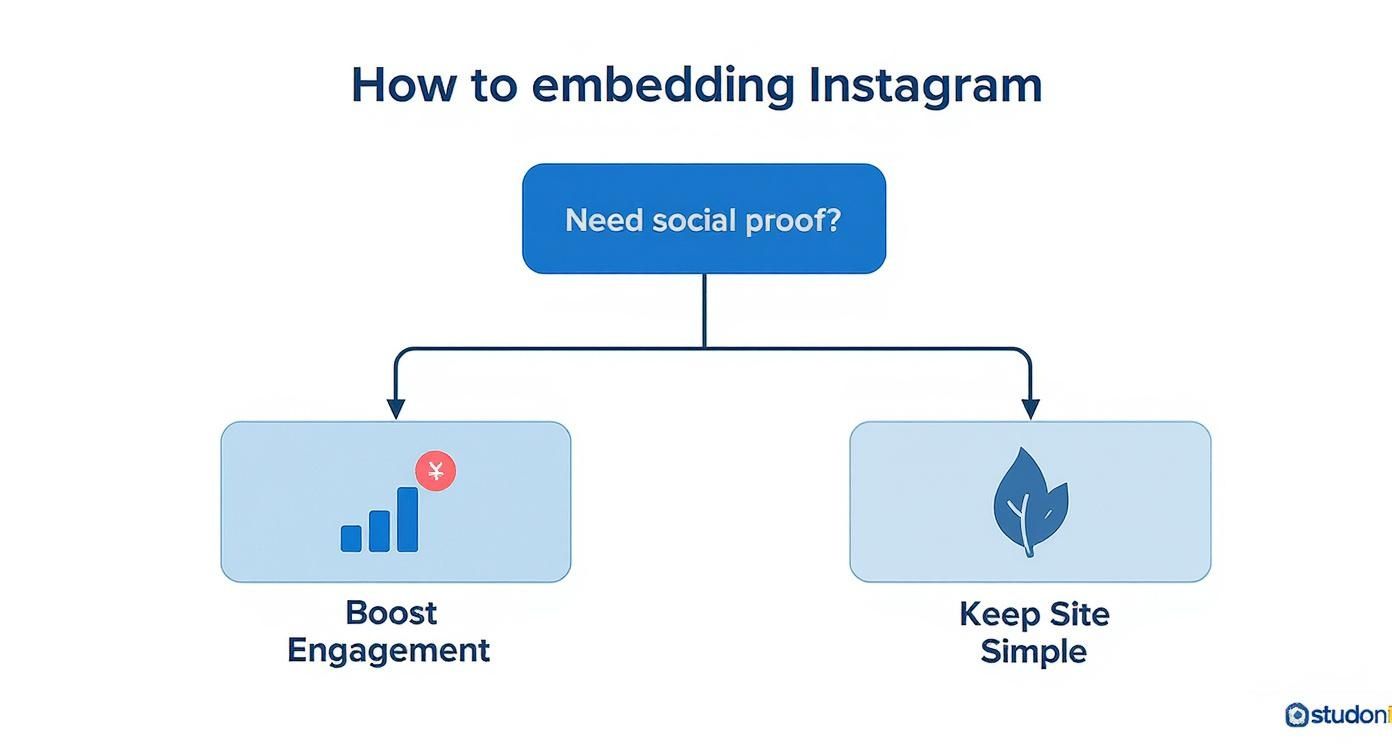
As you can see, it often boils down to a choice between adding lively social proof to your site or keeping your design as lean and simple as possible. Each method has its own clear advantages depending on what you’re trying to achieve.
Comparison of Instagram Embed Methods
To help you decide, here’s a straightforward table that compares the main features of each approach. It’s a quick way to see the pros and cons at a glance and figure out which method aligns with your resources and goals.
| Method | Best For | Ease of Use | Customisation | Cost |
|---|---|---|---|---|
| Native Embed | Highlighting a single post within your content. | Very Easy | Minimal | Free |
| Third-Party Tool | Creating a dynamic, customisable, and updating gallery. | Easy | High | Free to Premium |
| Custom API | Unique brand integrations and total design control. | Difficult | Unlimited | Developer Costs |
After weighing the options, you'll find there’s usually a clear winner depending on your needs. For most website owners, a third-party tool hits that perfect sweet spot. It delivers the dynamic content and customisation you need for great social proof, all without forcing you to write any code.
These widgets and plugins are a key part of a smart digital strategy. When you think about the bigger picture of your virtual marketing, seamlessly connecting your social media with your website is a no-brainer. Choosing the right tool to embed your Instagram feed on your website not only saves you a ton of time but also makes your site a much more engaging place for your visitors.
How to Embed Your Feed with a Third-Party Tool
If you're looking for the easiest yet most powerful way to get your Instagram feed onto your website, a third-party tool is almost always the answer. They solve all the frustrations of Instagram's basic embed feature, letting you create a dynamic, customisable gallery without touching a single line of code. These tools, sometimes called social media aggregators or widgets, are built specifically to embed an Instagram feed on your website and make sure it always looks spot-on.
The process is refreshingly simple. First, you connect your Instagram account to the tool. This is always done securely through an official Instagram login prompt, so you never have to hand over your password. Once you're linked up, the fun part begins: making it your own.
Fine-Tuning Your Feed's Appearance
This is where third-party tools really shine. Forget the one-size-fits-all approach; you get full creative control over how your feed looks and behaves on your site. You can pick from a range of layouts to perfectly complement your website's design.
- Grid: The classic, clean look. It arranges your posts in a uniform grid, which is perfect for a tidy, professional-looking gallery.
- Carousel: A slidable, horizontal reel of your posts. This is a brilliant space-saver if you want to show off a lot of content without taking up too much vertical space.
- Masonry: My personal favourite for a more creative feel. It fits posts of different sizes together like a jigsaw puzzle, creating an engaging, collage-style effect.
Beyond just the layout, you can tweak the colours to match your brand's palette, adjust the spacing between posts, and even choose what information to display. Want to hide the like and comment counts? No problem. Prefer to keep the captions? You can do that too. This level of customisation ensures the feed looks like a natural, integrated part of your website, not just something clumsily bolted on.
Here’s a look at what a typical customisation interface from a widget builder looks like.

As you can see, you get options for different templates, layouts, and post styles, and the best part is being able to see a live preview of your changes as you make them.
Moderating Your Content
Another huge advantage is content moderation. You get to be the gatekeeper, deciding exactly what shows up on your site. For example, you could set up a feed to pull in any post that uses a specific brand hashtag—an amazing way to run a user-generated content campaign. From there, you can apply filters to automatically exclude certain posts or switch to manual approval so you can hand-pick every single image that appears.
Being able to moderate and style your feed is crucial for maintaining brand consistency. It turns a simple stream of posts into a powerful form of social proof that reflects the quality and personality of your business.
Tapping into your Instagram community this way is particularly effective in the UK, where the platform's influence is massive. As of early 2025, Instagram's UK user base reached around 33.4 million, and its hold on the 18 to 34-year-old demographic is as strong as ever. This huge, engaged audience is a goldmine of potential content and customers for your brand. You can explore more UK social media trends on sproutsocial.com.
Once you've got the design and content rules dialled in, the tool generates a universal embed code. It's just a small snippet of code. All you need to do is copy it, then paste it into the HTML of your website—whether that's on WordPress, Squarespace, Wix, or Shopify. Your beautiful, custom feed will appear right where you placed it and will automatically stay up-to-date with your latest Instagram posts.
Highlighting a Single Instagram Post the Manual Way
Sometimes, you don't need a full-blown, dynamic gallery. Maybe you just want to feature one specific, high-impact post. Think about that glowing customer testimonial or the big reveal of a new product line. For moments like these, Instagram's own built-in embed feature is your best friend.
This method lets you embed a single Instagram post on your website with absolutely no fuss. It’s a clean, simple process that sidesteps the need for plugins or any third-party tools, which makes it perfect for quickly dropping a post into a blog article or onto a dedicated landing page.
The whole thing is refreshingly straightforward. First up, you'll need to be on a desktop computer. Head to Instagram and find the exact post you want to showcase.
Once you’ve got it on your screen, click the three little dots (…) you see in the top-right corner of the post.
A menu will pop up. From the options, just choose 'Embed'. Instagram instantly generates a small snippet of HTML code for you. Click the 'Copy Embed Code' button, and it's copied to your clipboard, ready to go.
Getting the Code onto Your Website
Now, pop over to your website's editor. Go to the specific page or post where you want the Instagram content to live. You'll need to paste this code into a custom HTML block or switch to the source code view of your editor.
If you’re using WordPress, for example, you would simply add a 'Custom HTML' block and paste the code right in there.
As soon as you save your changes, the post will appear on your site, looking just as it does on Instagram. It's a seamless way to integrate your social content.
Here's a handy little tip: you have control over whether the original caption shows up. When Instagram gives you the embed code, you can find and remove a specific line of code if you’d prefer a cleaner look that puts all the focus on the photo or video itself.
This manual approach is easily the quickest way to pull in a piece of social proof. It keeps the post looking authentic and provides a direct link back to your Instagram profile, neatly connecting your website traffic with your social media presence.
Keeping Your Site Fast and SEO-Friendly with an Embedded Feed
Adding a live Instagram feed is a fantastic way to bring fresh, dynamic content to your website. But let's be honest, the last thing you want is for this new feature to grind your site to a halt. A slow website frustrates visitors and can seriously hurt your search engine rankings.
The secret to avoiding this is choosing a lightweight tool from the get-go. Look for one that specifically offers lazy loading. It's a clever trick that stops all your Instagram images from loading the second someone lands on your page. Instead, they load progressively as the user scrolls down, which makes a massive difference to your initial page load time.
How to Check the Performance Impact
Before you even think about adding the feed, you need a baseline. It's a simple but crucial step. Run your website through a tool like Google PageSpeed Insights and take note of your score. This gives you a clear snapshot of your site's current health.
Once your new Instagram feed is live, run the test again. This simple before-and-after check tells you exactly what impact the widget is having.
A small dip in your score might be a perfectly acceptable trade-off for the added engagement. But if you see a major drop, that’s a red flag. It likely means the tool you’ve chosen is too bloated or isn't well-optimised.
Keeping your site snappy is a huge part of good technical SEO. If you're new to this, our beginner's guide to digital marketing is a great place to start, as it explains how site performance fits into the bigger picture.
The Hidden SEO Perks of a Live Feed
Beyond the speed considerations, a well-chosen feed can actually give your SEO a nice little boost. Search engines like Google love to see websites that are regularly updated with new content. Your embedded feed is essentially a tap of fresh material, constantly signalling that your site is active and relevant.
This constant stream of new images and captions helps keep your pages from going stale. It also gives people a reason to stick around longer, scrolling through your latest posts. Increased "dwell time" is another positive signal to search engines that your content is valuable.
This strategy is especially powerful here in the UK. We know that UK users spend an average of 53 minutes per day scrolling through Instagram—that's almost double the global average. This means they are already comfortable and highly engaged with this type of content, making it a natural fit for your website. You can dig into more of these stats on UK Instagram usage over at sproutsocial.com.
To really cash in on these benefits, make sure the embed code you're using is clean. Messy or error-filled code can confuse search engine crawlers. A quality widget will integrate seamlessly, allowing Google to do its job while your feed keeps your visitors engaged.
Frequently Asked Questions
Once you decide to embed your Instagram feed, you'll probably have a few practical questions. Thinking through these details beforehand is the key to a smooth setup that looks great and works perfectly for your visitors. Let's walk through some of the most common things people ask.
Can I Embed an Instagram Feed from a Private Account?
The short answer is no, you can't. This is a big one we see all the time. Both Instagram's own embedding feature and any third-party tools are designed to work only with public accounts. It's a core privacy and security feature baked into the platform.
When an account is private, its content is completely walled off from the outside world, including the APIs that these tools rely on. So, if you try to connect a widget to a private account, it simply won't be able to pull in any posts.
A word of warning: if you set up a feed while your account is public and then switch it to private later, your embedded feed will break. It will stop updating and likely just show an error message. For this to work, the Instagram account has to stay public.
Will My Embedded Instagram Feed Update Automatically?
Yes, and this is probably the single biggest reason to use a proper widget instead of manually embedding single posts. When you use a third-party tool, it's built to sync with Instagram automatically and pull in your new content.
The refresh frequency depends on the tool you choose.
- Some will check for new posts every few hours.
- More advanced plans often refresh much faster, sometimes as often as every 15-30 minutes.
This "set it and forget it" approach keeps your website fresh without you having to lift a finger. It's a huge contrast to using Instagram's manual embed option, which only shows one specific post forever and will never, ever update on its own.
Does Embedding an Instagram Feed Hurt Page Speed?
It can, but it doesn't have to. The impact is definitely something you can manage if you're smart about it. An Instagram feed naturally adds extra code and images that your website has to load, and that can slow things down if you aren't careful. The trick is to choose a tool that's built for performance.
Look for a feature called "lazy loading." This is non-negotiable. Lazy loading tells the browser not to load the Instagram images until a visitor actually scrolls down the page to see them. This makes a massive difference to your initial page load time, which is critical for both user experience and your SEO rankings.
Good widgets often come with other optimisations too, like compressing images. A great habit to get into is running a quick page speed test before and after you add the feed, just to see what the real-world impact is.
Can I Display Instagram Reels and Stories in My Feed?
This one comes down entirely to the tool you pick. The most basic widgets, and of course Instagram’s native feature, only handle the standard photo and video posts from your grid.
However, many of the more modern social media aggregators have caught up and now fully support embedding Instagram Reels. This is a fantastic way to bring your most dynamic video content straight onto your website.
Showing Instagram Stories is a bit rarer, but it's a feature you'll find in some of the more premium tools. It usually looks like a separate widget with the familiar profile bubbles that users can click, just like in the app. My advice? Always double-check the feature list of any tool you're considering to make sure it can handle the exact types of content you want to show off.
Discover the best tools to bring your website to life at The Digital Marketing Toolbox. We curate top-tier solutions, from social media widgets to SEO analysers, making it easy to find exactly what you need for growth. Explore our handpicked collection at https://grow-your-biz.com.


