

Managing multiple social media accounts can quickly become a full-time commitment. Between crafting posts, scheduling content for optimal times, engaging with followers, and analysing performance, the workload can be overwhelming. The challenge is clear: how do you maintain a consistent and effective online presence without dedicating every waking hour to it, or investing in costly software?
The solution lies in leveraging free social media management tools. These platforms are designed to bring order to the chaos, providing essential scheduling, analytics, and organisational features. They empower small business owners, content creators, and marketing professionals to streamline their workflows, save valuable time, and execute a more polished social media strategy, all without any financial outlay. Many businesses find these tools to be powerful alternatives to expensive social media management platforms, offering core functionality without the significant subscription fees.
This guide dives deep into the 12 best free social media management tools available in 2025. We move beyond generic feature lists to provide a practical analysis of each option. You will discover:
- The key features included in their genuinely free tiers.
- Honest assessments of their limitations and potential upgrade paths.
- Specific use cases to help you identify the best fit for your unique needs, whether you're a freelancer, a growing e-commerce brand, or a busy marketing agency.
Each entry includes screenshots for a clear visual overview and direct links to get you started immediately. Our goal is to equip you with the insights needed to select the perfect platform to organise your content, engage your audience, and grow your brand effectively.
1. Buffer
Buffer has long been a go-to platform for individuals and small businesses venturing into social media, and its reputation for simplicity and reliability makes it one of the best free social media management tools available. Its clean, uncluttered user interface significantly lowers the barrier to entry, allowing new users to connect accounts and schedule content within minutes.
What sets Buffer apart at the free level is its dependable, no-fuss approach to content publishing. While some tools can be overly complex, Buffer focuses on doing the basics exceptionally well. Its forever-free plan is generous enough for those getting started, offering a solid foundation for building a consistent online presence without any initial investment. It’s an ideal starting point for anyone feeling overwhelmed by more feature-heavy platforms.
Key Features of the Free Plan
- Social Channels: Connect up to 3 channels (e.g., Instagram, Facebook, LinkedIn).
- Scheduled Posts: Queue up to 10 posts per channel at any given time.
- AI Assistant: Get help brainstorming post ideas, rephrasing text, or generating content from scratch.
- Basic Analytics: Access essential post-performance metrics like reach and engagement.
- Browser Extension: Easily add content to your queue from anywhere on the web.
Limitations and Workarounds
The free tier’s main limitation is the 10-post queue limit per channel. To maximise this, use a content calendar to plan your posts weekly. Schedule your 10 posts, and once the first few are published, top up your queue to maintain a consistent flow. While analytics are basic, you can supplement them by checking the native analytics on each social platform for deeper insights.
Ideal User
Buffer’s free plan is perfectly suited for solopreneurs, content creators, and small businesses managing a handful of social profiles. It’s for those who prioritise straightforward scheduling over complex analytics and team collaboration features. If you are just starting your online journey, Buffer provides the essential tools you need to get organised, which is a core part of any successful strategy as outlined in this beginner's guide to digital marketing.
- Official Website: https://buffer.com/
2. Meta Business Suite (Facebook & Instagram)
For businesses heavily focused on Meta’s ecosystem, the native Meta Business Suite is one of the most powerful and integrated free social media management tools available. Since it’s built by Meta, it offers unparalleled direct access to features for both Facebook Pages and Instagram accounts, ensuring new updates and post formats are supported immediately without the lag often seen in third-party apps.
What makes Meta Business Suite stand out is its seamless integration and depth of native functionality. It’s not just a scheduler; it’s a centralised command centre for managing your presence across both platforms. The planner provides data-driven suggestions for optimal posting times based on your audience’s activity, and managing messages and comments from a unified inbox streamlines community management significantly. It’s an indispensable, cost-free tool for anyone serious about their Facebook and Instagram strategy.
Key Features of the Free Plan
- Social Channels: Manage any number of Facebook Pages and Instagram Business accounts you own.
- Unlimited Scheduling: Schedule, draft, and manage an unlimited number of posts and stories.
- Unified Inbox: Respond to Facebook messages, Instagram DMs, and comments from one place.
- Content Planner: View a calendar of your scheduled content and get recommendations for optimal posting times.
- In-depth Analytics: Access detailed native insights on reach, engagement, and audience demographics.
Limitations and Workarounds
The primary limitation is its exclusivity to Meta platforms; you cannot manage Twitter, LinkedIn, or Pinterest here. While the scheduling window is typically limited to 29 days in advance, this encourages a more agile and responsive content strategy. Some users report occasional bugs or interface changes, but since it's a core Meta product, these are usually resolved quickly.
Ideal User
Meta Business Suite is the perfect solution for small businesses, e-commerce brands, and marketers whose audience is primarily on Facebook and Instagram. It’s for users who want deep, native functionality and analytics without the need for a third-party subscription. Integrating it effectively is a key part of a strong marketing strategy for small businesses that are focused on Meta's platforms.
- Official Website: https://business.facebook.com/
3. Zoho Social (Free Edition)
Zoho Social enters the market as a powerful component of the broader Zoho business suite, offering a surprisingly robust platform that makes it one of the best free social media management tools for those planning to scale. Its free edition provides a comprehensive starting point that feels less like a trial and more like a permanent, functional tool for an individual user.
What sets Zoho Social apart is its generous free offering combined with a strong emphasis on data privacy, including regional hosting options for UK/EU users concerned with GDPR compliance. The interface is clean and business-focused, making it easy to manage multiple different social networks from one dashboard without feeling limited. It's an excellent gateway into a larger ecosystem of business apps should your needs grow.
Key Features of the Free Plan
- Social Channels: Connect 1 brand, including a Facebook Page, Instagram Business Profile, LinkedIn Profile, X (formerly Twitter) account, and Google Business Profile.
- Unlimited Posting: Schedule an unlimited number of posts, subject only to the API limits of each social network.
- zShare Browser Extension: Easily share content you discover from around the web directly to your social channels.
- Mobile Apps: Manage your accounts on the go with fully functional iOS and Android applications.
- Standard Publishing: Includes a content calendar and the ability to schedule posts in advance.
Limitations and Workarounds
The free plan is strictly for a single user and one brand, making it unsuitable for teams. Advanced features like content approvals, team collaboration, and in-depth analytics are reserved for paid tiers. To overcome the lack of advanced analytics, make it a habit to periodically review the native insights on each platform (e.g., Facebook Insights, Instagram Professional Dashboard) to get a more detailed view of your performance.
Ideal User
Zoho Social’s free plan is ideal for freelancers, solopreneurs, and small business owners who manage their own social media and may eventually need other business tools (like a CRM or accounting software). Its unlimited posting capability makes it perfect for active publishers who find post limits on other free tools too restrictive. If you value data privacy and operate within the UK/EU, Zoho Social is a particularly strong contender.
- Official Website: https://www.zoho.com/social/
4. Publer
Publer is a versatile scheduler that stands out in the crowded market of free social media management tools with its highly practical and transparent free tier. It offers a surprising number of features usually reserved for paid plans, such as a link-in-bio tool and the ability to save drafts, making it an excellent choice for users who need a bit more functionality without opening their wallets.
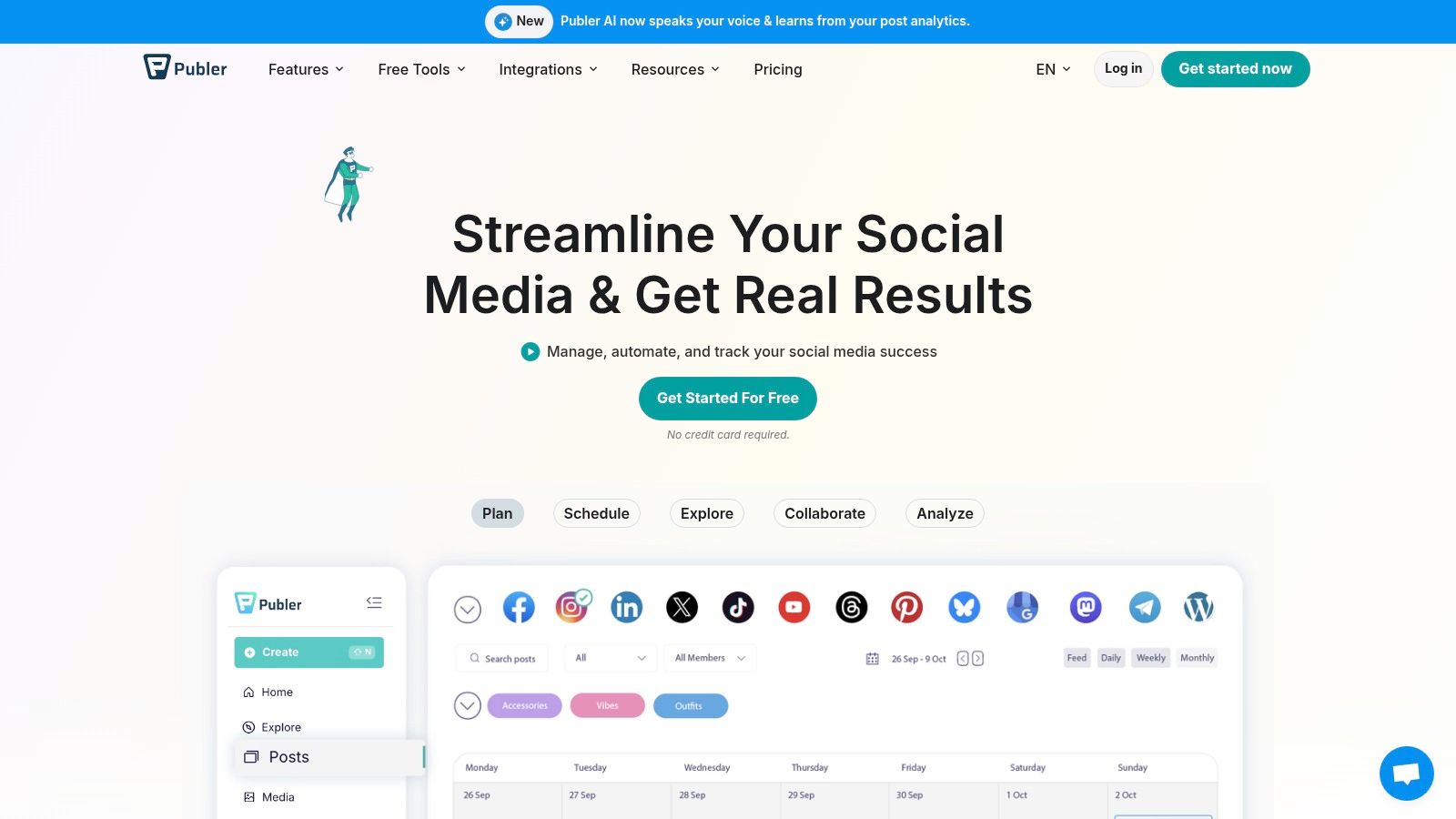
What makes Publer particularly user-friendly is its "try before you buy" approach. Many of its premium features can be trialled without entering credit card details, giving you a genuine feel for what the platform can do. This transparency helps solopreneurs and small businesses make an informed decision about when, or if, an upgrade is necessary. It’s a robust tool that balances core scheduling with valuable extras.
Key Features of the Free Plan
- Social Accounts: Connect up to 3 social accounts (X/Twitter is excluded from the free plan).
- Scheduled Posts: Schedule up to 10 posts per account at any one time.
- Link in Bio: Create a customisable link-in-bio page to direct your audience.
- Drafts & History: Save an unlimited number of drafts and view your post history for the last 24 hours.
- Paid Feature Trials: Test out many premium features without a credit card commitment.
Limitations and Workarounds
The most significant limitation is that X/Twitter management requires a paid plan. Additionally, the free tier only stores your published post history for 24 hours. To work around this, keep a separate record of your published content in a spreadsheet or content calendar. This ensures you have a long-term overview of what you’ve posted for performance analysis.
Ideal User
Publer’s free plan is perfect for solopreneurs and creators who want more than just basic scheduling. If you need a link-in-bio tool, the ability to save drafts, and the flexibility to manage multiple post types across platforms like Instagram, Facebook, and LinkedIn, Publer offers exceptional value. It is ideal for those who are organised and want to plan their content well in advance.
- Official Website: https://publer.com/
5. Metricool
Metricool positions itself as a powerful, all-in-one analytics and scheduling suite, making it one of the most comprehensive free social media management tools for data-driven marketers. It supports an impressively wide range of social networks on its free plan, including newer platforms like Threads and Bluesky, as well as essentials like Google Business Profile, which is a rare and valuable offering for local businesses.
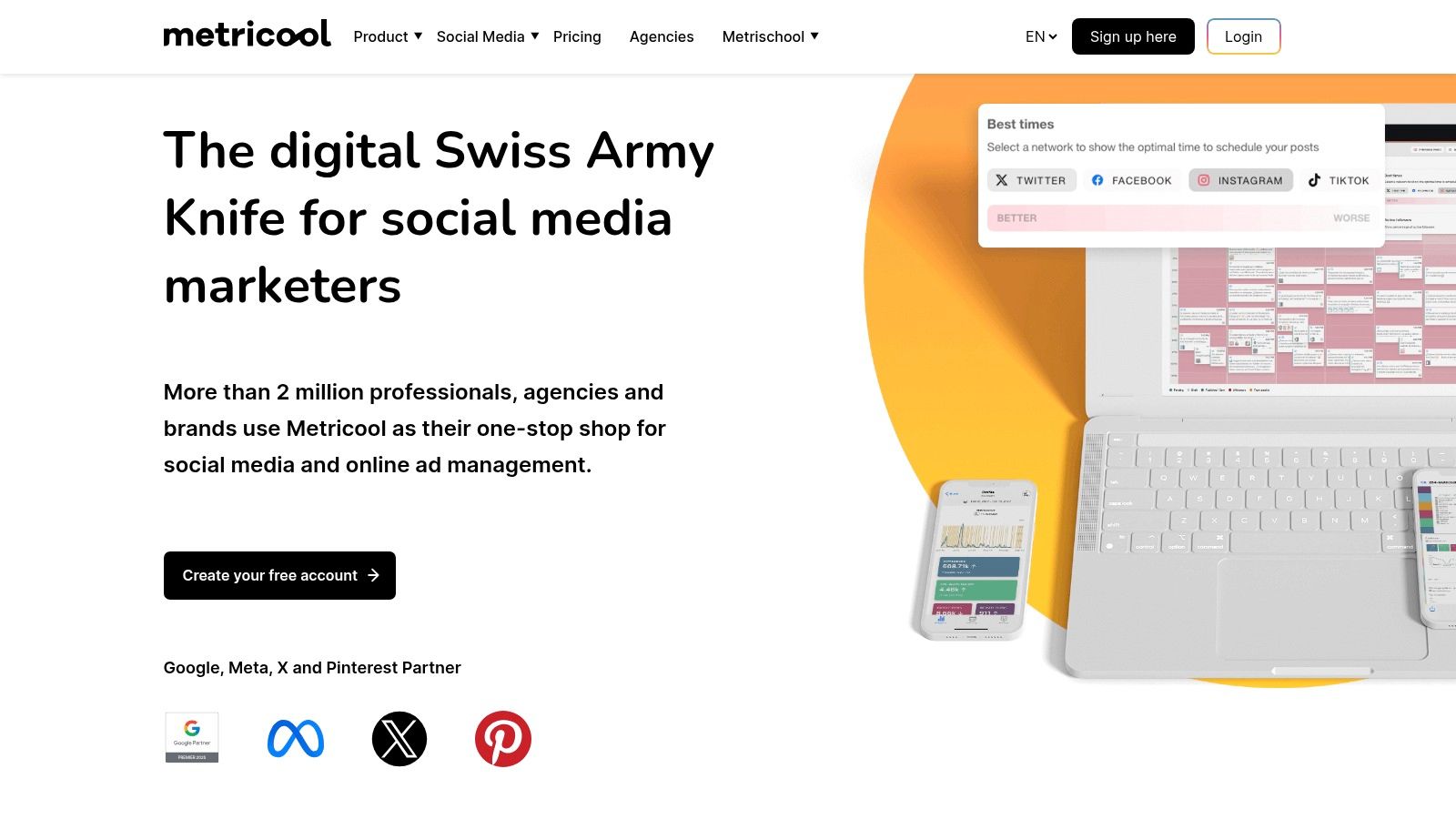
What truly makes Metricool stand out is its emphasis on analytics, even at the free level. While many tools limit data insights, Metricool provides historical analytics and, crucially, competitor tracking. This allows users to benchmark their performance against others in their niche from day one, offering strategic insights that are typically reserved for paid subscriptions. It’s an excellent choice for those who want to analyse and schedule in one place.
Key Features of the Free Plan
- Social Channels: Connect 1 brand, which includes 1 profile for each major network (Facebook, Instagram, Google Business Profile, Threads, etc.).
- Scheduled Posts: Schedule up to 50 posts per month across all connected profiles.
- Analytics & Reporting: Access up to 3 months of historical data and track up to 5 competitors.
- Broad Network Support: Includes platforms often excluded from free plans, like Pinterest, TikTok, and Twitch.
- Content Planner: A visual calendar helps you organise and plan your monthly content strategy.
Limitations and Workarounds
The primary limitation is the 50-post monthly cap, which averages just over one post per day. To manage this, focus your efforts on your most impactful platforms rather than posting everywhere. The free plan also has some API restrictions for X (formerly Twitter) and LinkedIn. For deeper analytics beyond the three-month window, manually export your reports each quarter to build your own historical performance database.
Ideal User
Metricool's free plan is ideal for data-savvy small business owners, freelance social media managers handling a single client, and marketers who need robust analytics and competitor insights without a budget. If you manage a Google Business Profile or want to experiment with emerging platforms like Threads, Metricool provides an unmatched feature set for a free tool, making it a powerful asset for growth-focused users.
- Official Website: https://metricool.com/
6. Planoly
Planoly positions itself as a visual-first planner, making it an indispensable tool for Instagram-focused creators and brands. Its strength lies in allowing users to meticulously arrange their grid before posting, ensuring a cohesive and aesthetically pleasing feed. This visual-centric approach makes it one of the most specialised free social media management tools for those who prioritise brand image on Instagram.
What sets Planoly apart is its intuitive drag-and-drop grid interface. The free plan, while limited, offers this core functionality brilliantly, providing a clear visual representation of your upcoming content. It simplifies the process of curating a professional-looking profile, moving beyond simple scheduling to focus on the holistic look and feel of your feed. For image-conscious creators, this visual planning capability is a game-changer.
Key Features of the Free Plan
- Social Channels: Connect 1 social profile (Instagram, Pinterest, Facebook, or TikTok).
- Monthly Uploads: Upload up to 10 posts per month for your connected profile.
- Visual Grid Planner: Drag and drop posts to visualise and perfect your Instagram grid layout.
- Basic Analytics: Access analytics for the last 30 days to track post performance.
- Drafts & Captions: Prepare your captions and save post ideas in a dedicated drafts area.
Limitations and Workarounds
The most significant limitation is the 10-upload monthly cap, which is restrictive for daily posters. To work around this, use Planoly for your most crucial, on-brand "grid" posts and supplement your schedule with spontaneous Stories or less curated posts published directly through the native app. The free plan also lacks video uploads and an advanced hashtag manager, so you'll need to manage these elements manually.
Ideal User
Planoly's free plan is designed for Instagram-focused content creators, influencers, and boutique e-commerce brands whose primary concern is maintaining a polished visual aesthetic. It’s perfect for those who post less frequently but with high attention to detail. If your strategy revolves around creating a stunning and perfectly organised Instagram grid, Planoly’s free offering is an excellent starting point.
- Official Website: https://www.planoly.com/
7. Tailwind
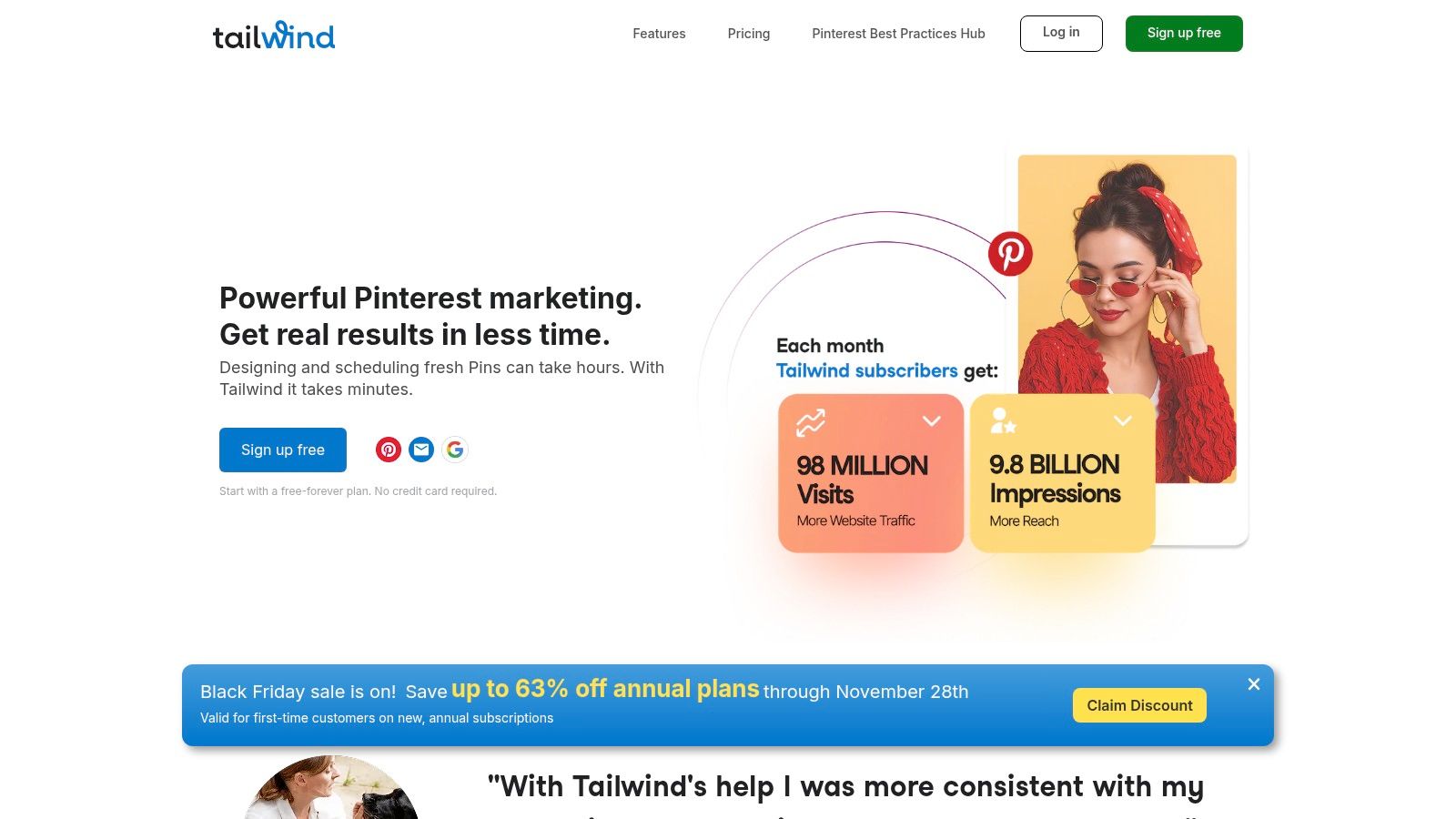
Tailwind has carved out a niche as the premier scheduling tool for visual-first platforms, particularly Pinterest and Instagram. While many tools treat Pinterest as an afterthought, Tailwind puts it front and centre, making it one of the most effective free social media management tools for creators and e-commerce brands who rely heavily on visual discovery. Its free plan offers a taste of this powerful, specialised functionality.
What makes Tailwind unique is its deep integration of content creation and community features. The platform doesn't just schedule posts; it actively helps you design them with built-in templates and connects you with other creators in your niche through Tailwind Communities. This dual focus on creation and distribution provides a significant advantage for those looking to grow their presence on visual-heavy networks.
Key Features of the Free Plan
- Social Channels: Connect 1 profile from each platform (Pinterest, Instagram, Facebook).
- Scheduled Posts: Publish up to 5 posts per month across all connected profiles.
- Tailwind Create: Access 5 designs per month using its integrated content creation tool.
- Smart.bio Link: Create a custom link-in-bio page to drive traffic from your social profiles.
- Tailwind Communities: Join up to 5 communities to share your content and discover others'.
Limitations and Workarounds
The most significant limitation is the 5-post-per-month cap, which is extremely restrictive for an active social strategy. To make the most of it, use this quota for your most important, evergreen content on Pinterest, where posts have a longer lifespan. Supplement this by manually posting more timely content directly to the platforms and reserve Tailwind for high-impact Pins you want to get into the ecosystem.
Ideal User
Tailwind’s free plan is best suited for Etsy sellers, bloggers, and visual creators who are primarily focused on building a presence on Pinterest and Instagram. It's a great entry point for users who want to explore Tailwind's powerful creation and community features before committing to a paid plan. If your strategy is heavily reliant on Pinterest traffic, this is the tool to trial.
- Official Website: https://www.tailwindapp.com/
8. Social Champ
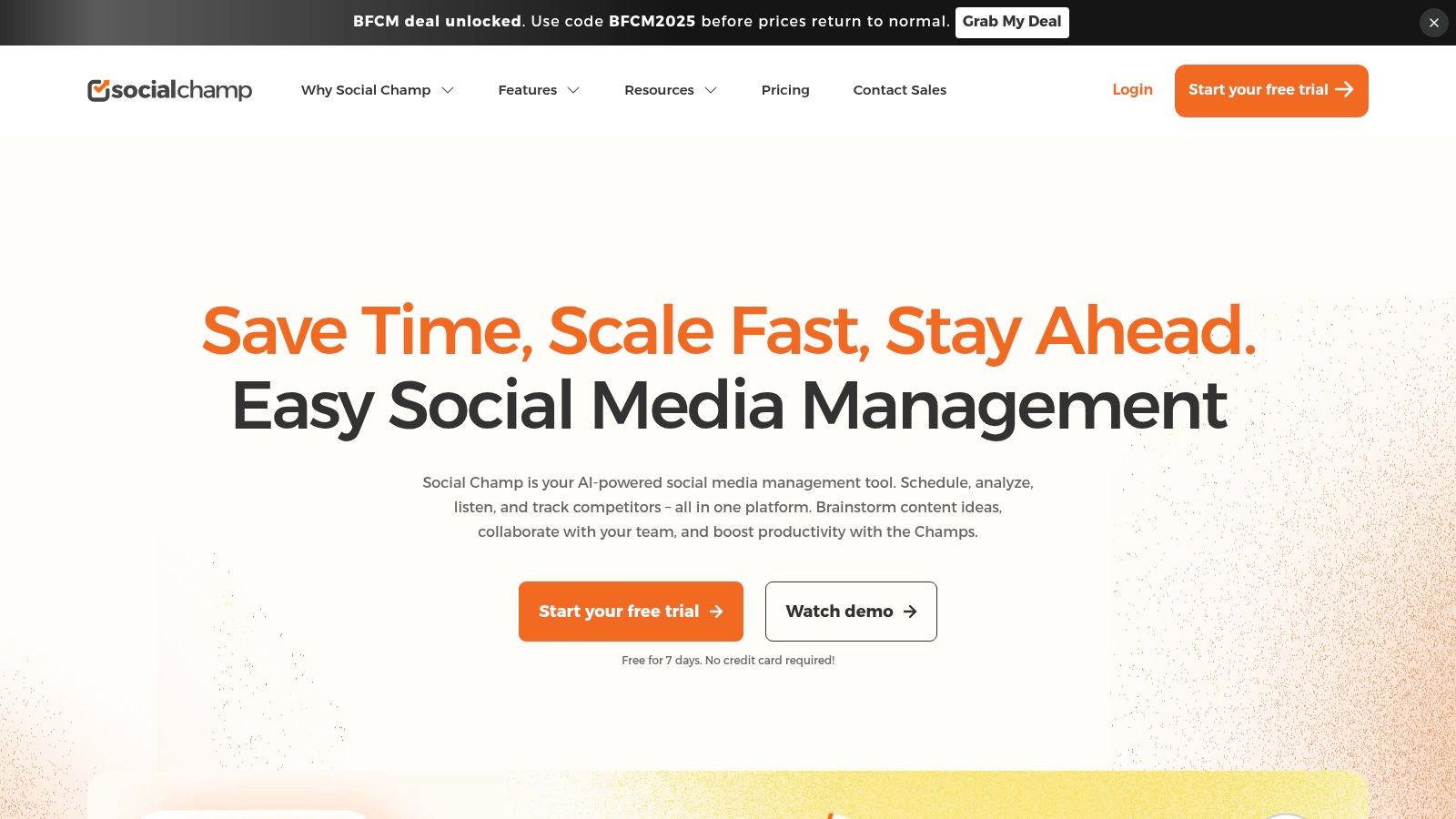
Social Champ enters the list as a powerful contender, offering a surprisingly generous free plan that sets it apart from many competitors. Its standout feature is unlimited post scheduling, a rarity in the world of free social media management tools. This makes it an attractive option for users who want to plan their content far in advance without hitting an artificial queue limit.
The platform provides a comprehensive experience that feels less like a stripped-down free version and more like a genuine entry-level professional tool. With its clean calendar view and straightforward interface, Social Champ is designed to support a consistent and robust content strategy from day one, making it ideal for those testing a full workflow without an immediate financial commitment.
Key Features of the Free Plan
- Social Channels: Connect up to 3 social media profiles.
- Scheduled Posts: Schedule an unlimited number of posts in advance.
- Users: Allows for 1 user and 1 workspace.
- Content Calendar: Visualise your entire content schedule in an interactive calendar.
- Basic Analytics: Access fundamental performance data for your posts.
- Mobile Apps: Manage your social media on the go with iOS and Android apps.
Limitations and Workarounds
The free plan’s primary limitations are its cap of 3 social profiles and the absence of advanced features like a social inbox or bulk scheduling. If you manage more than three accounts, you’ll need to upgrade. To work around the lack of a social inbox, commit to checking your social media notifications natively each day to ensure you don't miss important engagement opportunities.
Ideal User
Social Champ’s free plan is perfect for individual content creators, freelancers, and start-ups who prioritise high-volume scheduling over team features. If your core need is to "set and forget" a large batch of content across a few key channels, the unlimited scheduling capability is a game-changer. It offers a clear and scalable upgrade path for when your needs eventually grow beyond the basics.
- Official Website: https://www.socialchamp.com/
9. Circleboom Publish
Circleboom Publish offers a powerful suite of design and scheduling tools, making it a strong contender among free social media management tools, especially for those managing a Google Business Profile. Its user-friendly interface simplifies the process of creating visually appealing content and distributing it across multiple platforms from a single dashboard.
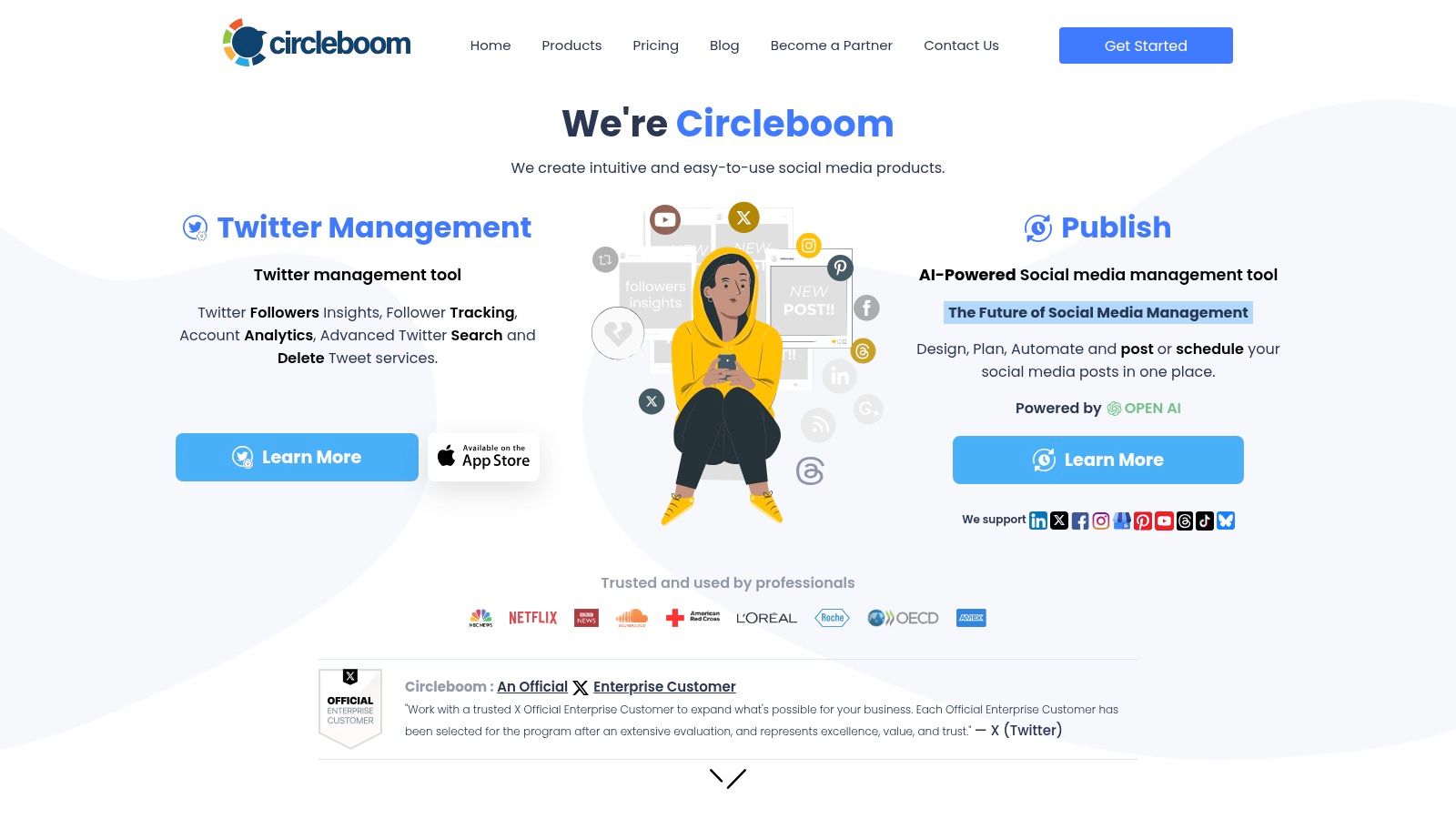
What makes Circleboom stand out is its deep integration with design tools like Canva and its direct support for often-overlooked platforms such as Google Business Profile. The free tier, while a bit restrictive on post volume, provides an excellent opportunity to test its core publishing features and see how its design-centric workflow can enhance your content strategy before committing to a paid plan.
Key Features of the Free Plan
- Social Channels: Connect 1 profile from each platform (Facebook, Instagram, Twitter, LinkedIn, Pinterest, and Google Business Profile).
- Scheduled Posts: Schedule up to 10 posts in total across all your connected accounts.
- Content Design: Access built-in design tools with templates, stock photos, and effects.
- Canva Integration: Seamlessly connect your Canva account to create and import designs directly into your posts.
- Post Previews: See how your posts will look on each network before you publish them.
Limitations and Workarounds
The primary limitation of the free plan is the 10-post total limit, which is spread across all connected profiles, not per profile. This makes it challenging for a high-volume strategy. To work around this, focus your efforts on one or two key platforms where your audience is most active. Use the tool for your most important, visually-driven posts and supplement with manual posting for less critical updates to make the queue last longer.
Ideal User
Circleboom's free plan is best suited for local businesses, freelancers, and marketers who place a high value on visual content and need to manage a Google Business Profile. If your strategy relies heavily on well-designed graphics and you want a streamlined way to create and schedule them, Circleboom provides an excellent, integrated solution.
- Official Website: https://circleboom.com/
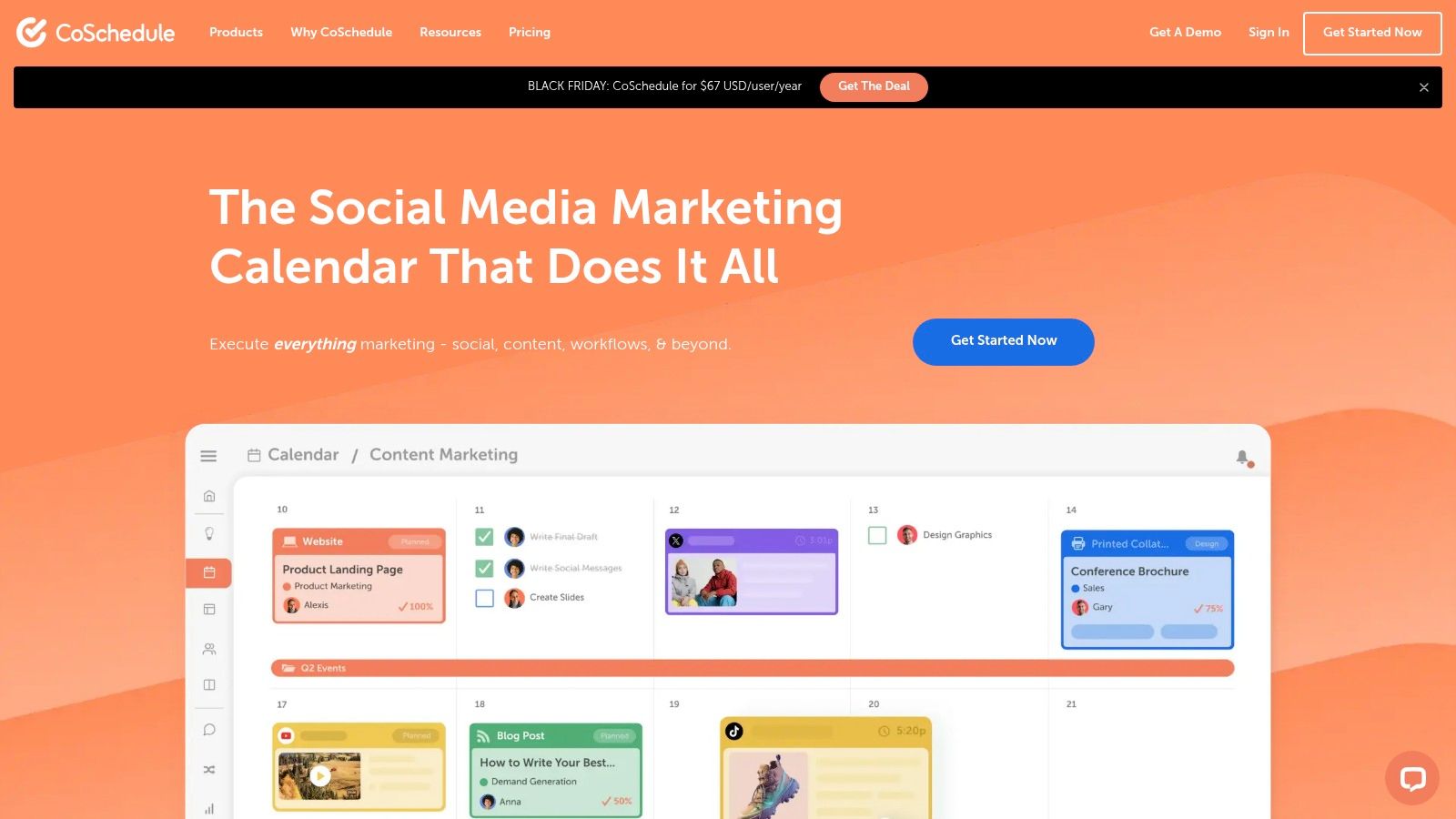
10. CoSchedule (Free Marketing Calendar)
CoSchedule positions itself not just as a scheduler, but as a comprehensive marketing calendar, making it one of the more unique free social media management tools for those who value strategic planning. Its core strength lies in providing a unified calendar where users can visualise their entire content strategy, from blog posts to social media updates, all in one place. This calendar-first approach helps solo operators and content planners maintain a bird's-eye view of their marketing efforts.
The free plan is designed to give a taste of this organised workflow, centring all activity around a clear, intuitive calendar. While other tools focus purely on the social queue, CoSchedule encourages you to think about how your social media posts fit into your wider content ecosystem. It’s an excellent choice for individuals who want to align their social promotions with other marketing activities without needing a complex, paid project management tool.
Key Features of the Free Plan
- Marketing Calendar: Get a unified view of your social media and content marketing tasks.
- Social Profiles: Connect 1 social profile (e.g., Facebook, Instagram, LinkedIn).
- Scheduled Messages: Schedule up to 15 messages in advance.
- Best Time Scheduling: Receive AI-powered suggestions for optimal posting times to maximise engagement.
- AI Assistant: Utilise the AI writing assistant to help generate and refine social media copy.
Limitations and Workarounds
The most significant limitations are the 1-profile and 15-message caps. This makes the free plan unsuitable for managing a broad social presence. To work around this, focus your efforts on your single most important social channel. Plan your 15 messages to cover your most critical content for the month ahead, using the calendar to ensure they are timed perfectly with blog publications or promotions. You will need to supplement with manual posting on other networks.
Ideal User
The CoSchedule Free Marketing Calendar is ideal for solo bloggers, content creators, and solopreneurs who prioritise content planning and organisation. If your primary goal is to create a synchronised content and social media schedule for one core platform, this tool provides an excellent framework. It’s for the strategist who values seeing the big picture over managing multiple high-volume social queues.
- Official Website: https://coschedule.com/
11. Planable
Planable is designed from the ground up for collaboration, making it one of the most team-friendly free social media management tools for organisations that require feedback and approvals. Its unique strength lies in its visual, interactive content calendar that mimics the look and feel of actual social media feeds, allowing stakeholders to preview and comment on posts exactly as they will appear live.
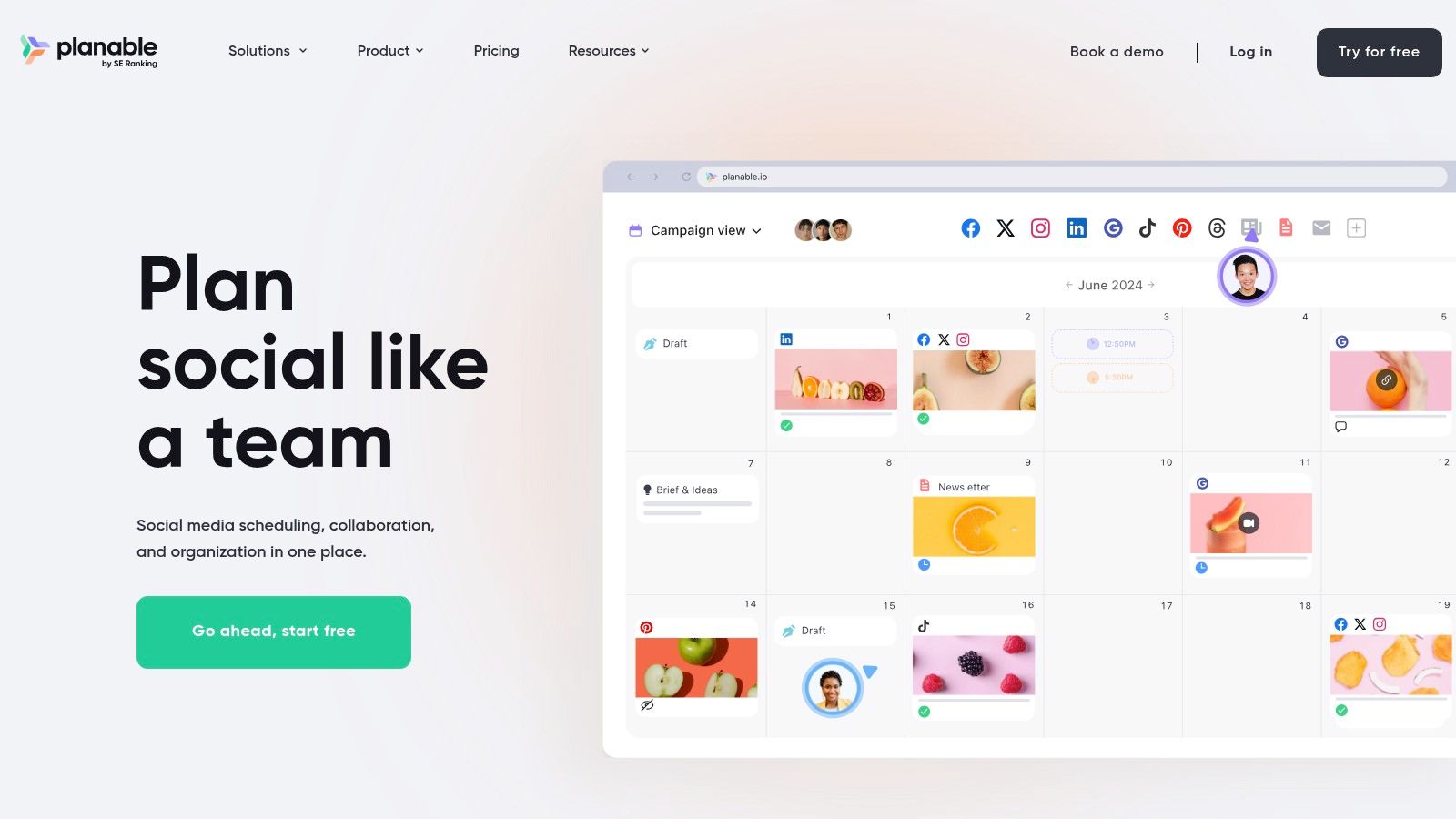
What makes Planable’s free offering stand out is that it isn’t a stripped-down version of the platform. Instead, you get full access to its powerful collaboration and approval features for your first 50 posts. This allows teams to genuinely test its entire workflow, from creation to final sign-off, making it a perfect trial for agencies or marketing departments before committing to a paid plan. It’s an excellent way to see how a more organised approval process can improve your content strategy.
Key Features of the Free Plan
- Total Posts: Create and publish up to 50 posts in total (this is a lifetime limit).
- Unlimited Users & Workspaces: Invite as many team members or clients as you need.
- Multi-Level Approvals: Set up complex approval workflows (e.g., from copywriter to manager to client).
- Broad Channel Support: Connect to Facebook, Instagram, LinkedIn, YouTube, TikTok, Pinterest, Threads, and Google Business Profile.
- Visual Content Calendar: Plan, preview, and collaborate on content in a realistic mock-up environment.
Limitations and Workarounds
The most significant limitation is the 50-post lifetime cap, which does not reset. This makes the free plan unsuitable for long-term management but exceptional for a trial period or a single, short-term campaign. To make the most of it, use Planable to establish your team’s workflow and approval process. Once the 50 posts are used, you will have a clear understanding of its value and can decide whether to upgrade.
Ideal User
Planable's free plan is ideal for marketing agencies, social media managers, and in-house marketing teams who need to streamline their content review and approval process with clients or other departments. It’s also great for freelancers wanting to present work professionally. If your primary pain point is the chaotic back-and-forth of email feedback, Planable provides an organised solution, which is a key component of effective virtual marketing team collaboration.
- Official Website: https://planable.io/
12. Pallyy
Pallyy positions itself as a visually-focused and lightweight platform, making it a compelling choice among free social media management tools, especially for those who prioritise Instagram and TikTok. Its clean, calendar-first interface simplifies content planning, allowing users to see their entire schedule at a glance. The platform is designed to be straightforward and unintimidating, avoiding the feature overload that can plague other tools.
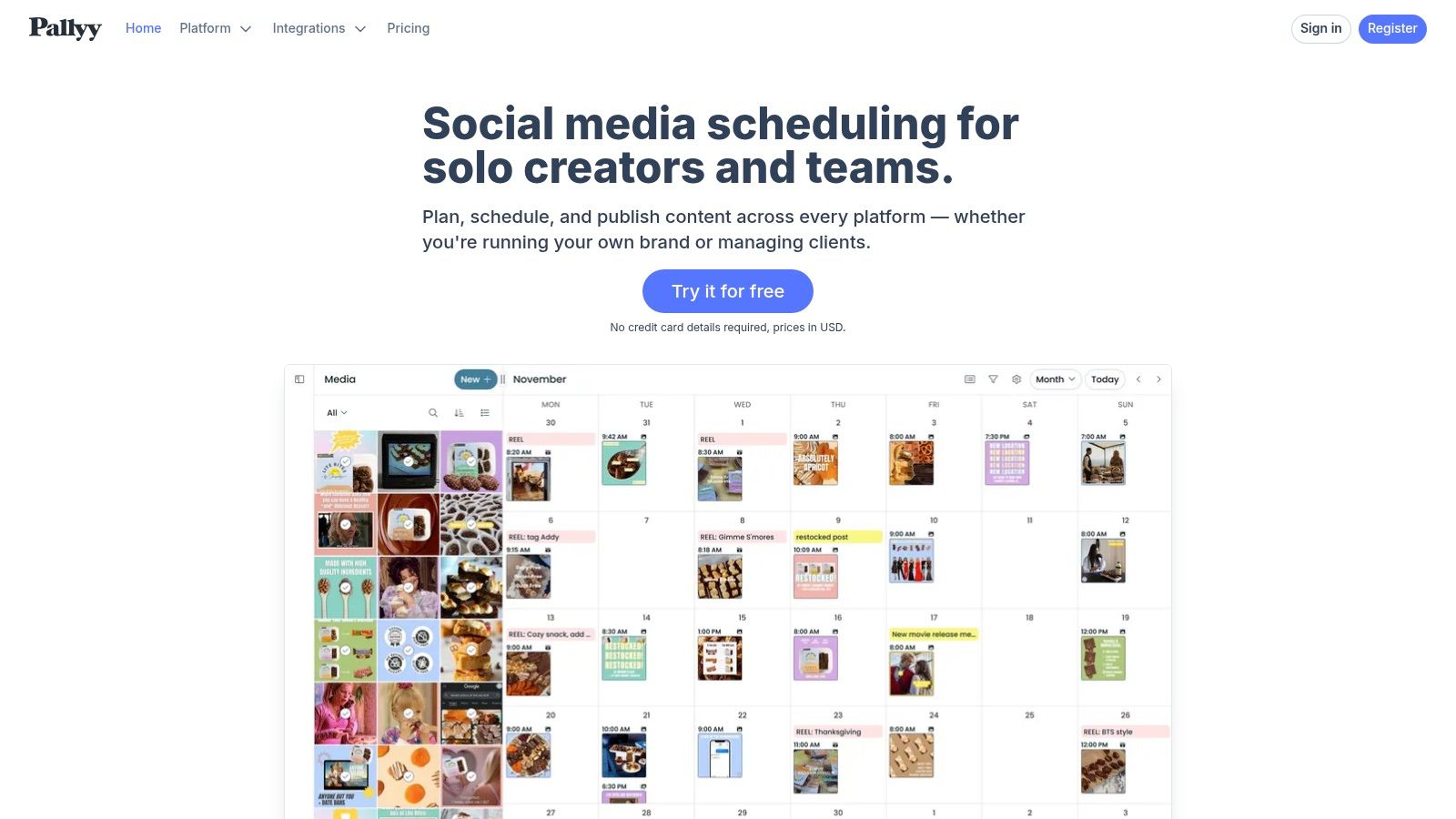
What makes Pallyy stand out is its "social set" model and its generous inclusion of a bio link tool, even on the free plan. This combination provides excellent value for creators and small brands focused on driving traffic from visual platforms. While the free plan is more limited than some rivals in post volume, its focus on essential, high-impact features makes it an incredibly efficient tool for managing a targeted social media presence without any cost.
Key Features of the Free Plan
- Social Channels: 1 "social set" (connect one of each: Instagram, Facebook, Twitter, LinkedIn, etc.).
- Scheduled Posts: 15 scheduled posts per month across all connected channels.
- Visual Planning: A drag-and-drop content calendar to organise your feed.
- Bio Link Tool: Create a customisable landing page for your social media bio.
- Basic Analytics: Track fundamental performance metrics for your posts.
Limitations and Workarounds
The most significant limitation is the 15-post monthly cap, which may be insufficient for a daily posting strategy. To work around this, prioritise scheduling your most important "pillar" content and supplement it with spontaneous, in-the-moment posts directly on the native apps. For deeper analytics, combine Pallyy’s basic reports with the more detailed insights available directly within Instagram or Facebook’s creator tools.
Ideal User
Pallyy's free plan is ideal for Instagram-focused content creators, visual artists, and small e-commerce businesses who value a simple, aesthetically pleasing workflow. It’s perfect for users who need a straightforward scheduling calendar and a bio link tool but don't require advanced team collaboration or a high volume of scheduled posts. If your strategy revolves around visual storytelling, Pallyy offers the core features you need to stay organised.
- Official Website: https://pallyy.com/
12 Free Social Media Management Tools — Feature Comparison
| Tool | Core features ✨ | Pricing / Value 💰 | Target audience 👥 | UX / Quality ★ | Standout / Notes 🏆 |
|---|---|---|---|---|---|
| Buffer | Scheduling, basic analytics, AI assistant, browser & mobile apps | 💰 Free forever: 3 channels, 10 posts/channel; paid upgrades | 👥 Creators, freelancers, small teams | ★★★★ clean, dependable | 🏆 Low barrier to entry; ✨ Ideas library; limited analytics/queue on free |
| Meta Business Suite | Native scheduling, calendar, drafts, recommended posting times | 💰 Free with FB/IG business accounts (scheduling window ~29 days) | 👥 Brands focused on Facebook & Instagram | ★★★ integration strong but can be flaky | 🏆 Tight native integration; ✨ native notifications; occasional reliability issues |
| Zoho Social (Free) | Multi-channel posting, unlimited posting (API limits), zShare extension | 💰 Free: 1 brand, 1 user, multiple channels | 👥 GDPR-conscious UK/EU users; Zoho adopters | ★★★★ robust basics | 🏆 Data-privacy & regional hosting; ✨ generous channel coverage on free tier |
| Publer | Scheduler, link-in-bio, drafts, trial many paid features without card | 💰 Free: 1 user, 1 workspace, 3 social accounts (no X), 10 posts/account | 👥 Solopreneurs testing paid workflows | ★★★★ transparent, easy to test | 🏆 Trial without card; ✨ clear free limits; X requires paid plan; 24h history on free |
| Metricool | Scheduling, analytics, ads management, competitor tracking | 💰 Free: 1 brand, up to 50 posts/month; paid for more | 👥 Small brands needing analytics & ad insights | ★★★★ useful analytics & reports | 🏆 Competitor tracking on free; ✨ supports GBP, Threads, Bluesky; 50-post cap |
| Planoly | Visual grid planning, uploads, drafts, basic IG analytics | 💰 Free: 1 social set, 10 uploads/month | 👥 Instagram creators prioritizing visual planning | ★★★★ visual-first workflow | 🏆 Strong IG workflow & grid preview; ✨ creator tools; tight free limits |
| Tailwind | Pinterest-first scheduler, templates, smart schedule, smart.bio | 💰 Free Forever: 1 account, 5 posts/month, 5 designs | 👥 Pinterest & Instagram-focused creators | ★★★ good for Pinterest; free is restrictive | 🏆 Excellent Pinterest tooling; ✨ integrated design; very low free post limit |
| Social Champ | Scheduling, calendar, basic analytics, mobile apps | 💰 Free: 3 profiles, unlimited scheduling; paid adds inbox/bulk | 👥 Individuals testing a full workflow without cost | ★★★★ feature-rich free tier | 🏆 Unlimited scheduling on free plan; ✨ clear upgrade path; UI/docs still evolving |
| Circleboom Publish | Multi-network scheduling, Canva-style integration, RSS | 💰 Free/entry: up to 10 posts/account; paid for automation | 👥 Multi-network publishers who want design tools | ★★★★ design-friendly | 🏆 GBP + many networks; ✨ post previews & templates; free volume limited |
| CoSchedule (Free Calendar) | Calendar-first hub, Best Time suggestions, AI assistant | 💰 Free Calendar: 1 user, 1 social profile, up to 15 messages | 👥 Solo operators wanting a calendar-first planner | ★★★★ stable & easy to learn | 🏆 True calendar hub; ✨ combines content + social; limited to 1 profile |
| Planable | Collaboration & approvals, multi-network support, unlimited users (free up to 50 posts) | 💰 Free: all features up to 50 total posts (lifetime) | 👥 Agencies & client teams needing review/approval flows | ★★★★ collaboration-focused | 🏆 Excellent approvals & team workflows; ✨ unlimited users on free; 50-post lifetime cap |
| Pallyy | Social sets, shared calendar, bio link, basic analytics | 💰 Free: 1 social set, 15 posts/month; Pro for unlimited posts & inbox | 👥 Instagram/TikTok managers wanting simple pricing | ★★★★ straightforward & scalable | 🏆 Simple UI & social-set scaling; ✨ predictable pricing; free limits can be tight |
Choosing the Right Free Tool for Your Growth
Navigating the landscape of free social media management tools can feel overwhelming, but the perfect solution isn’t about finding a single tool that does everything. Instead, it's about identifying the platform that aligns precisely with your current strategy, workflow, and growth objectives. As we've explored, the "best" free tool is entirely subjective and depends on your unique circumstances.
A solopreneur focusing on visual-heavy platforms like Instagram and Pinterest will find immense value in Planoly or Tailwind's free tiers, which are built around visual planning and discovery. Conversely, a small business heavily invested in the Meta ecosystem can achieve remarkable efficiency and gain deep insights using the native Meta Business Suite, without ever needing a third-party application for Facebook and Instagram management.
Making a Strategic Decision
The key takeaway from our detailed analysis is that ‘free’ is not a limitation but a strategic starting point. These tools provide the essential framework for building consistency, a non-negotiable element of social media success. They allow you to establish a solid content workflow, engage with your audience reliably, and begin tracking performance without any initial financial investment.
When making your final selection, consider these critical factors:
- Your Core Platforms: Don’t be swayed by a tool that supports ten platforms if you only actively use two. Prioritise tools that offer robust features for your primary channels. For instance, Metricool and Publer offer fantastic breadth in their free plans, making them ideal for those needing to manage several different profiles.
- Your Primary Goal: Is your main objective to save time with scheduling, improve visual branding, or analyse performance data? If analytics is your priority, Metricool’s comprehensive free reports are a clear winner. If collaborative planning is essential, Planable’s unique feedback system is unparalleled, even on its free plan.
- Your Future Growth: While you're starting with a free plan, think about your potential needs in six to twelve months. Review the paid tiers of your top contenders. A tool with an affordable and logical upgrade path, like Zoho Social or Social Champ, might be a more strategic choice than one with a significant price jump to its first paid plan.
From Selection to Implementation
Once you’ve chosen a tool, commit to mastering its free features. Explore every nook and cranny of the platform. Set up your content calendar, connect your accounts, and experiment with scheduling different types of posts. Use the workarounds we’ve discussed, like combining a scheduler with a separate analytics tool, to create a powerful, cost-effective management system.
Remember, the goal is to build a foundation. As your brand grows, your revenue increases, and your team expands, your needs will evolve. The experience you gain using these powerful free social media management tools will give you the clarity needed to decide when and what to invest in next. To help you make an informed decision, this in-depth review covers the 12 best free social media management tools and offers further comparisons to guide your choice. Ultimately, consistency and engagement are your most valuable assets, and these platforms are the perfect launchpad to cultivate both.
Feeling ready to build your complete marketing stack? A social media scheduler is just one piece of the puzzle. Discover, compare, and select the best software for SEO, email marketing, CRM, and more with The Digital Marketing Toolbox. It’s the ultimate resource for finding the right tools to grow your business at every stage.
Explore The Digital Marketing Toolbox


