
It’s a moment every business owner dreads. A delighted customer tells you they’ve left a glowing review, but when you check your Google Business Profile, it’s nowhere to be found. The most common culprit? Google's own spam filters are often working a bit too well.
These automated systems are incredibly aggressive and, unfortunately, frequently flag perfectly legitimate reviews by mistake, making them invisible to everyone.
Why Your Google Reviews Are Vanishing
This isn't just a random glitch; it's a critical issue that directly impacts your online reputation and your ability to pull in new customers. When that fantastic feedback disappears, you lose a golden opportunity to build trust and social proof with potential clients.
So, what's really going on? Understanding the root cause is the first step, and the problem usually boils down to a handful of key areas.
Common Culprits Behind Missing Reviews
Once you know where to look, the reasons your reviews are invisible are often quite straightforward. They almost always fall into one of three main buckets:
- Google's Filtering System: This is, by far, the most frequent offender. Google uses complex algorithms to sniff out and remove what it thinks is spam or fake content. The trouble is, a genuine review can easily get caught in the crossfire.
- Google Business Profile Issues: Sometimes, the problem is on your end. An unverified profile, confusing duplicate listings for the same business, or even a temporary profile suspension can stop new reviews from showing up.
- Reviewer-Side Problems: The issue might also start with the customer. Reviews coming from a brand-new Google account with no activity, or those left while connected to your business's Wi-Fi, can look suspicious to Google and get flagged.
This handy decision tree shows you the main paths to investigate when a review goes missing.
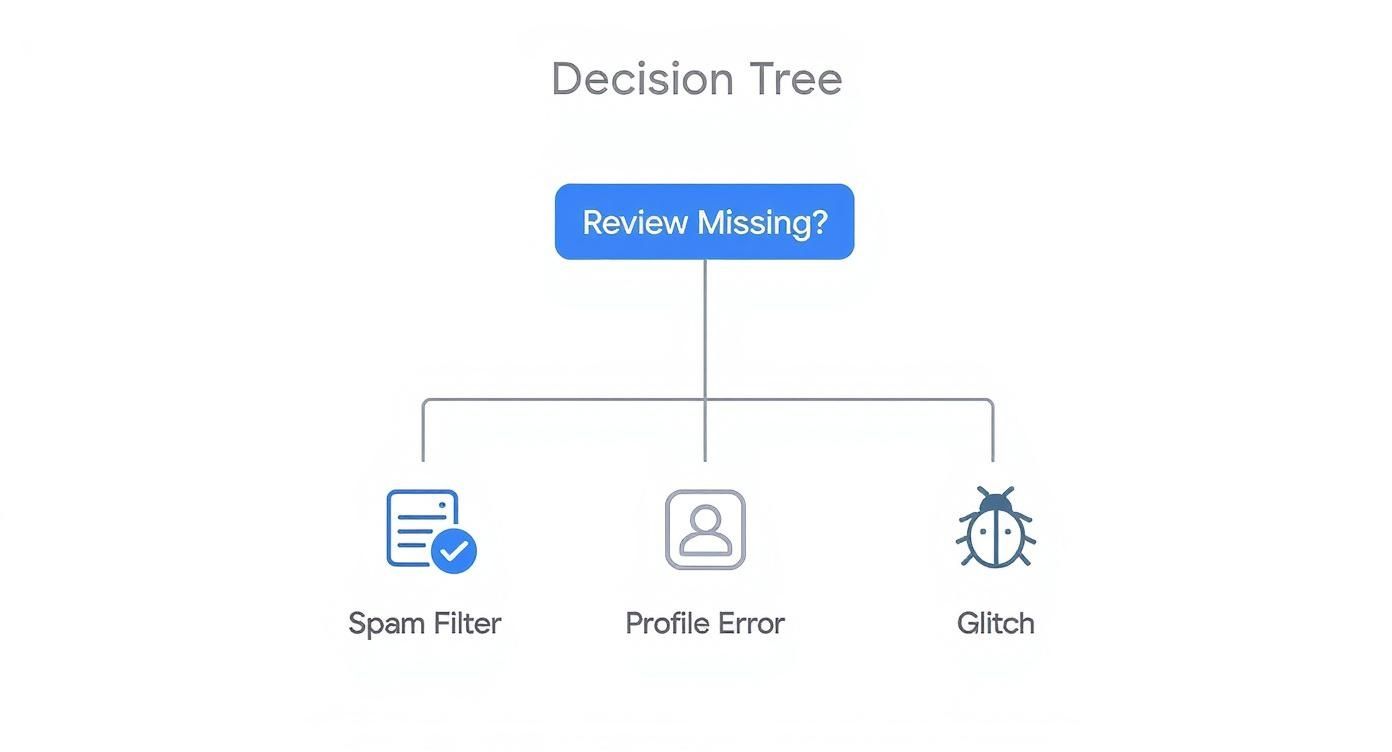
As you can see, while a technical glitch isn't impossible, the spam filter is almost always the first place you should look.
The Impact on Your Local SEO
For UK businesses, especially those in competitive markets like London or Manchester, the stakes are incredibly high. Reviews are a huge piece of the puzzle, contributing around 15-17% of local search ranking factors. They are absolutely vital to your SEO strategy.
When they vanish, your ability to rank in local searches and attract foot traffic takes a direct hit. You can find more insights into how reviews affect local SEO for UK businesses on Delivered Social.
Key Takeaway: Missing reviews aren't just a vanity problem. They directly weaken your local search performance, erode customer trust, and can lead to a real-world loss of revenue. Getting to the bottom of it is crucial for maintaining a healthy online presence.
Quick Diagnostic for Missing Google Reviews
Use this checklist to quickly pinpoint the most likely reasons your Google reviews aren't visible, helping you focus your troubleshooting efforts.
| Potential Cause | What to Look For | First Action to Take |
|---|---|---|
| Spam Filter | The review was posted but never appeared publicly. | Check if the review contains links, special characters, or unusual phrasing. Ask the customer for a screenshot. |
| Policy Violation | The review disappeared shortly after being posted. | Review Google's Prohibited and Restricted Content policy to see if the review violated a rule. |
| Profile Issues | No new reviews are showing up at all. | Check your GBP dashboard for notifications about verification, suspensions, or duplicate listings. |
| Reviewer's Account | The customer has a new or inactive Google account. | Ask the customer if their account is new or if they've left other reviews before. |
| Technical Glitch | The review appears on some devices but not others. | Clear your browser cache and cookies, or check from a different device/network. |
This table should help you quickly narrow down the possibilities. In the next sections, we'll dive into each of these scenarios with step-by-step solutions to get things sorted.
Understanding Google's Review Filters

When a genuine review vanishes into thin air, it’s easy to assume it’s just a random glitch. But what you're actually witnessing is Google's powerful, automated filtering system in action. Think of it as a tireless digital gatekeeper, constantly scanning every review for the faintest hint of spam, fake content, or anything that violates its policies.
Its main purpose is to protect the integrity of the review system, which is great. The downside? Its aggressive approach sometimes means perfectly legitimate feedback gets caught in the crossfire. This system isn't run by humans; it uses sophisticated machine learning to analyse countless signals in a split second, looking at everything from the words used to the profile of the person leaving the review. Getting to grips with what triggers these filters is the first real step to figuring out why your hard-earned feedback isn't showing up.
Common Triggers for the Spam Filter
Certain patterns are massive red flags for Google’s algorithms. Even with the best intentions, a customer can accidentally include something that gets their review instantly hidden or removed. By knowing what these are, you can help guide your customers toward leaving feedback that actually sticks around.
Here are a few of the most common tripwires:
- URLs or Phone Numbers: This one’s a classic. Google’s policy is crystal clear: no links or phone numbers in reviews. Customers often make this mistake when trying to reference another website or business, but the filter will almost always block it.
- Off-Topic or Irrelevant Rants: If a review veers off into a political tirade, a personal rant, or anything unrelated to their direct experience with your business, it’s likely to be flagged. The feedback has to be about their interaction with your specific location.
- Offensive Language or Personal Attacks: This is a no-brainer and a clear policy violation. Any review containing profanity, hate speech, or personal insults will be zapped by the filters immediately.
The Reviewer's Profile and Past Behaviour Matter
The filter doesn't just look at the review itself; it puts the reviewer's profile under the microscope, too. A customer’s Google account history and their behaviour can heavily influence whether their review sees the light of day. This is an area you have less control over, but it’s crucial to understand.
For example, a sudden flood of glowing reviews can look incredibly unnatural. If your business profile typically gets a review or two a month and then suddenly receives 20 five-star reviews in a single day, the system will almost certainly see this as suspicious. It might hit the brakes on all new reviews or even remove the whole batch, assuming they were bought or solicited improperly.
A reviewer's account history is also a huge factor. A review from a brand-new Google account with no profile picture and zero activity is far more likely to be filtered than one from an established account that has been active for years.
"Google's system prioritises authenticity. A review from an established 'Local Guide' with a long history of thoughtful contributions carries more weight and is less likely to be filtered than one from a completely blank, newly created profile."
This focus on authenticity makes sense. With statistics showing around 93% of UK consumers rely on online reviews before buying, Google's efforts to clamp down on fake submissions are understandable, even if they sometimes cause headaches for honest businesses. You can dive deeper into the data on how review signals affect UK local rankings at Midland Marketing.
Location and Technical Signals
Beyond the content and the user, Google also checks for technical signals that might suggest manipulation or a conflict of interest. These are often the most surprising culprits.
One of the most frequent technical triggers I see is a review left from inside your business, especially if it’s from your own Wi-Fi network. The system can easily flag this as a review from an employee or the owner—a clear conflict of interest. The same thing can happen if several reviews are posted from the same IP address in a short space of time.
A Real-World Scenario
Imagine setting up a tablet in your shop, encouraging happy customers to leave a review right then and there. It sounds like a fantastic, proactive idea.
The reality? All those reviews are now coming from the same device and the same IP address. To Google's algorithm, this pattern screams "manipulation," and it's highly likely none of those reviews will ever go live. It’s a classic case of good intentions leading to filtered content. Your best bet is always to encourage customers to leave reviews from their own devices and networks, well after they've left your premises.
How to Audit Your Google Business Profile
When your Google reviews suddenly vanish, it's tempting to point the finger straight at Google’s mysterious filters. But more often than not, the root of the problem is hiding in plain sight—right inside your own Google Business Profile (GBP). An incomplete, unverified, or poorly configured profile can easily stop new reviews from ever seeing the light of day.
Before you start chasing down external issues, the most logical first step is a thorough internal audit of your GBP. Think of it as a health check for your most valuable local marketing asset. Getting your own house in order often fixes the problem right away and sets you up for long-term success.
First, Check Your Profile's Status
Your first port of call should always be the main GBP dashboard. Look for any critical alerts or notifications from Google, which are usually displayed prominently at the top. These messages can instantly tell you if there’s a major issue blocking reviews.
Two of the most common showstoppers are:
- Verification Holds: If your profile is unverified or Google is asking for re-verification, its features will be severely limited. You won't be able to manage your listing properly, and new reviews will almost certainly be blocked until you complete the process.
- Profile Suspensions: A suspension is far more serious. It means your profile is completely hidden from the public, usually due to a policy violation like keyword stuffing your business name or using a P.O. box as your address. If you're suspended, no new reviews can be posted, period.
Keep an eye out for any red or yellow banners on your dashboard. Google is usually pretty direct when there’s a problem that needs your immediate attention.
Hunt Down and Merge Duplicate Listings
Duplicate listings are a surprisingly common headache, especially for businesses that have moved, rebranded, or had multiple people set up profiles over the years. When duplicates are floating around, customers can accidentally leave reviews on an old, inactive listing that you don’t even monitor.
The result is that your hard-earned reviews get scattered across multiple profiles, which dilutes your social proof and confuses potential customers.
To find them, search Google Maps for your business name, any old names, and variations of your address. If you find another profile, you'll need to claim it and then contact Google Support to request a merge. This process combines all the information and—most importantly—consolidates all the reviews from both listings onto your primary, verified profile.
A comprehensive audit is the first step, and understanding overall Google Business Profile optimisation for UK success can further enhance your online presence and ensure review visibility.
Make Sure Every Detail Is Spot-On
Even small inaccuracies in your core business information can cause syncing issues that affect how reviews are displayed. When details don't match up across the web, it creates confusion for both Google’s algorithms and your customers.
Take a few minutes to meticulously go through every field in your profile’s “Edit profile” section.
Here’s a quick checklist to run through:
- Business Name: Is it your exact, legal business name? No extra keywords or location tags.
- Address: Is the address 100% correct? Is the pin dropped in the precise spot on the map?
- Phone Number: Is this your primary, local business phone number?
- Hours of Operation: Are your hours, including any special holiday hours, completely up to date?
You can manage and verify all of this information directly within the Google interface, as shown below.
This screenshot shows the clear, user-friendly dashboard where you can confirm that all your details are accurate. A profile with complete and correct information is seen as more trustworthy by Google, which can positively influence how it handles your reviews. By regularly auditing these small but critical details, you ensure your profile is healthy, active, and ready to receive and display customer feedback without any hitches.
Tackling On-Site Technical Glitches

Sometimes, the reason your Google reviews have vanished has nothing to do with Google at all. If you're using a plugin or a third-party widget to proudly display that feedback on your own website, the problem might actually be lurking in your site's technology.
This can be a real head-scratcher. Everything looks perfect on your Google Business Profile, but your website is telling a completely different story. It usually boils down to a breakdown in communication between your website and Google's servers, often caused by outdated software, aggressive caching, or tiny coding errors. Let's dig into how to find and fix these technical roadblocks.
Investigating Third-Party Plugins and Widgets
For most UK businesses, a plugin is the go-to method for embedding reviews. Quick, easy, and effective—until it isn't. When that review widget suddenly goes blank, it’s a sure sign you need to check its health and connection.
First things first, head straight to the plugin’s settings in your website dashboard. Is it still correctly connected to the Google API? These connections can time out and often just need a quick re-authorisation. While you're there, check for updates. An out-of-date plugin can easily fall out of sync with WordPress updates or changes to Google’s own system, causing it to fail.
A simple diagnostic test is to temporarily deactivate the plugin. If other strange issues on your site suddenly resolve, you've likely found your culprit. From there, your best bet is to dive into the plugin's support documents or get in touch with the developer directly.
The Problem with Aggressive Website Caching
Caching is brilliant for speeding up your website, but it has a dark side: it can be the very reason your latest reviews aren't showing up. Caching saves a static "snapshot" of your site to serve to visitors, which is great for performance but means the content isn't always live.
If your site’s cache settings are too aggressive, it might be showing visitors a version of your reviews from days, or even weeks, ago. It creates the illusion that new reviews are missing when, in reality, your site just hasn't bothered to fetch the latest data from Google yet.
Here’s how to see if caching is to blame:
- Clear Your Website's Cache: Nearly every caching plugin has a "Purge Cache" or "Clear Cache" button somewhere in your admin dashboard. Hit that to force your site to rebuild its pages with fresh content.
- Check in an Incognito Window: Open your website in a private or incognito browser window. This simple trick often bypasses your browser's own cache, giving you a clearer picture of what's really live.
- Adjust Caching Settings: If purging the cache solves the problem, you may need to tweak your settings. Look for an option to reduce the cache lifespan or exclude the page with your reviews from caching altogether.
Expert Tip: Many modern web hosts popular in the UK, like Kinsta or SiteGround, run their own powerful caching at the server level. Don't forget to clear the cache in both your website plugin and your hosting provider's dashboard to ensure everything is properly refreshed.
Checking Your Structured Data Implementation
This one is a bit more technical, but incorrect structured data (often called schema markup) can definitely interfere with how search engines understand the reviews on your website. Schema is essentially a special vocabulary you add to your site's code to help Google make sense of your content, including ratings and review text.
If you or your developer have manually added AggregateRating or Review schema, a small typo or error in that code could stop reviews from displaying correctly in search results or even create conflicts with your on-site widget.
The best way to check this is with Google's own Rich Results Test tool. Just pop your URL in, and it will scan the page for any errors or warnings in your schema. Getting a clean bill of health here ensures there are no technical misunderstandings between your site and Google.
Recovering Lost Reviews and Contacting Support
https://www.youtube.com/embed/Wkm8ZseVLY4
So, you’ve done your detective work and you're pretty sure a genuine, glowing review from a happy customer has vanished into thin air. It’s frustrating, especially when you know how hard you worked to earn it. But don't throw in the towel just yet. While you can't save every review that gets caught in Google’s filters, a methodical approach to contacting their support team can sometimes work wonders.
The trick is to be strategic. Firing off a vague complaint like "my reviews are gone" is a surefire way to get a generic, unhelpful response. To get Google to act, you need to give them a specific, solvable problem. It all comes down to preparation.
Preparing to Contact Google Support
Before you even dream of clicking that "contact us" button, you need to build your case. Think of it like this: Google’s support reps are swamped. If you make their job easy by handing them everything on a silver platter, your chances of success skyrocket. Your mission is to give them a single, specific review to investigate, not a vague mystery to solve.
You’re essentially arming them with the exact coordinates they need to find that missing review in their massive system.
Here's the essential information you'll need to gather:
- The Reviewer's Full Name: You need their exact name as it appears on their Google account.
- A Screenshot of the Review: This is your silver bullet. Ask your customer to sign into their Google account, navigate to their review of your business, and take a quick screenshot for you. This is undeniable proof that the review was written.
- The Approximate Date: When did they post it? A specific date is great, but even a close approximation helps narrow the search.
Having a screenshot is non-negotiable. It’s the concrete evidence that transforms your request from a vague "my customer said they left a review" into a powerful "here is the exact review that isn't showing up."
To make sure you're fully prepared, use this checklist before reaching out.
Your Google Support Request Checklist
Gather this essential information before contacting Google Support to streamline the process and improve your chances of a successful outcome.
| Information to Collect | Why It's Critical | Where to Find It |
|---|---|---|
| Your Business Profile ID | Verifies you're the legitimate owner/manager of the profile. | In your Google Business Profile settings, under "Advanced settings". |
| Reviewer's Full Google Name | Allows support to locate the specific user and their contribution. | Ask the customer directly. Nicknames or partial names won't work. |
| Screenshot of the Missing Review | Provides indisputable proof the review was written and submitted. | Ask the customer to take a screenshot from their Google account. |
| Approximate Date of the Review | Helps the support team narrow their search within their system logs. | Ask the customer when they remember leaving the review. |
| Your Business Name & Address | Confirms the exact business profile the review is associated with. | This should be easily available from your own records. |
Having these details ready shows you’ve done your homework and makes it much easier for the support team to take your request seriously.
Navigating the Google Support Process
With all your evidence compiled, you're ready to make contact. The best way is through the Google Business Profile help centre. You'll have to click through a few options to find the correct form for missing reviews, but it's a fairly straightforward path. Be sure to have your Business Profile ID handy, as they'll need it for verification.
When you write your message, keep it short, professional, and factual. Ditch the emotional language and just stick to the cold, hard facts.
Here’s a simple template that works well:
Example Support Request Template
"Hello,
A legitimate customer review is not appearing on our public business profile. The customer has sent a screenshot confirming they can see it from their account, but it is not visible to the public.
- Business Name: [Your Business Name]
- Business Profile ID: [Your ID]
- Reviewer's Name: [Customer's Full Name]
- Date of Review: [Approximate Date]
I have attached the screenshot from the customer for your reference. Could you please investigate why this review might have been filtered and reinstate it?
Thank you for your help."
This evidence-based approach makes it far more likely that a real person will look at your case. On a related note, understanding the advantages of email marketing can be useful for following up with customers who have left reviews. And if you ever find yourself on the other side of the coin needing to challenge an illegitimate review, this definitive guide on how to get a review removed from Google is an excellent resource.
Proactive Strategies to Protect Your Reviews

It’s one thing to scramble and fix missing Google reviews after the fact, but it’s a whole lot smarter to prevent them from disappearing in the first place. The best defence is a good offence. That means building a solid review strategy that cultivates a steady, natural stream of customer feedback that Google’s systems learn to trust over time.
Think of it less as damage control and more as building a resilient reputation. When you get this right, you protect your hard-earned social proof and ensure it stays visible for all your future customers to see.
Encourage a Natural Flow of Feedback
One of the quickest ways to get your reviews flagged is a sudden, unnatural spike in activity. Let's be real: if your profile gets 50 reviews in one day after months of getting none, Google’s algorithm is going to see that as a huge red flag. It’s built to spot patterns that just don't look organic.
The trick is to aim for a consistent trickle of feedback, not a sudden downpour. Weave your review request process into your everyday operations so it becomes second nature. A slow and steady stream of reviews looks far more authentic and is much less likely to trip those automated filters. This is a crucial piece of any good marketing strategy for a small business, as it builds genuine momentum.
Master the Art of the Ask
How you ask for a review matters just as much as when you ask. Google has some very clear rules about soliciting feedback, and if you break them, you're practically asking for your reviews to be removed.
Here are the golden rules for doing it the right way:
- Never Offer Incentives: This is a big one. Don't offer discounts, freebies, or any other perk in exchange for a review. It's a direct policy violation, and Google will come down on it hard.
- Keep It Neutral: Simply invite customers to share their honest thoughts. Steer clear of loaded phrases like, "leave us a five-star review," which can be seen as trying to manipulate the outcome.
- Make It Easy: Give them a direct link to your Google review page. The fewer hoops they have to jump through, the more likely they are to actually leave one.
Key Takeaway: Your goal should always be to encourage genuine feedback, not to engineer a perfect rating. An honest three-star review that sticks is far more valuable than a coerced five-star review that gets deleted a week later.
Educate Your Customers on Leaving Great Reviews
Sometimes, a little guidance can go a long way. You can gently steer your customers toward leaving feedback that is not only more helpful but also less likely to get filtered. A one-word review like "Great!" is far more likely to be flagged by spam filters than a thoughtful comment about their actual experience.
When you make the ask, encourage them to be specific. You could suggest they mention the product they bought or which member of your team helped them out. This gives you incredibly valuable feedback and also creates detailed content that Google's algorithm recognises as legitimate and high-quality. Keeping an eye on your GBP dashboard and responding to these detailed reviews will only reinforce this positive cycle.
Frequently Asked Questions
It’s easy to feel like you’re navigating a minefield when your Google reviews start acting up. When things go wrong, questions are inevitable. Here are some straight answers to the most common queries I hear from business owners, designed to help you get to the bottom of things quickly.
How Long Does It Take for a New Google Review to Show Up?
Most of the time, a new Google review pops up almost instantly or within a few hours. That said, don't be surprised if there's a delay of 24-48 hours. This usually just means Google's automated systems are taking a closer look to screen the content for any policy violations.
Occasionally, a review might get stuck in processing for up to a week. If you've hit the seven-day mark and it's still a no-show, it’s almost certain that the spam filter has permanently blocked it from being published.
My Customer Says They Left a Review but I Can’t See It. Why?
This is easily the most common headache I see, and it's a classic sign of Google's spam filter doing its job—sometimes a little too enthusiastically. What often happens is the customer can still see their own review perfectly fine when logged into their Google account, but for everyone else, including you, it’s completely invisible.
This usually means the review has triggered an algorithmic red flag. Some of the most common culprits are:
- The review contains a URL or a phone number.
- It's unusually short, like just a couple of words (e.g., "Great service").
- The reviewer's Google account is brand new or has very little activity.
Will Replying to Reviews Help Them Stay Visible?
Replying to a review won't save it if it's already been filtered or prevent it from being removed later. However, it's still an absolutely vital business practice. When you consistently and professionally engage with your reviews, you're sending strong, positive signals to Google.
Responding to feedback shows you’re an active, attentive, and legitimate business. This improves your overall profile health, which can indirectly help your future reviews appear more consistently over time.
This kind of engagement is a cornerstone of a healthy online presence. For more on this, check out this excellent beginner's guide to digital marketing.
Having the right tools in your corner makes managing your online reputation so much simpler. The Digital Marketing Toolbox offers a hand-picked selection of resources, from widgets that showcase your hard-earned reviews to analytics tools for tracking your performance. You can discover top-tier solutions to grow your business at https://grow-your-biz.com.


