
At its heart, a Twitter hashtag is a simple keyword or phrase with a hash symbol (#) slapped in front of it. That tiny symbol does something powerful: it transforms a normal word into a clickable, searchable link. Think of it as a filing system for the entire platform.
This simple tool organises every tweet mentioning that specific hashtag into one massive, real-time feed that anyone can dive into. Suddenly, your standalone tweet isn't just a shout into the void; it's part of a much bigger, global conversation.
Why Hashtags on Twitter Still Matter

Imagine Twitter (or X, as it's now known) is a gigantic library where millions of new books are added every single minute. Without a proper cataloguing system, finding what you're looking for would be a nightmare. Hashtags are that system. They're the labels on the spines, letting you quickly find conversations on anything from #TechNews to #GBBO.
When you add a hashtag to your tweet, you’re giving it context and making it discoverable. Your message breaks free from the bubble of your own followers and enters a public space where anyone interested in that topic can find it. On a platform as noisy as Twitter, this is absolutely crucial for boosting your reach.
The Core Functions of a Hashtag
Using hashtags is far more than just a shot in the dark for a few extra likes. It's a strategic move that accomplishes several key things at once. When you get it right, they help you:
- Categorise Your Content: A hashtag sends a clear signal about your tweet's subject matter. This helps both users and the platform's algorithm figure out what you're talking about and who might be interested.
- Increase Discoverability: This is the big one. It opens the door for people who don't follow you to find your content by searching for a topic or browsing what's trending.
- Join Broader Conversations: You can tap into real-time events, breaking news, or long-standing community discussions. It's how you plant your flag and show you're part of a particular niche.
For anyone new to the game, getting a handle on hashtags is a foundational skill. If you're building from the ground up, our https://grow-your-biz.com/beginners-guide-to-digital-marketing/ offers more essential knowledge for crafting your online presence.
The data doesn't lie: hashtags are a massive driver of interaction. On a global scale, tweets with relevant hashtags are 55% more likely to be retweeted and see double the engagement of tweets that have none.
That boost is seriously significant. A UK-focused study even found that tweets with hashtags are about 33% more likely to get a retweet than those without.
For anyone serious about growth, understanding the bigger picture of using X (Twitter) for small businesses is a must. At the end of the day, hashtags are your ticket to getting heard above all the chatter.
How the Twitter Algorithm Sees Your Hashtags
When you pop a hashtag onto your tweet, you’re doing more than just adding a label. You're giving the Twitter algorithm a direct, powerful clue about what your content is all about and who needs to see it.
Imagine the algorithm is a super-fast librarian in a library that gets millions of new books every minute. Without a clear genre sticker, it has to read the whole book to figure out where it goes. Hashtags are those stickers. They tell the algorithm exactly which shelf to put your tweet on, making its job of sorting and recommending content much quicker and more accurate. This is your ticket to getting seen on the "For You" timeline and in various topic feeds.
What the Algorithm Really Cares About
Not all hashtags are created equal in the eyes of the algorithm. It's not just about picking the most popular tag. The system looks at a few key things to decide if your tweet is worth showing to a wider audience. If you get these right, your hashtags will do the heavy lifting for you.
-
Relevance: Does your hashtag actually match your tweet? The algorithm is smart. It looks at the words in your tweet, the images or links you've included, and even the topics you usually talk about. A tweet about baking using #GBBO makes perfect sense. A tweet about financial trading using the same tag just confuses the system, and it will likely get buried.
-
Engagement: The algorithm loves a good conversation. When a tweet using a certain hashtag starts getting rapid likes, replies, and retweets, it's a massive signal that the content is hitting the mark. This tells the system, "Hey, people are interested in this!" and it starts showing it to more users.
-
Velocity: This is all about momentum. The algorithm keeps an eye on how quickly people are starting to use a particular hashtag. When it sees a sudden surge in tweets using the same tag, it recognises a real-time event or a burgeoning conversation. That's often what triggers a hashtag to start trending.
The algorithm's ultimate goal is to connect users with timely and relevant content. It will almost always favour a niche tag like #UKSmallBiz that's sparking genuine conversations over a generic one like #Business that's just a wall of noise.
The Art of Choosing: Niche vs Broad Hashtags
This is where a lot of people go wrong. It's tempting to use a massive, broad hashtag like #Marketing because it gets millions of uses. The problem is, your tweet becomes a tiny fish in an absolutely colossal ocean. It might get a flash of visibility, but it will be washed away by thousands of other tweets within seconds.
On the other hand, a niche hashtag like #ContentStrategyUK is a much smaller pond. The overall number of people watching this tag is lower, but every single one of them is genuinely interested in that specific topic.
Using a niche tag means your content is far more likely to resonate, leading to more meaningful engagement from the right people. The algorithm sees this high-quality interaction as a sign of value and is more likely to reward your tweet with better visibility. The goal isn't just to reach the most people; it's to reach the people who matter.
Finding the Right Hashtags for Your Content
Picking the right hashtags for your Twitter content is less about guesswork and more about smart strategy. It’s about building a solid mix of tags that do different jobs—some for reaching a wide audience, some for connecting with your community, and others for cementing your brand. If you just grab whatever seems popular at the moment, you’re leaving results on the table.
First things first, you need to get your head around the main types of hashtags. Each one has a specific role to play in getting your tweets in front of the right eyeballs. Think of it like a fishing trip: you wouldn't use the same tiny net to catch a tuna that you'd use for minnows.
- Broad Hashtags: These are the big hitters, like #Marketing or #Tech. They have the potential for massive reach, but the competition is fierce. It’s often best to use just one to give a general signpost to your topic.
- Community Hashtags: This is where the magic happens. These are more focused tags that bring niche audiences together, such as #UKSmallBiz or #FinTech. The volume is lower, but the people seeing them are far more likely to be interested and engaged.
- Branded Hashtags: This is a tag that's all yours, like #YourBrandName or #YourCampaignSlogan. The goal here is to create a digital home for all your content and, even better, any posts your customers share about you.
How to Discover Relevant Hashtags
So, how do you find these golden nuggets? It takes a bit of detective work. The best place to start is right on Twitter itself. Pop a core keyword into the search bar and see which hashtags are suggested and which ones are being used. Keep an eye on the "Top" and "Latest" tabs to get a real-time feel for the conversation.
Another great trick is to see what your competitors are up to. Take a look at the successful accounts in your field. What hashtags are they consistently using on their tweets that get the most traction? Don't just copy and paste them; try to understand why they work and if they're a good fit for your own voice. This kind of research is a fundamental part of any marketing strategy for small business owners aiming to make a real impact.
To make this discovery process a bit easier, you could use a dedicated Twitter Hashtag Generator tool. These tools can really help by analysing current trends and giving you suggestions based on your keywords.
This simple flowchart breaks down how to think about choosing your hashtags, zeroing in on relevance, timing, and potential engagement.
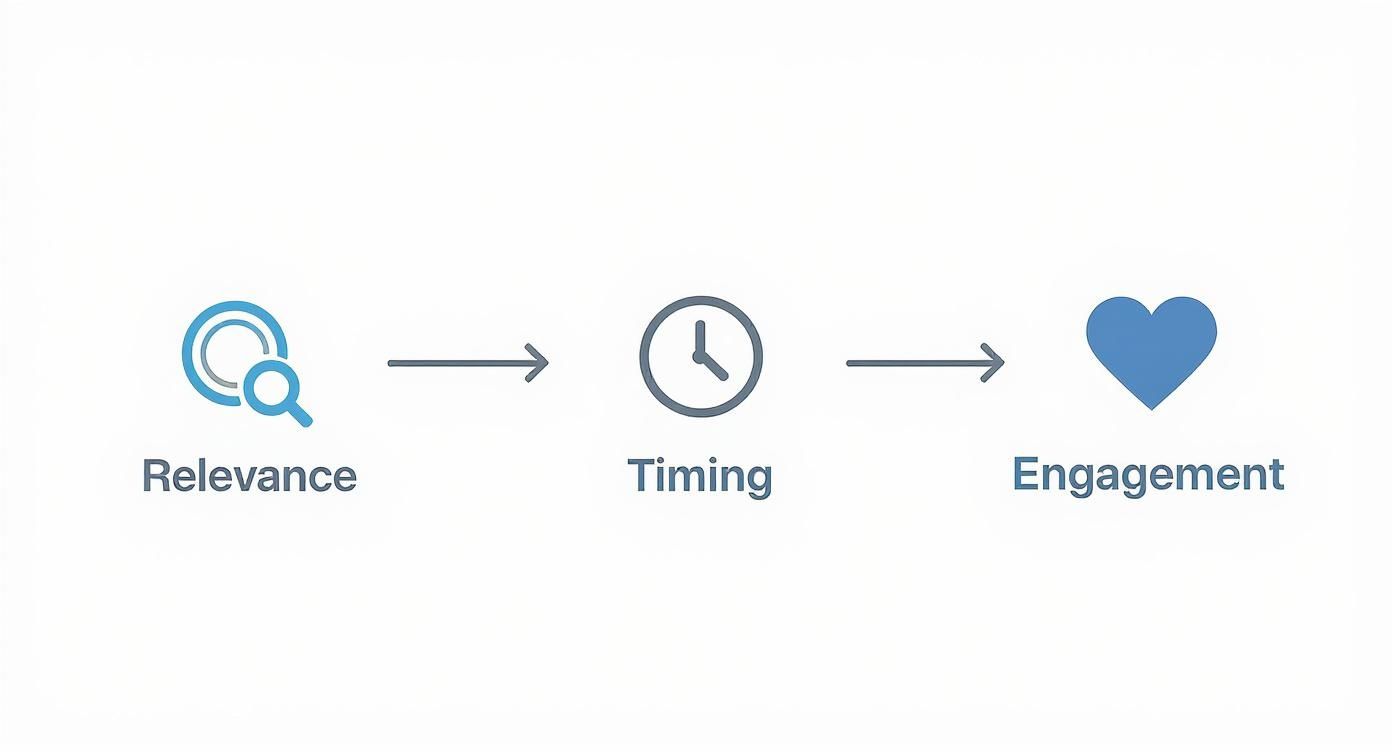
As the graphic shows, a powerful hashtag is a blend of all three: it's relevant to what you're saying, used when people are looking for it, and actually encourages people to interact.
Building Your Hashtag Portfolio
Your ultimate aim is to create a go-to list of hashtags that you can pull from for different kinds of posts. A balanced portfolio will always outperform relying on the same one or two tags every time.
A great rule of thumb is to use a mix in each tweet: one broad tag for discoverability, one or two niche community tags to connect with an engaged audience, and your branded hashtag if it’s relevant.
Let's imagine you run a coffee shop in London. A tweet could look something like this: "Our new flat white is the perfect way to start your day! ☕ #LondonCoffee #UKCoffeeLovers #YourBrandMornings". This tweet cleverly layers a location tag, a community tag, and a branded one.
It’s a strategy that maximises both reach and relevance, making sure your content doesn't just get seen, but gets seen by the people who will actually care. This is how you stop treating hashtags like an afterthought and start using them as a powerful tool for growth.
Best Practices for Using Hashtags Effectively
Knowing which hashtags to use is half the battle. Knowing how to use them is what really separates the pros from the novices. Modern Twitter etiquette is all about being precise and relevant, not just loud. The idea is to make your hashtags work smarter, not harder.
The first question everyone asks is: how many hashtags should I actually use? While Twitter won't stop you from adding a dozen, less is definitely more. Jam-packing a tweet with a wall of tags just looks spammy. It’s a red flag to both users and the algorithm that you're desperate for attention rather than adding real value to the conversation.
Quality Over Quantity
The sweet spot is surprisingly small and focused. Most seasoned UK marketers would tell you to stick to 3–5 highly relevant hashtags per tweet. The goal is to target a specific community or conversation, not just throw broad, generic terms at the wall to see what sticks.
This focused approach has become even more important recently. With Twitter’s temporary visibility limits on newer accounts, a targeted strategy is crucial for your hashtags to perform well in the UK’s fast-moving digital space. You can learn more about how Twitter stats shape a solid strategy on keywordseverywhere.com.
Ultimately, the "less is more" principle ensures every hashtag has a job to do, guiding your content straight to the people who will care about it most.
Integrating Hashtags Naturally
Placement is another big tell-tale sign of an experienced user. It used to be common to see a block of hashtags tacked on at the very end of a tweet. A much smoother, more modern approach is to weave them right into your sentences where they fit naturally.
For instance, instead of "Our new guide to SEO is out now! #SEO #Marketing," you could write something like: "Our new guide will help you completely master your #SEO strategy and boost your digital #Marketing efforts." It just reads better and feels less like a blatant advert.
Key Takeaway: Think of hashtags as part of your message, not just an add-on. If a hashtag feels forced into a sentence, then it's better to pop it at the end. Readability and clarity should always be your top priority.
This method keeps your copy clean and engaging while still making sure the tags do their job of categorising your content.
Do's and Don'ts of Twitter Hashtag Etiquette
To keep things simple, here's a quick cheat sheet on hashtag best practices versus common mistakes. Getting this right can make a huge difference in how your content is received.
| Do | Don't |
|---|---|
| Use 3–5 relevant, specific hashtags. | Overload your tweet with a dozen generic tags. |
| Research what your community is using. | Hijack an unrelated trending hashtag. |
| Weave them naturally into your sentence. | Make your #entire #sentence #unreadable. |
| Create a unique, memorable branded tag. | Use punctuation or spaces in a hashtag. |
| Check for hidden or negative meanings. | Forget to proofread your hashtag for typos. |
Following these simple rules helps you join conversations authentically instead of just shouting into the void.
Creating and Promoting a Branded Hashtag
One of the most effective long-term strategies is to create a unique hashtag just for your brand, campaign, or event. A branded tag, like #YourBrandEvent or #YourSlogan, basically acts as a digital filing cabinet for every conversation about you. It pulls all that valuable user-generated content into one easy-to-track feed and makes monitoring engagement a breeze.
Of course, a hashtag is useless if nobody uses it. To get your audience on board, you need to promote it consistently.
- Put it in your Twitter bio: Make it one of the first things people see on your profile.
- Use it in all your relevant tweets: You have to lead by example.
- Run a contest or campaign: Give people a reason to use it, like a chance to win a prize.
- Promote it on your other marketing channels: Mention your hashtag on your website, in email newsletters, and on your other social profiles.
By consistently pushing your branded hashtag, you’re not just promoting yourself; you’re building a dedicated space for your community to connect and chat, which is a powerful way to strengthen your relationship with your audience.
Learning from Successful Hashtag Campaigns

The theory is great, but the real lessons come from seeing hashtag campaigns work in the wild. When you break down what made others succeed, you start to see a blueprint you can use for your own strategy.
Some campaigns nail it by being witty and memorable, while others connect with powerful emotions or tap into a cultural moment. The secret is to look at the why behind the hashtag. Was it meant to grow brand awareness, pull a community together, or spark a social movement? The best hashtags are rarely a fluke; they're strategic, focused, and tied to a clear goal.
Driving Brand Awareness with Simplicity
Let's look at the #ShareACoke campaign. Coca-Cola's idea was pure genius in its simplicity. They swapped their iconic logo for common first names, then invited everyone to find a bottle with their name (or a friend's) and share a photo of it. The hashtag was a no-brainer—personal, intuitive, and catchy.
Why did it work so well? It turned customers from passive consumers into active storytellers. This created a genuine, personal connection and a fun reason to post online. The result was a tidal wave of user-generated content that served as free, authentic advertising, sending brand visibility through the roof. It’s a textbook example of how a simple, personal invitation can create massive organic reach.
Building a Community Around an Event
Event hashtags are all about creating a shared digital space for a specific moment in time. Think about The Great British Bake Off and its simple but effective #GBBO hashtag. Every week, that short tag transforms into a virtual sofa where thousands of fans gather to share their live reactions, funny comments, and support for their favourite bakers.
The magic of #GBBO is how it creates a lively, temporary community. It brings people together over a shared passion, turning the passive act of watching telly into a massive, interactive conversation.
This feeling of togetherness is what gives event hashtags their power. They ramp up the excitement and give everyone—whether they're at the event or watching from home—a single, organised feed to follow. It deepens their connection to the event and, just as importantly, to each other. For more on social media tactics that work, feel free to check out our latest blogs on marketing.
Fuelling a Global Social Movement
Beyond brands and events, hashtags can be a powerful force for social change. The #IceBucketChallenge is the stuff of legend. It began as a challenge to raise awareness for ALS and quickly snowballed into a global phenomenon. The hashtag was clear, action-focused, and had a viral mechanism—the nomination—built right in.
This campaign was a brilliant mix of a fun, visual stunt and a truly important cause, which inspired millions of people to get involved and donate. It proved just how effective hashtags can be at mobilising people on a staggering scale. We still see this with global conversations where UK users play a huge part, like the #CryptoCrash, which generated 6.3 million global tweets. You can find more data on UK Twitter user behaviour on sqmagazine.co.uk.
Common Hashtag Mistakes to Sidestep
Using hashtags on Twitter seems straightforward, but a few common missteps can completely tank your strategy, leaving your content to float in the digital void. Getting these right is key to connecting with the right people and keeping your brand's reputation intact.
One of the biggest blunders I see is using incredibly broad tags. Sure, a hashtag like #marketing or #business feels like it'll get you tons of eyeballs, but in reality, it's like whispering in a packed stadium. Your tweet is instantly buried under an avalanche of other content, gone in a flash. You're much better off finding a specific, niche tag where your voice can actually be heard.
Being Irrelevant or Unprepared
Jumping on a trending hashtag that has absolutely nothing to do with your brand or message is another classic mistake. This is called "trend-jacking," and it's a surefire way to annoy people and make your account look like spam. Always ask yourself if you're genuinely adding something to the conversation before you hit tweet.
Along the same lines, launching a hashtag without doing your homework can be catastrophic. What looks like an innocent tag on the surface could have a completely different, often negative, meaning in a certain community. A quick search is all it takes to avoid an embarrassing brand blunder that could do some real damage.
Never assume you know what a hashtag means. A five-second check can save you from attaching your brand to a conversation you want no part of. Taking the time to understand the context is non-negotiable.
Finally, don't make your hashtags a puzzle. If a tag is too long, clunky, or hard to spell, people simply won't use it. When creating your own branded or campaign tags, keep them short and memorable. Think #GBBO, not #TheGreatBritishBakeOff2024Final. When it comes to engagement, simpler is almost always better.
Got More Questions About Twitter Hashtags?
You've got the fundamentals down, but a few specific questions might still be rattling around. Let's tackle some of the most common ones so you can start using hashtags with total confidence.
Think of this as your quick-reference cheat sheet for those final, practical details.
Can I Put Hashtags in My Twitter Bio?
Yes, you can, and it's a smart move. Hashtags in your bio are clickable, acting as a shortcut for people to see more conversations around your core topics.
Popping in a tag like #ContentStrategy or #UKSmallBiz can help the right people find you. Just don't go overboard; one or two highly relevant tags are perfect. Any more and it starts to look a bit cluttered and spammy.
Does Capitalisation Matter in Hashtags?
Technically speaking, no. Twitter sees #DigitalMarketing and #digitalmarketing as the same hashtag – they'll both take you to the same stream of tweets.
But from a human perspective, it matters a great deal. Using "CamelCase" (capitalising the first letter of each word) is essential for accessibility. It makes your tags far easier for everyone to read. More importantly, it helps screen readers pronounce the words correctly for visually impaired users, making your content inclusive.
It’s a tiny change that makes a huge difference to user experience.
How Can I See Trending Hashtags?
Finding out what's buzzing on Twitter is easy, as it's built right into the platform.
If you're on a desktop, just look for the “What’s happening” or “Trends for you” box, which usually sits on the right-hand side of your feed.
On the mobile app, it’s just as simple:
- Tap the magnifying glass icon to head over to the Explore tab.
- From there, select the Trending tab at the top of the screen.
Twitter will usually show you trends tailored to your interests and location, but you can easily change your settings to see what's popular in a different country or even across the globe. It's a fantastic way to jump into wider, real-time conversations.
Ready to discover the best tools to power your marketing efforts? At The Digital Marketing Toolbox, we've curated a comprehensive platform to help you find and compare top solutions for SEO, social media, and more. Explore the tools at grow-your-biz.com and start building a more effective strategy today.


