

Before we get into the nuts and bolts of how to track website visitors, let’s take a step back and talk about why it’s so important. It’s not just about chasing vanity metrics like page views. It’s about getting under the skin of your user’s journey, figuring out what’s stopping them from converting, and fine-tuning your marketing—all while playing by the rules and respecting their privacy.
Why Bother Tracking Your Website Visitors?
Look, you can't improve what you don't measure. It’s as simple as that. Website tracking gives you the hard data you need to stop guessing and start making smart decisions. It turns your website from a passive online brochure into an active, intelligent tool for growing your business.
This isn’t just about counting clicks. It's about seeing the full picture of how people interact with your site. Imagine knowing exactly which ad campaign brought in your best customers, or being able to watch a recording of someone getting stuck and abandoning their shopping cart. That’s the kind of powerful insight we’re talking about.
The Real-World Benefits of Visitor Tracking
When you start digging into user behaviour, you unlock some serious advantages that can directly boost your bottom line. These aren't just abstract concepts; they are the pillars of a solid, data-driven strategy.
- A Better User Experience (UX): You can spot the exact points where people get frustrated—be it confusing navigation or a broken button—and fix them. The result is a smoother, more pleasant experience that keeps people coming back.
- Smarter Marketing Spend: Ever wonder which of your marketing channels are actually working? Tracking tells you whether organic search, social media, or paid ads are delivering the best bang for your buck, so you can put your money where it counts.
- Higher Conversion Rates: By following the paths your visitors take, you can see what works. This lets you optimise landing pages, tweak your calls-to-action, and streamline your checkout process to turn more browsers into buyers.
- A Content Strategy That Actually Works: Find out which blog posts, guides, or product pages your audience really loves. This insight is gold, helping you create more of what they want and establishing your authority in the process.
To really get a handle on what you should be looking for, it helps to know the key metrics inside and out.
Key Visitor Tracking Metrics at a Glance
This table breaks down the most important metrics you'll encounter. Understanding these is the first step to turning raw data into actionable insights for your website.
| Metric | What It Measures | Why It's Important |
|---|---|---|
| Page Views | The total number of times a specific page is viewed. | Shows which pages are the most popular and where your content is getting traction. |
| Unique Visitors | The number of distinct individuals visiting your site in a given period. | Helps you understand the true size and reach of your audience. |
| Session Duration | The average amount of time users spend on your site during a single visit. | A good indicator of how engaged your audience is with your content. |
| Bounce Rate | The percentage of visitors who leave after viewing only one page. | High bounce rates can signal issues with page relevance or user experience. |
| Conversion Rate | The percentage of visitors who complete a desired action (e.g., purchase, sign-up). | The ultimate measure of your website's effectiveness in achieving its goals. |
| Traffic Source | Where your visitors are coming from (e.g., organic search, social media, direct). | Crucial for understanding which marketing channels are driving the most traffic. |
Getting to grips with these metrics will give you a solid foundation for analysing your website's performance and pinpointing areas for improvement.
Staying on the Right Side of the Law in the UK
In the UK, you can't just track visitors without a thought for their privacy. We have strict regulations, mainly the General Data Protection Regulation (GDPR), that govern how you collect and use data. Don't think of this as a roadblock; see it as an opportunity to build trust.
Ethical tracking is all about being transparent. You need to tell people what you're tracking and get their consent first. It’s no surprise that around 87% of UK websites now use some form of visitor tracking, most of them using consent management platforms to stay compliant. By operating within this legal framework, you can analyse metrics like bounce rates and conversion paths to improve your site without compromising user trust.
At its heart, tracking is about listening to your audience. Every click, scroll, and session is a piece of feedback telling you what works and what doesn't. Ignoring this feedback means you're just guessing what your customers want.
To truly appreciate what’s at stake, it’s worth understanding why customer tracking is important in the current market. Getting this context right from the start will make the entire process much more effective.
Laying the Groundwork with Google Analytics 4
There’s a reason just about everyone starts with Google Analytics 4 (GA4). It’s a powerhouse, giving you a staggering amount of detail about who’s visiting your website, and it’s completely free. I like to think of it as the foundation of your entire visitor tracking strategy. Get this part right, and everything else you do will be built on solid ground.
First things first, you'll need to create a Google Analytics account and set up a new GA4 property. This is a pretty painless process where you’ll give your property a name, choose an industry category, and set your time zone. Once that's done, Google gives you a unique tracking ID and a small piece of code, often called the gtag.js script. This script is the magic ingredient that links your site to GA4 and gets the data flowing.
Getting the Tracking Code on Your Site
This is the most crucial step, and thankfully, it’s usually not too complicated. If you're running a WordPress site, plugins make this a breeze. You can find dedicated GA4 plugins or use a general scripts manager to pop the code into your site's header without needing to dig into your theme’s code.
For other platforms like Shopify or Squarespace, they’ve made it even simpler. They typically have a specific field in the settings where you just paste your tracking ID, and you’re good to go.
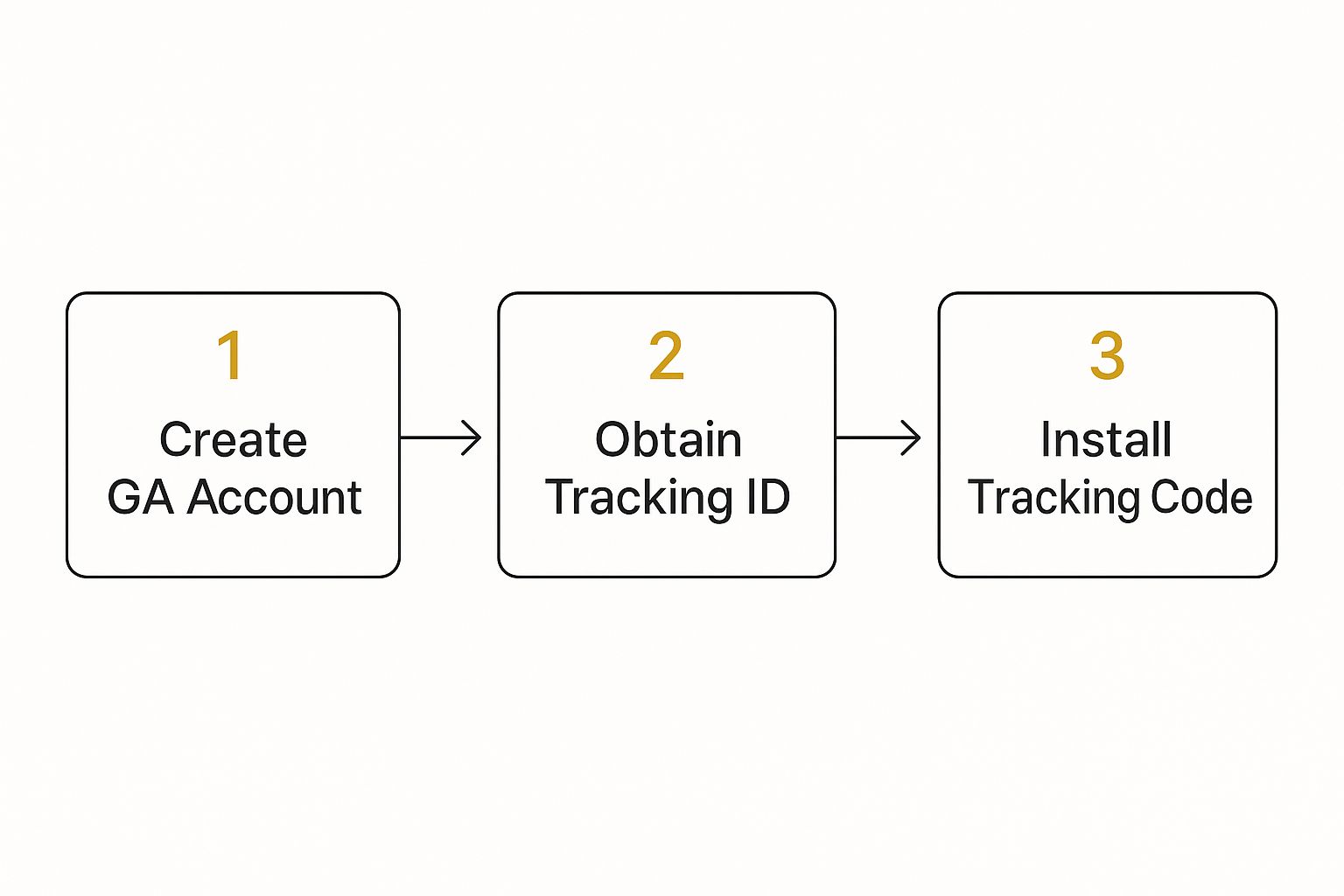
The biggest mistake I see people make is just installing the code and walking away. A proper setup isn't just a copy-and-paste job. You need to configure it correctly from the start to make sure the data you're collecting is actually useful.
Once the code is live, you won’t have to wait long. Data should start appearing in your GA4 dashboard within 24-48 hours. You’ll begin to see who’s on your site, where they came from, and what pages they're looking at.
Fine-Tuning Your Data for Real Insights
A standard GA4 installation is good, but a well-configured one is a game-changer. The first thing you should do is switch on Enhanced Measurement. It’s a fantastic feature that lets GA4 automatically track some really important user interactions without you having to add any extra code.
Here's what it tracks for you right out of the box:
- Scrolls: It notes when someone scrolls 90% down a page. This is a great signal that they’re actually reading your content.
- Outbound clicks: You'll see when a visitor clicks a link that leads them away from your website.
- Site search: This captures the terms people type into your on-site search bar, giving you a direct line into what they’re looking for.
- Video engagement: It automatically tracks plays, pauses, and progress for any embedded YouTube videos.
Flipping these switches on gives you a much richer picture of user behaviour from day one. If you find yourself needing to pull data in more complex ways or integrate it with other business systems, it's worth looking into API-based data collection automation. With these initial steps handled, your GA4 property is now set up to be a powerful tool for understanding your audience.
Understanding the 'Why' with Behavioural Analytics Tools
So, Google Analytics is great at telling you what your visitors are doing.## Understanding the 'Why' with Behavioural Analytics Tools
So, Google Analytics is great at telling you what your visitors are doing—which pages they land on, how long they stick around, and where they’ve come from. But if you really want to get inside your audience’s head, you need to uncover the why behind those numbers. That’s where behavioural analytics tools come into play, adding a rich, qualitative layer to your quantitative data.
It’s one thing to see a high exit rate on a page. It’s another thing entirely to watch an anonymised recording of a real person getting stuck, repeatedly clicking something they think is a button, and then leaving in frustration. That’s the human story behind the metric, and it’s pure gold for genuine website improvement.

These tools are less about spreadsheets and more about developing real empathy for your users. They let you step into their shoes and experience your own website from their perspective. By watching how people actually behave, you can pinpoint usability problems that hard data alone would simply never flag.
Going Beyond Numbers with Visual Data
The real magic of these tools is how they translate raw clicks, scrolls, and mouse movements into visual formats you can understand at a glance. They don't replace GA4; they work alongside it beautifully, giving you the context you’ve been missing.
Here are the main players you'll be working with:
- Heatmaps: These give you a visual breakdown of where users are clicking, moving their mouse, and how far down the page they actually scroll. A click map might reveal your main call-to-action is being completely ignored, while a scroll map could show that 75% of visitors never even see the crucial info you’ve placed below the fold.
- Session Recordings: Think of this as a DVR for your website. You can watch anonymised playbacks of individual user journeys, seeing every single mouse movement, click, and scroll. It’s an incredibly powerful way to spot bugs, identify confusing navigation, and witness user frustration firsthand.
- On-Page Surveys: Sometimes, the easiest way to find out what a user is thinking is just to ask them. Simple, contextual surveys can pop up to ask visitors why they’re about to leave a page or whether they found what they were looking for.
This focus on user interaction is especially critical for mobile users. In the UK, smartphone penetration hit 89% in 2024, creating a massive mobile-first audience. Of the UK's 11.1 million registered websites, a huge number are now laser-focused on tracking mobile interactions. This lines up with global trends where over 83% of website visits now happen on mobile devices, making mobile-centric analysis an absolute priority.
Putting Behavioural Tools into Action
Let’s say you run an e-commerce site and GA4 is showing a worryingly high cart abandonment rate. The data tells you what's happening, but it can’t tell you why. After watching just a handful of session recordings, you might spot that a clunky shipping calculator is tripping everyone up and causing them to leave. Without that visual proof, you’d just be taking a wild guess at the solution.
Behavioural analytics bridges the gap between what the data says and what the user experiences. It turns anonymous visitors into observable human interactions, providing the context needed to make truly user-centric improvements.
These insights aren't just for tweaking your website; they're fundamental to your entire digital strategy. Understanding user intent and friction points is a cornerstone of effective marketing. For a deeper dive into how these principles fit into the bigger picture, check out our beginner's guide to digital marketing.
By combining the 'what' from GA4 with the 'why' from behavioural tools, you finally get a complete picture of your audience, allowing you to track website visitors in a way that leads to meaningful change.
Unmasking the Companies on Your B2B Website
If you're in B2B, simply knowing you have anonymous traffic isn't cutting it. Standard analytics show you how many people are on your site, but they can't answer the one question your sales team is desperate to know: who are they? This is where B2B visitor identification software completely changes the game.

This technology isn't about aggregated data; it’s about unmasking the specific companies exploring what you offer. Using a technique called reverse IP lookup, these tools match a visitor's anonymous IP address to their company. Suddenly, you have a wealth of valuable firmographic data at your fingertips—the company's name, their industry, size, and even their physical location.
From Anonymous Clicks to Actionable Leads
Just think about it. Your sales team gets a live notification that someone from a major target account—say, a leading UK manufacturing firm—is looking at your pricing page. This isn't a futuristic dream; it’s a tangible way to track your website visitors and turn a passive browse into a genuine sales opportunity.
This kind of intelligence gives your teams a serious advantage:
- Timely Sales Outreach: Forget waiting for someone to fill out a contact form. Your sales reps can connect with the right people at the visiting company while your solution is still fresh in their minds.
- Smarter ABM Campaigns: When you know which accounts are already showing interest, you can sharpen your account-based marketing. Serve them ads and content that speaks directly to their pain points, not just generic messages.
- Data-Driven Content: By seeing which industries engage most with your blog posts or case studies, you can double down on creating resources that resonate with your ideal customer.
In the UK's B2B market, this proactive approach is becoming a cornerstone of lead generation. We've seen a rise in UK and European tools designed specifically to track corporate visitors, enrich that data, and push it directly into the hands of sales teams.
The real power here is timing. You're no longer cold calling; you're engaging with warm prospects who have already demonstrated a clear interest in what you offer. It’s a fundamental shift from reactive to proactive sales.
Choosing the right tool is crucial, especially for UK businesses that need to remain compliant with GDPR and other data protection regulations. The landscape of visitor tracking tools offers various specialities, from basic IP lookup to sophisticated behavioural analytics.
Comparison of Visitor Tracking Tools for UK Businesses
| Tool Type | Example Tool | Best For | Key UK Compliance Feature |
|---|---|---|---|
| B2B Visitor ID | Lead Forensics | Identifying specific companies visiting your website for proactive sales outreach. | Provides data on corporate entities, which is generally outside the scope of personal data under GDPR. |
| Heatmaps & Clicks | Hotjar | Visualising how users interact with pages to optimise layout and UX. | Offers options to suppress keystroke data and anonymise user information to protect privacy. |
| Session Replays | FullStory | Watching individual user journeys to uncover bugs and friction points. | Automatically redacts sensitive personal information from recordings to ensure compliance. |
| Web Analytics | Google Analytics 4 | Analysing aggregated traffic trends, user behaviour, and conversion funnels. | Features IP anonymisation and data processing controls to help meet GDPR requirements. |
Each tool provides a different lens through which to view your website's performance and audience. Often, the most powerful insights come from combining the firmographic data of a B2B visitor ID tool with the behavioural insights from heatmaps or session recordings.
Once you’ve identified which companies are on your site, you can use a range of proven lead generation solutions to turn that interest into a conversation. The best part is that many of these identification tools integrate directly with your CRM, whether it's HubSpot, Salesforce, or something else.
This creates a seamless flow, automatically creating new leads or enriching existing company records. The data doesn't just sit on a dashboard gathering dust; it becomes an active, vital part of your sales pipeline, transforming your website traffic into a predictable and powerful engine for new business.
Navigating UK GDPR for Ethical Website Tracking
When you track visitors on a UK website, you're handling more than just clicks and page views. You're dealing with personal information, and that comes with serious legal responsibilities. Getting this wrong isn't just a risk; it's a fast track to eye-watering fines and, perhaps worse, a complete breakdown of trust with your audience.
Before you even think about which tool to use, you need a solid grasp of the rules. The two key players here are the UK General Data Protection Regulation (UK GDPR) and the Privacy and Electronic Communications Regulations (PECR). They work together to ensure people have control over their own data. Long story short, you can't just plug in Google Analytics and hope for the best. You need explicit permission first.
Getting Proper Consent Is Non-Negotiable
The entire system hinges on one thing: valid consent. Under UK law, this can’t be a half-hearted attempt. Consent has to be freely given, specific, informed, and completely unambiguous. Hiding a vague clause in your terms and conditions just won’t cut it.
Your cookie banner is your first line of defence. To get it right, it must:
- Offer a real choice: Users need to see clear "Accept" and "Reject" options. Crucially, the "Reject" button must be just as prominent and easy to click as the "Accept" one.
- Leave boxes unticked: You can never assume consent for things like analytics or advertising cookies. All non-essential boxes must be unchecked by default.
- Allow granular options: The best practice is to let users choose which types of cookies they’re happy with—for example, letting them approve analytics but reject marketing cookies.
- Link to your policies: Always provide a straightforward link to your privacy and cookie policies so people can dig into the details if they want to.
A classic mistake I still see all the time is banners that say something like, "By using this site, you accept cookies." That approach is no longer compliant in the UK.
GDPR isn't about stopping you from understanding your audience. It's about forcing you to be transparent and respectful. Think of it as starting a relationship on the right foot—with trust, not trickery.
Stick to the Principle of Data Minimisation
Another cornerstone of UK GDPR is data minimisation. It’s a simple but powerful idea: only collect the data you absolutely need for a specific, stated purpose. Before you track anything, ask yourself, "Do I genuinely need this information to achieve my goal?"
For instance, if you just want to know which of your blog posts are getting the most traffic, all you really need is anonymised page-view data. You almost certainly don't need to collect precise GPS coordinates or other highly personal details. By being disciplined about what you collect, you not only stay on the right side of the law but also limit your own liability if a data breach ever happens.
Write a Privacy Policy People Can Actually Understand
Your privacy policy is more than just legal fluff; it's a promise to your visitors. It needs to be written in plain English and be easy to find on your site.
A good policy clearly explains:
- What data you actually collect (like IP addresses or device types).
- Why you're collecting it (your legal reason).
- Which specific tracking tools you're using.
- How long you plan to keep the data.
- If you share it with anyone (like Google or other third parties).
- A user's rights, including how they can change their mind and withdraw consent.
When you get these things right, you’re not just ticking a legal box. You're showing users you value their privacy, which builds the kind of trust that leads to real engagement. This trust is invaluable, especially when it comes to things like exploring the advantages of email marketing, as people are far more willing to subscribe when they feel their data is in safe hands.
Common Questions About Tracking Website Visitors
When you first dip your toes into tracking website visitors, a few questions always pop up. It can feel like a maze of technical jargon and legal rules, but getting clear on the basics is simpler than you’d think. Let's tackle some of the most common queries I hear.
One of the biggest concerns for any UK business is, understandably, the legal side. Is it actually legal to track website visitors? The short answer is yes, but with a very important 'but'. You have to play by the rules of UK GDPR and PECR, which means getting explicit consent from users before you place any non-essential tracking cookies on their device. A proper cookie banner and a clear privacy policy aren't just good practice; they're the law.
Another frequent question is whether you can see who people are by name. With standard analytics tools, absolutely not. Platforms like Google Analytics are built to anonymise data, showing you trends and numbers in aggregate. You’re looking at patterns, not people.
B2B Tracking and Analytics Tools
So, how do some B2B tools seem to know which companies are on your site? This is where things get interesting. Specialist software can use a visitor's IP address to identify the company they work for, not the individual person. This is gold for your sales team, giving them warm leads without breaching personal privacy rules. Weaving this kind of intel into your broader marketing strategy for a small business can make a massive difference.
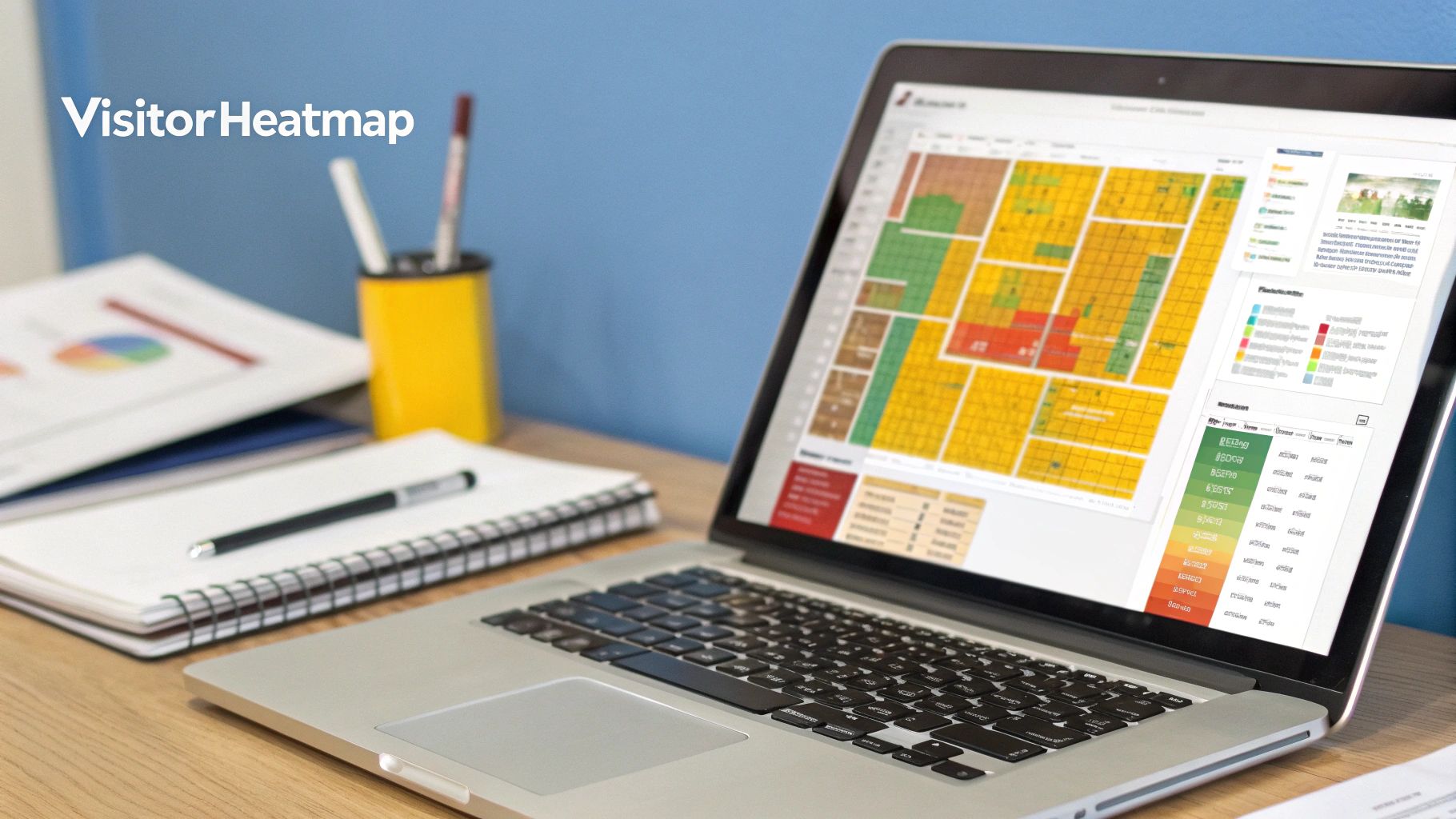
What about the tools themselves? I often get asked about the difference between Google Analytics and heatmaps. Think of it like this:
- Google Analytics (Quantitative): This is your 'what' tool. It gives you the hard numbers—how many people visited, what pages they looked at, and how many converted. It’s the data.
- Heatmaps (Qualitative): This is your 'why' tool. It provides the visual context, showing you where people click, how far down the page they scroll, and which parts they completely ignore. It’s the story behind the data.
The real magic happens when you use them together. For instance, GA might tell you a checkout page has a shockingly high exit rate. A session recording tool can then show you why—perhaps a button is broken on mobile, or a form field is confusing.
Finally, a crucial one: do you really need a cookie banner just for Google Analytics? Yes, you do. The cookies GA uses are considered "non-essential" under UK law, so you must get permission before its tracking scripts can fire. Your banner needs to make it just as easy for users to reject cookies as it is to accept them—no pre-ticked boxes or dodgy designs.
At The Digital Marketing Toolbox, we simplify the process of finding the right tools for your business. Discover and compare top-tier analytics, SEO, and marketing automation solutions to grow your audience effectively. Explore our curated selection at https://grow-your-biz.com.


