
So, what exactly is an HTML email builder? Think of it like a website builder, but specifically for your email campaigns. It’s a tool that gives you a drag-and-drop interface to design visually stunning emails, letting you sidestep the need to write a single line of code. This is your key to creating professional, branded emails that actually get noticed in a cluttered inbox.
Why You Need an HTML Email Builder

Imagine an HTML email builder as the perfect bridge connecting your creative vision to your customer's screen. Not too long ago, if you wanted to send anything more interesting than plain text, you had to call in a developer. They’d have to painstakingly code the email using HTML and CSS, a process that was slow, costly, and often riddled with frustrating errors.
The biggest headache was that every email client—like Gmail, Outlook, or Apple Mail—interprets code in its own unique way. An email that looked flawless in testing could end up looking broken and unprofessional for a huge chunk of your audience. This constant inconsistency was a major roadblock for marketing teams, holding them back from creating the kind of engaging visual experiences they wanted.
The Modern Solution for Marketers
This is precisely the problem an HTML email builder solves. It offers a visual canvas where you can place text, images, buttons, and other design elements exactly where you want them. Behind the scenes, the builder generates clean, reliable code that displays correctly across all the major email clients.
The real power of an HTML email builder is that it puts design control back in the hands of the marketing team. It empowers everyone—not just developers—to create beautiful, effective campaigns on the fly.
This newfound accessibility is a game-changer for your return on investment. In the UK, email marketing continues to be a powerhouse channel. For every £1 spent, businesses see an average return of £35. That figure alone shows just how crucial it is to create high-quality campaigns efficiently.
At the end of the day, an email builder frees up your team to focus on what really matters: strategy, messaging, and creativity, rather than getting bogged down in technical glitches. By exploring the advantages of email marketing, it becomes clear how these tools directly help you build stronger customer relationships and drive real business growth.
What to Look for in a Top-Notch Email Builder

When you're shopping for an HTML email builder, it's easy to get lost in a sea of marketing jargon. The key is to look past the hype and focus on the core features that will actually make your life easier and your campaigns more successful. While every platform has its own bells and whistles, the really great ones share a few non-negotiable foundations.
At the very top of that list is an intuitive drag-and-drop interface. This is the heart of any modern builder. It means anyone on your team—not just developers—can piece together a professional-looking email by simply moving around pre-built blocks for text, images, buttons, and more. It completely removes the need to touch a single line of code, turning a technical chore into a creative process.
Right alongside that is a solid template library. A good builder doesn't force you to start from a blank canvas every time. Instead, it offers a collection of professionally designed, customisable templates that give you a massive head start. You can grab a layout that's already proven to work and simply tweak it to fit your brand's unique style. This is a huge time-saver and a great way to guarantee a polished finish.
Core Tools for Consistency and Performance
Building the email is just the first step. The best HTML email builders also give you the tools to ensure your hard work pays off by looking perfect on every single screen. That's where responsive design previews come in. This feature lets you see exactly how your email will appear on a desktop, a tablet, and a smartphone before you send it. With more than half of all emails now opened on mobile, catching a layout issue before it goes out is absolutely critical.
You also need features that help you maintain a consistent brand identity without even thinking about it.
- Brand Asset Management: The ability to save your company’s logos, official brand colours, and specific fonts right inside the builder is a game-changer. It makes sure every single email feels like it came from you.
- Reusable Content Blocks: Think of your standard email header, footer, or social media links. A good builder lets you design these once, save them, and then drop them into any future campaign. It's a simple feature that saves time and locks in consistency.
A great email builder doesn’t just help you make one beautiful email. It provides a system that makes it easy to create consistently beautiful and effective emails, time and time again.
Let's break down how these features translate into direct benefits for your marketing efforts.
Key Features of an HTML Email Builder and Their Benefits
This table summarises the must-have features in a modern email builder and the direct value they provide to marketers.
| Feature | Primary Benefit | Impact on Campaigns |
|---|---|---|
| Drag-and-Drop Editor | Speeds up the email creation process dramatically | Enables teams to produce more content faster and react quickly to marketing opportunities without needing a developer. |
| Template Library | Provides a professional starting point for any campaign | Reduces design time, ensures high-quality layouts, and provides inspiration for different types of messages (e.g., newsletters, promotions). |
| Responsive Previews | Guarantees a flawless user experience on any device | Improves engagement and read rates by ensuring your email is perfectly legible and visually appealing, especially for mobile users. |
| Brand Asset Management | Ensures brand consistency across all communications | Strengthens brand recognition and trust by maintaining a consistent look and feel in every email you send. |
| Seamless Integrations | Connects email marketing to your other business tools | Creates a unified workflow by syncing data between your CRM, e-commerce platform, and analytics, allowing for more personalised and automated campaigns. |
Ultimately, the goal is to find a tool that works with you, not against you. A builder with these core features becomes a reliable partner in your marketing workflow.
Finally, don't overlook seamless integrations. Your email builder shouldn't operate in a silo. It needs to play nicely with the other platforms you depend on every day, like your CRM, e-commerce shop, or analytics software. When these tools talk to each other, you can automate tasks, segment your audience more effectively, and get a much clearer picture of what's actually working.
Driving Engagement with Interactive and Personalised Content
A slick email design is a great starting point, but let’s be honest, today's subscribers expect more than just a pretty layout. They’re looking for content that genuinely speaks to them. This is where a modern HTML email builder really shines, letting you go beyond static templates to create dynamic, interactive experiences that grab attention and get results.
Instead of blasting the same generic message to your entire list, you can use dynamic content blocks. Imagine sending an email where the main banner image changes based on a subscriber's city, or a product section that automatically shows items related to their past purchases. This kind of customisation turns a mass broadcast into what feels like a one-to-one conversation.
Making Emails a Two-Way Street
The real goal here is to shift your audience from passively reading to actively participating. Interactive elements are your secret weapon for making this happen. By embedding simple, engaging features directly into the email, you get people interacting with your brand without ever needing them to open a new tab.
Think about adding things like:
- Live Polls: Get instant feedback on a new product idea.
- Interactive Surveys: Gather valuable customer insights with a couple of quick taps.
- Image Carousels: Let subscribers swipe through a gallery of products or features, all within the email itself.
These aren’t just novelties; they boost engagement and give you a goldmine of data on what your audience actually wants. This kind of insight is invaluable for shaping your wider marketing strategy for small business success.
Personalisation has moved way beyond just using a subscriber's first name. It's about delivering a unique experience shaped by their behaviour and interests, making them feel properly seen and understood.
The Power of Personalised Content
The impact of this tailored approach is massive. Research consistently shows that B2B email campaigns with personalisation achieve a 72% higher engagement rate than those without. Even a simple personalised subject line can increase open rates by 9%, which tells you everything you need to know about making your audience feel individually addressed. For more details on these figures, you can discover more UK B2B marketing statistics.
Of course, sending great emails is only half the battle. You also need to know what’s working. It's worth exploring different strategies for measuring the quality of your newsletter content to see how you can improve. This cycle of sending, measuring, and refining is what turns subscribers into genuinely loyal customers.
Ensuring Your Emails Actually Reach the Inbox
A beautifully designed email doesn't mean a thing if it lands in the spam folder. This is where the technical quality of an HTML email builder really shows its worth, directly protecting your sender reputation and making sure your messages get delivered.
Think of email servers as picky bouncers at an exclusive club. They’re scrutinising every incoming message, looking for any reason to turn it away. A good builder ensures your email’s code is clean and tidy, without the messy formatting that makes these bouncers suspicious. It produces HTML that major clients like Gmail and Outlook know and trust.
Proving Your Emails Are Legitimate
Beyond just clean code, your builder helps with vital authentication protocols. You can think of these as digital ID cards that prove your emails are genuinely from you and not a sneaky phishing attempt. They might sound technical, but the idea is straightforward.
- SPF (Sender Policy Framework): This is like a guest list for email servers, telling them which IP addresses are allowed to send emails from your domain.
- DKIM (DomainKeys Identified Mail): This adds a digital signature to your emails, acting like a tamper-proof seal to confirm the message hasn't been altered in transit.
- DMARC (Domain-based Message Authentication): This is the final instruction, telling receiving servers what to do with emails that fail the SPF or DKIM checks—like whether to quarantine them or reject them outright.
A solid HTML email builder makes setting this up much easier, either by guiding you through the process or by handling much of it for you. This technical foundation is non-negotiable for building trust with both email providers and your subscribers.
This process flow shows how personalising, interacting, and converting your audience is the key to strong engagement.
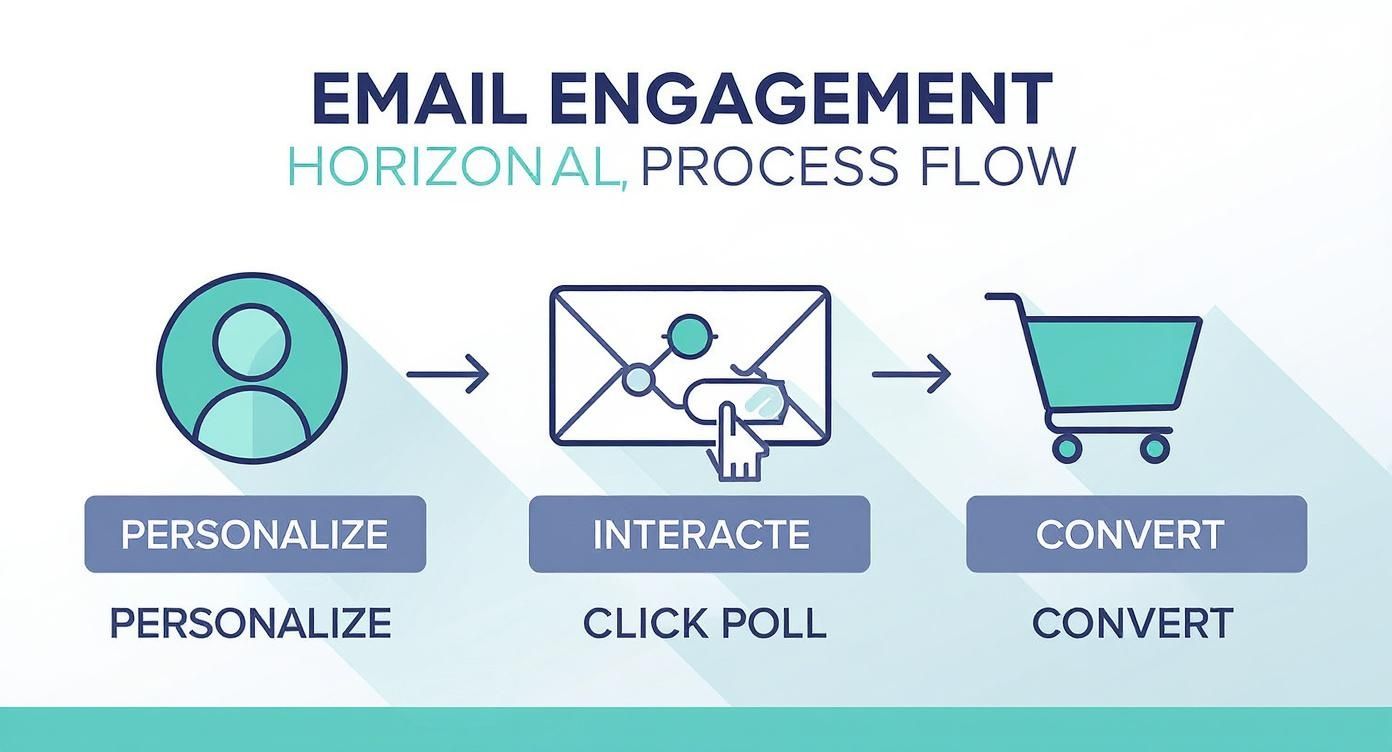
This visual highlights that successful email marketing is a journey, starting with personalisation and ending in conversion.
And paying attention to these standards clearly works. The DMA's latest report found that delivery rates have climbed to 98%, with the B2C sector hitting an impressive 99.2%.
Once your emails are designed, it's crucial to follow essential email deliverability best practices to ensure they consistently land in the inbox.
How to Choose the Right HTML Email Builder
With so many email builders out there, picking the right one can feel overwhelming. The secret is to tune out the marketing noise and take a hard look at what you actually need. The best tool for a massive e-commerce company is probably a poor fit for a solo consultant.
Start with a simple question: how comfortable is your team with code? If you’re a group of marketers who live and breathe drag-and-drop, that points you in one direction. But if you have developers who need to dig into the HTML, that leads you down a completely different path. This one answer will filter your options significantly.
Next, you have to talk about money. Costs for these tools run the gamut from free, no-frills options to high-end enterprise platforms that come with a hefty price tag. Be realistic about your budget from the get-go to avoid getting stuck with a subscription you can't afford down the line.
Aligning the Builder with Your Workflow
Your email builder isn’t an island—it has to play nicely with all the other software you rely on. Think about how it will connect with your CRM, your e-commerce shop, or your analytics dashboards. Make a non-negotiable list of integrations; a tool that syncs up seamlessly with your existing systems is a massive time-saver.
Finally, think about where you're headed. Do you plan on growing your subscriber list aggressively? Are you hoping to launch sophisticated automation sequences in the near future? Choosing a scalable HTML email builder now means you won't face a painful and disruptive switch in a year or two. This decision is a key piece of your marketing foundation, which you can learn more about in our beginner's guide to digital marketing.
The best email builder isn't the one with the most features; it's the one that fits most seamlessly into your specific business workflow, budget, and future ambitions.
Standalone vs. All-in-One: Making the Call
One of the biggest decisions is whether you need a dedicated, standalone builder or an all-in-one email marketing platform. A standalone tool is laser-focused on one job: creating clean HTML code that you can then export and use in any sending service. An all-in-one platform, on the other hand, combines the builder with list management, sending capabilities, and analytics.
Neither approach is inherently better—it all comes down to your team’s workflow and technical setup. This table breaks down the key differences to help you figure out which is the right fit.
Comparing Standalone vs All-in-One Email Builders
| Consideration | Standalone Builder | All-in-One Platform |
|---|---|---|
| Primary Function | Creates and exports clean, compatible HTML code for use in any email sending platform. | An integrated suite that includes an email builder, list management, sending, automation, and analytics. |
| Flexibility | High. You aren't tied to one sending provider. You can use the same HTML across multiple platforms if needed. | Lower. Your designs and templates are locked into the platform's ecosystem. Moving is difficult. |
| Ease of Use | Geared towards designers and developers who need control over the code. May have a steeper learning curve. | Built for marketers. Typically features intuitive drag-and-drop interfaces that require no coding skills. |
| Workflow | Create & Export ➔ Import into ESP ➔ Send. Requires an extra step and a separate email service provider (ESP). | Create ➔ Choose List ➔ Send. A seamless, unified workflow all in one place. |
| Cost Structure | Usually a one-time purchase or a subscription for the tool itself. You also pay separately for your ESP. | A single monthly or annual subscription that covers all features, often based on subscriber count. |
| Best For | Agencies, developers, and marketing teams who need maximum design control and use multiple sending platforms. | Small businesses, solo entrepreneurs, and marketing teams who value simplicity and an integrated solution. |
Ultimately, understanding the core differences between these two types of builders is crucial. Do you need a specialised tool that just exports code, or a complete system that handles everything from A to Z? Answering that question will get you much closer to a decision that truly supports your marketing goals.
Answering Your Questions About HTML Email Builders
Choosing a new tool for your marketing stack always brings up a few questions. When it comes to HTML email builders, I've found that marketers tend to run into the same handful of queries time and again. Let's clear those up so you can decide what's right for your team.
"Do I Need to Be a Coder to Use One?"
This is probably the number one concern I hear, and the answer is a resounding "no". The whole point of a modern email builder is to take coding out of the equation. They’re built around intuitive drag-and-drop interfaces, which means you can assemble polished, professional-looking emails without ever touching a single line of HTML.
This opens up email creation to your entire team, not just the developers. Anyone from a copywriter to a brand manager can jump in and build a campaign.
"How Do They Handle Mobile Devices?"
Another big one. We all know how an email that looks great on a laptop can fall apart on a phone. How do these builders make sure your emails are mobile-friendly?
The secret is responsive design, and it’s all handled for you automatically. As you drag and drop different elements, the builder is working behind the scenes, writing code that will intelligently adapt your layout to any screen size. You get to focus on making it look good, and the tool handles the technical gymnastics of ensuring it works everywhere.
A great email builder's job is to shoulder the technical burden. It worries about the tricky code and cross-client compatibility so you can focus on what you do best: crafting a compelling message.
"Can I Use This with My Current Email Platform?"
This is a very practical question, especially if you're already set up with an Email Service Provider (ESP) like Mailchimp or HubSpot. The good news is, yes, you absolutely can. In fact, that's exactly how many teams use them.
Most standalone builders are designed to let you export clean, ready-to-use HTML. You simply build your email, grab the code, and paste it into a custom HTML template inside your ESP. This gives you the best of both worlds: the design flexibility of a specialised builder and the sending, tracking, and automation power of the platform you already rely on.
Ready to find the perfect tools to build better campaigns? At The Digital Marketing Toolbox, we've hand-picked the best solutions out there. Come and explore our platform to compare top-tier email builders, SEO software, and everything else you need to grow.
Find Your Next Marketing Tool on https://grow-your-biz.com


