
Ever wondered where people really look and click on your website? Heat mapping is how you find out. It’s a data visualisation method that turns complex user behaviour data into a simple, colourful picture.
Think of it like a weather map for your data. The "hot" colours—reds, oranges, and yellows—show you exactly where the most activity is happening. The "cold" colours—blues and greens—pinpoint the areas that get ignored. It’s a beautifully simple way to see what’s really going on.
Decoding the Colourful Language of Data
Imagine trying to figure out how customers use your website by staring at a massive spreadsheet full of clicks, mouse movements, and timestamps. It’s an almost impossible task. You can’t see the patterns or the story the data is trying to tell you.
Heat maps cut through that noise. They translate all those abstract numbers into an intuitive visual that anyone can understand, no data science degree required. Instead of sifting through rows of data, you get a clear overlay on your webpage showing exactly what grabs attention and what doesn't.
The Core Principle Behind Heat Maps
At its core, a heat map is all about revealing where attention is focused. It answers a simple but vital question: "Where are people looking?" Whether you're analysing website clicks, eye-tracking in a supermarket, or even financial market trends, the principle is the same. The most popular spots glow brightest, instantly telling you what matters most to your audience.
This is what makes heat mapping such a versatile tool. It’s not just for websites. Retailers use it to optimise store layouts, city planners use it to identify dangerous road junctions, and scientists use it to visualise complex biological data. It simplifies complexity without losing the crucial details.
The real magic of a heat map is its storytelling ability. It doesn’t just show you data; it reveals the narrative hidden within the numbers, turning abstract information into clear, actionable insights.
How Colours Communicate Meaning
The colour gradient is the language of a heat map. While the specific shades can change, the hot-to-cold scale is a universal standard that our brains instinctively understand.
To help break it down, here’s a quick guide to the core concepts you'll encounter.
Key Heat Mapping Concepts at a Glance
| Concept | Description | Visual Cue |
|---|---|---|
| Hot Spots | Areas with the highest concentration of user interaction. | Bright red and orange colours. |
| Warm Spots | Areas with significant, but not peak, levels of activity. | Yellow and light orange shades. |
| Cold Spots | Areas with the lowest user engagement or fewest interactions. | Cool blues and greens. |
| Colour Gradient | The smooth transition of colours representing data intensity. | A spectrum from blue (low) to red (high). |
This simple colour system is what gives you those "aha!" moments, showing you what’s working and what’s not at a single glance.
For small businesses, this kind of clarity is invaluable. It provides a direct line of sight into customer behaviour, which is essential for building an effective marketing strategy for small business. And to make sure your visuals are always clear and impactful, it helps to follow established data visualization best practices.
Digging into the Different Types of Heat Maps
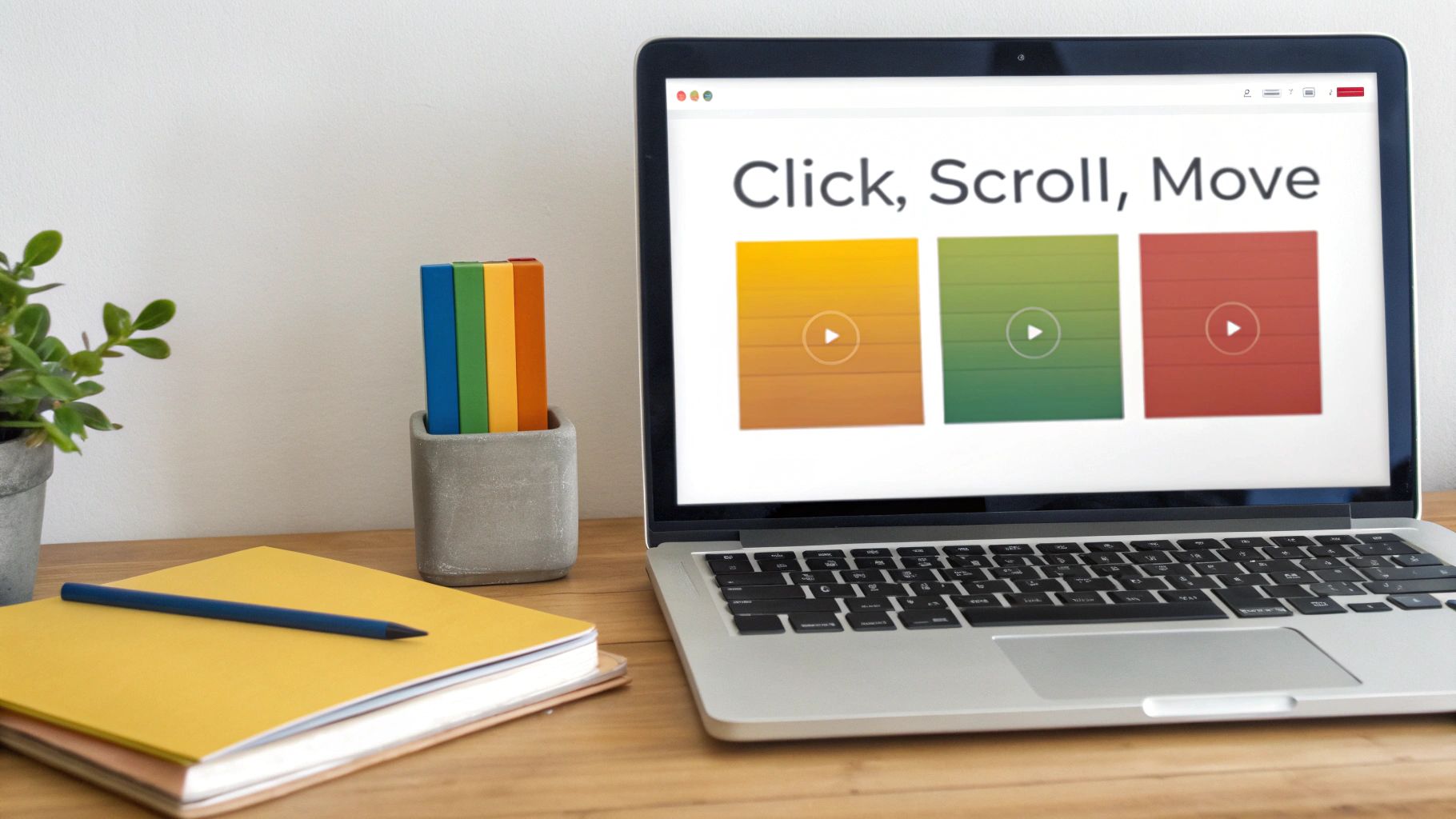
Heat mapping isn't just one tool; it’s a whole family of visualisation techniques, and each one tells a slightly different part of your user's story. Think of yourself as a detective. You wouldn't rely on just one piece of evidence, would you? Different heat maps give you different clues about user behaviour, helping you build a complete picture.
When you're looking at a website or app, you'll mainly come across three types of heat maps. Each one zeroes in on a specific user action, giving you another layer of insight. This helps you move beyond just what people are doing to start understanding why they're doing it.
Click Maps: Pinpointing Where People Tap
Click maps are probably the most common type, and for good reason. They do exactly what they say on the tin: they show you where people click. Every tap or click leaves a digital fingerprint, and the map visualises this data as hotspots. The brightest red areas are where everyone is clicking, while cooler colours show less popular spots.
This simple tool is brilliant for getting quick, clear answers to crucial questions:
- Is our main call-to-action (CTA) button getting the clicks? You’ll know instantly if your design is working.
- Are people trying to click on things that aren't links? This is a classic sign of user frustration and a great opportunity to improve your navigation.
- Are less important links stealing attention from our primary goal? A click map will show if a minor link is pulling focus.
In short, a click map is your first port of call for checking if your design is guiding people where you want them to go.
Scroll Maps: Seeing How Far People Really Read
Ever wonder if anyone actually makes it to the bottom of your beautifully crafted pages? A scroll map will tell you. It uses a colour gradient to show how much of your page gets seen. The top is always bright red—100% of visitors see that. As you move down, the colours cool off, often to blue, showing the parts only your most dedicated users ever reach.
This is absolutely essential for long-form articles, landing pages, and product pages. If you see a sudden drop-off from hot red to cold blue, that’s your "fold"—the exact spot where you started losing people's attention. It's a massive clue telling you to add something more engaging or break up a dense block of text right at that point.
Scroll maps don't just track scrolling; they measure attention. They show you the precise moment your content stops being compelling enough to keep someone engaged, giving you a clear target for improvement.
Move Maps: Following the User's Gaze
Move maps (sometimes called hover maps) track where users move their mouse cursor on the screen. It's not a perfect replacement for eye-tracking, but research shows a strong link between where our eyes go and where our mouse goes. These maps reveal the parts of a page that people pause on, consider, or re-read.
For instance, you might see a lot of mouse activity over your pricing table or a specific product feature, even if those users don't end up clicking. What does that tell you? It tells you that those elements are a key part of their decision-making process. It’s the closest you can get to looking over someone's shoulder and seeing what they're thinking about before they commit to an action.
How Heat Mapping Drives Smarter Decisions
Knowing what a heat map is is the first step, but its real magic lies in turning abstract data into smart, evidence-based decisions. For any online business, this technology is a game-changer, essentially giving you a visual roadmap for growth by showing you exactly how visitors behave.
Heat maps are a powerhouse for conversion rate optimisation (CRO). Let's say you have a crucial "Request a Quote" button, but it’s not getting the clicks you expect. A heat map can instantly show you if people are simply ignoring it or if they’re getting distracted by a flashy-but-unclickable image right next to it. This kind of visual proof cuts through the guesswork, so you can confidently move that button, tweak your navigation, or rewrite your copy.
It’s also brilliant for improving the overall user experience (UX) by shining a spotlight on friction points. If a scroll map shows that 80% of your users bail on a page before they even get halfway down, you’ve got a clear signal: your most important content needs to be moved up. Seeing your site through your users' eyes helps you fix the little annoyances that make them give up and leave.
Optimising Your Digital Strategy
The insights you get from heat maps let you be far more agile and responsive. Instead of guessing what your users want, you can see their behaviour laid out in full colour. This direct feedback is invaluable for fine-tuning every corner of your online presence.
This visual data helps you:
- Pinpoint underperforming CTAs so you can test new designs, colours, or placements.
- Spot confusing navigation by revealing where users are clicking on images or headings that aren't actually links.
- Discover content black holes – sections of your pages that get completely ignored and might need a rewrite or removal.
Tackling these issues one by one helps you build a much smoother and more effective user journey. Making these kinds of targeted improvements is a cornerstone of any successful virtual marketing strategy, ensuring your digital shopfront is working as hard as it possibly can.
Comparing Website Analytics Tools Heat Maps vs Traditional Analytics
While traditional tools like Google Analytics give you the 'what' (e.g., page views, bounce rates), heat maps give you the 'why'. They complement each other perfectly. Traditional analytics tell you which page has a high exit rate, while a heat map can show you why people are leaving that page.
Here's a quick comparison to see where each tool really shines:
| Insight Type | Traditional Analytics (e.g., Google Analytics) | Heat Mapping Tools | Primary Benefit |
|---|---|---|---|
| User Engagement | Provides quantitative data: bounce rate, time on page, exit pages. | Shows qualitative data: where users click, scroll, and hover. | Heat maps reveal the context behind the numbers. |
| Content Performance | Tracks page views and entry/exit points for specific URLs. | Visualises which specific headlines, images, or sections get attention. | Helps you optimise on-page content placement and design. |
| CTA Effectiveness | Measures goal completions and conversion rates for entire pages. | Highlights which buttons get clicked and which are ignored. | Allows for A/B testing based on real user interaction patterns. |
| Navigation Issues | Shows user flow between pages but can be hard to interpret. | Reveals 'rage clicks' on non-interactive elements or confusing menus. | Uncovers specific points of user frustration in the journey. |
Ultimately, using both gives you a complete picture of user behaviour. The numbers from your analytics platform point you to problem areas, and heat maps give you the visual clues you need to solve them.
Beyond Business Analytics
The power of visualising data isn't just for websites. In the public sector, the same ideas are used to make critical decisions that improve safety and manage resources. Urban planners, for instance, use geographic heat maps to analyse traffic patterns and pinpoint accident-prone junctions.
By visualising high-risk intersections, city officials can prioritise infrastructure upgrades, adjust traffic light timings, or redesign roads to prevent future accidents and save lives.
Emergency services also rely on heat maps to deploy help effectively. By mapping areas with high population density and few cooling centres during a heatwave, authorities can direct support straight to the most vulnerable communities. It's a powerful demonstration of how visual data leads to better, more impactful decisions in just about every field imaginable.
Using Heat Maps for Public Health and Safety
Beyond the world of business metrics and website clicks, heat mapping plays a crucial role in protecting our communities. When it comes to public health and safety, its ability to translate complex data into a clear visual story is incredibly powerful, especially as we face growing environmental threats like extreme heat.
This technology allows authorities to shift from looking at spreadsheets to making life-saving decisions. By layering different types of information onto a geographic map, they can see exactly where risks are clustered. It’s no longer about just knowing a heatwave is on its way; it’s about knowing which specific streets and neighbourhoods will bear the brunt of it and need urgent support.
Pinpointing Vulnerable Communities
So, how do officials build a public health heat map? It's all about combining multiple data sets to uncover those hidden pockets of vulnerability. Think of it like stacking transparent sheets on top of each other, with each one revealing a different piece of the puzzle.
Key data points often include:
- Population Density: Where do the most people live?
- Demographics: What’s the percentage of elderly residents or young children, who are more susceptible to heat-related illnesses?
- Housing Quality: This could include the age of buildings or the number of homes without air conditioning.
- Environmental Factors: How much green space is there compared to heat-absorbing asphalt and concrete?
When you bring all these layers together, you get a detailed map that shows more than just temperature—it shows overall community risk. A neighbourhood with a high concentration of older residents living in poorly insulated buildings will glow bright red, immediately flagging it as a priority for intervention. This kind of visual clarity helps emergency services deploy more effectively and allows public health warnings to be targeted with pinpoint accuracy.
A heat map in this context is more than a data visualisation; it’s a predictive tool that helps authorities allocate limited resources to the people who need them most, potentially saving hundreds of lives during a climate event.
The real-world impact here is profound. The health consequences of extreme heat in the UK, often analysed through heat mapping, are stark. During the June-July 2025 heatwave in London, an estimated 260 heat-related deaths occurred. Chillingly, around 65% (170 deaths) were directly linked to human-caused climate change, effectively tripling the expected mortality for such an event. This highlights just how urgent the need for better preparedness has become. You can discover more insights about the UK's vulnerability to heatwaves at imperial.ac.uk.
This proactive, data-guided strategy is essential for building more resilient communities. By identifying where cooling centres are most needed or which populations require direct outreach, public health officials can turn a colourful map into a direct, life-saving action plan.
Spotting At-Risk Infrastructure with Heat Maps
When it comes to long-term planning, heat maps are indispensable. They help us protect our most critical infrastructure and the people who rely on it, moving us past raw temperature data to a clear visual guide for climate adaptation.
By layering temperature data on top of maps showing our essential services, planners can see exactly which facilities are in the hot seat. Imagine combining future heat projections with the locations of hospitals, care homes, schools, and nurseries. The resulting map paints a vivid picture of where our communities are most exposed.
For instance, a heat map might reveal a cluster of care homes sitting right in the middle of a neighbourhood prone to the urban heat island effect. That instantly flags it as a priority area needing urgent attention.
From Visuals to Actionable Policy
Once you can see these high-risk overlaps, making smart, targeted decisions becomes much easier. You’re no longer guessing; you have a clear roadmap for putting resources where they’ll make the biggest difference.
This evidence-based approach makes several key actions possible:
- Smarter Funding: You can funnel money directly to the most vulnerable buildings, retrofitting them with essential cooling systems.
- Better Building Codes: The data can inform new construction standards, making sure our future infrastructure is built to handle the heat.
- Resilient Design: It guides urban planners on where to introduce more green spaces, cool pavements, and other heat-reducing features.
This kind of forward-thinking is vital for building communities that can weather future climate challenges. It ensures our essential services don't fail when we need them most. By spotting risks before they become emergencies, heat mapping truly becomes a life-saving tool.
This isn't just a theoretical exercise; analysis in the UK is already uncovering serious risks. Research has shown that thousands of critical facilities, including 9,589 care homes and 1,012 hospitals, are located in England’s most heat-exposed neighbourhoods.
With the NHS reporting 6,822 instances of hospitals overheating in 2022–23 alone, these visualisations are more crucial than ever. You can explore more of these findings on heat-exposed communities and see what they mean for protecting our most vulnerable.
Putting Heat Maps into Practice
Ready to stop talking theory and start seeing results? Getting started with heat mapping is actually pretty straightforward, whether you're digging into website analytics or poring over geographical data. The first, most crucial step happens before you even pick a tool: decide what you want to learn.
What's the big question you're trying to answer? Maybe you're wondering why a key landing page is underperforming, or you're trying to figure out the best layout for your blog to keep people reading. It could even be a project to identify which neighbourhoods are most vulnerable to extreme weather. Pinpointing your objective from the get-go is everything; it ensures you're collecting the right data to get the answers you need.
For website heat maps, the next move is usually to install a small snippet of tracking code. Don’t worry, it’s typically a simple copy-and-paste job. Once that code is live on your site, you can tell the tool which specific pages you want to start tracking.
Turning Colours into a Strategy
The real magic happens when you start interpreting the data. It's easy to get excited by the colourful visuals, but there are a few common traps to avoid. The biggest one? Making huge decisions based on a tiny amount of data. Always wait until you have a meaningful sample size before you draw any hard conclusions.
A heat map is more than just a colourful picture; it’s a strategic asset. Each hotspot and cold area is a piece of direct feedback telling you how to improve your user's experience or where to focus your resources more effectively.
Take this infographic, for example. It shows exactly how public officials can use geographical data to pinpoint and protect at-risk infrastructure—a perfect real-world application.
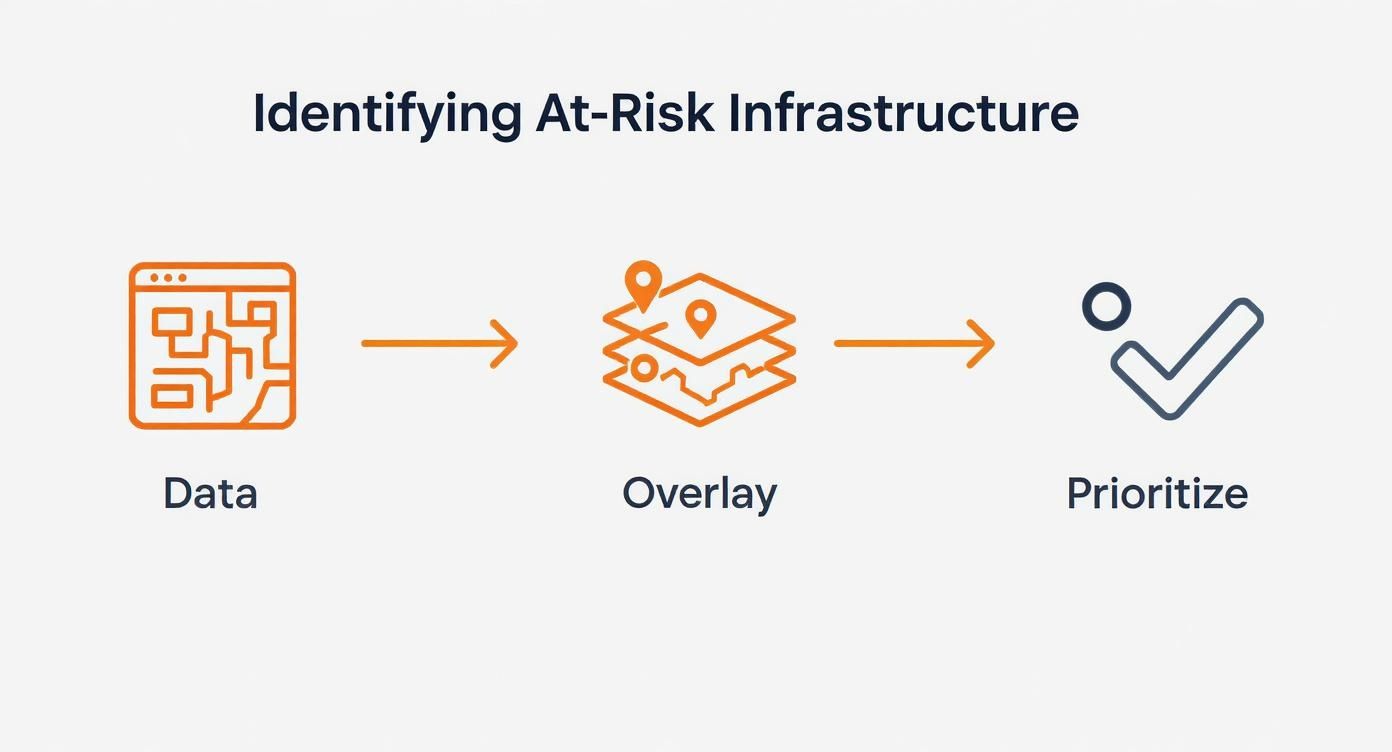
You can see the clear, logical flow: they gather the map data, layer it with the relevant risk factors, and then prioritise what needs attention first.
This kind of analysis is incredibly important for public safety here in the UK, especially with the rise of intense, frequent heatwaves. In summer 2025, the UK experienced its warmest summer on record, and analysis identified 4,715 neighbourhoods in England as being most exposed to extreme heat.
The same methodical approach works wonders for websites. If you want to see how this looks in practice, you can explore the features of a tool like the Humblytics Website Heatmap product. By following these simple steps, you can start turning raw visual data into genuine improvements, a fundamental concept we cover in our beginner's guide to digital marketing.
Common Questions About Heat Mapping
So, you're ready to give heat mapping a go? Fantastic. Before you dive in, you'll likely have a few questions bubbling up. It's completely normal. Getting these sorted will help you start on the right foot and get real value from the tool right away.
Let's start with a big one: are these colourful maps actually accurate? In short, yes—they provide a remarkably faithful picture of how people interact with your site. The key, however, is data volume. A heat map based on ten visitors is just a snapshot of a tiny group; one based on thousands of visitors reveals genuine, reliable patterns in user behaviour.
That brings us to the inevitable follow-up question: how much traffic do I need? While there isn't a single magic number that fits every situation, a solid benchmark is to gather at least 2,000-3,000 page views for the specific page you want to analyse. This usually gives you a large enough sample to trust that the trends you're seeing are real and not just random clicks.
Choosing the Right Tools
Another common sticking point is figuring out whether to use a free or paid tool. It's a fair question, and the answer really comes down to what you're trying to achieve.
-
Free Tools: These are your entry point. They usually offer the basics, like click maps, but might cap how many pages you can track or how much data you can store. They’re perfect for a small personal blog or if you just want to run a quick test.
-
Paid Tools: This is where you get the full picture. Paid plans unlock more advanced features like scroll maps and attention maps, plus session recordings and integrations with A/B testing platforms. They’re built to handle a lot more traffic without cutting corners on data.
Honestly, the best choice depends entirely on your goals. If you're just dipping your toes in the water, a free tool is a brilliant way to start. But if you're serious about optimising your website for business, investing in a paid tool will give you the depth and clarity you need to make meaningful changes.
Getting your head around these practical points sets you up for success. It helps you manage your own expectations and pick a tool that genuinely fits what you need, ensuring your first foray into heat mapping is a productive one.
Ready to find the perfect tool to grow your business? Explore The Digital Marketing Toolbox and discover a curated selection of the best marketing solutions, from analytics to automation. Find everything you need at https://grow-your-biz.com.


