
So, what’s the damage? In the UK, a LinkedIn Premium subscription will generally set you back somewhere between £24.99 and £79.99 per month, depending on the tier you go for. If you’re willing to commit for the year, you can usually knock about 20% off that monthly price by paying annually.
Your Quick Guide to LinkedIn Premium UK Costs

Thinking about how much LinkedIn Premium costs can be a bit confusing at first. It's best not to see it as one single upgrade, but more like a collection of specialised toolkits. Each one is built for a different professional mission, whether that’s finding your next job or drumming up new business leads.
You wouldn't use a screwdriver to hammer a nail, right? The same logic applies here. The plan designed for a job hunter is very different from the one a sales professional needs. The price you pay is a direct reflection of the power and specificity of the tools in that kit.
There are four main subscriptions, and figuring out which one fits your goals is the first step in deciding if it's a smart investment for you.
To give you a clear, at-a-glance overview, I've put together a simple table. It breaks down the four core plans available in the UK, who they're for, and what you can expect to pay. This should help you quickly see which plan might be the right fit before we dive deeper into the features.
LinkedIn Premium UK Plans At a Glance
| Plan Name | Best For | Estimated Monthly Cost (GBP) | Estimated Annual Cost (GBP) |
|---|---|---|---|
| Premium Career | Job Seekers | £29.99 | £239.88 |
| Premium Business | Networking & Brand Building | £44.99 | £431.88 |
| Sales Navigator Core | Sales Professionals | £79.99 | £767.88 |
| Recruiter Lite | Talent Sourcers | £104.99 | £1,019.88 |
As you can see, the costs vary quite a bit. It all comes down to what you're trying to achieve on the platform. The more specialised the tools (like those for sales and recruiting), the higher the price tag.
Breaking Down the Four Main LinkedIn Premium Plans

Knowing how much LinkedIn Premium costs is one thing, but the real trick is picking the plan that actually matches what you’re trying to achieve professionally. LinkedIn doesn’t just have one generic “premium” option. Instead, it offers four distinct subscriptions, each one a specialised toolkit built for a very specific job.
Think of it like choosing a vehicle. You wouldn't buy a two-seater sports car for a family camping trip, would you? In the same way, the features a job seeker needs are miles apart from what a sales pro or a recruiter requires. Let's pull back the curtain on each plan and see which one fits your career path.
Premium Career: Your Job-Seeking Co-pilot
This is the most popular starting point, designed from the ground up for professionals on the hunt for their next role. Its entire purpose is to give you a leg up in a competitive job market.
The features are all about getting you noticed by the right people and giving you a clearer picture of where you stand. If your primary reason for being on LinkedIn right now is to land interviews and get hired, this is almost certainly the plan for you.
- Applicant Insights: See a direct comparison of your skills and experience against others who've applied for the same role.
- Direct Messaging to Recruiters: You get 5 InMail credits each month, letting you bypass the gatekeepers and contact hiring managers directly.
- Who's Viewed Your Profile: Get the full, unfiltered list of who has been checking out your profile over the past 365 days.
Premium Business: For Networking and Growth
If your goals are less about finding a new job and more about growing your influence, building brand awareness, or even just doing a bit of market research, then Premium Business is the natural next step. It’s got more networking firepower than the Career plan.
With a bigger allocation of InMail credits and the ability to browse as many profiles as you like, it’s a great fit for business development managers, freelancers, and small business owners. It’s all about forging meaningful connections and sniffing out new opportunities.
Sales Navigator Core: The Lead Generation Engine
Now we're getting into specialist territory. Sales Navigator Core is a precision toolkit built purely for sales professionals. It has one single-minded goal: to help you find, connect with, and nurture relationships with qualified leads. If you're in sales, this is the plan that can have a direct, measurable impact on your pipeline and bottom line.
Sales Navigator Core isn't just about basic networking. It gives you advanced search filters, smart lead recommendations, and tools to save and organise your prospects. It effectively turns LinkedIn into a powerful, living database for social selling.
Recruiter Lite: For Sourcing Top Talent
Just as the name implies, Recruiter Lite is custom-built for recruiters, HR professionals, and hiring managers. It offers a focused set of tools to make the often-painful process of finding and contacting potential candidates much smoother.
It’s packed with features like advanced search filters designed specifically for talent sourcing, intelligent candidate suggestions, and a simple project dashboard to keep your hiring pipeline organised. If your job is to find the right people for your company, this plan delivers the essential tools without the overwhelming complexity of the full-blown enterprise Recruiter platform.
Each of these plans revolves around the use of InMail credits. To get a better handle on them, you can check out our guide on what an InMail is on LinkedIn to see how they work.
Trying to pick between LinkedIn Premium Career and Premium Business can feel a bit like standing in a hardware shop. You see two power drills that look almost identical, but one is designed for simple DIY projects at home, and the other is built for a professional construction site. They both drill holes, but they're engineered for entirely different scales and purposes.
That's the core difference here. Premium Career is your personal job-hunting toolkit, while Premium Business is built for networking, lead generation, and brand building.
Think of Premium Career as your secret weapon in the job market. It’s designed to give you a real edge over other applicants. You get 5 InMail credits each month, which are your golden tickets to slide directly into the inboxes of hiring managers, even if you're not connected. More importantly, you unlock Applicant Insights, which is a game-changer. It shows you how you compare to other people who’ve applied for the same job, letting you fine-tune your application to stand out.
Premium Business, on the other hand, is all about expanding your professional footprint. It’s for people looking to grow their company, find new clients, or build strategic partnerships.
This image highlights some of the key perks you get when you step up from a free account to a Premium one.
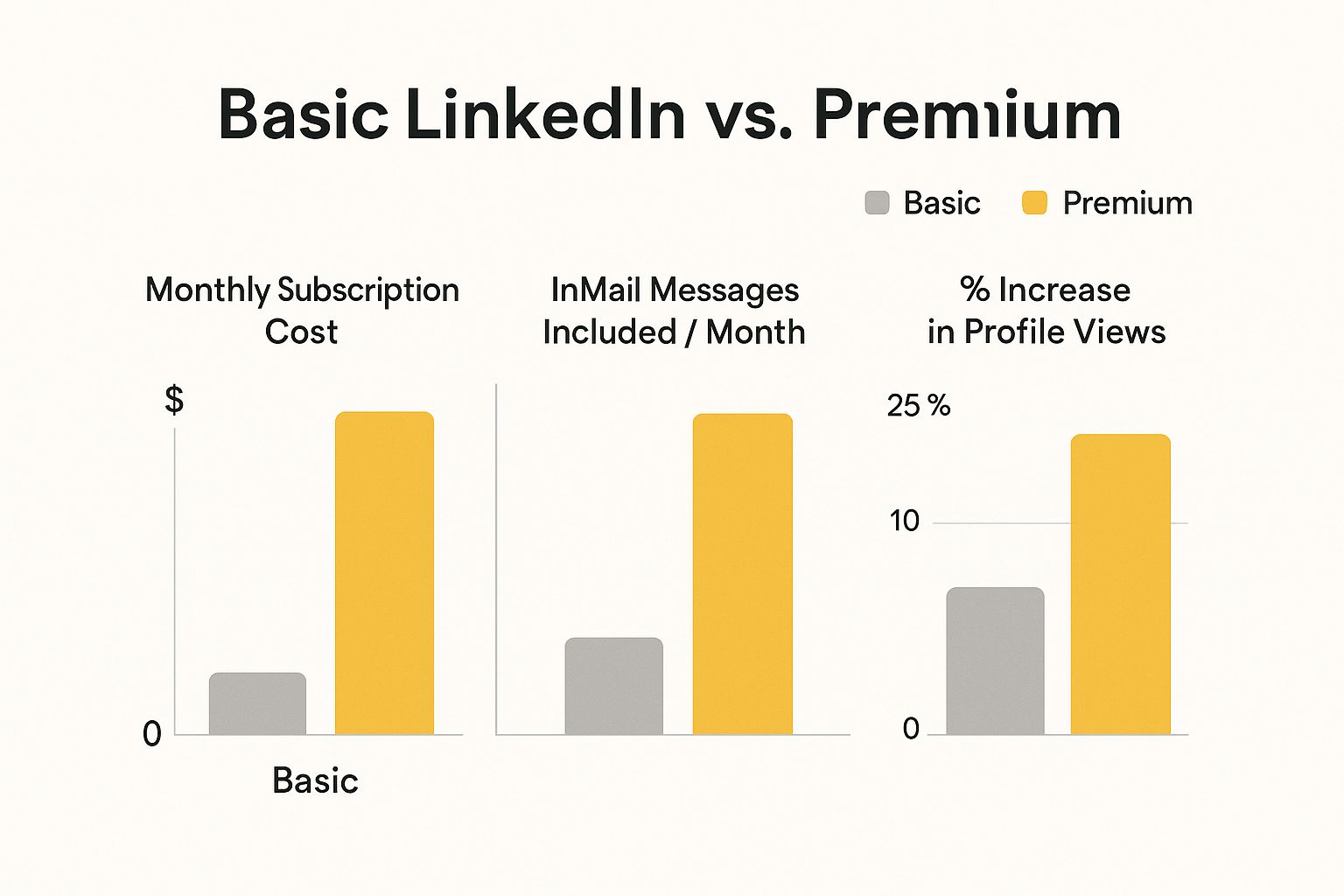
As you can see, investing in a paid plan delivers some very real benefits, like getting your profile in front of more people and being able to contact key decision-makers directly.
Feature Comparison LinkedIn Career vs Business
To make it even clearer, let's break down exactly what you get with each plan. This side-by-side comparison should help you see which one aligns with your goals.
| Feature | Premium Career | Premium Business |
|---|---|---|
| Ideal User | Active job seekers | Business owners, salespeople, networkers |
| InMail Credits | 5 per month | 15 per month |
| People Browsing | Limited | Unlimited searches up to 3rd-degree connections |
| Applicant Insights | Yes – see how you compare to other applicants | No |
| Business Insights | No | Yes – see company growth and hiring trends |
| Who's Viewed Profile | Full list of viewers from the last 90 days | Full list of viewers from the last 90 days |
| LinkedIn Learning | Yes – access to over 16,000 courses | Yes – access to over 16,000 courses |
Ultimately, the Business plan offers a much broader scope for outreach with its extra InMail credits and unlimited browsing, whereas Career is laser-focused on features that help you get hired.
So, Which One Is Right For You?
The right choice comes down to one simple question: what is your number one goal on LinkedIn right now?
- Go for Career if: Your main focus is landing a new job, full stop. The tools it provides are tailored specifically to help you get noticed by recruiters and ace your applications.
- Go for Business if: You're all about growing your network, generating leads for your business, or establishing your company as an industry leader.
The Business plan, which costs around £45 per month (as of 2023), gives you a much longer leash for outreach. With 15 InMail credits and the freedom of unlimited people browsing, you can really dig deep into potential client networks or partnership opportunities. It's a completely different level of access compared to the Career plan.
A job seeker with Premium Career might use the Applicant Insights to see that "project management" is a top skill for a role and then highlight that experience on their CV. Meanwhile, a sales professional with Premium Business could use unlimited browsing to identify every key stakeholder in a target company before making their first move.
No matter which plan you choose, its effectiveness is directly tied to the quality of your profile. A premium subscription is like adding a turbocharger to a car – it won't do much good if the engine isn't in great shape to begin with. Check out these top LinkedIn profile optimization tips to ensure you're making a fantastic first impression.
Is LinkedIn Premium Worth the Price Tag?

So, is LinkedIn Premium actually worth the money? The honest answer is: it depends on your return on investment (ROI). It’s easy to get fixated on the monthly cost, but the real question is whether the features will deliver tangible results for your career or business. Think of it less as a subscription and more as a strategic investment.
For a job seeker, Premium Career could be a game-changer. Imagine using the Applicant Insights feature to tweak your CV just right, landing you an interview you might have otherwise missed. If that single interview leads to a new job with a better salary, the subscription has paid for itself a hundred times over. It’s that simple.
The same logic applies to a sales professional using Sales Navigator. If the advanced search filters cut your prospecting time in half, that’s hours you get back each week. You can then pour that extra time into nurturing relationships and actually closing deals, which directly boosts your commission and the company’s revenue.
How to Calculate Your Potential Return
To figure out if the cost is justifiable for you, put a price on your goals. Are you gunning for a pay rise? Or maybe trying to land a new client worth thousands of pounds a year? The tools inside Premium are built to help you get there faster.
For most people, the real value isn’t just about finding more opportunities—it’s about finding the right ones. Premium gives you a direct line to key decision-makers, helping you bypass gatekeepers and shorten the entire hiring or sales process.
This ability to fast-track your goals is a huge part of its value. A great ROI isn't just about making more money; it's also about hitting your targets in less time. When a targeted outreach campaign is part of a solid https://grow-your-biz.com/marketing-strategy-for-small-business/, it can generate leads that make the subscription cost look tiny in comparison.
Give It a Go Before You Commit
The best part? You don't have to jump in with your wallet open. LinkedIn offers a one-month free trial for all its Premium plans, giving you a completely risk-free chance to see what it can do for you.
My advice is to use that trial period to its fullest. Max out your InMail credits, dig into the company insights, and keep a close eye on who's viewing your profile. By the end of the month, you’ll have a gut feeling and, hopefully, some real data to show whether it's a worthwhile investment. Just remember, a tool is only as good as the person using it, which all starts with optimizing your LinkedIn profile to make that crucial first impression.
Here is the rewritten section, crafted to sound natural and human-written:
How LinkedIn Premium Pricing Has Evolved in the UK
To really get a feel for what LinkedIn Premium costs today, it helps to look back at how the pricing has changed over the years. The subscription fees you see now haven’t just appeared out of thin air; they’re the result of constant platform updates, shiny new features being added, and, of course, wider economic shifts like inflation.
A big part of the price bumps we've seen comes from LinkedIn folding in seriously valuable tools. Take LinkedIn Learning, for example. Adding thousands of expert-led courses into the mix massively boosted the value of a subscription, turning it into a powerful professional development tool. As LinkedIn keeps building out its features, the price naturally follows suit to reflect that new, beefed-up offering.
You can definitely see a clear upward trend. A few years ago, back in May 2021, the Business Premium plan was going for £39.99 a month. That’s a noticeable jump to where we are today, a change you can track in more detail in this breakdown of historical LinkedIn pricing. It's a classic case of a platform reinvesting in itself and adjusting the price to match.
It’s also worth remembering that the price you see advertised in the UK doesn’t include VAT. So, the final figure that hits your bank account will always be a bit higher than the number on the subscription page.
At the end of the day, the shifting price tag is all about LinkedIn trying to pack more and more value into each plan. Understanding this history gives you a much better perspective on whether the current cost makes sense for the benefits you'll get out of it.
Answering Your Top Questions About LinkedIn Premium Costs
Even after seeing all the numbers, you might still be wondering about the finer details of paying for LinkedIn Premium. Let's run through some of the most common questions that pop up before people take the plunge.
Is It Possible to Get a Discount on LinkedIn Premium?
The easiest way to cut the cost is to pay for a full year upfront. Choosing the annual payment plan usually saves you around 20% compared to sticking with a monthly subscription, which is a pretty decent chunk of change.
As for other discounts, LinkedIn doesn't really do sales or special promotions. Your best bet is to make the most of the one-month free trial. It’s a fantastic way to get a feel for all the features and decide if it’s worth the investment without spending a penny.
What Happens If I Cancel My Premium Subscription?
Don't worry, cancelling is straightforward and you won't lose your profile or connections. When you cancel, your account simply switches back to a standard, free membership once your current paid period ends (whether that's the month or the year).
Of course, you will lose access to all the paid perks. That means any leftover InMail credits will vanish, along with access to LinkedIn Learning courses and the detailed breakdown of who has been viewing your profile. Your core profile and network, however, will stay exactly as they are.
Key Takeaway: Think of cancelling as putting away the premium toolkit. Your LinkedIn foundation—the profile, connections, and messages you've built up—remains completely untouched.
Is Sales Navigator Really Worth That Hefty Price Tag?
If your day-to-day work is in sales, business development, or finding new leads, then Sales Navigator is less of a luxury and more of an essential piece of kit. Its real power lies in the specialised tools that you simply won't find in the standard Business plan.
Features like the advanced search filters for leads and companies, CRM integration, and smart lead recommendations are built to save you hours of manual prospecting every single week. They help you pinpoint better-quality prospects in a fraction of the time, giving you a clear return on what you spend. For general networking or looking for a job, though, it’s definitely overkill.


