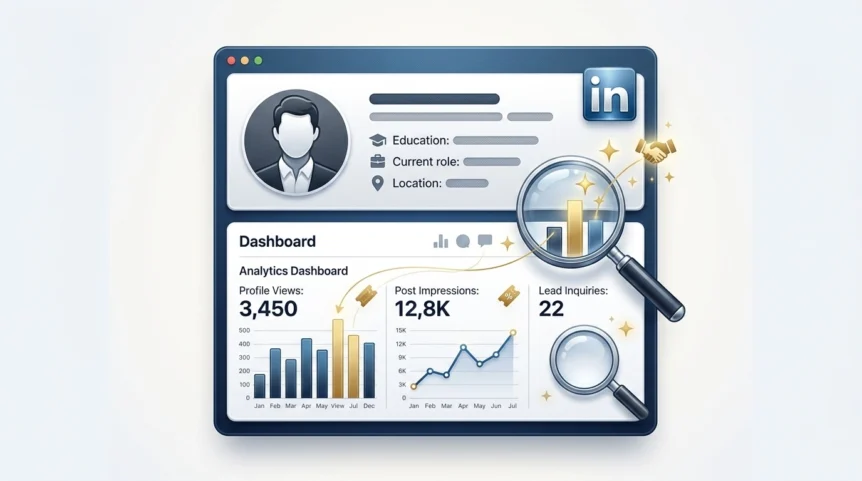
Does LinkedIn Show Who Viewed Your Profile? Find Out Now

The Truth About LinkedIn's Profile View Feature

Demystifying LinkedIn's Profile View Feature

Does LinkedIn show who viewed your profile? The simple answer is yes, but the reality is more nuanced. LinkedIn's profile view feature works like a two-way mirror. It gives you a glimpse into who's checking out your professional presence, while also allowing others to see yours. This balance of transparency and privacy is key for networking strategically, especially in competitive job markets like the UK. Understanding how this feature actually works is essential to using it effectively.

Understanding LinkedIn's Profile View Tracking

LinkedIn's profile view tracking isn't a simple on/off switch. It's more like a dimmer switch with different settings controlled by you and the people viewing your profile. You won't always see every visitor, and they won't always see you. Several factors influence what information is displayed, creating a complex network of visibility. These include your account type (free or Premium) and the viewer's privacy settings.

LinkedIn’s profile view feature is a valuable tool for understanding who's interested in your professional background. As of January 2025, LinkedIn had roughly 44.6 million users in the United Kingdom. This is up from 44.4 million the previous month, showing steady growth and user engagement. This suggests that more people are actively viewing and interacting with profiles, a benefit for those expanding their professional network. The UK's LinkedIn user base represents 64.5% of the country's population, highlighting the platform's widespread use. While LinkedIn doesn't publicly share the exact number of profile views, a growing user base clearly contributes to increased profile activity. For more detailed user statistics, you can visit: Learn more about LinkedIn user statistics. LinkedIn also lets users manage their visibility through different privacy levels for viewing other profiles.

Decoding Profile Viewer Visibility

The information displayed about your profile viewers isn't random. It relates directly to their privacy settings, which range from completely public to entirely private. A user with a Public profile reveals their full identity and professional information when viewing profiles. Someone with a Semi-Private setting might show limited details like their industry or job title, but their name will be hidden. With the Private setting, users remain anonymous, appearing only as “LinkedIn Member.” Understanding these visibility levels helps interpret your profile view data. This allows you to differentiate between casual browsing and genuine interest from individuals or companies. It also highlights the importance of understanding the differences between Free and Premium LinkedIn accounts and how these affect visibility.

Free vs Premium: What You're Actually Missing

The difference between a free and Premium LinkedIn experience goes far beyond simple marketing. It directly impacts your ability to see who's checking out your profile. In the competitive UK job market, this information can be invaluable for networking and career advancement. Let's explore the profile visitor information offered by each subscription tier, based on practical testing and professional feedback.

Deciphering the Visibility of Profile Viewers

A free LinkedIn account allows you to see the last five people who viewed your profile. You'll see their name and headline, offering a glimpse into your profile's recent visibility. A Premium account, however, significantly expands this view. Depending on your specific Premium plan, you can see everyone who has viewed your profile in the last 90 to 365 days. This broader perspective allows you to identify valuable trends and potential networking contacts you might otherwise miss.

Premium also offers valuable filtering options, letting you sort viewers by company, industry, and other demographics. This empowers you to pinpoint key individuals or companies interested in your profile, allowing for more strategic engagement. It's important to remember, though, that viewer privacy settings still play a role.

To illustrate the distribution of these privacy settings among LinkedIn users, take a look at the following infographic:

Infographic about does linkedin show who viewed your profile

The infographic highlights that while “semi-private” viewing is most common, a substantial number of users maintain public profiles, offering full visibility. However, a significant 20% of viewers remain private, even to Premium subscribers. This underscores the importance of understanding the limitations of profile view data.

To better understand the differences between free and premium LinkedIn accounts, consider the following table:

LinkedIn Profile View Features: Free vs Premium ComparisonA detailed comparison of the profile viewing capabilities available to free and premium LinkedIn users in the UK
FeatureFree Basic Account
Who viewed your profileLast 5 viewers (name and headline)
Filtering optionsNot available
Visibility of private viewersNo
Visibility of semi-private viewersPartial
Visibility of public viewersFull

As you can see, Premium LinkedIn accounts offer far greater visibility into who is viewing your profile compared to free accounts. This enhanced visibility allows for more strategic networking and career management.

Beyond the Basics: Premium's True Value

While the expanded viewer history is a key benefit of Premium, the true value resides in the deeper insights it provides. Consider this example: you're a marketing professional in London. With Premium, you could track whether marketing managers from leading UK agencies are viewing your profile. This insight could signal potential job opportunities or collaboration prospects.

The “Who's Viewed Your Profile” feature further strengthens this advantage by offering a detailed breakdown of viewer demographics, such as seniority level and industry. Identifying key decision-makers and understanding broader industry trends becomes significantly easier. This means Premium users aren't just seeing more viewers; they are seeing more relevant viewers. This targeted information provides a distinct edge for strategic networking. However, the fact that some viewers remain anonymous serves as a reminder of Premium's limitations. This leads to the important questions of who is actually viewing your profile and, even more importantly, why.

Who's Really Looking at Your Profile (And Why)

Analyzing LinkedIn Profile Viewers

Knowing that someone viewed your profile is one thing. Understanding why they viewed it is quite another. This deeper understanding unlocks crucial networking opportunities that many LinkedIn users in the UK miss. Let's explore the motivations and behaviours driving profile views, drawing on common networking practices.

Decoding Viewer Demographics and Behaviour

Several factors influence who's looking at your profile. Industry trends play a significant role. For instance, fast-paced and competitive sectors, like tech or finance, often show more viewing activity.

Seniority level is another key factor. Senior managers and executives frequently use LinkedIn to research potential hires, partners, or even competitors. Timing is also important. Tracking when your profile views increase can reveal the best times to engage on the platform, potentially highlighting when key decision-makers are most active.

In the UK, the largest group of LinkedIn users is between 25 and 34 years old, representing 45% of all users as of January 2025. This demographic is particularly active in viewing profiles, driven by their career development and networking goals. For more detailed information, explore these LinkedIn user demographics. These demographic insights offer valuable clues about your audience.

Identifying Genuine Interest vs Casual Browsing

Not all profile views carry the same weight. A single view could be a quick glance, while repeated visits from the same individual often suggest a stronger interest. This might indicate a recruiter considering you for a position, a potential client researching your expertise, or a peer looking for collaboration opportunities.

By recognizing these subtle signals, you can prioritize your networking efforts and concentrate on the most promising connections. Analysing viewing patterns helps you differentiate between passive interest and active engagement. This knowledge helps you tailor your interactions for maximum networking effectiveness.

Leveraging Insights for Strategic Relationship Building

The true value of profile views lies in their potential for building professional relationships. Savvy networkers don't treat these views as mere vanity metrics. They transform these insights into strategic opportunities.

Identifying key viewers allows you to personalize your outreach and start meaningful conversations. If a hiring manager at your dream company views your profile, for example, connect with them and express your interest. Likewise, repeated views from a potential client could spark a valuable business relationship.

This proactive approach turns passive views into active connections, greatly improving your networking ROI. It helps build relationships that go beyond superficial interactions and create genuine professional opportunities.

Mastering Your Own Profile Viewing Privacy


Your LinkedIn profile viewing settings involve a crucial trade-off: privacy versus networking potential. How much are you willing to sacrifice one for the other? This section analyses the practical effects of each visibility option, demonstrating how different settings impact your professional image and networking success, particularly within the UK job market.

Understanding Your Privacy Options

LinkedIn provides three main profile viewing privacy options. Each has its own set of advantages and disadvantages, impacting how you appear to others and the information you receive in return. Selecting the right option is key to maximizing your LinkedIn experience.

To help you choose the best setting for your needs, let's take a closer look at what each option entails. The following table summarizes the key differences between Public, Semi-Private, and Private viewing modes:

LinkedIn Profile Viewing Privacy Options: A breakdown of the three privacy settings options when viewing profiles on LinkedIn and their implications.
—|—

Privacy OptionWhat Others SeeWhat You Can SeeBest Used When
PublicYour full name and headlineFull profile view historyActively networking and seeking maximum visibility
Semi-PrivatePartial information (e.g., “Someone in the marketing industry”)Limited profile view history (fewer details about viewers)Balancing privacy and visibility, researching discreetly
Private“LinkedIn Member” (anonymous)Extremely limited view history (almost no viewer details)Requiring complete anonymity, concerned about revealing browsing activity

This table clarifies the trade-offs between visibility and the information you can access about your profile viewers. Choosing the appropriate setting depends heavily on your current career goals and networking strategy.

Strategic Advantages of Each Privacy Level

The Public setting maximizes your networking potential. It signals openness and encourages reciprocal profile views. For instance, if a recruiter views your public profile, they are more likely to connect with you, knowing you can see their visit. This transparency can spark valuable conversations and potential career opportunities.

Semi-Private browsing offers a balance between visibility and privacy. It allows you to research competitors or potential employers discreetly without fully revealing your identity. However, this approach limits the information you receive about who's viewed your profile, potentially hindering direct engagement.

Private mode offers the highest level of anonymity. This might be suitable for sensitive research or if you're not actively networking. However, it drastically limits your ability to gain insights from profile view data, essentially neutralizing one of LinkedIn's key networking features.

Adapting Your Privacy Settings for Specific Goals

Just as you tailor your attire for different occasions, you should adjust your LinkedIn profile view settings to align with your specific objectives. If you're actively job hunting in London, switching to Public mode can boost your visibility to recruiters.

Conversely, if you're conducting market research, the Semi-Private setting allows for more discreet browsing. Mastering these tactical shifts empowers you to control the information you share and receive. By tailoring your approach based on specific goals, you optimize your profile view settings for both networking and privacy management. Does LinkedIn show who viewed your profile? Yes, but the level of detail they see depends entirely on your chosen settings.

Turning Profile Views Into Professional Opportunities

Turning Profile Views Into Professional Opportunities

Profile views on LinkedIn are more than just a vanity metric. They represent potential networking opportunities that many UK professionals overlook. This translates to missed chances for valuable connections. We'll explore how to transform these views into career-boosting relationships by understanding how successful networkers initiate conversations without appearing intrusive.

Interpreting the Signals: Genuine Interest vs Casual Browsing

Understanding the nuances of profile view data is crucial. A single view might be someone casually browsing. However, repeated views from the same person often suggest genuine interest. This could be a recruiter evaluating your qualifications, a potential client researching your expertise, or a peer exploring collaboration. Knowing the difference helps you prioritize your networking efforts.

Consider the viewer's background. Are they in your industry? Do they work for a company you admire? These details provide insights into their motivations, allowing you to focus on the most promising leads.

Timing and Crafting the Perfect Follow-Up

Timing is key in networking. When you spot recurring profile views, find the right moment to connect. Don't immediately send a message. Instead, engage with their content first by liking or commenting on a post. This creates a natural connection before you reach out directly.

When evaluating your LinkedIn profile, consider broader strategies for your online presence. Review these online reputation management tips for a comprehensive approach.

Craft personalized messages that go beyond standard greetings. Mention something specific from their profile or recent activity that resonated with you. This shows genuine interest and avoids a generic feel. Referencing a shared connection or a common industry interest adds a personal touch, making your outreach more authentic.

Adapting Your Profile for Specific Viewers

Tailoring your profile content to attract specific viewers is essential. Consider who you want to attract. Are you targeting recruiters in London's financial sector? Or perhaps marketing managers in the tech industry? Adjust your headline, summary, and experience sections to showcase relevant skills and experience. LinkedIn enjoys high brand awareness among UK social media users, at 82%. This active engagement creates a prime opportunity to connect with the right people. Explore further insights about LinkedIn user statistics. Optimizing your profile for your target audience increases your chances of converting views into valuable connections. This proactive approach strengthens your professional brand and positions you for success in the UK's competitive market.

Solving Common Profile View Mysteries

Even seasoned LinkedIn users in the UK sometimes find themselves puzzled by the platform's profile view tracking. This section tackles those head-scratching scenarios, offering practical solutions and explanations. From vanishing visitor notifications to those frustratingly anonymous viewers, we'll unravel the mysteries behind LinkedIn’s profile view feature.

Why Don't My Profile Views Add Up?

Sometimes, the number of reported profile views doesn't match the visible list of visitors. This discrepancy often stems from how LinkedIn balances privacy and transparency. Remember, users with private settings appear as “LinkedIn Member,” even if you have a Premium account.

Additionally, LinkedIn may aggregate views from the same person within a short timeframe, showing only one instance in your detailed list. This aggregation prevents your profile view list from becoming cluttered with repeat views. To enhance your profile and attract more views, consider improving your visuals with resources like AI tools for LinkedIn infographics.

The Case of the Vanishing Viewers

Have you ever noticed profile view notifications disappearing? This can happen for a few reasons. If a viewer adjusts their privacy settings to private after viewing your profile, their identifying information will be removed from your list.

Similarly, if a viewer deletes their LinkedIn account, their view will also vanish from your history. This isn't a glitch, but rather LinkedIn's way of respecting user privacy and maintaining data integrity. These occurrences highlight the dynamic nature of profile view data.

Troubleshooting Mobile App Inconsistencies

Inconsistencies between the LinkedIn mobile app and the desktop version regarding profile views are not uncommon. These can arise from caching issues or data synchronization delays.

A simple fix is to clear the app's cache or log out and back in. If the problem persists, ensuring your app is updated to the latest version often resolves the issue. Updates provide the most recent bug fixes and feature improvements.

Recovering Lost Visitor Data

Unfortunately, retrieving visitor data lost due to privacy changes or account deletions is generally not possible. LinkedIn prioritizes user privacy, and once a viewer chooses anonymity or removes their account, that data is typically gone for good.

However, focusing on who is viewing your profile and understanding their potential motivations can be more valuable. This forward-looking approach allows for more proactive networking.

Setting Realistic Expectations: What LinkedIn Can't Tell You

While LinkedIn’s profile view feature offers valuable insights, it has limitations. It can't reveal the exact reason someone viewed your profile. A view could be from a recruiter, a potential client, a competitor, or just someone casually browsing.

It's crucial to avoid overinterpreting single views and instead focus on patterns and context. Repeated views, combined with other engagement (likes, comments, connection requests), offer a stronger indication of genuine interest. Understanding these nuances helps you use the feature effectively.

admin
Author: admin