
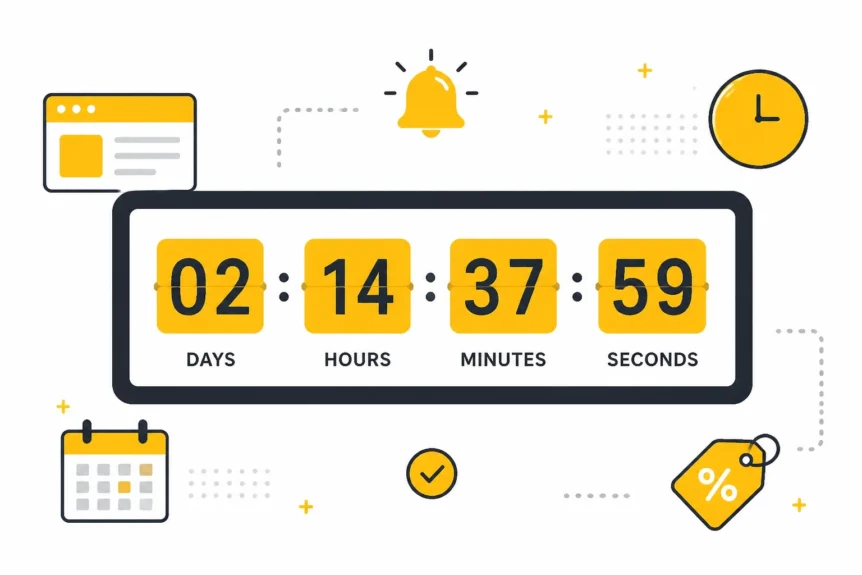
Your website visitors procrastinate. That is not an insult. It is just how online buying works.
You’ve built a solid site, your copy does its job, and your offer makes sense. But when it comes to clicking “Buy Now”, plenty of people drift into “maybe later.” In online sales, “later” usually means “gone.”
By May 2026, the digital noise is louder than ever. If you do not give customers a clear reason to act now, they get distracted by a notification, another tab, or a coffee break that turns into a lost sale. That is exactly why the Countdown Timer Widget has become such a practical conversion tool for small businesses. This Countdown Timer Widget guide focuses on real-world sales impact, not fluff.
We are not talking about dodgy fake timers from years ago. We are talking about real urgency tied to real offers, real deadlines, and real business outcomes. In this updated guide, we break down 5 powerful ways a Countdown Timer Widget boosts sales in 2026 and where each one makes sense in the real world.
The Psychology of the Ticking Clock
Why does a Countdown Timer Widget work so well? Because it gives people a reason to stop delaying.
Humans are wired to respond to scarcity and urgency. When time starts running out, the brain often shifts from slow comparison mode to fast decision mode. Behavioural science often links this to loss aversion: people hate missing a deal more than they enjoy casually discovering one. You can see the same principle discussed by resources like Nielsen Norman Group and HubSpot Marketing.
Golden Nugget
The best Countdown Timer Widget campaigns do not just count down seconds. They count down a real opportunity. Tie the timer to a real discount, bonus, delivery cutoff, or price change, or it becomes wallpaper.

The truth is simple: a Countdown Timer Widget reduces decision fatigue. It helps customers stop circling, stop comparing, and start acting.
5 Powerful Ways a Countdown Timer Widget Boosts Sales
We have kept this practical. No fluff. Just 5 ways a Countdown Timer Widget boosts sales in 2026, with real-world use cases and why they matter.
1. It creates urgency for limited-time offers
What happens when a sale has no visible deadline? People assume they can come back later.
For the E-commerce Shop, this is the sweet spot. Instead of a bland banner saying “Sale Ends Monday”, place a Countdown Timer Widget at the top of the homepage or on the product page.
- Why it works: The ticking clock turns a passive promotion into an active deadline.
- Best use case: Flash sales, weekend offers, product launches, and seasonal campaigns.
- ROI angle: You shorten the time between visit and purchase, which can lift conversion rates without increasing ad spend.
Moment of Truth: If you run time-sensitive offers, a Countdown Timer Widget stops people from drifting off and buying never.
2. It reduces cart abandonment at the point of purchase
Why do shoppers abandon carts even when they want the product? Because urgency fades the second they leave the product page.
For the Online Store Owner, a timer near the checkout or basket summary can reinforce a live offer, discount code, or shipping deadline. Think: “Order in the next 01:58:12 for next-day delivery.”
- Why it works: It gives buyers a concrete reason to finish the transaction now.
- Best use case: Delivery cutoffs, limited free shipping, timed discount codes, and checkout promos.
- ROI angle: Even a small drop in abandonment can mean a meaningful revenue lift from the same traffic.
For more on checkout friction and urgency, it is worth reviewing guidance from Baymard Institute and Think with Google.
Moment of Truth: A Countdown Timer Widget near checkout does not just decorate the page. It protects revenue that is already within reach.
3. It makes service offers feel more exclusive
What if you are not selling physical products? The same logic still applies.
For the Service-Based Freelancer or Consultant, a Countdown Timer Widget can count down to the start of a cohort, the close of a booking window, or an early-bird package deadline.
- Why it works: A closing window makes the offer feel valuable and finite.
- Best use case: Coaching enrolment, strategy sessions, live workshops, and limited client slots.
- ROI angle: You increase commitment faster and spend less time chasing lukewarm leads.
If you only have three spaces for June, say it. Show it. Back it up with a real timer.
Moment of Truth: A Countdown Timer Widget helps service businesses sell availability, not just features.
4. It strengthens trust when the deadline is real
Can urgency hurt trust? Absolutely, if you fake it.
For the Marketing Agency or SaaS Team, one of the strongest uses of a Countdown Timer Widget is for early-bird pricing. But here is the catch: when the timer ends, the offer has to change. Full stop.
- Why it works: Real deadlines build credibility and train customers to take your campaigns seriously.
- Best use case: Launch pricing, webinar signups, promo windows, and waitlist offers.
- ROI angle: Credible urgency improves long-term campaign performance because buyers trust the mechanism.
Use the widget to replace the timer with a “Sale Ended” or “Join the Waitlist” message when the countdown hits zero. That keeps your brand clean and honest.
Moment of Truth: The Countdown Timer Widget only boosts sales if the deadline means something. Fake urgency burns trust and burns cash.
5. It increases campaign efficiency without adding complexity
Do you need another bloated tool in the cockpit of a spaceship? No.
For the Small Business Owner flying solo, a Countdown Timer Widget can improve results without a full redesign, dev sprint, or expensive CRO project. Add it to high-intent pages, match it to the campaign, and give people one clear next step.
- Why it works: It adds focus and momentum without overcomplicating the customer journey.
- Best use case: Homepage bars, landing pages, promo sections, event pages, and product launches.
- ROI angle: You get more value from existing traffic, existing offers, and existing pages.
That is the real selling point. A Countdown Timer Widget is quick to deploy, easy to test, and practical for day-to-day marketing.
Moment of Truth: If you want a lean conversion win in 2026, a Countdown Timer Widget is one of the easiest tools to put to work fast.
Why Our Countdown Timer Widget is Different
We know there are dozens of widgets for websites out there. But we designed ours to be a practical sales tool, not just a bit of movement on the page.
Here is what you are actually getting:
- Flexible Start/Finish Logic: Set the exact date and time for your campaign to begin and end. Want a sale to start at midnight while you sleep? Done.
- Two “End of Timer” Scenarios: Decide what happens when the clock hits zero. The widget can vanish entirely or be replaced with a custom message like “Offer Ended” or “Join the Waitlist”.
- Integrated Call-to-Action (CTA) Buttons: Do not just show time. Direct the click. Add a button under the timer that sends visitors straight to the product or checkout page.
- Count Up and Count Down Modes: Need to show stock dropping or spots filling? Use the number-based display to create extra momentum.
- Total Design Control: Match the widget to your brand without coding. Edit labels, colours, and units in a few clicks.
- Low-Cost Efficiency: For a small monthly investment in software, often far less than burning an extra £50 on underperforming ads, a Countdown Timer Widget can squeeze more value from the traffic you already have.
Scarcity vs. Urgency: The Dynamic Duo

So, which should you choose: scarcity or urgency?
Usually, both.
Imagine a landing page where a Countdown Timer Widget shows the sale ends in 4 hours, while a second signal shows only 7 items left in stock. That combination creates a powerful squeeze on indecision.
However, do not overdo it. If every page on your site is ticking away like a panic alarm, you will look like an infomercial. Use a Countdown Timer Widget on high-intent pages and real campaigns where urgency makes business sense.
Moment of Truth: The best Countdown Timer Widget setup is targeted, believable, and tied to a real reason to buy now.
Step-by-Step: Setting Up for Success
Setting up a Countdown Timer Widget should not feel like building a rocket. Keep it simple. If you want better SEO and better conversions, keep the Countdown Timer Widget tied to a real campaign and a clear buyer action:
- Define the Goal: Are you boosting a sale, a launch, a delivery cutoff, or a booking deadline?
- Pick Your Placement: Top bars work for site-wide campaigns. Inline timers work best on landing pages, product pages, and checkout pages.
- Choose the Offer: Tie the Countdown Timer Widget to something real: a discount, a bonus, a deadline, or a price rise.
- Choose Your “Aftermath”: Decide what happens when the timer ends. Replace it with a waitlist, an expired offer message, or a new CTA.
- Add the CTA: Use direct button copy. Instead of “Click Here”, use “Claim My Offer” or “Secure My Discount”.
- Test and Launch: Make sure the timer looks clean on mobile and desktop, and make sure the deadline actually works.
The Moment of Truth
Is a Countdown Timer Widget a magic fix? No. If the offer is weak or the traffic is poor, a timer will not rescue the campaign.
But if the offer is good and people are hesitating, a Countdown Timer Widget can be the nudge that gets them over the line. That is why it remains one of the most practical conversion tools for small businesses in 2026.
Ready to put it to work? Explore our Countdown Timer Widget or browse our full range of SEO tools for small business. If you want extra reading on conversion strategy, CXL and Moz are also worth your time.
Do not wait around for buyers to “come back later.” Give them a reason to act now.
Want more practical growth ideas? Check out our Digital Marketing Toolbox for software solutions designed to help your small business thrive in 2026.


