
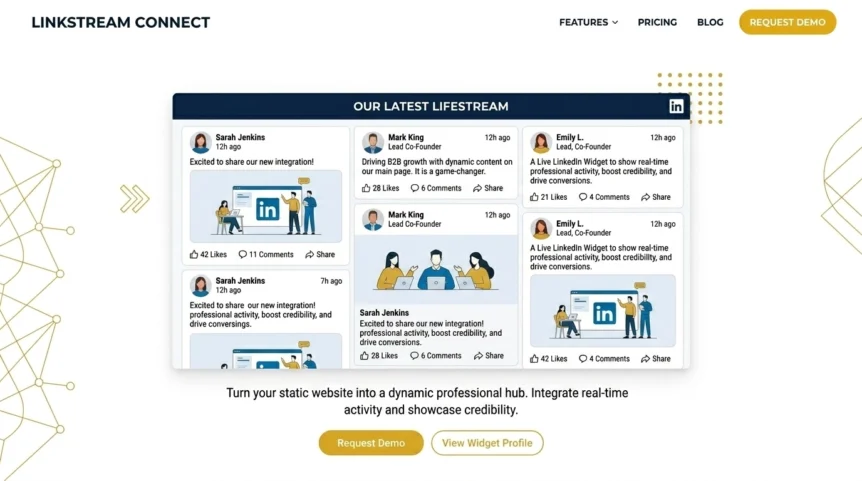
A static website is a bit like a shop window with the lights off. It might technically be open, but it doesn’t exactly pull people in.
That’s the problem a LinkedIn Feed Widget solves. Instead of sending visitors back and forth between your website and LinkedIn, it puts your latest professional updates where buying decisions actually happen: on your site. The result is straightforward. Your pages feel current, your brand looks active, and your business picks up more social proof without creating extra admin.
And in 2026, that matters more than ever. B2B buyers look for signs of momentum before they trust what they read. They want proof you’re active in the market, sharing useful ideas, and building in public. A feed handles that job in the background while your team focuses on the day-to-day work that drives revenue.
Why does a LinkedIn Feed Widget matter now?
If your website hasn’t changed in weeks, or worse, months, visitors notice. They may not say it out loud, but they feel it. An inactive site can make even a solid business look stale.
A LinkedIn Feed Widget fixes that by turning your website into a live trust signal. Every new company post, product update, insight, or milestone shows buyers that your business is active and paying attention.
Here’s why that matters for a LinkedIn Feed Widget and growth:
- It keeps your website fresh without asking your team to constantly update static pages.
- It builds authority by showing actual industry insights, not just polished claims.
- It adds social proof because visitors can see activity, engagement, and market presence.
- It keeps visitors on-site longer by giving them relevant content to explore.
- It supports trust when buyers are deciding whether your business looks credible enough to contact.
Golden Nugget: If your website says “we exist” but your feed says “we’re active, trusted, and worth watching,” the feed does the heavy lifting.
1. It turns a static website into a live credibility machine
So, what’s the biggest win here? Momentum.
Most websites are built once, then left to coast. A LinkedIn Feed Widget changes that by pulling in fresh posts automatically. That means your homepage, service pages, or about page can stay current without your team rebuilding sections every week.
Why does that matter? Because B2B buyers judge fast. If they land on your site and see recent updates, they’re more likely to think:
- This business is active
- This team knows its space
- This brand is worth paying attention to
That isn’t vanity. It’s conversion psychology in plain clothes.
Moment of Truth: If your website looks alive, your business feels safer to buy from.
2. It builds social proof without shouting about it
Need trust signals without clogging the page with self-congratulation? This is the sweet spot.
A LinkedIn Feed Widget shows real posts from your brand in a format buyers already recognise. It feels more credible than a “trust us, we’re experts” paragraph because it proves activity instead of just claiming it.
For B2B brands, this is gold. Your prospects want evidence that you:
- publish useful updates
- engage with your industry
- share client wins or product news
- stay visible in the market
That stream of content works like a rolling testimonial to your relevance.
Moment of Truth: If buyers can see your expertise in action, they don’t need to take your word for it.
3. It keeps visitors engaged for longer
What happens when someone lands on your website and hits a dead end? They leave. Fast.
A feed gives them another path. They can scroll through company updates, product launches, team insights, event highlights, or thought leadership posts without leaving your site. That extra interaction can increase time on page and reduce the “well, this looks nice but now what?” problem.
For businesses using a LinkedIn Feed Widget, this matters because engagement is rarely just a vanity metric. It creates more chances for visitors to trust you, understand what you do, and move deeper into your funnel.
Moment of Truth: More relevant engagement usually means more opportunities to convert cold traffic into warm leads.
4. It helps different business types in different ways
So, who actually gets the most value from this?
For the Freelancer
You’re flying solo, which means credibility has to work overtime. A LinkedIn Feed Widget shows prospects that you’re active, professional, and plugged into your industry, even if you don’t have a giant team behind you.
- Why it works: It makes a solo business look current and established.
- Best use: Add it to your homepage or about page next to your core services.
For the Agency
Your website needs to sell expertise fast. A live LinkedIn feed can showcase strategy tips, campaign wins, team updates, and event appearances in one tidy block.
- Why it works: It reinforces authority without adding more copy bloat.
- Best use: Place it on your homepage, case study hub, or contact page.
For the B2B SaaS Brand
You need buyers to trust your product and your market position. A feed helps you display launch updates, educational content, and product momentum right on the site.
- Why it works: It shows movement. And movement signals relevance.
- Best use: Add it to feature pages, pricing support pages, or your homepage.
Moment of Truth: The right placement depends on where trust matters most in your buying journey.
5. It delivers ROI through efficiency, not just looks
Is it just a nice design extra? Not if you care about efficiency.
A strong LinkedIn Feed Widget pulls fresh content onto your website automatically. That means you get more mileage from every LinkedIn post you already publish. One post can now work in two places: on the platform itself and on your website.
That has a practical upside:
| Benefit | Why it matters |
|---|---|
| Less manual updating | Your site stays fresh without constant edits |
| More value from LinkedIn content | One post does double duty |
| Stronger trust signals | Visitors see that your business is active |
| Better engagement | People have more reasons to stick around |
| Cleaner brand experience | Your website and social presence feel connected |
That’s the ROI angle most businesses miss. This isn’t about decorating a page. It’s about making your existing content work harder.
Moment of Truth: If a widget saves time and improves trust at the same time, it earns its place.
Which widget setup should you choose?
If you want the feed to help rather than clutter, keep it simple.
Choose a setup that offers:
- Clean visual design that matches your site
- Mobile responsiveness so the feed doesn’t break on smaller screens
- Easy customisation for colours, spacing, and layout
- Fast loading performance because nobody wants a sluggish homepage
- Reliable embedding that doesn’t feel like bolting a spaceship cockpit onto a basic brochure site
A minimalist, professional layout wins here. White background. Sharp spacing. Gold/yellow accents. Clean cards. That’s the look that keeps things polished instead of noisy.
Moment of Truth: Choose the setup that supports trust and usability first, then worry about bells and whistles.
Moment of Truth
A dead-static website makes even a good business feel forgettable.
A LinkedIn Feed Widget does the opposite. It shows life. It adds social proof. It keeps visitors engaged. And it helps your brand look active, credible, and worth trusting in a B2B market where buyers are constantly judging the details.
If you want your website to stop sitting there like a digital brochure gathering dust, this is one of the smartest fixes you can make.
See it in action: Explore the Grow Your Biz LinkedIn Feed Widget and turn your website into a more credible, more engaging growth asset.


