
Why Your Email Strategy Feels Like Shouting Into The Void
Let's be real, that monthly newsletter you're sending to your entire list? It's probably not doing you any favors. In fact, it might be hurting you. I've talked to a lot of UK marketing directors, and we all agree: the old batch-and-blast method just doesn't work anymore. People want personalized experiences, not generic emails.
So, how can you tell if your email strategy needs a refresh? Declining open rates are a big one. So are customer complaints about irrelevant content. Nobody wants spam. Another obvious sign? A rising unsubscribe rate. These all show you’re not connecting.
It's time to change your approach: switch from volume to value. Think quality, not quantity. Instead of sending the same email to everyone, focus on sending the right message to the right person at the right time. This means understanding your customer’s journey and using automated email workflows to build relationships, not just blast promotions. By the way, automated email workflows in the UK, especially in retail, have seen huge improvements in engagement. Automated emails get 70.5% higher open rates and 152% higher click-through rates than standard marketing messages. Want more data on email automation success? Check out: https://www.numberanalytics.com/blog/email-automation-stats-retail
Why Automation Is Your Secret Weapon (Not Just for Big Businesses)
I know what you’re thinking: "Automation is expensive and difficult. It's for big companies with huge tech teams, not me." But that's just not true! The Digital Marketing Toolbox has plenty of tools that make automation easy for any business, big or small, without costing a fortune or requiring a computer science degree. Speaking of email marketing, this might interest you: Advantages of Email Marketing.
Picture this: you own a local bakery. Instead of manually sending birthday discounts to each customer, set up an automated email workflow to do it for you. This gives you more time to bake!
Automation doesn't replace the human touch; it improves it. It helps you create personalized experiences at scale, building stronger customer relationships and, ultimately, increasing sales. It's about making customers feel valued, not bombarded. And that's how you stop shouting into the void and start real conversations. So, put down the megaphone and start using personalized, automated emails. Your customers (and your inbox) will be much happier.
Understanding Your Customer's Real Journey (Not The One You Think)
Here's the deal: many marketers create automated email workflows based on a fantasy. They picture the ideal customer journey, not the real one. They build these intricate flowcharts, beautiful on paper, but often totally out of sync with how customers actually behave. It's like planning a cross-country road trip with an outdated map – sure, you might get there eventually, but you'll miss all the cool roadside attractions and probably end up on a few dirt roads.
So, how do successful UK brands avoid this? They focus on mapping real touchpoints—the actual moments customers interact with their brand. This isn't about guessing; it's about observing. Think about your own online experiences: what makes you open an email? What makes you click a link? What makes you buy something (or unsubscribe)? These are the emotional triggers that drive action, and you need to tap into them.
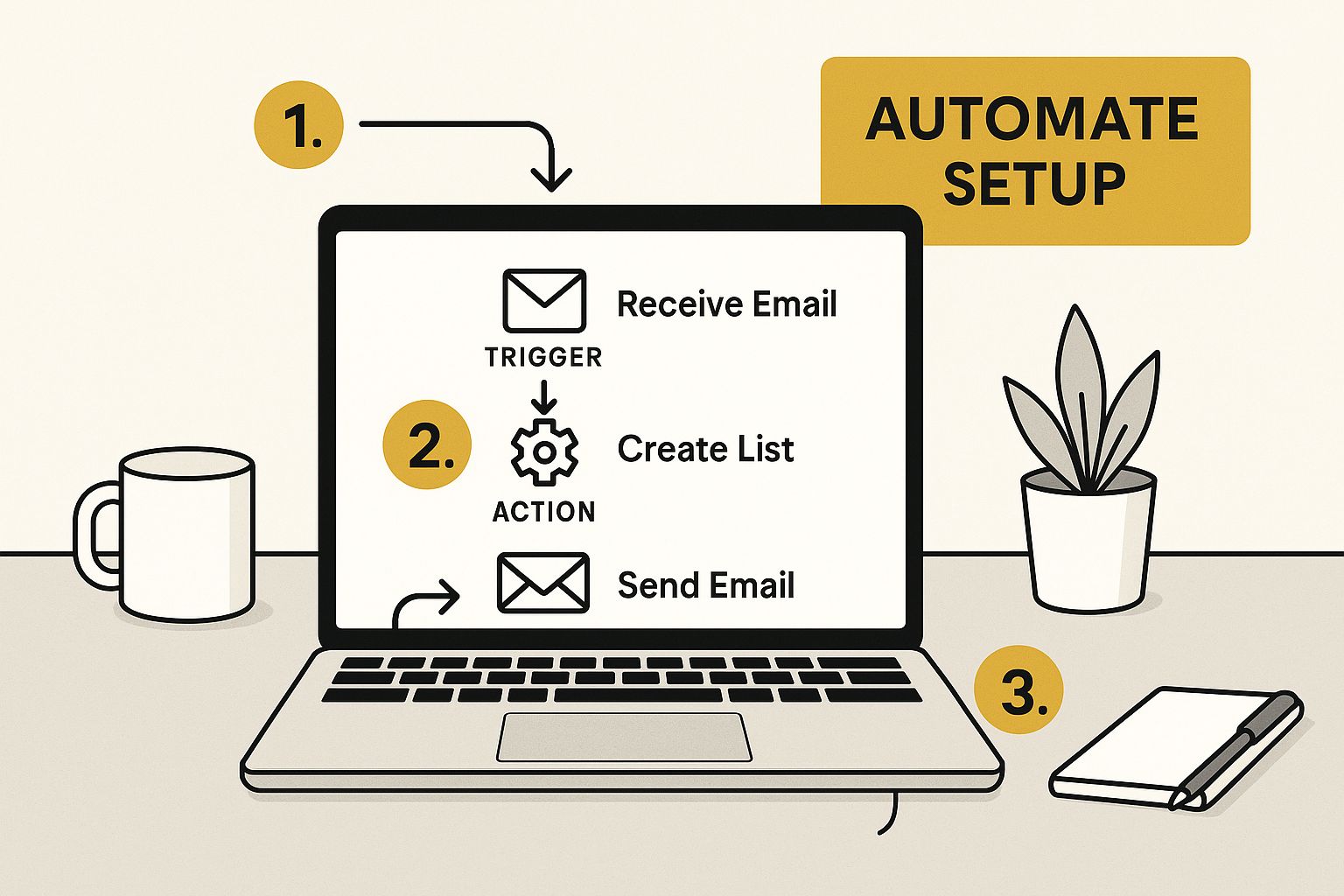
The infographic above gives you a peek into how simple setting up automated emails can be, showcasing the "Automate Setup" dashboard. See how clean and organized it is? This kind of streamlined platform makes creating and managing your email workflows way easier, letting you personalize your communication without getting lost in complicated settings.
Timing is Everything (Even More Than Your Message)
Let me paint a picture for you. Imagine you’re online, looking for a new pair of running shoes. You add a pair to your cart but decide to think about it. A few hours later, you get an email reminding you about those shoes. Helpful, right? Now, imagine getting that same email a week later. Totally different story. The timing is what changes the entire experience.
This is true for every single stage of the customer journey. A welcome email right after signup feels warm and personal; a week later, it feels like an afterthought. A follow-up after a purchase feels like great customer service; months later, it feels like a random sales pitch. Understanding these little nuances is crucial for crafting automated emails that actually work.
Real Examples, Real Insights
Let’s get practical. A UK online bookstore I know uses automated emails to send personalized book recommendations based on what customers have bought before. A local coffee shop sends automated birthday discounts. A clothing retailer sends abandoned cart reminders. These are simple, yet incredibly effective ways to use automation. Notice how each example focuses on offering real value at just the right time.
Avoiding the "Annoying Interruption" Zone
There’s a fine line between helpful automation and becoming an annoying pest. Too many emails, irrelevant content, bad timing – these are all ways to drive customers away. That's why testing is so important. Before you unleash a full-blown automated workflow, start small. Test your theories. Send your emails to a small group first. See what hits the mark and what falls flat. Use real data to refine your approach, not just your gut feeling.
To illustrate how to think about mapping real customer journeys for automation, let's take a look at this table:
Customer Journey Touchpoints and Automation Opportunities
A practical comparison of customer journey stages with corresponding automation triggers and workflow types
| Journey Stage | Customer Mindset | Automation Trigger | Workflow Type | Expected Outcome |
|---|---|---|---|---|
| Browsing Website | Exploring, researching | Views specific product pages | Personalized product recommendations | Increased engagement, potential purchase |
| Adds Item to Cart | Showing purchase intent | Item added to cart but not purchased | Abandoned cart reminder | Recover lost sales |
| Completes Purchase | Happy, satisfied | Order confirmation | Post-purchase follow-up, thank you email | Build customer loyalty, encourage repeat purchases |
| Signs up for Newsletter | Interested in updates | Newsletter signup | Welcome email series | Nurture leads, provide valuable content |
| Birthday | Celebratory | Customer birthday | Birthday discount offer | Drive sales, build goodwill |
This table breaks down how different customer actions can trigger specific automated workflows designed to achieve desired outcomes. Think about how you can use similar triggers and workflows in your own business.
From Flowcharts to Human Moments
Instead of thinking of your automated emails as a complex diagram, think of them as a series of conversations. Each email is a chance to connect with your customer, offer something valuable, and build a relationship. Focus on those human moments, and you'll be on your way to creating automated email workflows that genuinely connect. And remember, The Digital Marketing Toolbox has tons of resources to help you at every stage. It's all about finding the right tool for the task, which we'll cover in the next section.
Finding The Right Tools Without The Marketing Fluff
The email marketing automation tool landscape can be a jungle. Every vendor promises the world, highlighting bells and whistles you'll likely never use while conveniently burying the actual limitations. Trust me, I've spent countless hours in demos and free trials, separating the wheat from the chaff. So, let's cut through the noise and focus on what really matters for your automated email workflow success.
Why "Best" Doesn't Always Mean Best for You
One of the biggest mistakes I see is marketers assuming the priciest, enterprise-level platform is automatically the best. It's like buying a professional chef's knife set when all you need is a good vegetable peeler. A complex platform can be overkill, especially for smaller businesses or those new to automation. You end up paying for unused features and wrestling with a steep learning curve. I've found surprisingly affordable tools that offer everything you need to build effective automated email workflows without emptying your wallet. Consider your team’s skills and your business’s real needs. The "best" tool is the right fit – the one that aligns with your goals and resources. Globally, about 75% of companies use marketing automation software, with email marketing a core function. And within that, 75% of marketers automate their email marketing, showcasing the reliance on these tools. For more on this, check out this article on workflow automation statistics.
The Integration Headache Nobody Talks About
Integration is another critical factor often glossed over in sales pitches. Vendors talk about "seamless connectivity," but the reality can be messy. Migrating platforms can be a nightmare if you're not careful. Think data migration woes, API compatibility issues, and endless troubleshooting. Been there, done that – it's not fun. Ask tough questions during demos: How easily does it integrate with your CRM? Your e-commerce platform? Be specific and push for real answers, not marketing speak.
Hidden Costs and Feature Trade-Offs
Those shiny monthly prices you see advertised? Often, that's just the starting point. Many platforms have tiered pricing where key features like advanced segmentation or A/B testing are locked behind higher-priced plans. Suddenly, that "affordable" tool becomes much pricier. Some tools might be great at email design but weak on reporting and analytics. Understanding these trade-offs is crucial. Don’t be seduced by flashy features you won't use. Focus on the core functionalities you need for your automated email workflow. Compare how different platforms deliver on those specific requirements. If you are running a small business, this article on marketing strategy for small businesses might be useful for you.
The Right Questions to Ask (and the Answers to Look For)
Here’s a quick checklist for navigating the marketing fluff during demos and trials:
- What are the true costs, including any hidden fees or add-ons?
- How easily does it integrate with my current systems?
- What support is offered, and what are the response times?
- Does it offer robust reporting and analytics?
- What are the platform’s limitations, and how might they impact my workflows?
By asking these questions and focusing on your specific needs, you’ll find the right tool for your team – not just the one with the best marketing. The goal is to build effective automated email workflows that get results, not collect fancy features you'll never use.

To help you make the right choice, I've compiled a comparison table below. It looks at some popular email automation platforms, considering features specifically relevant to UK businesses, like GDPR compliance and local integrations.
To help with selecting the right tool, here’s a comparison of popular email automation platforms, with UK-specific considerations like GDPR compliance and local integrations:
Email Automation Platform Comparison for UK Businesses
| Platform | Starting Price (£/month) | Key Features | GDPR Tools | UK Support | Best For |
|---|---|---|---|---|---|
| Mailchimp | £0 | Basic automation, email templates, landing pages | Data processing addendum, consent tools | Email, chat | Small businesses, startups |
| ActiveCampaign | £15 | Advanced automation, CRM, sales automation | GDPR compliant features, data security | Phone, Email, Chat | Growing businesses, e-commerce |
| Klaviyo | £20 | E-commerce focused, advanced segmentation, personalized emails | GDPR compliant, data privacy tools | Email, chat | E-commerce businesses |
| HubSpot | £36 | Full marketing suite, CRM, sales and service automation | GDPR compliant, data privacy tools | Phone, Email, Chat | Larger businesses, enterprises |
This table offers a snapshot of some key platforms, but remember to dig deeper based on your specific requirements. Pricing and features can vary based on your chosen plan, so always check the latest information directly with the vendors.
Creating Workflows That Don't Feel Like Robot Messages
So many automated email workflows fall flat because the messages sound, well, robotic. No one wants to read that! Think about your own inbox—generic automated emails stick out like a sore thumb. I’ve seen UK campaigns with a genuine human touch absolutely nail it, so let's talk about how to automate without losing your brand’s personality.
The Psychology of Personal Connection (At Scale)
Connecting with thousands of people through email isn't magic, it's psychology. Even at scale, your messages can feel personal. Think about what makes you feel seen and heard in an email. It's the small things: a conversational tone, a nod to your interests, genuinely helpful advice. It's like catching up with a friend, not listening to a pre-recorded message.
Knowing your audience is key. In the UK, we like clear, concise communication, a touch of humour, and absolutely no hard sell. We appreciate brands that value our time and get to the point. Reflect this in your automated emails.
Beyond "Hi [First Name]" – Real Personalisation
Just adding someone’s first name isn’t true personalization. It's like putting a band-aid on a broken leg. It looks like you're trying, but it doesn’t fix the problem. True personalization digs deeper. It’s about segmenting your audience by their behavior, preferences, and past interactions with your brand.
For example, if someone checks out hiking boots on your site, don’t send a generic “See our latest products” email. Send them hiking boot recommendations, tips on choosing the right pair, or maybe even a discount code. That’s helpful, relevant, and way more likely to get a click.
Frameworks for Writing Human-Sounding Sequences
How do you write these emails? Think of it like building a conversation. Each email in your sequence should flow naturally from the last, developing a relationship over time. Try this simple framework:
- Warm greeting: Skip the formalities. “Hey [First Name],” beats “Dear Valued Customer” any day.
- Something valuable: Offer helpful info, a special offer, or a sneak peek.
- Conversational tone: Write like you’re chatting with a mate, not giving a speech.
- Clear call to action: Tell them what to do next.
This isn't about tricks; it’s about genuine connection. Be helpful, not pushy. Show that you understand and care about your customers’ needs.
Real UK Brands Getting It Right
Let's see this in action. One UK online retailer I work with sends brilliant abandoned cart emails. They don't just say, “You left something in your cart.” They use humor, remind you about the specific items, and even suggest related products. It’s a friendly nudge, not a desperate plea. Another example: a small UK coffee shop sends personalized birthday emails with a free coffee offer. A simple gesture that makes customers feel valued.
Maintaining Tone Across Different Workflows
Keep your tone consistent across all your automated emails, from welcome series to post-purchase follow-ups. This is your brand’s voice. Just like you wouldn't shout in a coffee shop, don't blast subscribers with aggressive sales pitches.
Even with different customer segments, a consistent, human tone is key. You might adjust the message—a first-time buyer needs different info than a loyal customer—but your brand personality should always shine through.
Cultural Considerations for the UK Market
Communication in the UK has its nuances. We’re not fans of over-the-top enthusiasm or pushy sales tactics. We prefer a more low-key approach, a bit of self-deprecating humor, and genuine helpfulness. Timing is crucial, too. Respect bank holidays and weekends—avoid sending emails when people are likely off work with family.
Understanding these cultural nuances helps you create automated emails that resonate with a UK audience. It's about building trust, not ticking boxes. It’s about starting conversations, not just sending emails.
Building Your First Workflow Without The Usual Mistakes
Okay, let's ditch the corporate jargon and get practical. Those generic email templates? Yeah, they make everyone sound like a robot. We're going to build your first automated email workflow using real-world examples you can swipe and adapt for your own business.
This screenshot shows some pre-built automated email workflows in Mailchimp. Things like welcome emails and abandoned cart reminders. These are a great jumping-off point because the basic structure is already there. This lets you focus on writing compelling copy and personalizing the experience, instead of getting stuck in the technical weeds.
Trigger Happy: Setting Up Your First Automation
Think of triggers as the starting gun. They’re the events that kick off your automated email sequence. Someone subscribes to your newsletter? Trigger. Someone leaves items in their online shopping cart? Trigger. A birthday? Trigger!
Getting these triggers right is key. Imagine sending a welcome email a week after someone signs up. Talk about a late entrance! It’s all about timing and relevance. Think about the critical moments in your customer journey where a perfectly timed email can make a real impact.
Data Management: Keeping it Tidy
Let’s talk data. It’s the engine of your automated email workflow. Messy data, messy automation. Trust me, I’ve seen it. Incorrect data means emails going to the wrong people, personalization going off the rails, and your brand looking, well, a little silly.
Think of it like organizing your spice rack. You wouldn’t want cumin mixed with cinnamon, right? Keep your customer data clean, organized, and current. This means a good CRM system (Hubspot is a popular choice) and making sure all your integrations are playing nicely together.
Testing, Testing: Avoiding Disaster
Before you unleash your workflow on the unsuspecting public, test it. Seriously, I can't emphasize this enough. Send test emails to yourself, colleagues, your mom – anyone who'll give you honest feedback.
This is your chance to catch mistakes before they hit your customers' inboxes. A broken link? A typo in the subject line? A personalization tag gone rogue? These little things can have a big impact on how your brand is perceived.
Realistic Expectations and Meaningful Metrics
Don't expect overnight miracles. Building a successful automated email workflow takes time, testing, and fine-tuning. Set realistic goals for your first project. Don’t try to do everything at once. Start with a simple workflow and build from there.
Also, remember vanity metrics like open rates are only part of the picture. What really matters is conversions. Are your automated emails driving sales? Boosting customer engagement? These are the metrics that actually measure success.
Monitoring and Maintenance: The Unglamorous Essentials
Launching your workflow isn’t the finish line, it’s the starting block. Monitor its performance closely. Keep a close eye on those key metrics and adjust as needed.
This is where the not-so-sexy but oh-so-important details come in. Are emails landing in spam folders? Are people unsubscribing? These are red flags you need to address. Catch problems early before they become major headaches.
Checklists, Pitfalls, and Conversion Machines
So, here’s a quick recap of the essentials:
- Triggers: Nail these, and your emails will be timely and relevant.
- Data: Keep it clean and organized to avoid embarrassing slip-ups.
- Testing: Find errors before your customers do.
- Metrics: Focus on conversions, not just vanity numbers.
- Monitoring: Stay vigilant and address any issues promptly.
Follow these simple guidelines, and your automated email workflow can be a conversion machine, not an unsubscribe generator. Remember, The Digital Marketing Toolbox (https://grow-your-biz.com) has resources to help you every step of the way. Now go forth and automate!
Optimising Performance Like A Data Detective
Launching your automated email workflows is only the first step. The real fun begins when you start optimizing. Imagine yourself as a data detective, hunting for clues to unlock even better performance. I've worked with plenty of UK marketers, and the ones who truly excel are those who embrace continuous improvement.
Analysing Data That Actually Matters
Forget about vanity metrics. Sure, opens and clicks offer a glimpse into performance, but they don't tell the whole story. Conversions are where the rubber meets the road. Are your automated emails driving sales? Are they boosting customer engagement? These are the key questions to ask.
Concentrate on analyzing the data that reveals how your customers behave. What are they responding to? What's being ignored? These insights are pure gold. For instance, if your abandoned cart emails have a high open rate but a low click-through rate, it's time to take a closer look at your email content and call to action. Maybe the discount isn't enticing enough, or perhaps your return policy isn't clear.
Testing Your Way to Better Results
Testing is your secret weapon for optimization. Not just any testing, though. Smart A/B testing can reveal hidden opportunities. Try experimenting with different subject lines, email copy, calls to action, and even sending times. Even minor changes can yield surprising results.
Imagine you're A/B testing two subject lines for a welcome email. One is casual and friendly, the other is more direct, highlighting the benefits. By tracking the open and click-through rates for each version, you can quickly see which one resonates better with your audience. This data-driven approach takes the guesswork out of optimization, allowing you to maximize your impact.
Implementing Improvements Without Disruption
So, you've pinpointed areas for improvement. Fantastic! But how do you make changes without disrupting what's already working? The secret is to implement changes gradually, not all at once.
Think of it like renovating a house. You wouldn’t knock down a perfectly good wall without a plan, would you? The same applies to your email workflows. Don't overhaul a high-performing automated email sequence. Instead, test small changes one at a time. This minimizes disruption and allows you to isolate the impact of each modification.
Scaling Your Automation as You Grow
As your business grows, so too should your automated email workflows. This means planning for scalability from day one. Choose a platform that can handle increasing email volumes and data without a hitch.
For example, if you're thinking about expanding into new markets, make sure your platform can handle multiple languages and currencies. Thinking ahead like this will prevent future headaches and enable you to scale your automation efforts seamlessly. As a side note, AI is poised to play a major role in email personalization and campaign management. Around 34% of email marketers are already using AI for tasks like writing email copy, and that number is only expected to rise. Check out some more insights on email marketing trends.
Future-Proofing Your Workflows
The world of email marketing is always changing. Customer expectations evolve, privacy regulations become stricter, and new technologies emerge. How can you stay ahead of the game?
Concentrate on building adaptable workflows that can handle change. Stay updated on the latest UK compliance requirements, like GDPR, and be aware of changing trends in digital communication. By staying informed and proactive, you can ensure your automated email workflows remain effective in the long term. This involves embracing new technologies and adapting your workflows to incorporate those advancements. It’s all about ensuring your automated emails stay relevant, engaging, and compliant in a constantly shifting landscape.
Your Practical Roadmap To Email Automation Success
Alright, let's get down to brass tacks and create an action plan you can use today. This isn't some fluffy overview; it's your hands-on guide to making email marketing magic with automation. We’ll cover realistic expectations, figure out which automated email workflow to tackle first, and nail down the metrics that really matter.
Getting Your Team On Board
The first hurdle? Getting everyone on the same page. Some folks might worry about losing that "personal touch." I get it. But address those concerns directly. Explain that automation lets you personalize at scale, freeing up your time for meaningful human interaction where it counts. Think of it as working smarter, not harder. If you have team members who are newer to the digital marketing game, this guide might be helpful: Check out our guide on: Beginners Guide To Digital Marketing.
Building Your Automation Roadmap
Begin by mapping your customer journey. Where are the critical interaction points? Which actions signal specific needs? Did a customer abandon their cart? Boom, send a gentle nudge. A new subscriber joins your list? Trigger a welcome sequence. Prioritize the workflows with the biggest potential payoff and start there. Don’t try to automate everything at once. Trust me, small, strategic wins build serious momentum.
Measuring What Matters
Don't get sidetracked by vanity metrics. Sure, open rates are interesting, but conversions are the real MVP. Focus on the numbers that actually drive your business forward: sales, sign-ups, repeat purchases. These are the true indicators that your automated email workflow is hitting the mark.
Staying Agile and Adaptable
Once your workflow is up and running, keep a close eye on its performance. Watch out for red flags: Are unsubscribe rates creeping up? Are emails landing in spam folders? Don’t be afraid to adjust and refine your workflows based on what the data tells you. Customer behavior is always changing, and your automation strategy should too. And don't forget to celebrate those wins, big or small. Acknowledging progress keeps your team motivated and reinforces the value of automation. Remember, the best automated email workflows aren't static; they evolve and improve over time. This constant tweaking is the secret sauce to maximizing your ROI.
Ready to level up your email marketing and unlock its true potential? Check out The Digital Marketing Toolbox for a curated collection of tools and resources that will help you build, automate, and optimize your email workflows like a pro. From choosing the perfect platform to crafting compelling copy, we've got you covered.


