
Choosing between AWeber vs GetResponse in 2026 is a critical decision for any small business that wants better results from its email marketing software. It can still feel like standing in the cereal aisle for 20 minutes, reading boxes, while your actual work waits back at the office.
Every platform promises better opens, smarter automation, and effortless growth. Lovely in theory. In real life, small business owners need something far more useful: a tool that earns its keep, saves time, and doesn’t make campaign setup feel like assembling flat-pack furniture without instructions.
That’s why we keep coming back to AWeber and GetResponse. Both are established players. Both handle the basics well. Both can help you build an audience, sell more, and stay in touch without manually firing off emails every day.
So, which one deserves a spot in your digital marketing toolbox?
That depends on what kind of business you’re running and how much sophistication you actually need. In the AWeber vs GetResponse debate, AWeber leans into simplicity, speed, and ease of use.
GetResponse leans into deeper workflows, broader features, and stronger marketing automation for small business teams that want more moving parts under one roof.
We’ll keep this comparison objective, practical, and a little punchy. Think less software manual, more coffee chat with someone who’s already made the mistakes for you.
Why Email Marketing Software Still Rules the Roost
So, is email marketing software still worth the money in 2026? Absolutely. Social platforms still play landlord with your reach. Your email list, on the other hand, is property you actually own. No algorithm tantrums. No mystery visibility drops. No burning cash just to speak to people who already asked to hear from you.
And when you pair email with the right marketing automation software, it stops being “just newsletters” and starts becoming a repeatable revenue engine. Welcome emails build trust. Abandoned-cart flows recover missed sales. Lead nurture sequences warm people up while you get on with running the business.
Golden Nugget: For small businesses, the real value of email isn’t sending more messages. It’s sending the right message without doing everything by hand.
That’s where this comparison matters. The best platform isn’t the one with the biggest feature list. It’s the one that matches your pace, your resources, and your appetite for automation.
AWeber Email Marketing Software: The King of Simplicity
What if you just want to send polished emails, build a few automations, and get on with your day? That’s AWeber’s lane. This is email marketing software for business owners who want fewer tabs open, fewer headaches, and far less fiddling.
Our honest read? AWeber wins on usability. It doesn’t try to be everything to everyone, and that restraint is part of its charm. The interface feels approachable. The setup feels manageable. The learning curve feels more like a speed bump than a mountain.
The Standout: Building Design from a URL

The headline feature here is Smart Designer. Drop in your website URL, and AWeber pulls your branding, colours, and logo into an email design automatically. For a small business owner who doesn’t have a designer on speed dial, that’s not a cute extra. That’s time back in the diary.
Why it matters in day-to-day use:
- Drag-and-drop ease: The editor is clean, intuitive, and refreshingly low-drama.
- Fast setup: You can go from zero to live campaign in under 15 minutes if your content is ready.
- Straightforward automation: Autoresponders, tagging, and basic journeys cover what many small businesses actually need.
- Useful extras: Features like web push notifications give you another touchpoint without adding loads of complexity.
Where does AWeber fall short? It’s not the deepest tool in the cupboard. If you want highly layered workflows, more advanced behavioural triggers, or an “if this, then that, then five more things” setup, you may eventually outgrow it.
Golden Nugget: Choose AWeber if simplicity is your growth strategy. The best software for many small businesses isn’t the most powerful one. It’s the one they’ll actually use every week.
Check out the full breakdown of AWeber’s features here, or visit the official AWeber website for direct product details.
Moment of Truth: If your business is flying solo or running lean, AWeber is the sweet spot. It keeps email marketing moving without turning your dashboard into the cockpit of a spaceship.
GetResponse Email Marketing Software: The Automation Powerhouse
Now, what if your business needs more than tidy newsletters and a welcome sequence? That’s where GetResponse starts flexing. If AWeber is the reliable hatchback, GetResponse is the fully loaded SUV with every extra ticked on the order form.
This platform goes well beyond basic sending. It’s designed for businesses that want stronger segmentation, richer customer journeys, and broader marketing automation for small business operations without stitching together five different tools.
The Standout: “Perfect Timing”

One of the smartest features is Perfect Timing. Instead of sending one campaign to everyone at the same hour, GetResponse works out when each subscriber is most likely to open and clicks send at that moment.
That means your early birds catch it with breakfast while your night owls see it after dinner. Small tweak. Potentially big lift.
Why it matters in the real world:
- Deeper automation: Build more advanced workflows based on user behaviour, timing, and segmentation rules.
- Large template and image library: Handy if you need campaigns to look polished without involving a designer every five minutes.
- Landing page tools: Useful for businesses that want campaign pages and email flows living in the same ecosystem.
- Content support: Features like Blog Digest help turn existing content into consistent email output.
Where’s the catch? More power means more buttons, and more buttons mean more setup. GetResponse isn’t difficult exactly, but it asks more of you. If your team is short on time or confidence, the platform can feel a bit like being handed the keys to a very nice machine before reading the manual.
You can find more on GetResponse’s capabilities here, or visit the official GetResponse website for direct product details.
Moment of Truth: If you want smarter segmentation, richer journeys, and room to scale, GetResponse gives you more horsepower. Just be ready to drive it properly.
AWeber vs GetResponse: Side-by-Side Comparison
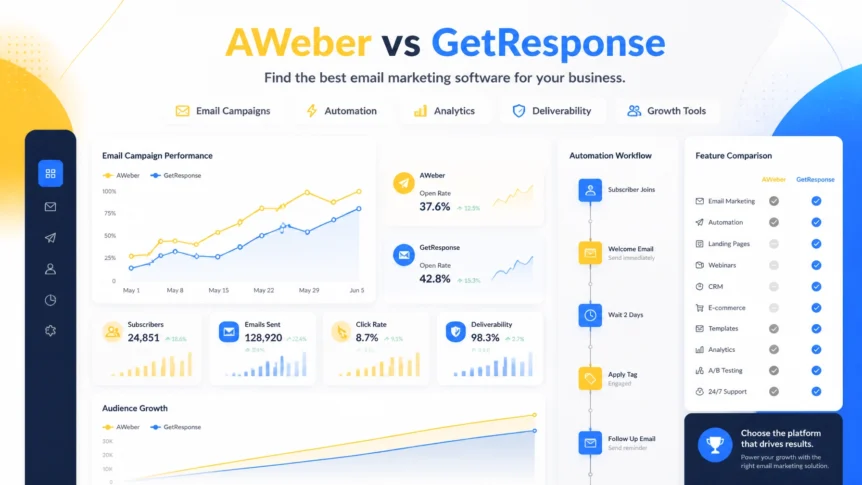
So, how does AWeber vs GetResponse stack up when the gloves come off and you compare these two email marketing software options side by side?
| Feature | AWeber | GetResponse |
|---|---|---|
| Best For | Beginners, freelancers, lean small businesses | Growing teams, agencies, more complex operations |
| Standout Feature | URL-to-email design with Smart Designer | “Perfect Timing” and deeper automation |
| Ease of Use | Extremely high | Moderate |
| Learning Curve | Light and beginner-friendly | Steeper, but more flexible |
| Automation | Reliable and straightforward | Advanced and highly customisable |
| Landing Pages | Included | Included with stronger build options |
| Analytics | Simple and practical | Deeper and more actionable |
| Overall Vibe | Fast, clean, low-fuss | Powerful, feature-rich, more demanding |
Golden Nugget: AWeber is easier to adopt. GetResponse is easier to grow into. That one distinction will make the decision for a lot of small businesses.
Persona Breakdown: Which Email Marketing Software Should You Choose?

For the Freelancer
Are you flying solo and doing a bit of everything? Then AWeber makes a lot of sense. You probably don’t need twelve branching automations and a dashboard full of conditional logic. You need a platform that helps you capture leads, send newsletters, set up a welcome flow, and move on with client work.
Why AWeber fits:
- It’s easy to learn quickly.
- It gets campaigns out the door without drama.
- It won’t leave you paying for complexity you never touch.
For the Local Small Business
Running a shop, studio, clinic, or service business? This one is closer than you might think. In the AWeber vs GetResponse decision, your day-to-day marketing workload matters more than the shiny feature list.
If your main goal is simple list growth, promotions, and staying visible, AWeber is usually enough. If you want more targeted campaigns based on clicks, bookings, or customer behaviour, GetResponse starts looking stronger.
A simple rule of thumb:
- Pick AWeber if your strategy is straightforward.
- Pick GetResponse if your customer journey has more moving parts.
For the Agency or Growing SaaS
Managing multiple audiences, more detailed funnels, or more aggressive lifecycle marketing? GetResponse is the stronger bet. This is where advanced workflows, better segmentation, and smarter send timing can justify the extra setup time.
In other words, if email is one spoke in the wheel, AWeber works nicely. If email is a major revenue engine, GetResponse gives you more to play with.
The AWeber vs GetResponse Moment of Truth: The smaller and simpler your operation, the more AWeber shines. The more layered your sales process becomes, the more GetResponse earns its seat at the table.
The Truth About Pricing
Should price decide this whole thing? Not really. Yes, both tools have entry points that make them accessible. And yes, costs rise as your list grows. But the smarter question is this: which platform gives you the best return for the way you work?
If AWeber helps you launch faster, design emails without outside help, and avoid paying for features you’ll never use, that’s strong ROI.
If GetResponse helps you automate follow-ups, segment buyers more precisely, and squeeze more revenue from the same list, that’s strong ROI too.
Golden Nugget: Don’t shop for the cheapest monthly bill. Shop for the tool that saves time, reduces friction, and helps your emails make more money.
For small businesses, software value usually comes down to one thing: efficiency. Buy the platform that removes the most friction from your week.
How These Tools Fit Into a Wider Digital Marketing Toolbox
So, should your email marketing software do everything? No. It should do its job brilliantly and play nicely with the rest of your stack.
For most small businesses, a practical digital marketing toolbox looks something like this:
- Email marketing software to nurture leads and drive repeat sales
- Landing page tools to capture enquiries and promote offers
- CRM or contact management to keep customer data organised
- Social and content tools to attract new eyeballs
- Analytics to see what’s working and what’s quietly eating budget
In that setup, AWeber works well as the dependable, easy-to-run email engine. It’s ideal if you want one less complicated thing in your business.
GetResponse, meanwhile, can cover more ground inside the same platform. For businesses leaning hard into marketing automation for small business, that broader toolkit can reduce tool sprawl and tighten up campaign execution.
Neither approach is wrong. One is simpler. One is more expansive. The right choice depends on whether you want your software stack lean and tidy or more centralised and feature-heavy.
That’s really what the AWeber vs GetResponse choice comes down to in the real world: less complexity now, or more flexibility later.
Moment of Truth
AWeber vs GetResponse – which one should you choose?
If you want email marketing software that feels approachable, quick to learn, and genuinely helpful from day one, AWeber is the better pick. It’s simple in the best possible way.
If you want stronger marketing automation for small business, more flexibility, and more room to build sophisticated journeys over time, GetResponse is the better long-term play.
Our blunt takeaway? AWeber is easier to start. GetResponse is easier to scale.
At the end of the day, both deserve a place in the wider digital marketing toolbox. The real risk isn’t choosing the “wrong” one. It’s waiting too long to build the systems that help your business grow while you sleep.
If you’re also sharpening your wider growth engine, our guides on LinkedIn automation and using AI in your marketing strategy are worth reading next.
Ready to grow? Explore the Grow Your Biz toolbox at grow-your-biz.com and find practical tools your small business can use to generate leads, automate marketing, and scale without burning cash.


