

In today's fast-paced digital landscape, maintaining a consistent and engaging social media presence is non-negotiable for business growth. However, the daily grind of logging into multiple platforms, crafting posts in real-time, and tracking performance manually is a significant drain on resources. This inefficiency not only consumes valuable hours but also leads to inconsistent posting, missed engagement opportunities, and a fragmented brand message.
The solution lies in automation. The right social media scheduling tool can transform your strategy from a reactive chore into a proactive, data-driven engine for growth. While scheduling is a core function, many platforms offer a much wider range of capabilities. To dive deeper into automating your social media efforts, explore more top social media automation tools that can streamline your operations beyond simple post scheduling.
This guide is designed to help you find the best social media scheduling tools tailored to your specific needs. We move beyond generic feature lists to provide a comprehensive resource, complete with in-depth analysis, screenshots, and direct links to each platform. We will explore key features, pricing structures, and ideal use cases for tools like SocialBee, Hootsuite, and Sprout Social. Our goal is to equip you with the practical insights needed to select the perfect platform, whether you're a small business owner, a marketing agency, or a content creator aiming for greater efficiency and impact.
1. SocialBee – Grow Your Biz
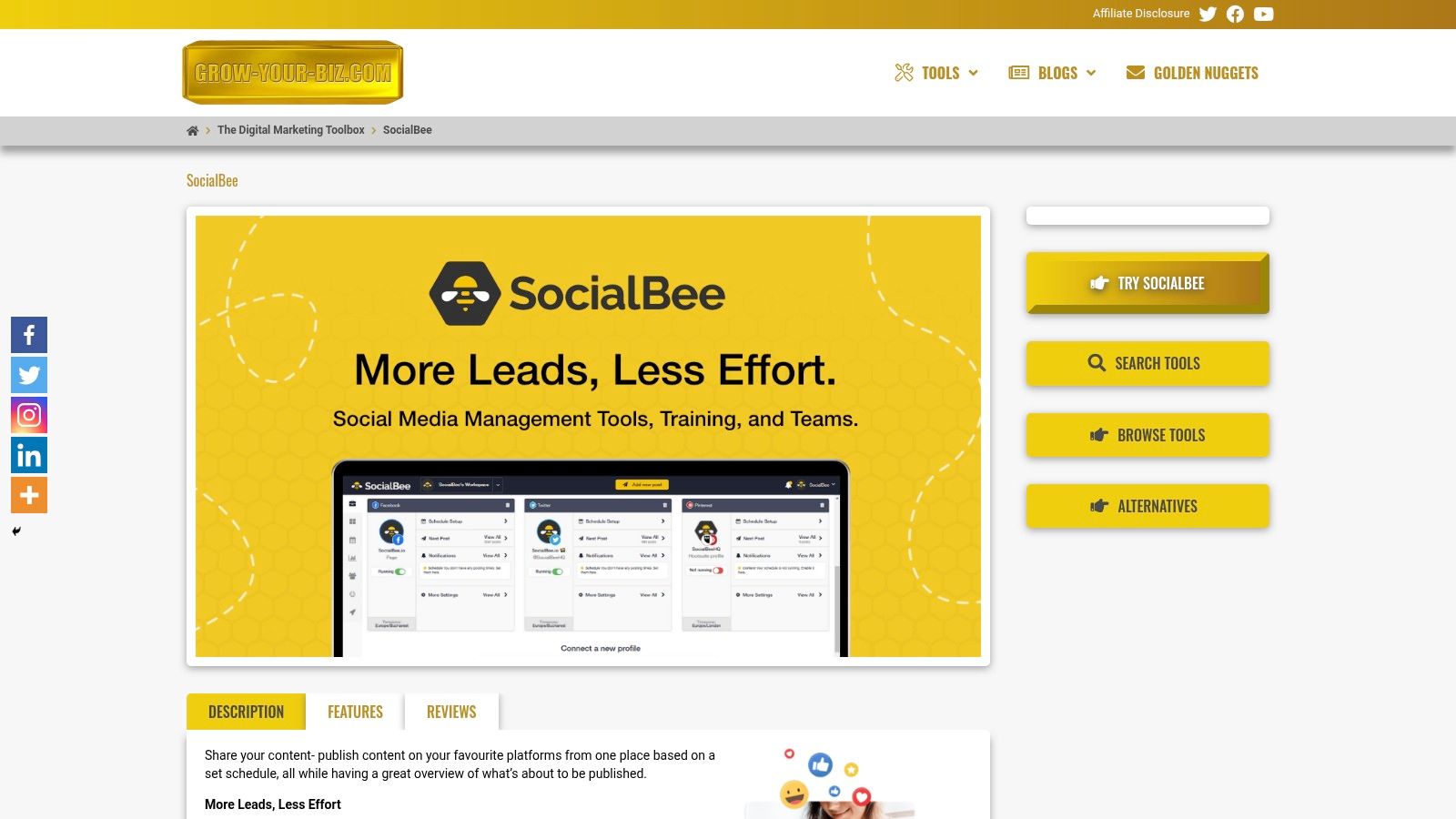
SocialBee establishes itself as one of the best social media scheduling tools by moving beyond simple post-scheduling into intelligent content automation. Its core strength lies in its category-based system, allowing you to organise content by themes, campaigns, or post types (e.g., promotional, educational, curated links). You can then set a posting schedule for each category, ensuring a balanced and strategic content mix goes out to your audience automatically.
This "set it and forget it" approach is particularly powerful for evergreen content. By enabling post-recycling, SocialBee can automatically re-share your best-performing content over time, keeping your profiles active and maximising the value of each asset. This strategic automation frees up significant time that would otherwise be spent manually refilling a content queue, making it an invaluable asset for busy teams and solo entrepreneurs.
Key Features and Use Cases
SocialBee is designed for efficiency and collaboration. Its standout features cater directly to the needs of businesses aiming for sustained social media growth.
- Smart Content Categorisation: Organise posts into distinct categories. For example, an e-commerce brand could create categories for "Product Spotlights," "Customer Reviews," and "Industry News" to maintain a consistent content flow.
- Evergreen Post Recycling: Set high-value content to re-post at specified intervals. This ensures your best work continually reaches new followers without manual effort.
- Collaborative Workspaces: The platform is built for teamwork, allowing you to assign roles, approve posts, and leave internal comments, streamlining the content approval process for marketing agencies and internal teams.
- In-depth Analytics: Track key metrics for each social profile and content category to understand what resonates with your audience. This data is crucial for refining your overall marketing strategy for small business.
- Custom URLs & Tracking: Generate shortened, branded URLs with UTM parameters automatically, simplifying campaign tracking and performance analysis.
Pricing and Access
SocialBee offers tiered pricing plans suitable for different business sizes, starting from a "Bootstrap" plan for individuals and scaling up to "Pro" and "Agency" plans with more users, workspaces, and social profiles. A 14-day free trial is available to test the full functionality.
Pros:
- Intelligent content categories for automated, cyclical posting.
- Intuitive interface for importing and editing content.
- Strong collaboration features for streamlined team workflows.
- Custom URL shorteners with tracking capabilities.
Cons:
- Lacks advanced social listening and CRM features.
- The depth of features may present a learning curve for complete beginners.
Website: https://grow-your-biz.com/growth/socialbee/
2. Hootsuite
Hootsuite is one of the original and most comprehensive social media management platforms on the market, evolving far beyond simple scheduling. It's an all-in-one command centre ideal for agencies, marketing teams, and enterprises that require robust collaboration, analytics, and broad channel support from a single, unified dashboard. While many tools focus solely on scheduling, Hootsuite provides an entire ecosystem.
Its strength lies in scalability and control. You can manage everything from content creation and scheduling to customer engagement and performance analysis. For teams, its granular user permissions, content approval workflows, and shared asset libraries are essential for maintaining brand consistency and streamlining operations. This makes it one of the best social media scheduling tools for organisations with complex needs.
Key Features & Use Case
- Unlimited Scheduling: Plan and publish content across all major networks, using the "Best Time to Publish" feature to maximise engagement. An AI-powered caption writer and hashtag generator help overcome creative blocks.
- Team Collaboration: Assign specific roles and permissions to team members, create custom approval workflows, and manage a central library for approved media assets. This is ideal for agencies managing multiple client accounts or large in-house marketing departments.
- Unified Social Inbox: Manage comments, mentions, and direct messages from multiple social channels in one stream, ensuring timely responses without switching between platforms.
- Advanced Add-Ons: For larger businesses, Hootsuite offers powerful add-ons like Brandwatch for social listening and advanced analytics for deep performance insights.
Practical Tip: Use the "Streams" feature to create custom-tailored dashboards. You can set up streams to monitor specific keywords, hashtags, competitors, or lists, turning your dashboard into a powerful market intelligence tool.
Pricing and Limitations
Hootsuite's plans start with the Professional tier at £89 per month for one user and 10 social accounts. The Team plan, at £229 per month, supports three users and 20 social accounts. Enterprise-level custom plans are also available.
While its feature set is extensive, the platform comes with a steeper learning curve compared to simpler tools. The total cost can also increase significantly as you add more users or require advanced features like social listening, making it a more substantial investment than many lightweight alternatives.
Website: https://www.hootsuite.com
3. Buffer
Buffer has carved out a niche as one of the most intuitive and user-friendly social media scheduling tools, championing simplicity and clean design. It’s an ideal starting point for small businesses, individual creators, and agencies who prioritise straightforward scheduling and transparent, pay-per-channel pricing over complex, enterprise-level features. Its clutter-free interface makes it incredibly easy to get started.
The platform's core strength is its "set it and forget it" queue system, allowing you to establish a posting schedule and then simply add content to the pipeline. Buffer’s flexible, scalable pricing model is also a major draw, enabling users to pay only for the channels they need and add more as their business grows. This makes it one of the best social media scheduling tools for those on a tight budget.
Key Features & Use Case
- Pay-Per-Channel Model: Build a plan that fits your exact needs. Start with one channel and add more for a small additional monthly fee, avoiding paying for unused slots. This is perfect for freelancers or small agencies managing a fluctuating client roster.
- Intuitive Content Queue: Create a custom posting schedule for each day of the week, and Buffer automatically publishes the next post in your queue at the designated time. This simplifies content planning significantly.
- Simple Analytics & Engagement: Track key metrics like reach, engagement, and clicks directly within the platform. The engagement tools allow you to reply to comments on posts without leaving the Buffer dashboard.
- AI Assistant: Generate ideas, rewrite copy, and repurpose content with the integrated AI Assistant, available on all paid plans to help streamline content creation.
Practical Tip: Use the browser extension to quickly add articles, images, and links you find online directly to your Buffer queue. This is a massive time-saver for content curation and sharing third-party content.
Pricing and Limitations
Buffer offers a generous Free plan for up to three channels. Paid plans start with the Essentials tier at $6 per month, per channel, which includes planning and publishing tools. The Team plan at $12 per month, per channel, adds unlimited users and draft collaboration features. A 50% discount is available for registered non-profit organisations.
While its ease of use is a major advantage, Buffer lacks the deep social listening and advanced team workflow features found in more comprehensive suites like Hootsuite. Reporting is functional but may not be detailed enough for data-heavy marketing teams requiring granular analysis.
Website: https://buffer.com/pricing
4. Sprout Social
Sprout Social is a premium, enterprise-grade suite that elevates social media management beyond scheduling into a sophisticated business intelligence tool. It combines publishing, engagement, analytics, and social listening into a single, cohesive platform known for its polished user interface and powerful reporting capabilities. For larger teams and agencies, particularly in the UK and EMEA, Sprout Social offers unparalleled control and insight.
Its core strength is turning raw social data into actionable, stakeholder-ready reports. While many tools provide analytics, Sprout Social excels at cross-network competitive analysis, trend identification, and demonstrating ROI. The platform is organised to support multi-brand and multi-market teams, with robust approval workflows and shared calendars ensuring brand consistency at scale. This comprehensive approach makes it one of the best social media scheduling tools for data-driven organisations.
Key Features & Use Case
- Advanced Analytics & Reporting: Generate custom, presentation-ready reports that cover everything from post performance to team response times. The cross-network reporting provides a holistic view of your social strategy's impact, which is ideal for marketing managers reporting to senior leadership.
- Unified Smart Inbox: Consolidate messages, comments, and mentions into a single stream with built-in CRM tools. This allows teams to track conversation history and collaborate on responses, turning engagement into a streamlined customer service function.
- Sophisticated Collaboration Tools: Use shared content calendars, message-level approval workflows, and asset libraries to manage complex campaigns across multiple departments or client accounts without compromising on quality or brand voice.
- Social Listening & Advocacy: Optional add-ons provide deep insights into brand sentiment, industry trends, and competitive intelligence, allowing businesses to proactively manage their reputation and identify new opportunities.
Practical Tip: Utilise the "Tagging" feature within the Smart Inbox and Publishing workflow. By consistently tagging inbound messages and outbound content by campaign, topic, or customer issue, you can generate incredibly detailed performance reports that reveal what truly resonates with your audience.
Pricing and Limitations
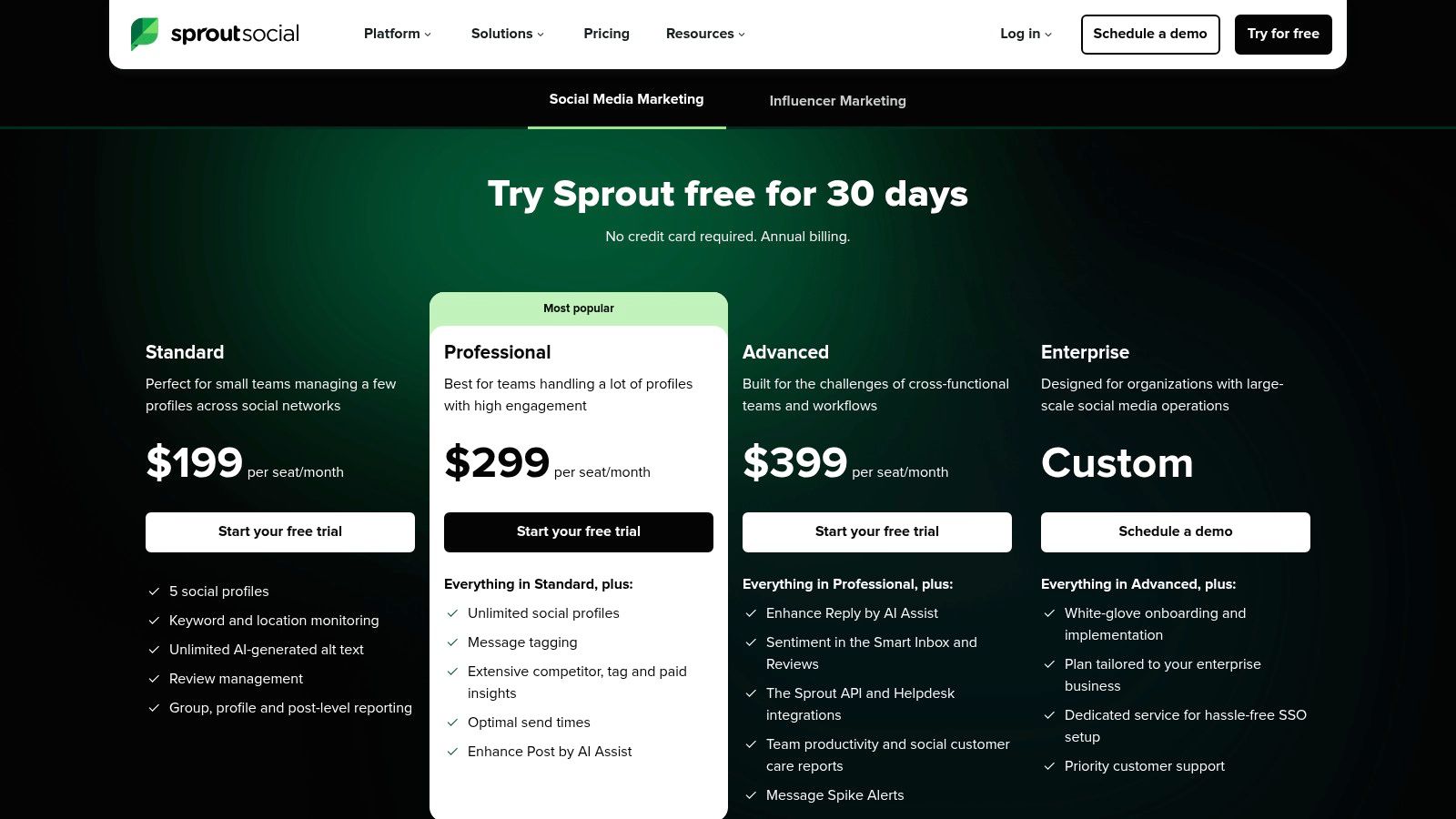
Sprout Social's pricing structure is aimed at established businesses. The Standard plan starts at £199 per user per month. The Professional plan is £299 per user per month, adding more advanced reporting and integrations. Custom-priced Advanced and Enterprise plans are also available.
The primary limitation is its per-user pricing model, which can become costly for larger teams. Furthermore, some of the most powerful features, like advanced listening and employee advocacy, are only available as separate, premium add-ons. This makes it a significant investment best suited for businesses that will fully leverage its deep analytical capabilities.
Website: https://sproutsocial.com/uk/pricing/
5. Later
Originally founded as the first-to-market Instagram scheduler, Later has evolved into a visually-focused social media management platform. Its core strength lies in its intuitive, drag-and-drop visual content calendar, making it an excellent choice for brands where aesthetics are paramount, particularly on platforms like Instagram, TikTok, and Pinterest. It’s built for creators, e-commerce brands, and small businesses who prioritise visual storytelling.
The platform simplifies the process of planning a visually cohesive feed, allowing users to preview their grid before publishing. While it may not have the deep analytical power of enterprise-level suites, its user-friendly interface and focus on visual planning make it one of the best social media scheduling tools for teams that need to get up and running quickly with a strong visual strategy. It excels at making content planning feel organised and accessible.
Key Features & Use Case
- Visual Planner: Drag and drop media onto a calendar to schedule posts and preview exactly how your Instagram grid will look, ensuring a consistent brand aesthetic. This is perfect for fashion, travel, and lifestyle brands.
- Link in Bio: Create a customisable, linkable landing page for your Instagram or TikTok bio, driving traffic directly to your website, blog posts, or product pages. Product tagging features are also available for e-commerce integration.
- AI-Powered Assistance: Includes an AI Caption Writer to generate post ideas and a Best Time to Post feature that analyses your audience's engagement patterns to recommend optimal publishing times.
- Multi-Platform Scheduling: While its heart is with Instagram, Later supports scheduling for TikTok, Facebook, Pinterest, LinkedIn, and X (formerly Twitter), making it a versatile tool for a broader social presence.
Practical Tip: Use the "Media Library" to tag and categorise your content with labels. This allows you to quickly filter for user-generated content, specific campaigns, or product types, making it much faster to find the right visuals for your calendar.
Pricing and Limitations
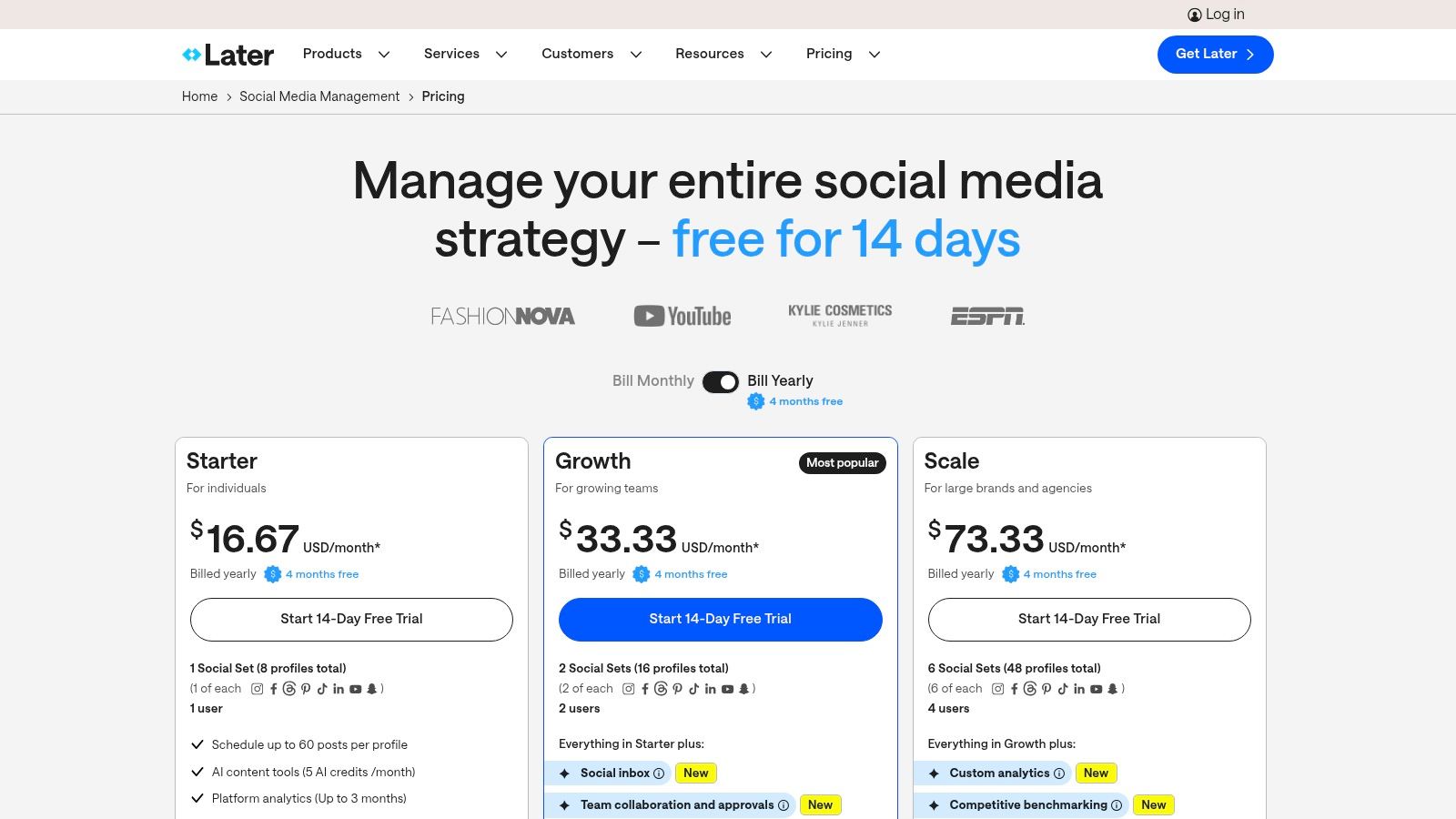
Later offers a Starter plan at $25 per month for one user and one social set (one profile per platform). The Growth plan at $45 per month adds another user and a second social set. A free plan is available with limited features. These tools are a key part of any modern virtual marketing strategy.
The platform’s primary limitation is its focus on visual-first networks. While it supports other platforms, its feature set is less robust for text-heavy channels like LinkedIn or X. Advanced features like in-depth social listening or complex team approval workflows are also less developed compared to more enterprise-focused competitors.
Website: https://later.com/
6. Loomly
Loomly is a brand success platform that positions itself as much more than a simple scheduler. It is built around a collaborative content calendar, making it an excellent choice for teams and agencies that prioritise planning, approval workflows, and maintaining a consistent brand voice. The entire user experience is organised to guide users from content idea to performance analysis in a logical, step-by-step process.
Its core strength lies in its meticulous organisation and collaboration features. Before a post even reaches the scheduling stage, it can go through various states like "Draft," "Pending Approval," and "Scheduled," ensuring every team member has visibility and control. This structured approach helps prevent errors and streamlines the content creation lifecycle, making it one of the best social media scheduling tools for organised, process-driven teams.
Key Features & Use Case
- Guided Content Creation: Provides post ideas based on trending topics, RSS feeds, and social media best practices. It also offers live post previews for each platform as you create content.
- Advanced Approval Workflows: Create custom roles and multi-level approval processes, ideal for agencies managing client content or corporate teams with strict brand governance requirements.
- Centralised Asset Library: Store, organise, and manage all your photos, videos, notes, and post templates in a shared library, ensuring team members always use approved assets.
- Comprehensive Analytics: Track performance metrics for each post and generate clear, easy-to-understand reports to measure ROI and inform future content strategy without needing a separate analytics tool.
Practical Tip: Use Loomly's "Post Ideas" feature to combat creative fatigue. It automatically suggests content ideas based on trending topics, date-related events, and Twitter trends, giving your content calendar a constant source of inspiration.
Pricing and Limitations
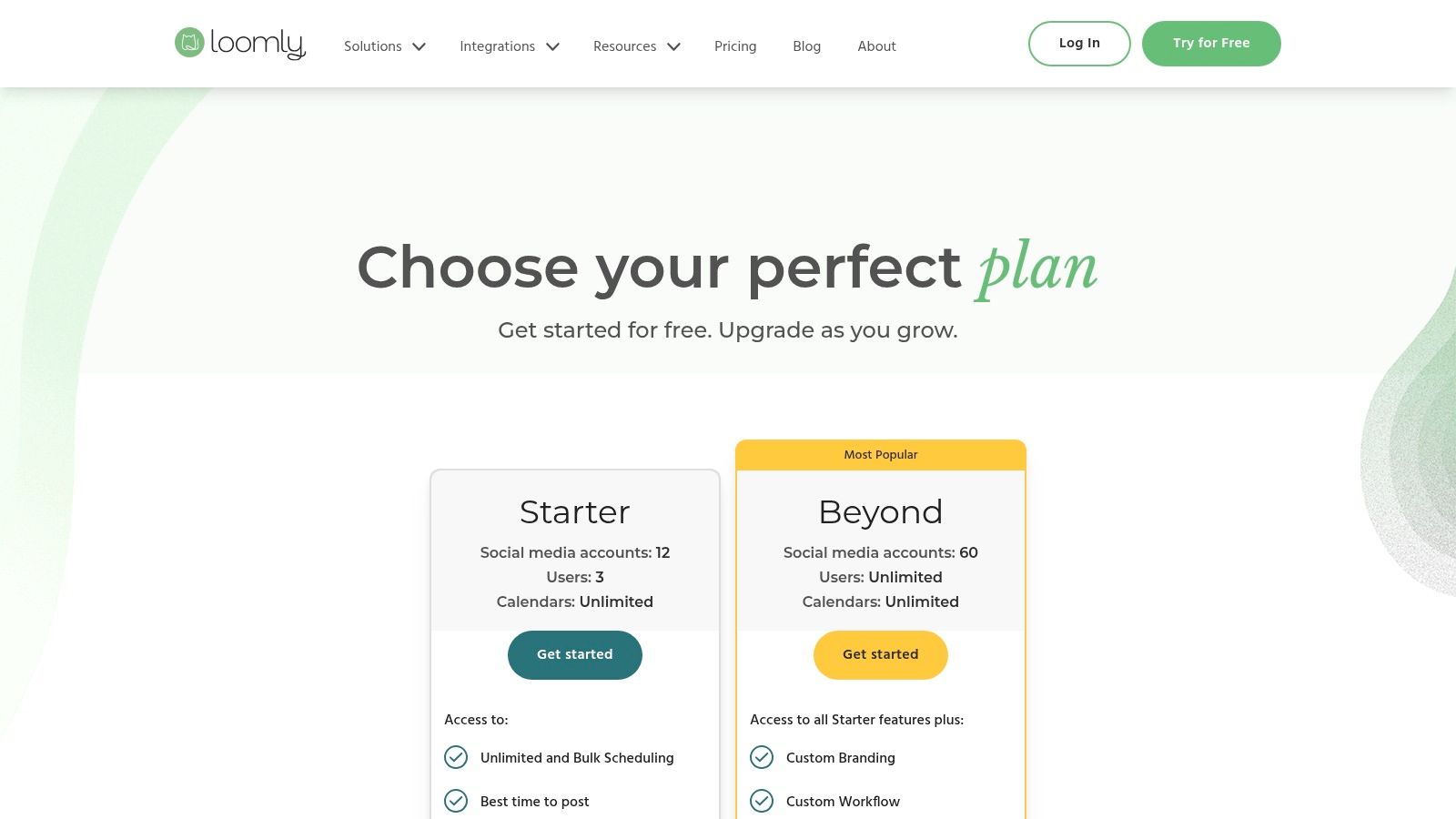
Loomly’s pricing is transparent and scales well. The Base plan starts at £32 per month for two users and 10 social accounts. The popular Standard plan is £64 per month for six users and 20 accounts. Larger plans for teams and enterprises are also available.
While its collaboration and planning features are top-tier, its social listening and customer care functionalities are less robust compared to enterprise-level suites like Hootsuite or Sprout Social. It is primarily focused on the content publishing lifecycle rather than broad-scale social monitoring.
Website: https://www.loomly.com
7. Sendible
Sendible is a UK-founded social media management platform designed from the ground up for agencies and teams managing multiple client accounts. It offers a comprehensive suite of tools that balances powerful functionality with an intuitive user interface, making it an excellent choice for those who need more than a basic scheduler but find enterprise-level platforms overly complex.
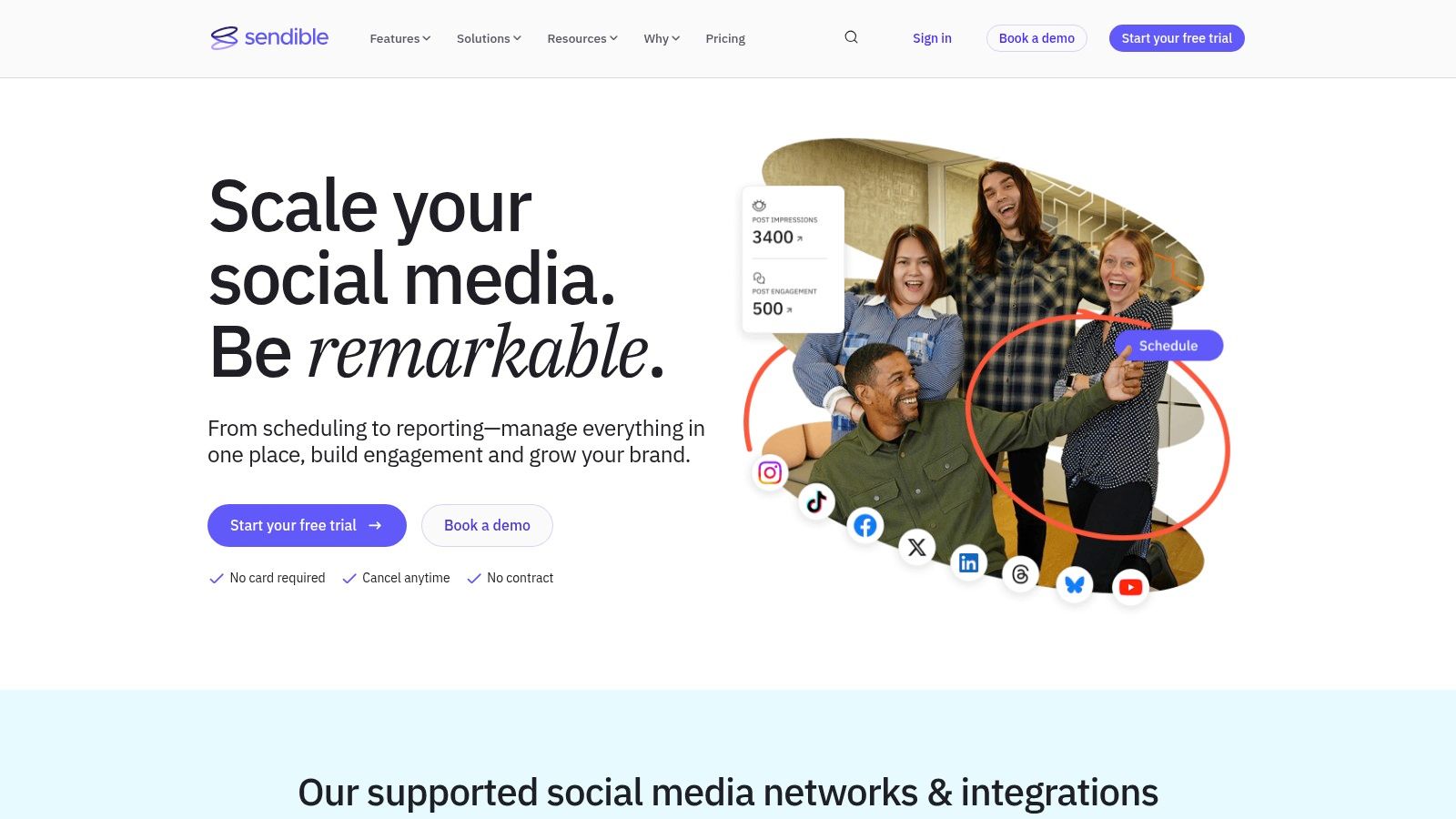
Its core strength lies in its agency-centric features. Sendible streamlines the entire client management workflow, from content planning and approval to bespoke reporting and dashboard customisation. This focus on collaboration and brand management makes it one of the best social media scheduling tools for agencies looking to scale their services efficiently.
Key Features & Use Case
- Client Management Hub: Create dedicated dashboards for each client, complete with custom branding, user permissions, and content approval workflows to ensure a seamless and professional experience.
- Content Curation & Publishing: Plan content using a shared calendar, schedule posts individually or in bulk, and pull in relevant articles with its content suggestion engine. A handy Chrome extension allows for easy scheduling from anywhere on the web.
- White-Label Solution: Higher-tier plans offer complete white-labelling, allowing agencies to present the platform under their own branding and custom domain, reinforcing their value to clients.
- Unified Priority Inbox: Similar to other tools, it provides a single inbox for all social interactions, but with an added layer of sentiment analysis and prioritisation to help teams focus on the most important conversations first.
Practical Tip: Use the client dashboard feature to give clients read-only access to their content calendar and performance reports. This transparency builds trust and reduces the need for constant back-and-forth communication.
Pricing and Limitations
Sendible offers a 14-day free trial across its plans. The Creator plan starts at £25 per month for one user and 6 social profiles. The agency-focused Agency plan is £129 per month for four users and 40 profiles, unlocking more advanced reporting and collaboration tools.
The primary limitation is that its most powerful agency features, such as the full white-label solution and extensive user seats, are reserved for the more expensive plans. While the entry-level tiers are affordable, growing agencies will need to upgrade to access the platform's full potential.
Website: https://www.sendible.com
8. Agorapulse
Agorapulse is a powerful, all-in-one social media management tool designed for agencies and marketing teams that need robust reporting and a streamlined workflow. It excels at combining scheduling, engagement, and analytics into a single, intuitive platform, positioning itself as a strong, user-friendly alternative to more complex enterprise solutions. Its core strength is providing clear, actionable data, particularly around team performance and ROI.
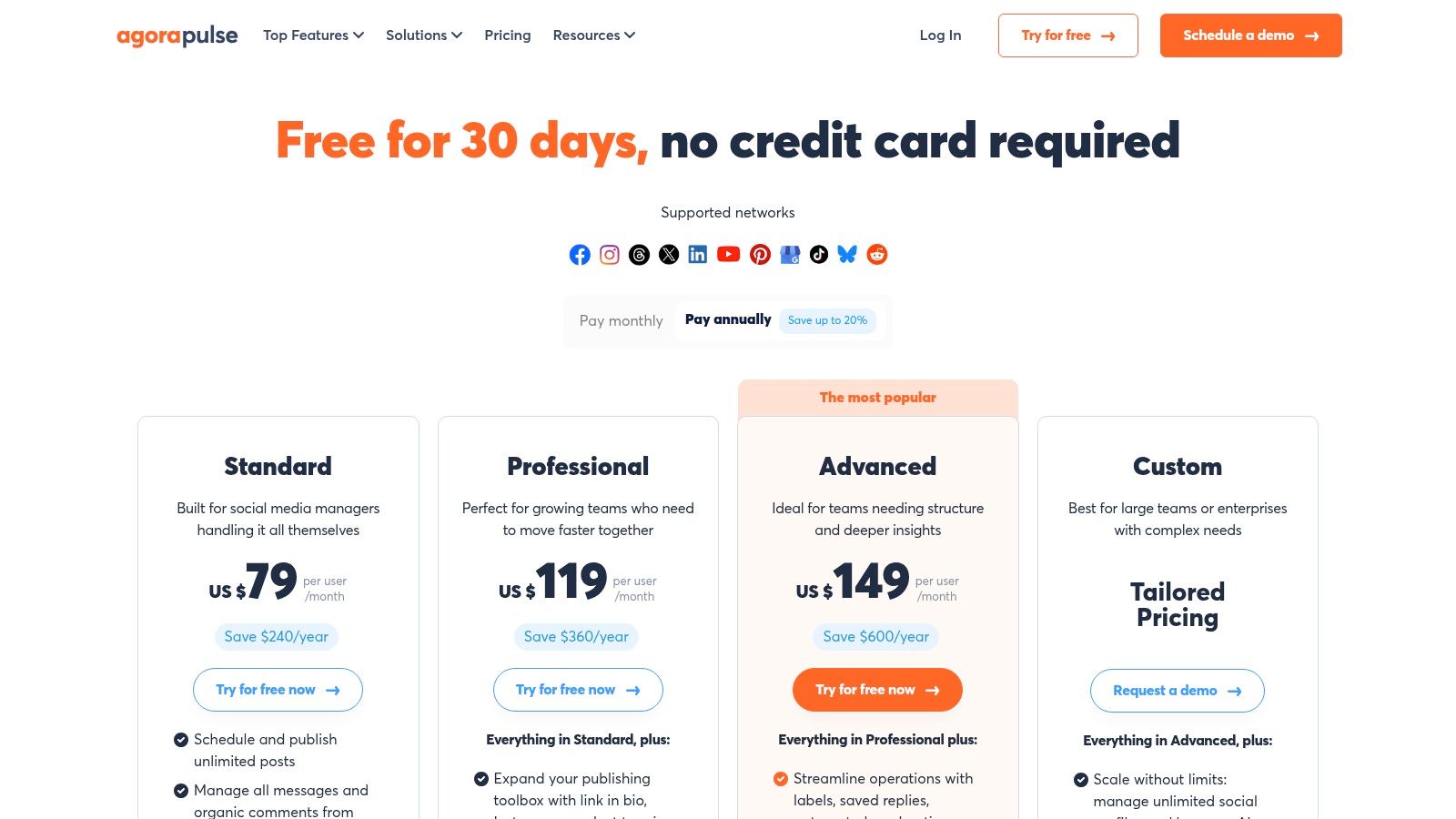
The platform is built around a unified social inbox that simplifies community management, ensuring no comment or message gets missed. Combined with its shared content calendars and approval workflows, Agorapulse is one of the best social media scheduling tools for teams focused on collaboration and demonstrating tangible results from their social media efforts. For those new to structured campaigns, understanding its ROI features can be a great first step; this beginner's guide to digital marketing provides foundational knowledge.
Key Features & Use Case
- Unified Social Inbox: Manage comments, messages, and mentions from all connected profiles in one place. It also allows for ad comment moderation on higher-tier plans, which is crucial for paid campaigns.
- Shared Calendars & Collaboration: Teams can plan, draft, and approve content using a shared calendar. Features like content queues, bulk publishing from a CSV, and a shared content library streamline the entire content creation process.
- Advanced Reporting & ROI: Generate detailed, customisable reports on audience growth, engagement, and team performance. The platform includes tools to track the ROI of your social media activities, linking them back to business objectives.
- Scalable User Plans: Pricing is transparently structured per user, making it easy for agencies and growing teams to scale their operations as they add new members or clients.
Practical Tip: Use the "Inbox Assistant" rules to automate inbox management. You can set up rules to automatically review, assign, or hide incoming comments and messages based on keywords, saving significant time on manual moderation.
Pricing and Limitations
Agorapulse offers a free plan for very small businesses with 3 social profiles. Paid plans start with the Standard tier at £49 per user per month. The Professional plan, at £79 per user per month, adds more advanced features like a shared calendar.
The main limitation is that some critical features, such as advanced inbox management and full ad comment moderation, are reserved for the higher-priced plans. While the platform is comprehensive, the cost can add up quickly as you add more users, making it a considered investment for larger teams.
Website: https://www.agorapulse.com/pricing/
9. ContentStudio
ContentStudio is a powerful, multi-purpose platform that blends content discovery, planning, and publishing into one cohesive workflow. It stands out by integrating an AI-powered content generator and a robust discovery engine, allowing users to find trending articles, videos, and images to share. This makes it a strong contender for agencies, SMBs, and content creators looking to streamline their content strategy from ideation to publication.
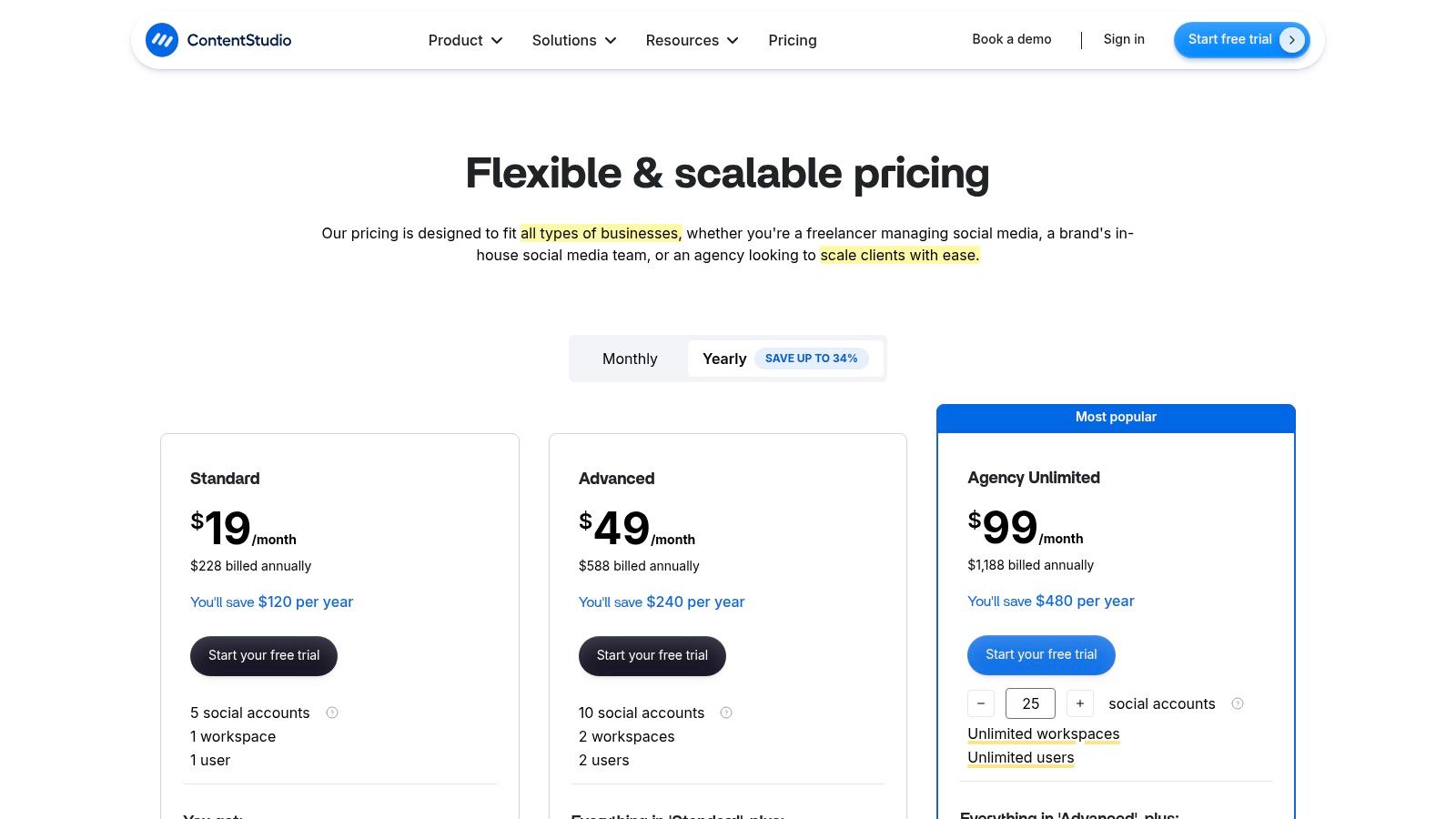
Unlike tools focused solely on scheduling, ContentStudio helps solve the "what to post" problem. Its ability to create content calendars based on automated topic suggestions and competitor analysis is a significant time-saver. For agencies, its collaboration features, client approval workflows, and white-label reporting options provide an all-in-one solution for client management, positioning it as one of the best social media scheduling tools for efficiency.
Key Features & Use Case
- Content Discovery & AI: Use the built-in discovery engine to find relevant content and the AI assistant to generate unique captions, blog posts, and image ideas. This is ideal for marketers needing a constant stream of fresh, engaging material.
- Automation Recipes: Create rules to automatically publish relevant content from your favourite sources. For example, you can set it to auto-post any new articles from a specific blog with your predefined hashtags and call-to-action.
- Team & Client Management: Offers collaboration features like content approval workflows, task assignments, and a shared media library. Agency plans include white-label options for custom-branded client reports and dashboards.
- Broad Network Support: Schedule content across major platforms, including Facebook, X (formerly Twitter), Instagram, LinkedIn, Pinterest, Threads, and Google Business Profile.
Practical Tip: Leverage the "Evergreen" content feature to create a library of your top-performing posts. Set up a schedule to automatically re-publish this content at optimal intervals, ensuring your best assets continue to drive engagement without manual effort.
Pricing and Limitations
ContentStudio offers competitive pricing, starting with the Starter plan at $25 per month for one user and 5 social accounts. The Pro plan is $49 per month for five users and 10 accounts. The Agency plan, at $99 per month, unlocks most of the advanced collaboration and white-label features.
The primary limitation is that some of its most powerful features, such as advanced analytics and full white-labelling, are reserved for the upper-tier plans. While the core scheduling and discovery tools are excellent, businesses needing in-depth, custom-branded reporting will need to invest in an Agency subscription.
Website: https://contentstudio.io/pricing
10. Metricool
Metricool is an all-in-one social media management tool that bundles scheduling, analytics, and competitor tracking into a single, user-friendly platform. It stands out by offering a powerful free plan and transparent, affordable pricing, making it an excellent choice for creators, freelancers, and small businesses who need robust reporting without a significant financial commitment. The platform simplifies complex data into clean, actionable insights.
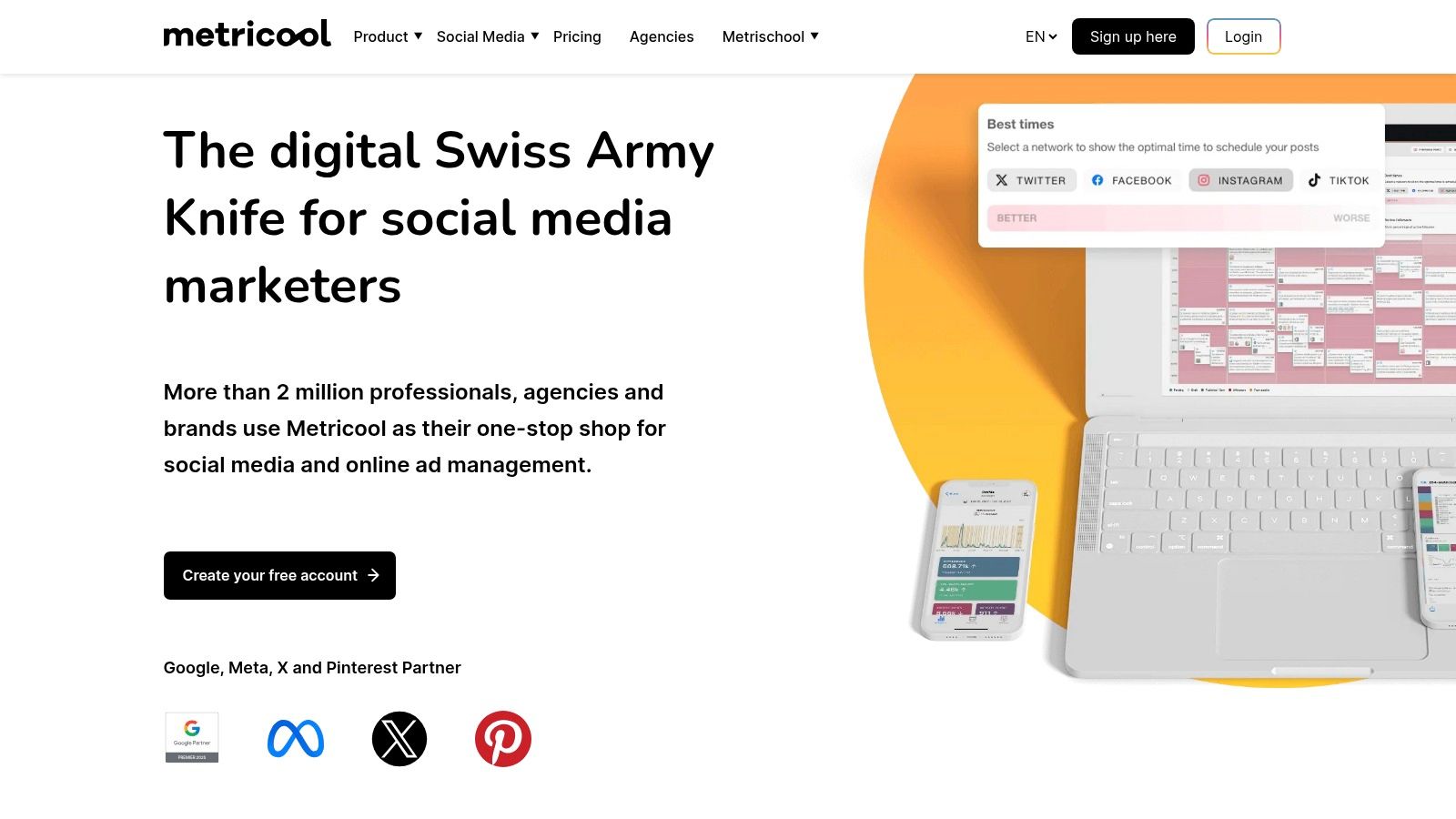
Unlike many competitors that focus purely on scheduling, Metricool integrates ad management and provides a "SmartLinks" feature, essentially a customisable link-in-bio page. This positions it as one of the best social media scheduling tools for users who want to manage their entire digital presence, from content planning to traffic analysis and ad performance, within one ecosystem. Its clear documentation on posting limits and features ensures users know exactly what they are getting.
Key Features & Use Case
- Unified Analytics & Reporting: Connect social media, your website, and ad platforms (like Facebook Ads and Google Ads) to generate comprehensive reports. This is ideal for marketers needing a holistic view of their digital performance without juggling multiple analytics tools.
- Competitor Analysis: Track key metrics for competitors on platforms like Instagram, Facebook, and Twitch. This feature is perfect for small businesses and creators looking to benchmark their growth and content strategy against others in their niche.
- SmartLinks: Create a customisable link-in-bio landing page with clickable buttons and links to individual social posts, helping to drive traffic from platforms like Instagram and TikTok directly to your products or content.
- Content Planner: Visualise your content calendar, find the best times to post based on your audience activity, and manage all your scheduled content in one place.
Practical Tip: Use the "Hashtag Tracker" feature to monitor the performance of specific hashtags for events or campaigns on Instagram and X (formerly Twitter). This provides real-time data on reach and interactions, helping you measure ROI effectively.
Pricing and Limitations
Metricool offers a generous Free plan that allows one brand, 50 scheduled posts per month, and analytics for major social platforms. Paid plans start with the Starter tier at £14 per month, increasing post limits and data history. The Advanced plan at £39 per month is designed for agencies. An optional add-on is available for X/Twitter connections due to recent API pricing changes.
The primary limitation is that some advanced integrations, such as Looker Studio and Zapier, are reserved for higher-tier plans. While the core features are excellent for its target audience, larger teams requiring extensive automation or bespoke workflows might find the integration options on lower plans restrictive.
Website: https://metricool.com
11. G2 – Social Media Management category
Rather than being a tool itself, G2 is an invaluable resource for discovering and validating your choices. As a leading peer-to-peer review site, its Social Media Management category acts as a comprehensive marketplace where you can compare hundreds of the best social media scheduling tools based on verified user feedback, feature sets, and market presence. It’s an essential first or last step in your research process.
G2’s strength lies in its crowd-sourced, independent reviews, which provide real-world insights that marketing copy often misses. You can filter platforms by business size, specific features like "content calendar" or "analytics", and even user satisfaction ratings. This allows you to quickly build a shortlist of tools that genuinely meet your specific operational needs and budget.
Key Features & Use Case
- Verified User Reviews: Access thousands of detailed reviews from real users, offering honest feedback on usability, customer support, and feature performance. This is perfect for validating a vendor's claims before committing.
- Grid Comparison: Use the G2 Grid to visually compare top players based on market presence and customer satisfaction, helping you identify leaders, contenders, and niche solutions.
- Advanced Filtering: Drill down into the extensive list of tools by filtering for must-have features, integration capabilities, business size, and regional relevance, making it easy to find UK-friendly options.
- Shortlist Creation: Build and compare a shortlist of potential tools side-by-side, evaluating their features, pricing tiers, and user ratings in one organised view.
Practical Tip: When browsing, pay close attention to reviews from users in a similar industry or company size to your own. Their pain points and successes will be the most relevant indicators of how a tool might perform for you.
Pricing and Limitations
G2 is free to use for research and comparison. However, the platform's primary limitation is that pricing information listed on vendor profiles can sometimes be outdated or incomplete. It’s a powerful research aggregator, but you should always verify the most current pricing and plan details directly on the vendor's website.
Its value is in discovery and validation, not direct management, so it serves as a complementary resource to the tools on this list.
Website: https://www.g2.com/categories/social-media-management
12. Capterra UK – Social Media Management software
While not a scheduling tool itself, Capterra UK is an indispensable resource for finding the right one. As a comprehensive software directory, it aggregates hundreds of social media management platforms, allowing users to compare features, pricing, and user reviews in a localised, UK-centric context. It serves as a starting point for discovery, helping businesses identify tools that meet their specific needs and budget.
Its primary value lies in its powerful filtering and comparison capabilities. Instead of visiting dozens of vendor websites, you can create a shortlist based on criteria like scheduling automation, content calendars, and analytics. For UK-based businesses, seeing pricing estimates in GBP and focusing on locally available software saves significant time and removes the guesswork from currency conversions and regional availability.
Key Features & Use Case
- UK-Specific Listings: The directory is filtered for the UK market, ensuring the platforms listed are relevant and accessible, with pricing information often provided in GBP. This is ideal for British businesses wanting to avoid international payment complexities.
- Feature-Based Filtering: Users can drill down and find tools based on essential functions. You can filter for platforms that offer scheduling, content approvals, analytics, a unified inbox, and more, quickly narrowing the field to the most suitable candidates.
- User Reviews & Ratings: Capterra aggregates verified user reviews, offering honest insights into a tool's strengths and weaknesses from real-world users. This helps evaluate usability and customer support before committing to a free trial or subscription.
Practical Tip: Use the "Compare" feature to select up to four different tools and view their features, pricing models, and user ratings in a side-by-side table. This is the fastest way to spot key differences and make an informed decision.
Pricing and Limitations
Access to Capterra UK is completely free for users searching for software. The platform is a resource directory, not a service you purchase.
The main limitation is that the information, particularly pricing and specific feature sets, can occasionally be out of date. Vendors frequently update their offerings, and directories may lag behind. It is always best to verify details on the official vendor website before making a final purchasing decision.
Website: https://www.capterra.co.uk/directory/30589/social-media-management/software
Top 12 Social Media Scheduling Tools Comparison
| Tool | Core Features | User Experience & Quality ★★★★☆ | Value & Pricing 💰 | Target Audience 👥 | Unique Selling Points ✨ |
|---|---|---|---|---|---|
| SocialBee – Grow Your Biz | Smart content categorization, Custom URLs, Team collaboration | Intuitive editing, In-depth analytics | Mid-tier, time-saving automation 💰 | SMBs, freelancers, agencies 👥 | Cyclical automated posting, branding links 🏆 |
| Hootsuite | Unlimited scheduling, Inbox, Analytics, Listening (add-on) | Enterprise-grade, robust analytics | Higher cost, scalable from solo to enterprise 💰💰 | Enterprises, agencies 👥 | Broad channel support, Brandwatch listening ✨ |
| Buffer | Pay-per-channel, Unlimited posts, Mobile apps | Easy to use, Transparent billing | Budget-friendly, nonprofit discount 💰 | SMBs, creators, small agencies 👥 | Flexible channel slots, queue management |
| Sprout Social | Scheduling, Engagement, Analytics, Social CRM | Premium UI, Strong customer support | Higher per-user pricing 💰💰 | Large teams, enterprises 👥 | Deep reporting, stakeholder-ready exports 🏆 |
| Later | Visual calendar, Link-in-bio, Basic inbox, AI assistance | Visual workflow, rapid onboarding | Competitive mid-market pricing 💰 | Instagram/TikTok-focused brands 👥 | Strong visual planning, commerce tagging ✨ |
| Loomly | Content calendar, Approvals, Collaboration, Analytics | Clear plans, Good teamwork | Good analytics to price ratio 💰 | Agencies, in-house teams 👥 | Brand governance, bulk scheduling |
| Sendible | Client dashboards, Approvals, White-label, Inbox | Agency-friendly, UK-based workflow | Premium tiers for advanced features 💰 | Agencies, multi-client teams 👥 | White-label branding, client collaboration |
| Agorapulse | Scheduling, Inbox, Reporting, ROI tracking | Transparent pricing, Strong reporting | Mid-market, per-user pricing 💰 | Agencies, mid-size businesses 👥 | ROI tracking, ad comment moderation |
| ContentStudio | AI writing, Scheduling, Approvals, Client mgmt | Competitive pricing, Good automation | Mid-tier, some features premium 💰 | SMBs, agencies 👥 | AI captions/blogs, multi-network support ✨ |
| Metricool | Scheduling, Analytics, Competitor tracking, Ads integration | Clean reporting, Easy setup | Free plan available, good value 💰 | Creators, SMBs 👥 | SmartLinks, clear posting limits |
| G2 – Social Media Management | Reviews, Comparisons, Buyer segments | Real-world feedback, peer insights | Free, but pricing may vary | All buyers, decision-makers 👥 | Verified reviews, shortlist validation |
| Capterra UK | Feature filters, Pricing snapshots, UK-focused listings | Easy UK product discovery | Free | UK businesses, buyers 👥 | Localized, GBP pricing context |
Making Your Final Choice: How to Select the Right Tool for Your Team
We’ve explored a diverse landscape of the best social media scheduling tools, from the all-in-one powerhouses to the visually focused platforms. The journey from a long list of options to a single, perfect-fit solution for your organisation can feel daunting, but it boils down to aligning a tool’s core capabilities with your unique strategic objectives. There is no single "best" platform for everyone; the right choice is the one that streamlines your workflow, amplifies your message, and delivers measurable results for your brand.
Reflecting on our deep dives, we saw clear patterns emerge. For agencies juggling numerous client accounts, the robust client management, approval workflows, and white-labelling features of Sendible and Agorapulse present a compelling case. Their design is inherently geared towards efficiency at scale. Conversely, for brands where visual storytelling is paramount, particularly on platforms like Instagram and Pinterest, Later’s intuitive, calendar-first approach and visual planning tools make it an undeniable front-runner.
For larger enterprises or teams with complex needs, the decision often centres on data and collaboration. Sprout Social and Hootsuite excel in this arena, offering sophisticated analytics, deep listening capabilities, and granular team permissions that are essential for maintaining brand consistency and proving ROI in a corporate environment. Meanwhile, start-ups, solo entrepreneurs, and small businesses will find immense value in the cost-effective and feature-rich offerings from SocialBee, with its clever content categorisation, or Buffer, known for its clean interface and straightforward scheduling.
Key Factors to Guide Your Decision
Before you commit and input your credit card details, it’s crucial to take a step back and evaluate your specific requirements. Moving beyond feature lists and marketing promises, consider these practical questions to guide your selection process:
- What is your primary goal? Are you aiming for audience growth, increased engagement, driving website traffic, or streamlining client reporting? Your main objective will dictate which features are non-negotiable. For instance, if traffic is key, a tool with strong link-shortening and UTM tracking like Metricool is vital.
- Who will be using the tool? A solo content creator has different needs than a ten-person marketing department. Consider the user experience (UX) and the learning curve. Is the interface intuitive enough for everyone on your team, or will it require extensive training?
- Which social networks are your priority? While most tools cover the major platforms, some offer deeper, more specialised integrations for specific networks. Ensure your chosen tool has robust, API-approved support for the channels where your audience is most active.
- What is your budget, and how might it change? Look beyond the entry-level pricing. Will the tool scale with your business? Evaluate the pricing tiers and what features are unlocked at each level to avoid being forced into a costly upgrade for a single, essential function down the line.
- How does it fit into your existing workflow? The best social media scheduling tools integrate seamlessly with your other marketing software. Check for integrations with tools like Canva, Slack, Google Drive, and your CRM to create a truly unified marketing ecosystem.
Your Actionable Next Steps
The theoretical analysis is complete; now it's time for practical application. Nearly every tool on our list, from Loomly to ContentStudio, offers a free trial or a limited free plan. This is your most valuable evaluation resource. Create a small, focused project and test your top two or three contenders head-to-head. Schedule a week's worth of content, pull a performance report, and invite a team member to collaborate. This hands-on experience will reveal nuances of the workflow that you can't grasp from a feature list. For a deeper dive into the factors that determine the ideal tool for your specific marketing needs, we recommend consulting a comprehensive guide to choosing the best social media scheduler.
Ultimately, selecting the right social media scheduling tool is an investment in your brand's efficiency and digital presence. By carefully matching a platform’s strengths to your strategic priorities, you empower your team to move beyond manual posting and focus on what truly matters: creating meaningful connections with your audience.
Ready to discover more vetted tools to elevate your entire marketing strategy? The platforms in this article are just the beginning. At The Digital Marketing Toolbox, we curate and categorise the very best software solutions to help you grow your business, from SEO to email marketing and beyond. Explore The Digital Marketing Toolbox to find your next essential app.


