
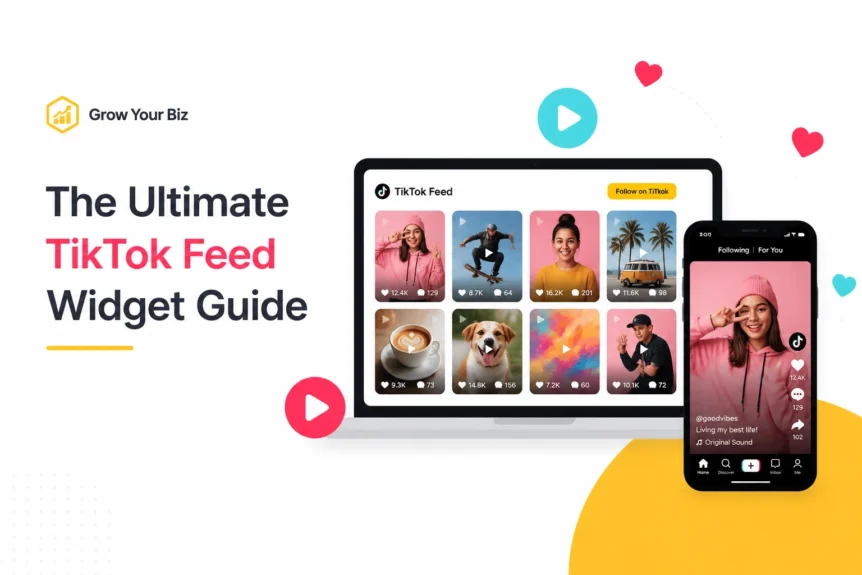
TikTok Feed Widget tools can turn a static website into a more engaging, higher-converting space. In the fast-paced digital world of 2026, a “set it and forget it” landing page is a quick way to lose your audience's attention.
We’ve seen the shift happen in real time. Users no longer want to read dry paragraphs of text; they want to see your brand in motion.
That’s where the TikTok Feed Widget enters the chat. It’s not just a fancy plugin; it’s a direct pipeline from the world’s most addictive content platform straight to your business’s digital front door.
At Grow Your Biz, we believe that every small business deserves the same high-converting tools as the big players. Integrating TikTok isn't just about following a trend.
It’s about turning your website into a living, breathing ecosystem that builds trust and drives sales. If you want the source straight from the platform, check out TikTok for Business.
So, how do you take a simple feed and turn it into a viral engine for your brand?
For the E-commerce Entrepreneur
If you’re running an online shop, your biggest challenge is “friction.” Every extra click between seeing a product and buying it is a chance for a customer to bail.
By using a TikTok Feed Widget to display real people using your products, you bridge that gap. It’s like having a 24/7 sales team that never sleeps and always has a great personality.
For the Digital Agency
Agencies need to prove they are ahead of the curve. Showing a client a static gallery is fine.
But showing them a live, moderated TikTok feed that updates automatically? That’s how you win the pitch. It shows you understand the “cockpit of a spaceship” approach to digital marketing, where every tool is integrated and working in harmony to deliver results.
10 Ways to Use a TikTok Feed Widget to Go Viral on Your Site in 2026
1. Turn Your Feed into a Virtual Storefront

Why wait for them to find your “Shop” page? One of the most effective ways to use a TikTok Feed Widget is to enable shoppable links.
In 2026, the best widgets allow you to tag specific products within the video. When a visitor sees a “get ready with me” video or a product demo, they can click a button right there on the widget and add it to their cart.
This is the “sweet spot” for ROI: minimizing steps and maximizing impulse buys.
2. Harness the Power of UGC (User Generated Content)

Social proof is the currency of the modern web. Instead of just showing your own videos, use a TikTok Feed Widget to pull in content from your happy customers.
When a new visitor sees ten different people raving about your service, their trust levels skyrocket. It’s authentic, it’s raw, and it works better than any high-budget commercial ever could.
3. Create a Custom Hashtag Campaign
Are you running a contest or a special event? Create a unique hashtag and set your TikTok Feed Widget to only display videos with that tag.
This encourages your followers to create content for you. It’s a self-sustaining cycle: more content means more visibility on TikTok, which leads to more traffic to your site, which leads to even more content.
4. Use TikTok Feed Widget Video Sliders for Clean Web Design
We know that screen real estate is precious. You don’t want a massive wall of videos slowing down your page or looking cluttered.
Opt for a slider layout within your TikTok Feed Widget settings. This allows users to swipe through content horizontally, keeping your site layout sleek and professional while still offering plenty of engagement.
5. Implement Call-to-Action (CTA) Buttons
Don't just let people watch: tell them what to do next.
The best TikTok Feed Widget setups include custom CTAs like “Shop the Look,” “Book a Call,” or “Learn More.” These buttons turn passive viewers into active leads.
We’ve found that websites with integrated social CTAs see a significantly higher engagement rate compared to those with standard link trees.
Golden Nugget: Your TikTok feed should never be a dead end. Always ensure there is a clear “next step” for the user to take once the video finishes playing.
6. Boost SEO with TikTok Feed Widget Video Dwell Time
Is it worth the effort? Absolutely. Search engines like Google track how long people stay on your site: a metric known as “dwell time.”
By embedding a TikTok Feed Widget, you’re giving visitors a reason to stick around. Engaging video content can increase the time spent on a page by several minutes, sending a clear signal to search engines that your site is valuable and relevant.
7. Mix TikTok Feed Widget Content with Other Social Channels
While TikTok is king, your brand probably lives elsewhere too.
Use a social feed aggregator to combine your TikTok clips with Instagram Reels or YouTube Shorts. This creates a unified brand voice and ensures that no matter where your audience hangs out, they see your best content on your website.
8. Curate “How-to” Playlists
For SaaS companies or service providers, your TikTok Feed Widget can act as an educational hub.
Group your videos into playlists that explain how to use your tools. It’s much easier for a customer to watch a 30-second “hack” than to read a 10-page manual. This type of instructional content builds authority and reduces support tickets.
9. Leverage Real-time Engagement

The beauty of a modern TikTok Feed Widget is that it’s live. If a video starts going viral on the app, it’s already on your website.
You don’t have to lift a finger. This “real-world” immediacy makes your brand feel relevant and plugged into the current conversation. It’s the difference between a “static museum” and a “live broadcast.”
10. Design Your TikTok Feed Widget for a Mobile-First Audience
In 2026, most of your traffic is likely coming from smartphones.
A clunky, non-responsive widget will kill your conversion rate. Ensure your TikTok Feed Widget is fully responsive and optimized for touch controls. It should feel as natural to navigate on a phone as the TikTok app itself.
How to Set Up Your TikTok Feed Widget in 2026
Setting up your TikTok Feed Widget shouldn't feel like rocket science. Follow these simple steps to get live in minutes:
- Choose Your Source: Decide whether you want to display your entire profile, a specific hashtag, or a curated list of individual videos.
- Pick Your Layout: Select from a grid (for galleries), a slider (for banners), or a single video (for testimonials).
- Customize the Aesthetic: Match the widget’s colors and fonts to your brand. Use the “Grow Your Biz” signature gold for your buttons to make them pop!
- Moderate Your Content: Use filters to exclude any videos you don't want to show (like competitors using your hashtag).
- Copy and Paste: Grab the embed code and drop it into your website’s HTML or use a dedicated widget plugin.
ROI and Efficiency: Why This Matters
We’re all about the bottom line. Why are we pushing the TikTok Feed Widget so hard? Because it’s one of the most efficient ways to “burn less cash” on content creation.
You’re already making the videos for TikTok. Why not let them do double duty on your website?
By integrating your social strategy directly into your site, your TikTok Feed Widget becomes part of the “cockpit” for your business growth.
You can track which videos lead to the most sales and adjust your strategy accordingly. It’s not just about “going viral”; it’s about making that virality work for your bank account.

Moment of Truth
The digital landscape is moving faster than ever. If you want to stay relevant in 2026, you need to meet your customers where they are: and right now, they are on TikTok.
A TikTok Feed Widget is the bridge that brings that energy, trust, and engagement to your own platform.
Don't let your website become a relic of the past. Embrace the motion, embrace the authenticity, and start your journey toward a higher-converting site today.
Ready to take your digital marketing to the next level? Explore our full digital marketing toolbox and see how we can help your business thrive.


