
If you want local customers to find your business, getting listed on Google Maps isn't just a good idea—it's essential. This all starts with a free Google Business Profile (GBP), which is basically your shop window on Google Search and Maps. It’s your chance to connect directly with people in your area who are actively looking for the services you provide.
Your First Step to Getting Found on Google Maps
Don't just think of your Google Business Profile as a pin on a map. It's a living, breathing listing where you get to control what potential customers see first. And that first impression is often the one that counts.
A well-maintained profile is a fundamental part of any local marketing strategy, complementing all your other online efforts. To see how GBP fits into the wider strategy, have a look at our beginner's guide to digital marketing.
A polished profile makes it incredibly simple for people to find the information they need most, such as:
- Your physical address and pinpointed location
- Up-to-date business hours and a contact number
- Customer reviews and your overall star rating
- Photos of your work, products, or place of business
Why This Matters for UK Businesses
In the world of local search, visibility is king. With a staggering 67% of the map app market share, Google Maps is where most of your customers are looking. If you're not on it, you're effectively invisible to a huge chunk of your target audience.
To give you a clearer picture, here’s a quick summary of the essential components and benefits of setting up your Google Business Profile to appear on Google Maps.
Your Google Business Profile at a Glance
| Component | Why It Matters for Your UK Business |
|---|---|
| Business Name & Category | Tells Google and customers what you do, helping you show up in relevant searches (e.g., "plumber in Manchester"). |
| Address & Service Area | Pins you on the map for "near me" searches, attracting customers in your immediate vicinity. |
| Contact Information | Gives customers an instant way to call you or visit your website, turning searches into leads. |
| Hours of Operation | Prevents frustration and lost business by showing customers exactly when you're open. |
| Photos & Videos | Showcases your work, team, and premises, building trust and helping you stand out from the competition. |
| Customer Reviews | Positive reviews are a massive trust signal for new customers and a key factor in local search rankings. |
Setting up your profile is more than just getting found; it’s about making sure you’re the business that gets chosen over your local rivals.
Creating your profile gives you direct control over how your business is presented to a massive, ready-to-buy audience.
The path is straightforward: create the profile, get it verified, and then keep it optimised. Following these steps will help you build credibility, improve your local search rankings, and ultimately drive more customers through your door.
Creating and Claiming Your Google Business Profile
Your first step onto Google Maps is to take ownership of your digital storefront: your Google Business Profile (GBP). Before you do anything else, you need to see if a profile for your business already exists. You might be surprised to find one already there, as Google often creates placeholder listings based on public data, especially for businesses that have been around for a few years.
If you find a pre-existing profile, you'll see a link that says something like “Own this business?” or “Claim this business.” Clicking this kicks off the verification process to prove you're the legitimate owner. If nothing shows up, you’ll need to create a new profile from scratch. For a deep dive into that process, this guide on how to create and set up your Google My Business profile is a fantastic resource.
Nailing Your Business Details
Whether you’re claiming an existing profile or building a new one, accuracy is everything. The information you provide here is the bedrock of your local search presence. Get your NAP (Name, Address, Phone) right from the very start.
- Name: This must be your actual, official business name. No keyword stuffing.
- Address: Your complete, precise physical location is crucial.
- Phone: Use your main business contact number.
Consistency is the name of the game in local SEO. If your profile says "123 High Street", your website shouldn't say "123 High St.". Even minor discrepancies like that can muddy the waters for search engines and hurt your rankings.
A precisely placed map pin is the difference between a customer walking through your door and walking straight past it. Take a moment to zoom in and make sure your pin is dropped exactly on your entrance, not in the middle of the building or a neighbouring road.
This visual gives you a quick look at the first few hurdles of getting your business on Google Maps.
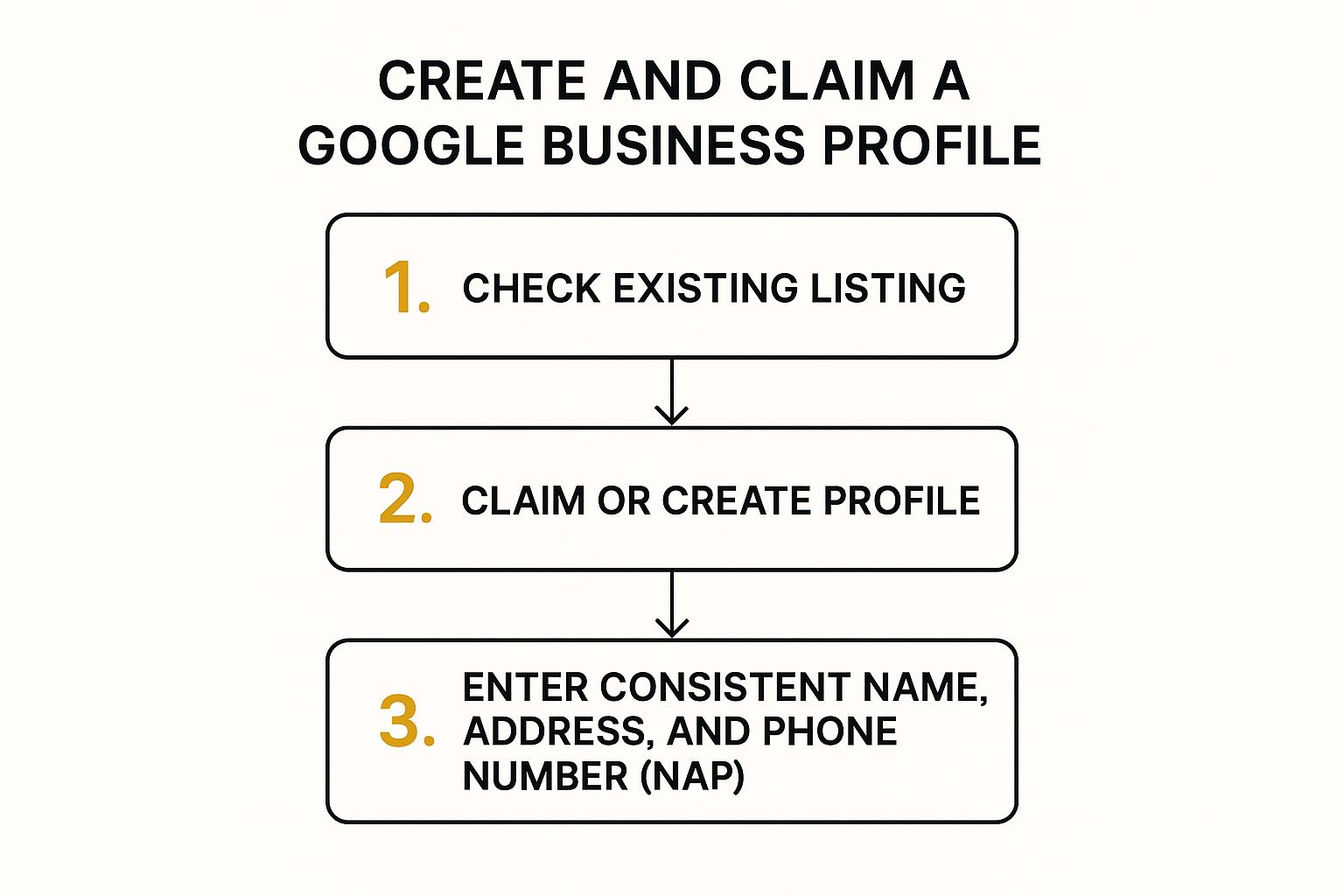
As the workflow shows, solid data is the key, whether you're claiming or creating. It’s hard to overstate how important this is, especially in the competitive UK market. In fact, Google Business Profile listings are responsible for 47% of clicks from Google Maps results, and over 91% of local searches now show a GBP listing. Getting these foundational details right isn’t just a box-ticking exercise; it’s your first major win.
Navigating the Google Verification Process
Right, you’ve put in all your business details. Now comes the most important bit: verification. This is simply Google's way of making sure you are who you say you are, and that your business actually exists at the address you’ve provided.
Think of it as the final handshake before your business gets its prime spot on Google Maps. Without it, you’re essentially invisible to local customers, so it's a step you absolutely can't skip.
For most businesses I work with in the UK, Google still defaults to the good old-fashioned postcard. They'll pop one in the mail, sent directly to your business address. Inside, you'll find a unique code to punch into your profile. It usually lands on your doormat within about five working days, so keep an eye out for it.
Choosing Your Verification Method
While the postcard is the classic route, it's not your only option. Depending on your business category and how long you've been on Google's radar, you might see a few faster alternatives pop up. Google's system decides what to offer, so don't be surprised if your options differ from another business owner's.
You might be offered one of these:
- Phone Call or Text: A quick and easy option where an automated system calls or texts your business phone with the code.
- Email: The code gets sent straight to your business email address (it needs to be on your domain, like
info@yourbusiness.co.uk). - Video Recording: This one is becoming more common. You'll need to film a short video showing things like your storefront, business equipment, and maybe a utility bill to prove you operate from that location.
My advice? Pick the path of least resistance. If you know the post can be a bit hit-or-miss in your area, and you're offered phone verification, grab it. It's instant and saves you a week of waiting.
Troubleshooting Common Verification Issues
Of course, sometimes things just don't go to plan. The most frequent snag is the postcard that seems to get lost in the ether. If it's been more than 14 days, don't just sit and wait. Log back into your profile and hit the button to request a new one.
And what if your code doesn't work when it finally arrives? First, double-check you're using the code from the most recent postcard you requested. If you asked for a second one, the code on the first one becomes invalid.
If you’re still stuck in a loop, it might be time to contact Google Business Profile support for a manual review. Getting through this final hurdle is all that stands between you and getting your business on Google Maps, ready to attract new customers.
Optimising Your Profile to Win Local Customers
Getting your business verified is just the first step. The real work—and the real results—begin when you start treating your Google Business Profile (GBP) less like a static directory listing and more like a powerful, dynamic marketing tool. This is what transforms a casual searcher into your next customer.
Your GBP dashboard is your mission control. It's where you add all the rich, compelling details that will make your business stand out from a sea of competitors.
Flesh Out Your Profile with Rich Content
A bare-bones profile with just a name and address simply won't cut it anymore. To really grab someone's attention, you need to layer in information that tells the story of your business and shows what makes you special.
A great place to start is your business description. Don't just list what you do; explain the value you bring. For instance, instead of a flat "We are a local bakery," try something with more personality: "Your friendly neighbourhood bakery, crafting artisanal sourdough and decadent pastries daily since 2015."
Next up, visuals are non-negotiable. I've seen countless profiles transformed by high-quality photos and videos. Add professional shots of your products, your premises, your team hard at work, and even happy customers (with their permission, of course). This visual proof builds instant trust and helps people imagine themselves walking through your door. This simple action is a key part of any good https://grow-your-biz.com/marketing-strategy-for-small-business/.
Use Every Feature at Your Disposal
Google gives you a whole toolkit within your profile specifically designed to drive engagement. When you use these features, you’re sending strong signals to the algorithm that your business is active and relevant, which can seriously boost your visibility. To truly get ahead, it's worth exploring advanced strategies for dominating local maps SEO.
Here are a few features I always tell my clients to focus on:
- Services/Menu: Get specific! If you're a salon, don't just put "haircuts." List "Men's Cut," "Ladies' Cut & Colour," and "Balayage." If you run a café, upload your entire menu. The more detail, the better.
- Google Posts: This is perfect for sharing timely updates, special offers, or news directly on your profile. These posts expire after seven days, which is a great prompt to keep your content fresh.
- Q&A Section: Don't wait for customers to ask. Proactively add and answer common questions yourself. This saves everyone time and lets you control the narrative around important information.
Answering a question in the Q&A section before a customer even has to ask it shows you understand their needs. It’s a small detail that makes a big impression.
The payoff for this effort is huge. Businesses with well-optimised listings see a massive jump in engagement. In fact, they can get 70% more location requests and 42% more taps for directions compared to businesses with incomplete profiles.
By consistently adding fresh content and engaging with customers through these features, you’re doing more than just putting your business on Google Maps—you’re turning it into a customer-generating machine.
Making the Most of Customer Reviews
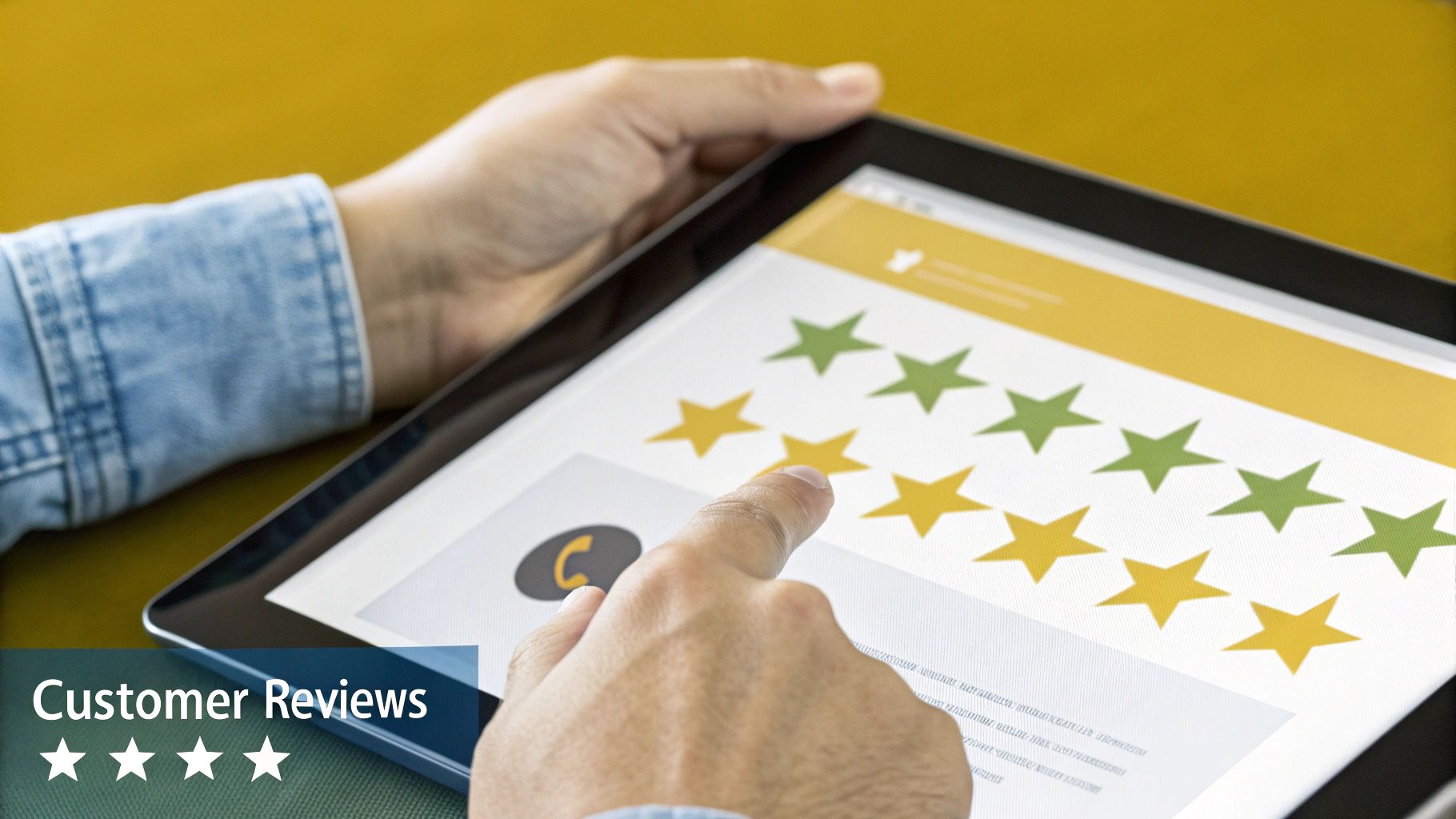
Once you’re live on Google Maps, your customer reviews become one of your greatest assets. Think of them as modern-day word-of-mouth, the social proof that can convince a new customer to walk through your door instead of a competitor's.
A consistent flow of positive feedback does more than just build trust with people; it also sends strong signals to Google that your business is relevant and popular. This can give your local search ranking a real boost, helping you climb higher in both the search results and that all-important "map pack."
How to Encourage and Handle Feedback
So, how do you get more of these valuable reviews without coming across as desperate? It’s all about timing and making it incredibly simple for your customers.
A local coffee shop, for instance, could pop a small card with a QR code into their takeaway bags, linking straight to their review page. If you run a service business, a quick follow-up message after you've finished a job can work wonders. Many business owners find that understanding the advantages of email marketing gives them the perfect tool for sending these gentle nudges.
Responding to every single review—good or bad—is just as important as collecting them. It shows both your customers and Google that you’re listening and that you care.
- For positive reviews: Thank them personally. Try to mention a specific detail from their comment to show you’ve actually read it. Something like, "We're so glad you enjoyed the artisan sourdough!" feels much more genuine.
- For negative reviews: Always respond quickly and keep it professional. Acknowledge their problem, apologise for their poor experience, and offer a way to resolve it privately. This shows everyone watching that you take responsibility.
A well-handled response to a negative review can sometimes be more impressive than a dozen five-star ratings. It shows potential customers that even if something goes wrong, you’re committed to putting it right.
This hands-on approach turns your reviews from a static rating into a living conversation, helping you build a loyal community and cement your reputation on Google Maps.
Still Got Questions About Getting on Google Maps?
Even with a step-by-step guide, it's natural to have a few questions when you're figuring out how to get your business listed on Google Maps. Let's walk through some of the most common things UK business owners ask, so you can move forward with confidence.
First up, the big one: how much does it all cost? The best news I can give you is that creating, claiming, and managing your Google Business Profile is completely free. You won't pay a penny to have your business show up on Google Search or Maps. The only time money changes hands is if you decide to dive into paid advertising with Google Ads.
What If I Don't Have a Physical Shop?
This is a massive point of confusion, especially for businesses that don't have a traditional brick-and-mortar location. Think of plumbers, mobile dog groomers, or consultants working from a home office.
Good news – you can absolutely get listed. Google has this covered with what they call "service-area businesses."
- When setting up your profile, you can choose to hide your physical address from the public.
- Instead, you'll specify the postcodes, towns, or cities you actually serve.
- This means your business will still appear on the map for potential customers searching within your service area.
This is a game-changer for the thousands of UK businesses that travel to their customers. It ensures you’re visible in relevant local searches without needing a public-facing address.
Don’t let a lack of a storefront hold you back. Defining your service area is the key to connecting with local customers who need you to come to them, unlocking a huge potential audience right on your doorstep.
How Long Does It Take to Appear on the Map?
Okay, so you've done the work and completed the verification. Now what? How long until you see your business live on Google Maps?
Typically, you can expect your business to show up within a few hours after you've been successfully verified. That said, it's worth having a little patience. Sometimes it can take a few days for all the information and features on your profile to fully sync up and become visible across all of Google's platforms.
Ready to discover more tools to grow your brand? At The Digital Marketing Toolbox, we bring together the best solutions for SEO, email marketing, and social media to help you succeed. Find the perfect tools for your business at https://grow-your-biz.com.


