
Ever wondered what "(not provided)" means when you see it dominating your Google Analytics reports? It's simply the label Google uses for organic search terms it intentionally hides to protect user privacy. Instead of seeing the exact queries that brought people to your site, you get this placeholder, which makes direct keyword analysis inside GA a thing of the past.
Why Your Best Keywords Vanished from Google Analytics
If you’ve been in digital marketing for a good while, you’ll remember the good old days. Google Analytics used to be an open book of organic keyword data. You could see precisely which search terms drove traffic, which ones led to sales, and which attracted your most valuable customers. Those days are long gone, and it’s left a lot of us scrambling for answers.
The Big Switch to Secure Search
The saga of the "(not provided)" keyword kicked off way back in 2011. Citing user privacy, Google began encrypting searches for anyone logged into a Google account. The technical shift was from the standard HTTP protocol to the much more secure HTTPS, which relies on Secure Sockets Layer (SSL) encryption. Once a search is encrypted, the keyword data—the referrer information—is stripped away before it ever reaches your website's analytics.
At first, this only impacted a fraction of search traffic. But by 2013, Google had rolled out encrypted search as the default for everyone, logged in or not. That decision completely reshaped the world of SEO and web analytics.
For marketers in the UK, the change was dramatic and immediate. Businesses that had built their entire SEO and content strategies around this data were suddenly left in the dark. The direct line between a specific organic keyword and a valuable action on a website was severed. In fact, one study found that by 2014, some UK sites were seeing up to 95% of their organic keyword data hidden. Justifying SEO budgets became a whole lot harder overnight. If you're keen to dig deeper, you can learn how to unlock this data on Neil Patel's blog.
Your report probably looks a lot like this, with "(not provided)" taking up almost all the space.
Seeing that wall of hidden data can be frustrating, but it really highlights why we need a more modern, nuanced approach to SEO. For anyone just starting their journey, understanding this history is crucial, and it’s a core concept we cover in our beginner's guide to digital marketing.
This wasn't just a minor policy tweak. It was a fundamental technical change driven by a commitment to privacy. By securing the connection between a user and the search engine, the keyword data became a casualty of encryption, forcing the entire industry to evolve.
Understanding this context is key. It tells us that the lack of keywords isn't a bug or a problem with your setup—it's a deliberate, privacy-first feature of how search now works. Once you accept that, you can stop trying to "fix" a problem that isn't broken and start focusing on the clever workarounds that get you the insights you need. And that’s exactly what the rest of this guide is all about.
Connect GA4 with Google Search Console to Reclaim Your Data
While the old keyword report in Google Analytics is gone for good, Google hasn't left us completely in the dark. The single most powerful move you can make to fight back against "(not provided)" is to link your GA4 property with Google Search Console (GSC). This integration is non-negotiable; it's your new foundation for understanding organic search performance.
Think of it this way: GA4 is a master at telling you what people do after they land on your website—which pages they visit, how long they stick around, and whether they convert. GSC, on the other hand, is the expert on everything that happens before that click—how your site shows up in search, which queries people use to find you, and your average ranking.
Connecting them creates a powerful partnership. You're essentially piping GSC's invaluable "pre-click" data straight into your GA4 reports. This lets you analyse actual search queries right alongside on-site user behaviour, which is the closest we can get to restoring that lost link.
This is why it's so critical. The journey from a user's search to your website involves encryption that deliberately hides the keyword from analytics platforms.
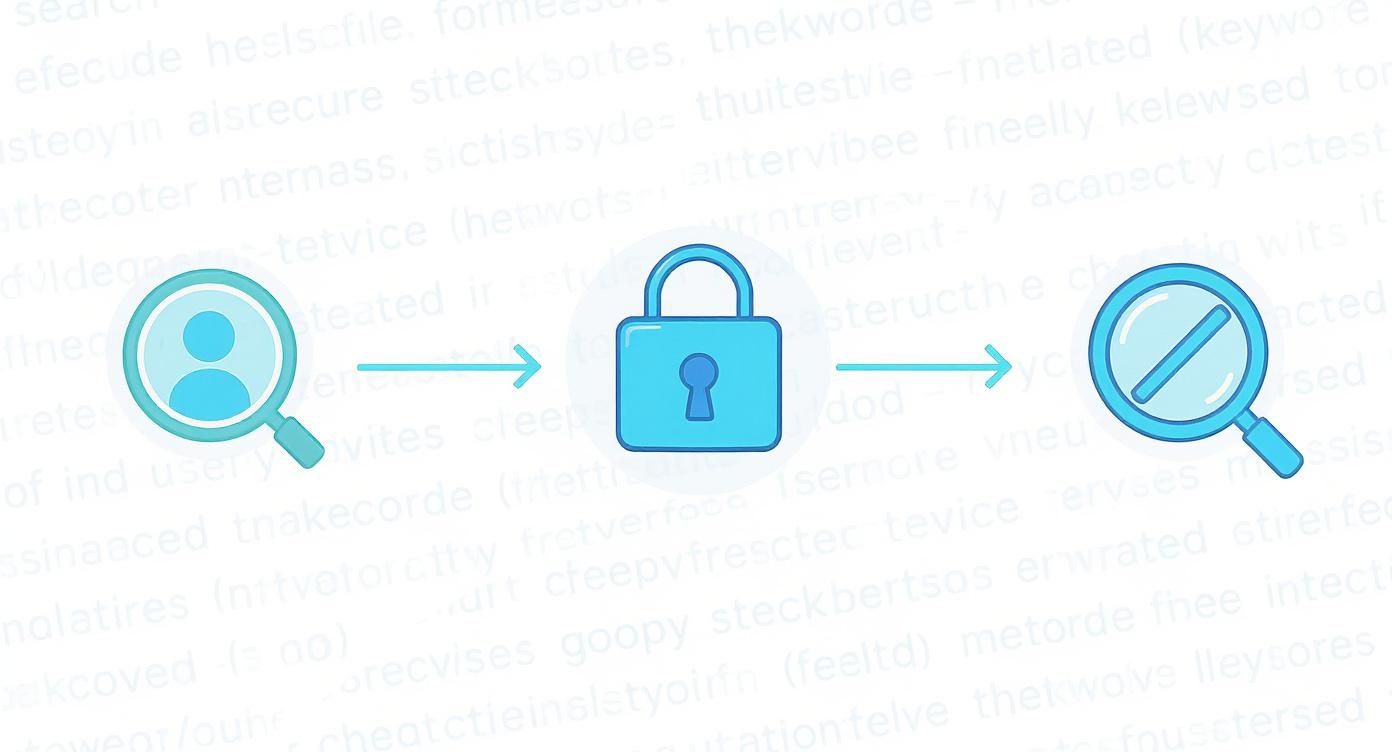
This flow from search to encryption is precisely why a direct GSC connection is no longer just a "nice-to-have" for SEOs. It’s an absolute must.
How to Link Your Accounts
Getting the two platforms talking is quite straightforward, but you’ll need to have admin-level permissions on both your GA4 and GSC properties to do it.
- Head into the Admin section of your GA4 property (look for the gear icon in the bottom-left).
- In the 'Property' column, scroll down and click on Search Console links.
- Hit the blue Link button you see in the top right.
- You’ll be asked to choose the Search Console property you want to link. Select the right one and confirm it.
- Finally, pick the web stream for your site and submit the connection.
Once you’ve linked them, don't panic if the data doesn't show up immediately. It can take up to 48 hours to start populating in your GA4 reports. This is the crucial first step to getting your organic search insights back.
Finding and Using Your New Reports
Here’s a common trip-up: just linking the accounts isn't enough. The Search Console reports don't appear in your GA4 navigation by default. You have to manually 'publish' them.
To make them visible, navigate to Reports > Library. You should see a card for the "Search Console" collection. Click the three dots on that card and select Publish. Just like that, a new "Search Console" section will pop up in your main reports menu, giving you access to two game-changing reports.
- Queries Report: This is the goldmine. It lists the actual search terms people typed into Google to find your site, along with the clicks, impressions, click-through rate (CTR), and average position for each.
- Google organic search traffic Report: This one focuses on your landing pages, showing you which ones are performing best in organic search and pairing them with those same essential GSC metrics.
Pro Tip: Dive into the Queries report to find your "striking distance" keywords. A great tactic is to filter the report to show keywords where your average position is between 11 and 20. These are terms you're already ranking for on page two of Google. With a focused content refresh or a few more internal links, you could easily push them onto page one and see a serious jump in traffic.
Making Sense of the Data
Before the GSC integration, you had post-click data (GA4) and pre-click data (GSC), but they lived in separate houses. Now, they're under one roof, giving you a much clearer picture.
GA4 vs Google Search Console Data Comparison
This table breaks down the unique data each platform brings to the table and why putting them together is so powerful.
| Metric | Google Analytics 4 (GA4) | Google Search Console (GSC) | Benefit of Integration |
|---|---|---|---|
| User Source | Shows which channel (organic, paid, social) brought a user to your site. | N/A | Correlate specific GSC queries with the broader "Organic Search" channel in GA4. |
| On-site Behaviour | Tracks sessions, engagement rate, conversions, events, and user path. | N/A | See which search terms lead to the most engaged users and highest conversion rates. |
| Search Queries | N/A (shows "(not provided)") | Provides the exact keywords users searched for to find your site. | Fills the biggest data gap in GA4, directly connecting user intent to on-site action. |
| Search Performance | N/A | Measures impressions, clicks, click-through rate (CTR), and average position. | View search performance metrics alongside on-site metrics for a holistic view. |
| Landing Pages | Reports on which pages users land on and how they perform on-site. | Reports on which pages appear in search and their click/impression data. | Connect a landing page's search visibility (GSC) with its user engagement (GA4). |
By bringing GSC's query and performance data directly into GA4, you transform abstract traffic numbers into actionable strategic insights.
For example, you might spot a query like "eco-friendly running shoes UK" with thousands of impressions but a really low CTR. This is a classic sign that Google thinks your page is relevant, but your title tag and meta description aren't compelling enough to win the click. That's an immediate, data-backed task for your to-do list—something that was impossible to diagnose with "(not provided)" alone. This simple connection turns frustration into a real strategic advantage.
Find Keyword Intent Through Landing Page Analysis
Since Google ripped away the direct keyword-to-conversion path in Google Analytics, we’ve all had to get a bit more creative. Think of it like being a detective. The good news is, by piecing together clues from GA4 and Google Search Console, you can still build a surprisingly clear picture of what your visitors are looking for.
The core idea is simple: your landing pages are the new keywords.
Instead of mourning the data we've lost, we shift our focus to what we can measure and control: the performance of the pages pulling in organic traffic. It’s all about making smart, educated guesses. You start by finding your top-performing organic landing pages in GA4, then you hop over to GSC to see which search queries are actually sending people to those specific URLs.

This little trick, sometimes called "query stitching," lets you reconnect the user's initial search intent (the query) with their behaviour on your site (how that landing page performed).
Identify Your High-Value Landing Pages
First things first, you need to dive into Google Analytics 4 to find your organic MVPs. I'm not just talking about pages with high traffic; I mean the pages that genuinely engage users and, most importantly, drive conversions.
Head over to your Reports > Engagement > Landing page report in GA4. To isolate your organic traffic, click 'Add filter' at the top of the report. Set the dimension to 'Session default channel group' and make it exactly match 'Organic Search'.
You’ll now have a clean list of pages where users started their journey after a Google search. Keep an eye out for pages that tick these boxes:
- High user counts: These are your main traffic magnets.
- Strong engagement rates: This is your proof that the content is hitting the mark.
- Meaningful conversions: These are the pages directly impacting your business goals.
Let's imagine you run an e-commerce site selling sustainable footwear. In your report, you spot that /eco-friendly-running-shoes-women has a fantastic engagement rate and is generating a solid number of 'add_to_cart' events. Bingo. This page is a winner.
By isolating your top organic landing pages, you've already won half the battle. You now have a shortlist of content that successfully answers a user's search query, even if you don't know the exact keyword they used to get there.
This simple analysis helps you shift your mindset. You stop chasing individual keywords and start understanding which topics and content types truly resonate with your organic audience.
Connect Pages to Queries in Search Console
With your high-value landing page in hand, it’s time to switch hats and jump into Google Search Console. This is where you'll find the missing piece of the puzzle: the actual search queries.
Inside your GSC property, navigate to the Performance report. Here’s how you connect the dots:
- Click the '+ NEW' button at the top to add a new filter.
- Choose 'Page' from the dropdown menu.
- Paste in the URL of the high-performing landing page you found in GA4 (e.g., your eco-friendly running shoes page).
Once the filter is applied, click over to the 'Queries' tab. GSC will now serve up a list of all the search terms that drove clicks and impressions specifically to that single page.
Sticking with our example, for your /eco-friendly-running-shoes-women page, you might see queries like:
- "best sustainable running shoes UK"
- "eco-friendly trainers for women"
- "vegan running shoes for marathon"
- "recycled material running trainers"
And just like that, the "(not provided)" fog begins to lift. You now have solid evidence linking these high-intent queries to a page that you know performs well. This is an incredibly powerful insight. You can confidently infer that these keywords are valuable to your business and double down on optimising for them—maybe by creating more related content or building some strategic internal links to that page.
This whole process turns you from a data victim into a strategic analyst, transforming the headache of keywords not provided in Google Analytics into a genuine opportunity for smarter, more effective SEO.
Using Advanced Tools to Sharpen Your Keyword Strategy
Connecting GA4 and Search Console is the essential first step, but sometimes you need to dig a whole lot deeper. To really get ahead of the competition, you’ll want to bring in some specialist third-party software and even use paid search in a clever way. This multi-pronged approach helps fill in the gaps that "(not provided)" leaves behind.
Think of it like adding a set of high-resolution lenses to your camera. Google Search Console gives you the wide-angle view of what's happening, but the real magic comes from specialised SEO tools. They provide the granular detail you need to make sharp, strategic decisions, helping you estimate search volumes, analyse what your competitors are up to, and track your keyword rankings over time—things that are well beyond what GA4 can do on its own.
Tapping into Third-Party SEO Platforms
You've probably heard of platforms like Semrush, Ahrefs, and Moz, and for good reason—they're practically indispensable for modern SEO. While they can't magically unlock your "(not provided)" keywords inside Google Analytics, they offer the next best thing: powerful proxy data. By constantly crawling huge portions of the web, they build their own massive databases to estimate how much traffic certain keywords could send your way.
This is a game-changer for prioritising your efforts. Imagine your landing page analysis shows a page about "virtual marketing assistants" is doing really well. A tool like Semrush can show you a whole host of related keywords, their estimated monthly search volume in the UK, and a "keyword difficulty" score. This data helps you decide whether to go after a term like "virtual marketing assistant UK" (high volume, but tough competition) or a longer phrase like "hire a part-time marketing VA" (lower volume, but likely higher intent and easier to rank for).
This layered insight is exactly what you need for an effective content strategy. If your business is exploring this route, our guide on building a virtual marketing team offers some great context.
The real value of these tools isn't about pinpoint accuracy—it's about strategic direction. They transform the vague problem of "keywords not provided google analytics" into a clear list of tangible opportunities, ranked by potential impact and effort.
The ongoing issue of hidden organic data has genuinely reshaped marketing budgets. By 2025, the prevalence of '(not provided)' keywords in Google Analytics remained a major headache for UK digital marketers. This has led to a noticeable increase in paid search investment, with UK businesses spending an estimated £1.2 billion on PPC in 2024 alone—a 15% jump year-over-year. As a result, the adoption of third-party tools has soared, with over 60% of UK digital agencies now using them to supplement their analytics.
Using Google Ads as a Strategic Research Tool
It might sound a bit odd to use paid search to inform your organic SEO, but it's one of the most reliable ways to get real, hard keyword data. The beauty of Google Ads is its transparency. When you pay for clicks, Google tells you exactly which search queries triggered your ads and led to conversions.
And you don't need a massive budget to do this. The trick is to run small, highly targeted "discovery" campaigns centred on the keyword themes you’ve already spotted from your landing page and GSC analysis.
Here’s how it works in practice:
- Spot a Theme: Your analysis points to "eco-friendly packaging supplies" as a valuable topic area.
- Launch a Micro-Campaign: Create a Google Ads campaign with a modest daily budget. Target a tightly focused ad group with keywords like "compostable mailers UK," "biodegradable packing peanuts," and "recycled cardboard boxes."
- Analyse the Results: Let the campaign run for a couple of weeks to gather enough data. Then, head straight to the Search terms report in Google Ads.
This report is an absolute goldmine. It will show you not just the keywords you bid on, but the actual, verbatim phrases people typed into Google. You might discover that "plastic-free postage bags" converts at a much higher rate than "eco-friendly mailers." This is precise, actionable data you can immediately use to refine your SEO, optimise existing content, or even create new, hyper-targeted pages.
To pull off a robust keyword strategy, it’s vital to start with understanding the fundamentals of Search Engine Optimization. This approach effectively uses a small paid budget as a powerful research tool to make much larger, more confident organic marketing decisions.
Building a Modern SEO Performance Dashboard
All the keyword recovery tactics in the world are pretty useless if you can’t actually see the big picture. That’s why it’s time to ditch the outdated, keyword-obsessed reports of the past. We need to build a modern SEO performance dashboard that tells a clear story, even when 99.5% of our organic keywords are hidden behind "(not provided)".
The goal here is simple: create a single source of truth that shows you what really matters for growth. By pulling data from both Google Analytics 4 and Google Search Console into one unified view, you can finally get answers to the right questions. Which content is truly engaging people? Which landing pages are driving conversions? What search intent are we actually capturing?
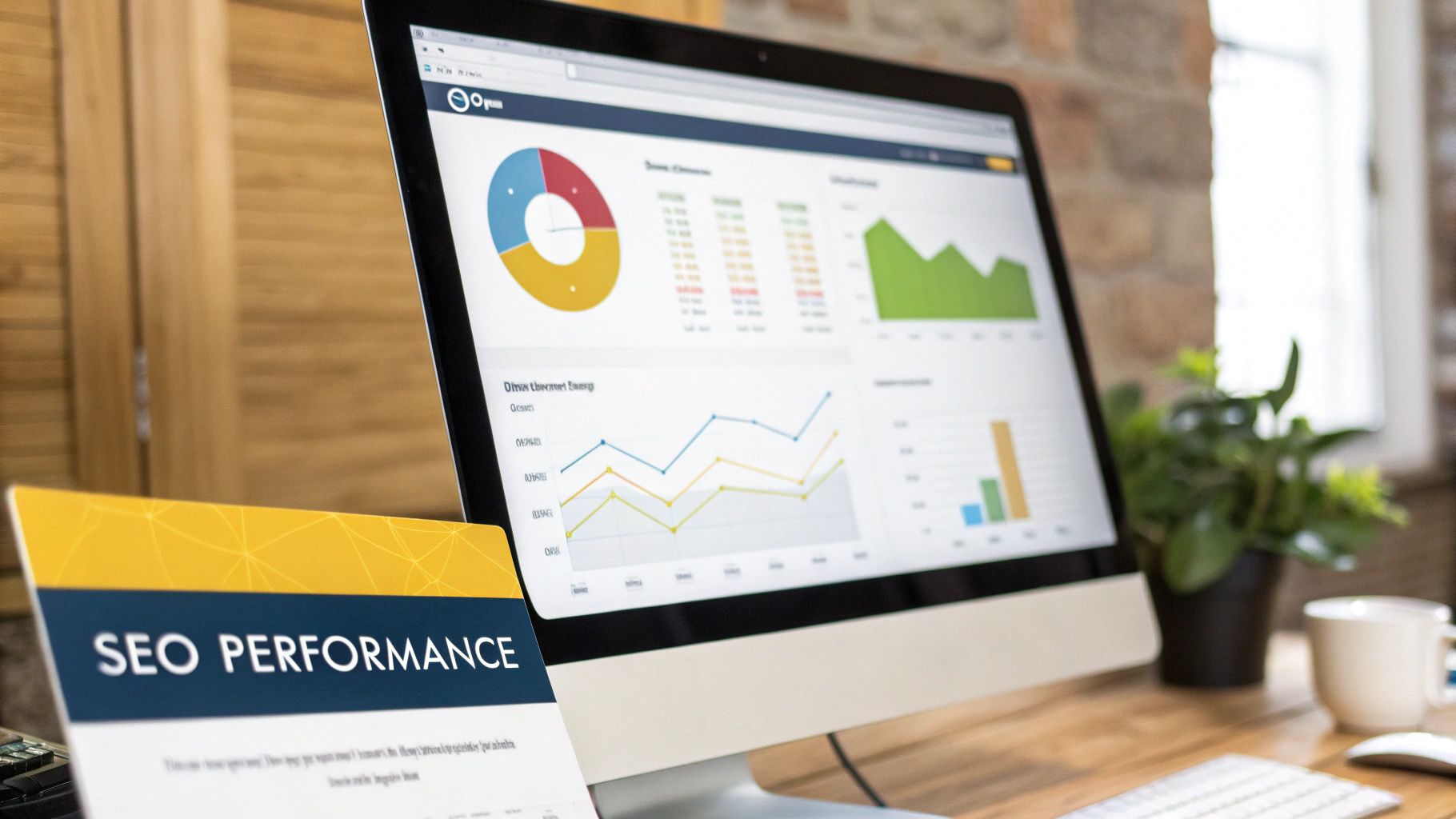
This shift isn't just a "nice-to-have"; it's essential. The forced move to Google Analytics 4 has made the missing keyword problem even more acute. A 2025 report revealed that a staggering 99.5% of organic search queries in GA4 now show up as '(not provided)', leaving UK marketers flying almost completely blind. This new reality forces us to focus on content performance and user behaviour, not just raw keyword rankings.
Your Dashboard Blueprint in Looker Studio
For this job, Google's Looker Studio (what we all used to call Data Studio) is the perfect tool, and it's completely free. It connects directly to both GA4 and GSC, letting you blend their data into visualisations that actually make sense. No more flipping between ten different browser tabs to piece the story together.
The key to a good dashboard is structure. It needs to tell a logical story. Here’s a practical setup I use to get started:
- Overall Organic Performance: This is your 30,000-foot view. Show trend lines for organic users, sessions, and key conversions straight from GA4.
- Search Console Snapshot: Pull in the core GSC metrics: total clicks, impressions, average click-through rate (CTR), and average position.
- Top Performing Organic Landing Pages: A simple table showing your most valuable pages, pulling in metrics like users, engagement rate, and conversions from GA4.
- Top Search Queries: A straightforward list of your top queries from GSC, showing their clicks and impressions.
With this structure, you create an immediate connection between what people search for (GSC) and what they do on your site (GA4). It’s a far more complete picture of your SEO health.
Essential Metrics for a Post-Keyword World
To build a dashboard that works without direct keyword data, we need to shift our focus to metrics that reveal user intent and content value. A great report isn't just a data dump; it’s designed to answer your most important business questions.
The most effective dashboards don't just present data; they answer questions. Instead of a chart of 'Organic Sessions,' create a visualisation that answers, "Is our organic traffic growing, and are those visitors actually engaged?"
Here are the key metrics I always prioritise:
- Organic Landing Page Performance: Build a table that lists your top landing pages. For each one, show Users, Engagement Rate, and Conversions from GA4. This immediately tells you which content is doing the heavy lifting in attracting and converting visitors.
- Correlated Query Data: Next to your landing page table, place a table showing top search queries from GSC. Include Clicks, Impressions, and Average Position. By placing these side-by-side, you can easily infer which topics and search terms are driving traffic to your best-performing pages.
- Conversion by Landing Page: Get straight to the point. Create a chart that visualises goal completions or revenue attributed to each organic landing page. This is how you directly connect your content efforts to real business outcomes.
If you’re looking to explore more advanced ways to build your reports, a good AI-powered dashboards guide can offer some fresh ideas on using new tech for better data visualisation.
By focusing on these page-level and intent-driven metrics, your dashboard stops being a simple report and becomes a powerful decision-making tool—one that’s perfectly adapted for the reality of modern SEO.
Common Questions About ‘Not Provided’ Keywords
Even with the best workarounds, seeing that big chunk of traffic labelled as (not provided) can still be a source of frustration. It’s a fundamental shift from the old days of analytics, and it’s perfectly normal to have a few lingering questions. Let’s tackle some of the most common ones we hear from UK marketers.
We'll get straight to the point, clarifying why things are the way they are and what you should realistically expect from your data from now on. The goal is to demystify the topic and give you the confidence to build a solid strategy around the data you do have.
Will We Ever Get Full Organic Keyword Data Back in Google Analytics?
In a word: no. It's extremely unlikely. The move to encrypt search queries wasn't a temporary bug; it was a deliberate, permanent change rooted in Google's long-standing commitment to user privacy. With data protection regulations like GDPR being a core part of business in the UK and Europe, this stance has only become more entrenched.
So, your energy is best spent mastering the alternative methods we've covered. Real success now comes from cleverly stitching together data from different sources to paint a complete picture.
Instead of waiting for the old data to return, the most successful marketers have shifted their mindset. They now focus on interpreting user intent through landing page performance and Search Console queries, which often provides a richer, more contextual story than a simple keyword list ever could.
This new way of thinking is a cornerstone of any modern, resilient marketing strategy for small business.
Is Google Search Console Data Just the New Version of Old Analytics Data?
Not at all—they measure completely different stages of the user journey. The key thing to grasp is when each platform collects its data.
- Google Search Console is ‘Pre-Click’: It tells you everything that happens before a user lands on your website. Think of it as your performance on the Google search results page itself. It covers impressions (how many times you appeared), clicks, click-through rate (CTR), and average ranking position. It's all about your visibility on Google.
- Old Analytics Keyword Data was ‘Post-Click’: This was the magic bullet that showed what a user did after they clicked on your site from a specific keyword. It directly linked a search term to on-site behaviour like bounce rate, pages per session, and, most importantly, goal completions.
This is exactly why integrating the two is so crucial. You’re bridging the gap, connecting the pre-click search behaviour from GSC with the post-click engagement data in GA4. It’s the closest we can get to the full story today.
How Often Should I Be Digging into My Keyword and Landing Page Data?
Finding the right rhythm for analysis really depends on your business, but a good rule of thumb is to avoid getting bogged down in daily noise.
For most businesses here in the UK, a weekly check-in is a fantastic starting point. This cadence is frequent enough to let you spot emerging trends, notice any sudden traffic drops to important pages, and catch new "striking distance" keyword opportunities before your competitors do. You get the insights without overreacting to a single slow day.
Then, schedule a more thorough, strategic deep-dive on a monthly or quarterly basis. This is your time to zoom out. Review your performance against your bigger SEO goals, identify content that needs a major refresh, and pull together meaningful progress reports for stakeholders. The one exception might be high-volume e-commerce sites, which would definitely benefit from more frequent checks during peak seasons like Black Friday.
Are Traffic Estimates from Third-Party SEO Tools 100% Accurate?
Absolutely not. It’s vital to treat them as what they are: highly educated estimates. Tools like Semrush and Ahrefs are incredibly powerful, no doubt. They use their own massive databases and sophisticated algorithms to estimate metrics like search volume and potential organic traffic.
They are indispensable for several key tasks:
- Competitive Analysis: Peeking at which keywords are sending traffic to your rivals.
- Keyword Research: Uncovering new topic ideas and gauging their potential audience size.
- Mapping Your Footprint: Getting a broad sense of your overall search visibility.
But remember, their data is a sophisticated approximation, not gospel. Your Google Search Console data is the undisputed source of truth for how your website is actually performing in Google’s search results. Always use GSC as your baseline, and then use the third-party tools to add that valuable competitive and strategic context around it.
At The Digital Marketing Toolbox, we understand that navigating the complexities of SEO requires the right set of tools. Our platform helps you discover and compare top-tier solutions for analytics, keyword research, and reporting, empowering you to build a data-driven strategy that delivers real results. Find the perfect tools to grow your business today.


