
You’ve probably reached the same point most service businesses hit with the Wix Booking System. Calls and DMs are scattered everywhere, staff availability lives in someone’s head, and clients keep asking the same questions before they book. The tool can fix that, but only if you set it up like an operator, not like someone ticking through a generic tutorial.
The game changed in February 2026. Wix dropped a massive update that moved beyond the “widget on a page” model and into what industry insiders call Agentic Commerce. Now, your booking system isn't just a part of your website, it’s a living part of the entire Google ecosystem.
If you’re still managing your diary the “old” way, you’re essentially burning cash. Let’s look at how to master the new integration and build a system that actually saves you time.
The 2026 Revolution: Agentic Commerce via Google Integration
Why does this matter? Because in 2026, people don't always visit your website to book. They find you on Google Maps, ask Google AI Mode (Gemini) for a recommendation, or see your listing in Google Search.
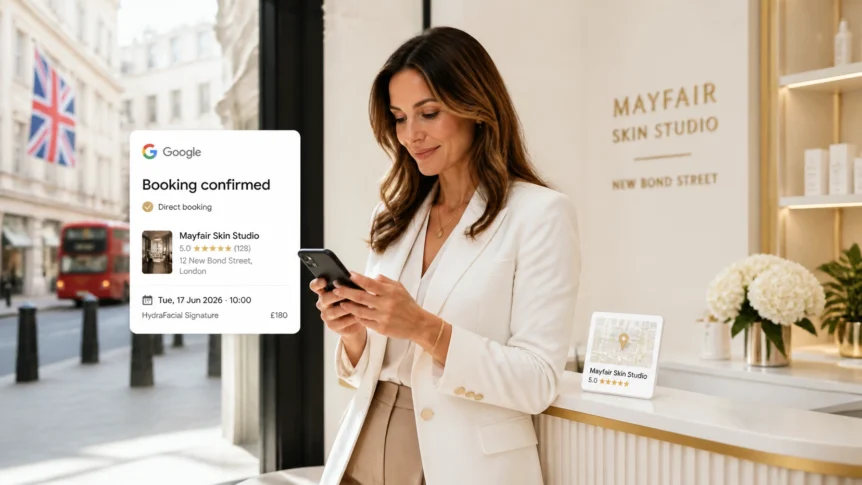
With the new update, Wix allows customers to see your services, prices, and near real-time availability directly in the search results. They can pick a time slot without ever leaving the Google interface.
Golden Nugget: Your Wix availability and pricing sync with Google roughly every 30 minutes. It’s near real-time, meaning you don't have to worry about double-bookings from your “Book Now” buttons on Maps vs. your website.
So, how do you actually turn this on?
How to connect Wix Bookings to Google Search & Maps in 2026
- Check your Industry: Currently, full time-slot selection is prioritized for Beauty and Wellness businesses, with other sectors rolling out monthly.
- Dashboard Navigation: Go to your Wix Dashboard and select Catalog > Booking Channels.
- Enable Integration: Select the Google Integration option and click Connect.
- Sync Business Profile: Link your Google Business Profile. Ensure your address and phone number on Wix match Google exactly.
- Service Selection: Choose which services you want to “Publish to Google.”
- The Hand-off: Once a user selects a slot on Google, they are automatically sent to your Wix site to complete the final confirmation and payment.
![[Wix Booking System] A clean, high-quality vector graphic showing Wix syncing booking data with Google Search and Maps in a modern 2026 Agentic Commerce style.](https://cdn.marblism.com/qAcv7Kkf2yX.webp)
Building Your Foundation: Setup & Operating Rules
Monday morning is where weak setups get exposed. A client books a virtual consultation an hour earlier than expected because the timezone is wrong. A therapist gets assigned during school pickup because no one blocked personal calendar time.
A booking system needs operating rules before it needs styling.
Set your operating rules before you add services
We see the same mistake in salons, clinics, and consultancies. They create services first, then try to fix availability afterwards. That usually leads to hidden conflicts, especially once multiple staff members are involved.
- Primary Timezone: Use the timezone the business operates in (£ GBP territory usually means GMT/BST).
- Booking Buffers: Add breathing room (e.g., 15 minutes) between appointments for cleanup, notes, or just a quick coffee.
- Sync Every Calendar: Wix can only show accurate availability if it knows what is already in your personal diary. Connect your Google or Microsoft 365 calendars immediately.
Configuring Services & Staff: Tailored Advice
So, how should you structure your services? It depends entirely on who you are.
For the Freelancer: The “Solo Specialist” Strategy
If you’re flying solo, your biggest enemy is “The Empty Slot.” You don't want a random 30-minute gap in the middle of your day that you can't fill.
- Use Appointment Buffers: Ensure you have enough time to prep.
- Time Hacking: Use the “Minimize Gaps” feature in Wix to encourage clients to book slots adjacent to existing appointments.
- Direct Payments: Since you don't have a front desk to chase invoices, require at least a £20 deposit for all first-time bookings to reduce no-shows.
For the Agency or Salon: The “Multi-Staff” Workflow
When you have a team, the Wix Booking System becomes your digital floor manager.
- Staff Permissions: Ensure staff can see their own schedules but perhaps not the entire client database. This is vital for GDPR compliance in the UK.
- Service Assignment: Attach only the services that a specific person is qualified to deliver.
- Staff Profiles: Add photos and bios. In 2026, personality sells. Customers book people, not just “haircuts” or “consultations.”
![[Wix Booking System] A modern business team in a stylish London storefront managing a booking schedule on a sleek tablet and laptop.](https://cdn.marblism.com/tz1M6cQLOxv.webp)
Payments & Marketing Automation: The ROI Engine
Is it worth the money to automate your payments? Absolutely. If you’re still “taking cash on the day,” you’re leaving your revenue to chance.
Payments that work (in £ GBP)
Wix integrates with Stripe and Wix Payments, allowing you to handle everything from deposits to full prepayments. For UK businesses, this keeps your accounting clean and your “Moment of Truth” (the checkout) professional.
- Set Clear Cancellation Policies: State clearly if a deposit is non-refundable if cancelled within 24 hours.
- Automated Invoicing: Let the system send the receipt automatically so you don't have to manually type out “Paid” emails on a Sunday night.
Automation for Small Business
Beyond the booking, you need to think about the “before and after.” This is where marketing automation for small business comes in.
- The 24-Hour Reminder: Send a text or email 24 hours before the appointment.
- The Review Trigger: 2 hours after the service is complete, automate an email asking for a review on your Google Business Profile. This feeds back into the Google integration, helping you rank higher!
Golden Nugget: Don't crowd your booking page with too many add-ons. Use digital marketing tools strategically. If a visitor is on your booking page, they are ready to buy, don't distract them with a popup for a newsletter.
Troubleshooting Common Wix Booking Headaches
Even the best systems hit a snag. Are you seeing “No availability” when you know you're free?
- The Hidden Conflict: Check your connected Google Calendar. Did you set an all-day event like “Mum's Birthday” that is blocking your professional slots?
- The 30-Minute Sync Delay: If you just updated a service on Wix, wait 30 minutes before checking it on Google Maps.
- Mobile Messiness: In 2026, 85% of bookings happen on mobile. If your booking form has 20 custom fields, people will abandon it. Keep your intake forms punchy.
For a deep dive into the official documentation, check out the Wix scheduling software page for the latest API updates and vertical-specific features.
![[Wix Booking System] A sleek tablet displaying a modern booking dashboard in a minimalist London storefront setting with clean gold-accented UI.](https://cdn.marblism.com/q0FBPoj8ywN.webp)
Moment of Truth: Final Recommendation
So, is the Wix Booking System the right move for your business in 2026?
If you are a service-based business looking to leverage the power of Google’s new “Agentic Commerce” features, the answer is a resounding yes. The February update has turned Wix from a simple website builder into a powerful lead-generation engine that lives where your customers are already searching.
Our advice? Stop treating your booking page as a static form. Treat it as your most important sales tool. Connect it to Google, set up your £ GBP payment rules, and let the automation handle the boring stuff while you focus on actually running your business.
Stay informed about the latest features of the Wix Booking System.
The Wix Booking System can streamline appointments and enhance client relations.
Evaluate your service offerings regularly via the Wix Booking System.
Customer satisfaction can increase with the Wix Booking System in place.
Promote your services effectively through the Wix Booking System.
Utilize analytics to track performance within the Wix Booking System.
Regular updates to the Wix Booking System can enhance user experience.
Feedback from clients using the Wix Booking System can help refine your services.
Consider the advantages of integrating your marketing with the Wix Booking System.
Make sure your team is trained on the Wix Booking System to maximize its potential.
The Wix Booking System allows you to customize your services to fit client needs.
Utilizing the Wix Booking System effectively can transform your customer interactions.


