

So, you're ready to make a Shopify website. At its core, the process involves signing up, picking a theme to design your shopfront, adding your products, and getting your payment and shipping settings sorted. The best part is that it’s all built to be straightforward, letting you create a professional UK e-commerce store without touching a single line of code.
Your Foundation for UK E-Commerce Success

Before you even think about hitting that sign-up button, the real work needs to happen. Building a successful Shopify store in the United Kingdom isn't just a technical task; it's about making smart, strategic decisions right from the get-go.
Think of this early planning as pouring the concrete foundation for your business. If you get it right, everything you build on top of it will be far more stable and likely to succeed. This isn’t about the setup clicks; it’s about defining what makes you special and carving out your own space in a crowded UK market.
Define Your Niche and Target Customer
First things first: get specific. Who, exactly, are you selling to, and what makes your products the right choice for them? Don't try to appeal to everyone. Instead, focus on your ideal British customer.
Are you targeting eco-conscious millennials in Manchester, luxury shoppers in London, or budget-focused families in Birmingham? Getting a clear picture of their needs, values, and online habits will guide every decision you make, from the products you stock to the marketing messages you write. For businesses with a physical location, mastering the basics of local SEO for small businesses is a massive advantage for attracting nearby customers.
Plan Your Product Catalogue
Once you know your customer, you can build a product catalogue that genuinely speaks to them. This is more than just listing items for sale; it’s about telling a story and solving a problem. A well-planned catalogue feels curated and intentional, making it easy for shoppers to find what they're looking for and encouraging them to add more to their basket.
Of course, a fundamental step for any UK e-commerce venture is setting up a business bank account in the UK to keep your finances in order from day one.
A thoughtfully planned store is a powerful sales engine, not just a digital placeholder. The strategy you develop now directly impacts your ability to attract, convert, and retain customers later.
Choosing Shopify gives you a real head start in the UK. When you join the platform, you're tapping into a huge ecosystem. Shopify holds around 23-24% of the UK e-commerce software market, with over 200,000 active storefronts in the region.
This popularity translates into tangible benefits for you. You'll have access to a massive pool of UK-based developers, countless local apps, and payment gateways already fine-tuned for British shoppers. For more on this, you can check out the data on Shopify’s UK market share on redstagfulfillment.com.
Getting Your Shopify Store Off the Ground
Right, with your big ideas mapped out, it’s time to get your hands dirty in the Shopify dashboard. This is where your vision starts to take shape. Don’t be intimidated by the technical side of things; Shopify is built to be user-friendly. We’re going to focus on getting the essential settings dialled in to create a solid, efficient, and legally sound foundation for your UK shop.
Your Shopify dashboard is your mission control. Seriously, you'll be in here every day, so it's worth getting your bearings. You'll live in sections like Orders, Products, Customers, and Analytics. Just take five minutes to click around and see what’s what. No pressure, just a quick look.
Nailing Down Your Core Business Details
First up, you need to introduce your business to Shopify. This isn't just admin for the sake of it – these details dictate your currency, how taxes are calculated, and how customers get in touch. Pop down to Settings in the bottom-left corner of your dashboard.
In Store details, make sure your business name, legal name, and UK address are spot-on. This is also where you’ll double-check that your store currency is set to Pound Sterling (GBP). It’s a small detail, but absolutely vital for selling to a UK-based audience.
Next, let's get your legal policies sorted. Shopify gives you a brilliant head start with templates, which you'll find under Settings > Policies.
- Refund Policy: Be crystal clear about your rules for returns.
- Privacy Policy: This one's a legal must-have, explaining how you handle customer data.
- Terms of Service: Lays out the ground rules for anyone using your site.
- Shipping Policy: Manages customer expectations on delivery times and costs.
The templates are great, but they aren't a one-size-fits-all solution. Take the time to tweak them so they truly reflect how you operate. Clear, fair policies are one of the fastest ways to build trust with new shoppers.
Connecting Your Custom Domain
Nothing makes your business feel more official than a custom domain. That default your-store.myshopify.com URL is fine while you're building, but you'll definitely want your own branded address before you go live.
If you haven't got a domain yet, the easiest path is to buy one directly through Shopify. Head to Settings > Domains. They handle all the technical bits for you, making it completely painless.
Already bought a domain from somewhere like GoDaddy or Namecheap? No problem. You can connect it by pointing it to Shopify's servers. It just involves changing a couple of records with your domain provider.
My two cents: Get your domain connected early. Seeing your brand’s name in the address bar is a huge motivator. It makes the whole project feel real and gives you a push to get it over the finish line.
Managing Staff and Permissions
Even if you’re flying solo for now, it pays to know how user permissions work. As you grow, you'll likely bring people on board to help with marketing, packing orders, or handling customer service.
Under Settings > Users and permissions, you can add staff accounts and limit what they can see and do. This is a critical security step. It means you can give a marketing assistant access to your analytics without letting them see your sales figures, for example. Speaking of which, if you want to get your tracking right from day one, we've got a great guide on how to set up Google Analytics for your store.
Crafting Your Store Design and Product Pages

With the behind-the-scenes settings all sorted, it's time for the fun part: building the storefront your customers will actually see and interact with. Your store's design is your digital handshake, and your product pages are where you close the deal. This is where we shift from a technical setup to crafting an experience that’s not just beautiful, but built to sell.
The first stop on this creative journey is the Shopify Theme Store. Think of it as the architectural blueprint for your entire website—it defines the look, feel, and flow of your shop.
Choosing Your Perfect Shopify Theme
Inside the Theme Store, you'll find a massive variety of options, from clean, minimalist layouts to bold, feature-heavy designs. Your choice boils down to two paths: free themes built by Shopify itself or premium (paid) themes from third-party developers.
If you're just starting out, a free theme is an absolutely brilliant choice. They're professionally built, fully supported by the Shopify team, and packed with all the essentials you need to launch. Don't let the word "free" fool you; themes like Dawn and Sense are incredibly powerful and give you a huge amount of creative control.
Down the road, you might find a premium theme is worth the investment. They often come with more advanced features, unique layouts, and specialised functions for specific niches, which can save you from having to buy multiple apps later.
Here's what I always look for when picking a theme:
- Mobile Experience: This is non-negotiable. With more than half of all online shopping happening on phones, your site must look and work perfectly on a small screen. Always use the "View demo" option and check it out on your own phone.
- Industry Fit: While you can customise any theme, some are just better suited for certain businesses. A theme built to showcase a single flagship product is going to be structured very differently from one designed for a massive catalogue with hundreds of items.
- Speed and Performance: A slow website kills conversions and hurts your SEO. Shopify themes are generally well-optimised, but it’s always smart to read a few reviews and see if anyone mentions site speed.
Customising Your Store's Look and Feel
Once you’ve installed a theme, you’ll head into the theme editor. This is a wonderfully intuitive, drag-and-drop tool that lets you shape your store’s design without touching a single line of code.
Start with the brand essentials. Upload your logo, punch in your brand colours for buttons and backgrounds, and pick a couple of fonts that match your brand's personality. These small tweaks are what start to turn a generic template into your store.
Your homepage is your digital shop window, so make it count. You can add, remove, and shuffle sections like featured product collections, striking image banners, customer testimonials, or even videos. A strong homepage tells your brand story and smoothly guides visitors to where you want them to go. For example, if you sell artisanal coffee, you could lead with a stunning banner of your coffee beans, followed by a "Best Sellers" collection, and then a small section about your ethical sourcing process.
Your store design should do more than just look good. It needs to guide the user on a clear path from discovery to checkout. Every colour, font, and image should serve the ultimate goal of making the shopping experience effortless and enjoyable.
Creating Compelling Product Pages
Let's be clear: your product pages are the most important real estate on your entire website. This is where a curious browser becomes a paying customer. A great product page is a careful mix of persuasive copywriting, fantastic visuals, and easy-to-digest information.
First up, photography. Your product images have to do all the talking. They need to show your product from every angle, demonstrate it in use, and zoom in on the details that matter. If your budget allows, it's worth considering professional Shopify product photography services to get visuals that truly stop the scroll.
Next, get to writing product descriptions that actually sell. Don't just list features; translate them into benefits. Instead of just saying "water-resistant fabric," try "keeps your gear bone-dry on rainy commutes." Use short, scannable paragraphs and bullet points to break up the text.
Organising Your Products with Variants and Collections
Hardly any product is a one-size-fits-all deal. Shopify makes it simple to manage variants—different options for a single product, like size, colour, or material. For each variant, you can set a specific price, SKU (Stock Keeping Unit), and track inventory separately.
This is absolutely vital for managing your stock properly. When a customer buys a "Medium, Blue T-shirt," Shopify automatically subtracts one from that specific variant's inventory, preventing you from accidentally overselling an item you don't have.
With your products created, it's time to group them into collections. Think of these as the aisles in your digital store, making it easy for shoppers to browse. You can create collections based on anything you can think of:
- Product Type: T-shirts, Mugs, Hats
- Target Audience: For Him, For Her, For Kids
- Seasonal Themes: Summer Collection, Christmas Gifts
You can either create manual collections and add products one by one, or set up automated collections that use rules (like product tags or price) to pull products in for you. This system forms the backbone of your store's navigation, allowing you to link directly from your main menu to beautifully curated product groups. For an extra visual punch, you can also learn how to embed an Instagram feed on your website to showcase your products being used in the wild.
Getting Paid: Payments, Shipping, and UK Taxes
Alright, your shop is starting to look the part. Now it's time to handle the less glamorous, but absolutely crucial, back-end stuff: getting paid, getting products out the door, and keeping HMRC happy.
Honestly, this is where many new store owners stumble. A clunky checkout or confusing delivery options can kill a sale in seconds. Let's make sure yours is seamless and professional, building the trust you need to turn browsers into buyers.
Setting Up Your Payment Methods
First things first, let's get you ready to take people's money. For UK businesses, the simplest and fastest way to accept credit and debit cards is by activating Shopify Payments. It's built right into your store, so you don't have to mess around with third-party gateways or complicated setups.
You'll find it under Settings > Payments. A few clicks and you're ready to accept all the major cards—Visa, Mastercard, Amex, you name it. The fees are competitive and tiered based on your Shopify plan, so there are no nasty surprises.
But don't just stop at card payments. Giving customers choices is a massive conversion booster.
Think about adding these popular options:
- PayPal: A household name in the UK. Lots of shoppers have an account and trust it implicitly. Integrating it is a piece of cake in the same 'Payments' section.
- Shop Pay: This is Shopify's own accelerated checkout. It saves a customer's payment and shipping info, letting them buy with a single click next time. For mobile shoppers, this is a game-changer.
- Buy Now, Pay Later (BNPL): Services like Klarna are incredibly popular. Allowing customers to split payments can seriously bump up your average order value, as bigger purchases feel more manageable.
A frictionless payment experience is a quiet conversion driver. When customers see familiar, trusted options like PayPal or have the ability to use Shop Pay, it removes hesitation at the crucial final step of their purchase.
Getting these set up properly makes your store feel established and trustworthy right from the start.
Configuring Your UK Shipping Rates
Next up: delivery. How are you going to get your amazing products into your customers' hands? Shopify's shipping settings are surprisingly powerful, letting you create really specific rules for different parts of the UK. You'll want to head over to Settings > Shipping and delivery.
The first thing you’ll do is create shipping zones. Think of a zone as a group of locations that all share the same delivery costs. For a UK-based shop, your primary zone will cover England, Scotland, Wales, and Northern Ireland.
With your UK zone created, you can start adding rates. Here are a few battle-tested strategies I've seen work well:
- Flat-Rate Shipping: The simplest approach. Charge one fixed fee, say £4.95, for standard delivery on all orders. It's predictable for you and your customer. No surprises.
- Tiered Rates: This is a great way to encourage bigger orders. You could set rules based on the basket value or weight. For example, £3.95 shipping for orders under £50, and free shipping for anything over that. It’s a classic and effective upselling tactic.
- Carrier-Calculated Rates: If you're on a higher Shopify plan, you can link your account with couriers like Royal Mail or DPD. This pulls their live rates at checkout, so you charge the exact cost of postage every time.
And don't underestimate the power of free shipping. It's a proven sales driver. Even if you need to build that cost into your product prices slightly, the psychological pull of "free" can have a massive impact on your conversion rate.
Sorting Out UK Tax Settings
Finally, the dreaded taxes. For most new UK businesses, this just means getting your head around Value Added Tax (VAT). The good news is that Shopify is set up to handle this perfectly. Go to Settings > Taxes and duties.
Select the United Kingdom as your region, and Shopify will automatically apply the standard UK tax rules. Your main job here is to tell Shopify whether you’re registered for VAT.
- If you are NOT VAT-registered: You don't need to do much. By default, your prices won't include tax. You only have to register for VAT when your turnover hits the government threshold (currently £85,000 in a rolling 12-month period).
- If you ARE VAT-registered: This is important. You must enter your VAT number into the settings. You then get to choose if your prices already include VAT (which is standard practice for UK customer-facing stores) or if it gets added on at the checkout.
Nailing your payments, shipping, and taxes is the final piece of the operational puzzle. It ensures that from the moment a customer pays to the moment their parcel lands on their doormat, the whole experience is professional, smooth, and compliant.
7. Supercharge Your Store with Essential Apps
You’ve built a solid foundation for your Shopify store. It looks good, it works, but now it’s time to turn it into a proper sales engine. This is where the Shopify App Store really shines, and honestly, it’s one of the platform’s biggest strengths. Think of it as a toolbox filled with specialist gadgets that add powerful features to your site without you ever having to touch a line of code.
The sheer number of apps can feel a bit overwhelming, though. The trick isn't to bolt on dozens of them; it's about choosing a lean, smart set of tools that solve specific problems. Let’s walk through the categories that will give you the most bang for your buck, especially when you're just starting out in the UK.
Build Relationships with Email Marketing
Email marketing is still king when it comes to keeping customers. It's your direct line to your audience, perfect for encouraging repeat purchases and building a real community around your brand. While Shopify has its own basic email tool, a dedicated app gives you so much more power.
When you're first figuring out how to make a Shopify website, getting a proper email app connected from day one is a massive advantage. These tools do more than just send newsletters; they let you set up automated campaigns that work for you 24/7.
- Welcome Series: The perfect way to introduce new subscribers to your brand’s story and maybe offer a little welcome discount.
- Abandoned Cart Recovery: This one is crucial. It automatically emails shoppers who left items in their basket, clawing back sales you would have otherwise lost.
- Post-Purchase Follow-ups: A simple "thank you" goes a long way. You can also use these emails to ask for reviews or suggest complementary products.
Apps like Klaviyo are a favourite for a reason. They plug directly into your Shopify data, letting you segment customers based on what they’ve bought. That means you can send super-relevant, personalised messages that people actually want to open.
Gain Trust with Social Proof
When was the last time you bought from an online store you'd never heard of? I bet you scrolled straight down to the reviews. Your customers are no different. Social proof is the digital equivalent of word-of-mouth, and it’s absolutely vital for building trust.
It’s simple: shoppers trust other shoppers. Adding customer reviews to your product pages isn't just a nice feature; it's a core conversion tool that gives a potential buyer the confidence to click 'buy'.
Customer review apps make collecting and displaying this feedback a breeze. The best ones will automatically email a customer a week or two after their order arrives, asking for their thoughts. A couple of great options to look at are:
- Judge.me: Has an excellent free plan that’s more than enough for most new stores.
- Loox: This one focuses on photo reviews, which are incredibly persuasive for visual products like clothing, jewellery, or home decor.
These apps place star ratings and testimonials right where they matter most—on your product pages. It’s that little nudge of authenticity that can turn a hesitant browser into a happy customer.
Get Seen with Smarter SEO
Search Engine Optimisation (SEO) is your long-game for attracting free, high-quality traffic from search engines like Google. Shopify has some good SEO features built-in, but a dedicated app can give you an extra edge by finding and fixing the little technical issues that can hold you back.
SEO apps are great for scanning your site for things like broken links, missing image descriptions (alt text), and other technical gremlins. They usually give you a straightforward checklist of things to fix, helping you improve your chances of ranking for the keywords your customers are searching for. Most offer a free plan that can spot the biggest problems, making them a no-brainer for any new store.
With so many tools out there, it helps to focus on the core functions you need to get right from the start. We've put together a quick table outlining the key app categories that will make the biggest difference to a new Shopify store's success.
Essential Shopify App Categories for New Stores
| App Category | Purpose and Benefit | Example UK-Friendly Apps |
|---|---|---|
| Email & SMS Marketing | Build customer lists, automate cart recovery, and run promotional campaigns to drive repeat business. | Klaviyo, Omnisend, Privy |
| Reviews & Social Proof | Collect and display customer reviews, photos, and testimonials to build trust and increase conversions. | Judge.me, Loox, Fera.ai |
| SEO & Site Speed | Diagnose technical SEO issues, compress images, and improve page load times to rank higher in search results. | Booster SEO & Image Optimizer, Crush.pics |
| Customer Support & Live Chat | Provide instant help to shoppers, answer questions in real-time, and build customer loyalty. | Tidio, Gorgias, Shopify Inbox |
| Loyalty & Rewards | Encourage repeat purchases by offering points, VIP tiers, and exclusive rewards for loyal customers. | Smile.io, LoyaltyLion, Yotpo |
These categories cover the fundamentals: attracting visitors, converting them into customers, and then turning them into loyal fans. Start here, and you can always explore more specialised apps as your business grows.
Your Final Pre-Launch Checklist
The moment is almost here. Your store is looking great, and you're probably itching to flip the switch and go live. But before you do, let's take a breath. A successful launch is all about getting the details right, and skipping this final check can lead to missed sales, frustrating glitches for customers, and a rocky start.
Think of it like the final walk-through before opening a physical shop. You'd double-check the lights, make sure the till is working, and test the front door. We're going to do the digital equivalent, ensuring every part of your customer's journey is smooth and professional from the get-go.
Test the Entire Customer Journey
This is the most important thing you'll do before launching: place a test order. I'm not just talking about adding an item to the cart; you need to experience your store exactly as a customer would. Shopify makes this easy with its Bogus Gateway, which lets you simulate a full transaction without pulling out a real credit card.
As you walk through the buying process, put on your most critical customer hat and check these points:
- The Checkout Flow: Is every step intuitive? Do your shipping rates calculate correctly for a UK address?
- Discount Codes: If you set up a special launch discount, does it actually apply the right amount?
- Email Notifications: Did you get the order confirmation email? Is it on-brand, or does it look like a generic template?
Honestly, this one test can uncover a dozen little problems you’d otherwise miss, from a broken link in your confirmation email to a weirdly high shipping calculation.
Don't underestimate this. A smooth, error-free checkout is absolutely critical. Recent studies show that nearly 70% of online shopping carts are abandoned, often because of a confusing or buggy checkout. A thorough test order is your best defence against becoming another statistic on day one.
While you're testing, it's also a good time to think about the systems that will help you grow. These three app categories—Email, Reviews, and SEO—are the bedrock of any successful store.
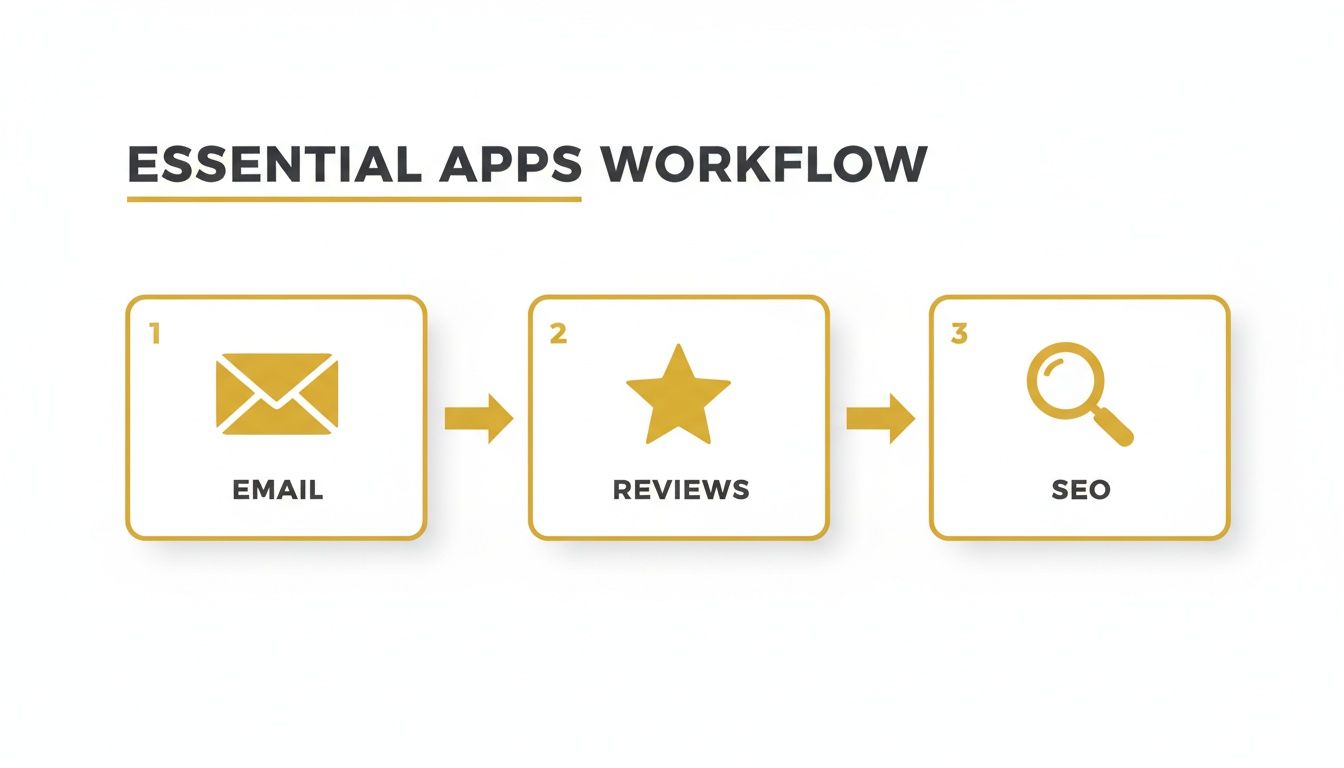
This workflow shows how marketing, trust, and visibility feed into each other. Getting these tools in place from the start will make your life so much easier down the line.
Final Technical and Content Review
Once you're confident the checkout works flawlessly, it's time for one last sweep of the entire site. Seriously, grab your phone and pretend you’re a brand-new visitor. With more than 50% of web traffic now coming from mobile, your site must work perfectly on a smaller screen. Check that images aren't cut off, text is easy to read, and all the buttons are tappable.
Finally, give your content one last look. Are the product descriptions accurate? Do all the links in your main navigation and footer actually go somewhere? Make sure your legal pages, like the Privacy Policy and Terms of Service, are properly linked. And a final tech check: is your Google Analytics tracking code active? You’ll want to see performance data from your very first visitor.
Ticking off these boxes will give you the peace of mind to launch a polished, professional store that’s ready to impress.
Got Questions? We've Got Answers
Here are some of the most common questions we get from people just starting out with Shopify in the UK.
What’s the Real Cost of Building a Shopify Website in the UK?
Let's break down the budget. Your core expense will be the monthly Shopify plan, which typically kicks off at around £25 per month.
Beyond that, you'll want a custom domain name, which is a small but crucial investment of about £10-£15 each year. If you decide to go for a more advanced look, a premium theme is a one-off purchase, usually setting you back between £150 and £300. Don't forget to factor in any paid apps, as they come with their own monthly costs.
Do I Need to Be a Designer to Use Shopify?
Not at all. This is one of the best things about Shopify – it’s genuinely built for people who aren't tech-savvy or designers.
The platform's theme editor is a simple drag-and-drop system. The whole interface is clear and straightforward, which means you can build a really professional-looking, powerful online shop without touching a single line of code.
How Do I Handle UK VAT on My Store?
Shopify takes the headache out of this with some really solid, built-in tax settings specifically for UK businesses. You can set up your store to automatically apply the correct VAT to both your products and shipping fees.
If you're already VAT-registered, just pop your VAT number into the settings, and Shopify will handle the calculations for your UK sales. It’s surprisingly simple.
A Quick Word of Advice: Shopify gives you the tools, but tax is a serious business. We always suggest having a quick chat with a UK-based accountant to double-check that you’re fully compliant with the latest regulations. Better safe than sorry!
Ready to take your marketing to the next level? Explore The Digital Marketing Toolbox to find the perfect apps and solutions to grow your new Shopify store. Visit us at https://grow-your-biz.com to get started.


