

Let's get one thing straight before we dive into uploading files: your live LinkedIn profile is your primary CV now. Too many professionals in the UK treat their profile like a simple document holder, but the reality is that your dynamic, interactive profile is what recruiters are actively searching and engaging with every single day.
If you want to manage your professional brand effectively, optimising your profile is the best place to start.
Your LinkedIn Profile Is Your New CV
Thinking of LinkedIn as just a digital filing cabinet for your CV is a huge missed opportunity. Your profile is a living, breathing document that tells your career story in real-time. It’s far more compelling than a static PDF because it showcases recommendations from colleagues, skill endorsements from your network, and your ongoing professional activity. This paints a much richer, more credible picture for anyone looking to hire.
This is especially true in the UK market. A recent study revealed that a staggering 72% of recruiters in the country rely heavily on LinkedIn's own search tools to find candidates. They aren't downloading attachments; they're filtering by the keywords you use in your headline, your experience descriptions, and your skills section. That makes your searchable profile infinitely more powerful than a CV hidden behind a click.
From Invisible to In-Demand
The shift from being a passive CV-holder to an active profile-builder can make all the difference. A properly optimised profile doesn't just look more professional—it actively works for you, attracting the right kind of attention from the right people. If you're wondering about the real return on investment for your time, it's worth asking: Is LinkedIn Worth It? for your specific career goals.
This image shows just how much engagement can spike after a thorough profile update.
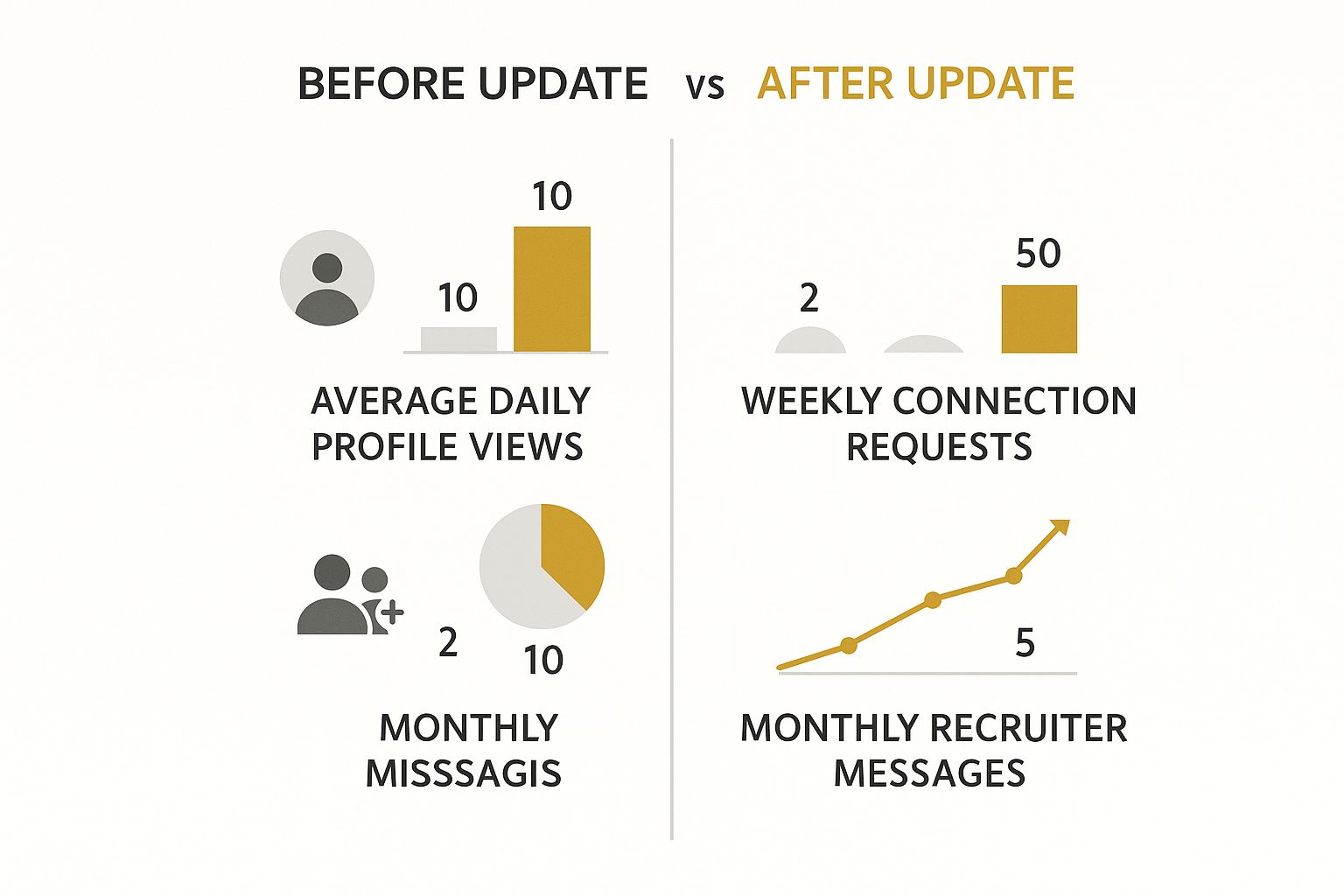
The data speaks for itself. A well-maintained profile directly translates into more views, more connection requests, and, crucially, more messages from recruiters.
Your LinkedIn profile should be treated as the main event, not the waiting room for your CV. It’s your always-on career advertisement that works for you even when you aren't actively job hunting.
Give your profile the same attention to detail you'd give your traditional CV. Every single section is another chance to make a great first impression and ensure you're visible to the right people, right when they're looking.
LinkedIn Profile vs Uploaded CV At a Glance
It can be confusing to know when your live profile matters most versus when a recruiter might want a formal CV. This quick table breaks down the core differences and best uses for each.
| Feature | Live LinkedIn Profile | Uploaded CV Document |
|---|---|---|
| Primary Purpose | Professional networking & passive job seeking | Formal job applications |
| Visibility | Public & searchable by recruiters 24/7 | Private; only seen when you actively share it |
| Content Format | Dynamic, with multimedia, skills & recommendations | Static, text-based (usually a PDF) |
| Updating | Real-time; can be updated instantly | Requires re-uploading a new version |
| Key Advantage | Attracts recruiters through keyword optimisation | Tailored specifically for one job role |
| Social Proof | High (endorsements, recommendations, connections) | None (it's a standalone document) |
Ultimately, both have their place. Your LinkedIn profile is for discovery and building your professional brand, while your uploaded CV is the formal document you provide when you're officially in the application process.
Optimising Your Core Profile Sections for Recruiters
Think of your headline, "About" summary, and "Experience" sections as your digital first impression. It's your handshake and your elevator pitch all rolled into one. Simply listing your job titles and duties is a massive missed opportunity. Your real goal is to turn these sections from a passive CV into a compelling story packed with the right keywords to get a recruiter’s attention.
Recruiters are scanning hundreds of profiles, so yours has to make an impact in just a few seconds. For example, instead of a flat "Marketing Manager at Company X," try something with more punch: "Marketing Manager | B2B SaaS Growth & Demand Generation | SEO Specialist." This instantly communicates your specific skills and the value you bring.

This simple tweak makes your profile far more visible when a recruiter is searching for someone with your expertise.
Crafting a Compelling Career Story
Your "About" summary is your chance to connect the dots. Don't just list what's already in your experience section. This is where you tell a concise story about your professional journey, highlight your core strengths, and show a bit of what motivates you.
A good way to structure it is:
- Your Mission: Start with a powerful opening line about your professional focus. Something like, "I help tech start-ups build scalable marketing engines that drive user acquisition and revenue."
- Key Skills: Naturally weave in 3-5 of your top skills, using the kind of language and keywords common in your industry. Think "product marketing," "data analysis," or "agile project management."
- Major Achievement: Add a standout accomplishment to give your claims some weight. For instance, "I led a campaign that boosted lead generation by 45% in just six months."
- Call to Action: Finish with a simple invitation to connect. This makes it clear you're open to new opportunities and makes it easy for recruiters to get in touch.
Telling a story makes you far more memorable than a dry list of qualifications. It shows your personality and gives recruiters a reason to scroll down.
Showcasing Results in Your Experience Section
When you get to your work experience, it's time to shift your thinking from responsibilities to results. Recruiters don't just want to know what you did; they want to see the impact you made. The STAR method (Situation, Task, Action, Result) is a fantastic way to frame your achievements.
Instead of just writing "Managed social media accounts," rephrase it to highlight the result: "Grew the company's organic social media following by 300% over 12 months by developing and executing a content strategy focused on video and user-generated content."
That one change turns a passive duty into a tangible achievement, proving your value. Always use strong action verbs and back up your claims with numbers, percentages, and hard data wherever you can. This is exactly what hiring managers are looking for—proof that you deliver real-world results.
Showcasing Your Skills and Accomplishments
Let's be clear: UK recruiters don't just search for job titles anymore. They're on the hunt for very specific skills, which makes the "Skills" section of your profile absolutely vital.
Don't just throw everything you've ever done into the list. The trick is to be strategic. Pull up a few job descriptions for roles you're genuinely interested in and look for the specific language they use. If they keep mentioning "data visualisation" or "business intelligence," you need to make sure those exact phrases are on your profile. This simple alignment makes a massive difference in getting found.

Think about it from their side. Recruiters using premium LinkedIn accounts are five times more likely to search by skills than by degree. This is your chance to get ahead of the competition. For more on this, you can check out some fascinating recruiter behaviour stats on Kinsta.com.
Adding Tangible Proof with Projects and Accomplishments
A great skills list gets you noticed, but solid proof of those skills is what gets you the interview. This is where the "Projects" and "Accomplishments" sections come in. Think of them as your personal portfolio, built right into your profile, offering tangible evidence of what you can deliver.
For instance, how does this look in the real world?
- A software developer could add a "Project" and link straight to the GitHub repository of an application they built.
- A marketing manager might upload a PDF case study of a successful campaign or link to a high-performing landing page.
- A graphic designer can connect their profile to their best work on Behance or Dribbble, giving recruiters an instant visual taste of their talent.
Doing this takes your profile from a list of claims to a showcase of real-world achievements. It shows a hiring manager exactly what you've done, not just what you say you can do. If you worked with others on these projects, you can give them a shout-out too. Our guide explains how to tag someone on LinkedIn, which is great for acknowledging collaborators and boosting your post's visibility.
Your skills tell recruiters what you can do. Your accomplishments and projects show them you've already done it, and done it well. This combination is what turns a good profile into a great one.
Uploading Your CV the Smart Way
While your LinkedIn profile is definitely the main event, having a CV on hand for those "Easy Apply" jobs is a smart, time-saving move. It's a fantastic feature, but you need to manage it carefully so a generic CV doesn't undo all the hard work you've put into your profile. LinkedIn gives you a couple of ways to handle this, and each serves a different purpose.
Most people just upload a general CV directly into their application settings. This is the document LinkedIn automatically attaches when you hit "Easy Apply". It's incredibly convenient, I get it. But remember, this is your one-size-fits-all version. It won't be perfectly tailored for every role, so it needs to be a strong, broad overview of your skills and experience.
Managing Your Saved CVs
To get this set up, head over to your Settings & Privacy, then click into Job application settings. This is where you'll find the option to upload your CV.
You'll see a screen like this one, which is your command centre for managing CVs for applications.
You can actually upload a few different versions here, but only one can be set as the default. This is handy if you need to fire off an application for a role that’s a perfect match for your general background.
But here’s a pro tip: use this saved CV as a baseline, not the final version. When you click "Easy Apply" for a job, LinkedIn always asks if you want to use your saved CV or upload a new one. Always, always choose to upload a new one. This simple step ensures the hiring manager gets a document that speaks directly to their job advert.
I tell everyone to think of the saved CV on LinkedIn as their "master copy." For any job you're serious about, spend the extra five minutes tweaking that master copy and upload the tailored version directly with your application. It makes all the difference.
Here are a few quick housekeeping tips for your files:
- Name it professionally. A simple, clean format like
FirstName-LastName-CV.pdfis perfect. It looks professional and makes it easy for a recruiter to spot in a sea of downloads. - Stick to PDF. Always use PDF format. It locks in your formatting, so it looks the same on any device, and prevents anyone from accidentally changing it.
- Keep it fresh. If you do decide to keep a general CV saved in your settings, pop a reminder in your calendar to update it every few months. A stale CV is a red flag.
How to Keep Your Job Search Discreet
Updating your LinkedIn profile when you're already employed can feel a bit like walking a tightrope. You need to catch the eye of recruiters, but the last thing you want is to alert your current boss that you're looking around. The secret? It's all about getting your privacy settings sorted before you start making any changes.
First things first, let's stop LinkedIn from announcing your every move. By default, LinkedIn loves to tell your network about your profile edits. To fly under the radar, you need to turn this off.
Head over to your Settings & Privacy, click on the Visibility tab, and find the option Share profile updates with your network. Just make sure this is toggled to No. Simple. Now you can polish your experience section and add new skills without the whole world (including your manager) getting a notification.
Using Open to Work Privately
With your update notifications switched off, it's time to signal to the right people that you're open to new opportunities. This is where the 'Open to Work' feature comes in, but you have to use it smartly.

When you turn it on, LinkedIn gives you a crucial choice. You'll want to select the option to share it with Recruiters only. This is the key. It makes you visible to anyone using the LinkedIn Recruiter platform but keeps the tell-tale green banner off your public profile. Most importantly, LinkedIn actively works to hide this status from people at your current company.
Once these settings are in place, you can get to work refining your profile and engaging with new opportunities with confidence. Recruiters will be able to find you and might start reaching out directly. If you're new to these messages, it's worth understanding exactly what is an InMail on LinkedIn.
Remember: Discretion is all about controlling who sees what, and when. By adjusting these two simple settings, you put yourself firmly in the driver's seat of your job search.
As you start getting messages and potential offers, it's also incredibly important to stay safe. Job scams are unfortunately common, so learning how to spot remote job scams is an essential skill for any modern job hunter.
Answering Your Top LinkedIn Resume Questions
Figuring out the best way to handle your CV on LinkedIn can feel a bit like walking a tightrope. Let's clear up some of the most common questions people ask so you can manage your professional presence like a pro.
One of the biggest head-scratchers is whether your LinkedIn profile should be a carbon copy of your CV. The simple answer? Not at all.
Think of your CV as your sharp, tailored suit for a specific job interview. It’s concise and focused. Your LinkedIn profile, on the other hand, is the full story of your career. It’s where you can expand on projects, show off recommendations, and let a bit more of your professional personality shine through in a way that just won't fit on a two-page document.
Will My Boss See My Job Hunt?
This is the big one, isn't it? The fear of your current boss finding out you're looking for a new role is real. But you can relax.
When you use LinkedIn’s 'Easy Apply' feature and attach a custom CV for a specific job, that document goes only to the recruiter for that role. It’s not posted on your profile for the world—or your boss—to see. Your job search is kept under wraps.
Your job application activity, including uploading tailored CVs, is kept private between you and the employer. Your current company will not be notified.
The same discretion applies to your browsing. While you can often see who's been checking out your profile, employers don't get a notification every time you look at their company page or a job opening. If you want to get into the nitty-gritty of profile views, our guide explains more about whether LinkedIn shows who viewed your profile.
So, how often should you be refreshing everything? I always advise treating your LinkedIn profile like a living, breathing document. Add new achievements, skills, or big project wins as they happen. As for any CVs you have saved on the platform, a good habit is to give them a refresh every three to four months to make sure they're always up-to-date with your latest successes.
Find the perfect tools to power your career growth at The Digital Marketing Toolbox. Discover top-tier solutions for SEO, content creation, and social media management to make your professional brand stand out. Explore the toolkit at https://grow-your-biz.com.


