
Ever wonder how a website can look fantastic on your big desktop monitor, and just as good on the tiny screen of your phone? That's the magic of responsive web design.
At its core, responsive design is a way of building a website so that it automatically adapts to fit the screen it's being viewed on. The layout, images, and text all shift and resize gracefully, ensuring a great experience for everyone, no matter if they're using a phone, a tablet, or a desktop computer.
The Foundation of a Modern Website

Think of it like water. If you pour water into a cup, it takes the shape of the cup. If you pour it into a teapot, it fills that shape instead. Your website's content should do the same, flowing seamlessly to fit the "container" of any screen.
Before this became the norm, things were a lot messier. Businesses often had to build and maintain two entirely separate sites: a main one for desktops and a clunky, stripped-down "m-dot" version for mobile users. It was expensive, a nightmare to manage, and created a jarring experience for visitors switching between devices. Responsive design fixed all of that by letting one website serve everyone, everywhere.
One Website for Every Device
The big idea was to ditch rigid, fixed-width layouts in favour of a flexible, fluid grid that can stretch and shrink as needed. It didn't take long for this to become the industry standard, and for good reason. A single, responsive site gives you:
- A Better User Experience: People can browse your site smoothly without awkward pinching, zooming, or side-scrolling. That means they stick around longer.
- Easier Maintenance: You only have one site to update. This saves a massive amount of time, money, and hassle.
- A Future-Ready Foundation: Your website is already built to handle the new screen sizes and devices of tomorrow.
A responsive website ensures every single visitor has a great interaction with your brand. It removes the friction and frustration that used to come with browsing on a small screen, and that focus on a smooth, accessible experience is vital for success today.
To help you get a quick handle on these concepts, here’s a simple breakdown of what responsive design means in practice.
Responsive Design At A Glance
| Characteristic | What It Means For Your Website |
|---|---|
| Fluid Grids | The layout is based on percentages, not fixed pixels, so it can stretch or shrink. |
| Flexible Images | Images and media resize within their containers to avoid breaking the layout. |
| Media Queries | A CSS technique that applies different styles based on screen size, orientation, or resolution. |
| Mobile-First Approach | Designing for the smallest screen first and then scaling up to larger ones. |
Putting it all together, these elements create a seamless experience for every user.
By now, this approach is completely baked into web development. Industry reports show that around nine out of ten websites globally use responsive design. This is mirrored right here in the UK, where any reputable agency will tell you it's a non-negotiable, standard feature. If you want to dive deeper, you can find more fascinating web design statistics and see just how big their impact is.
The Three Pillars Of Responsive Web Design
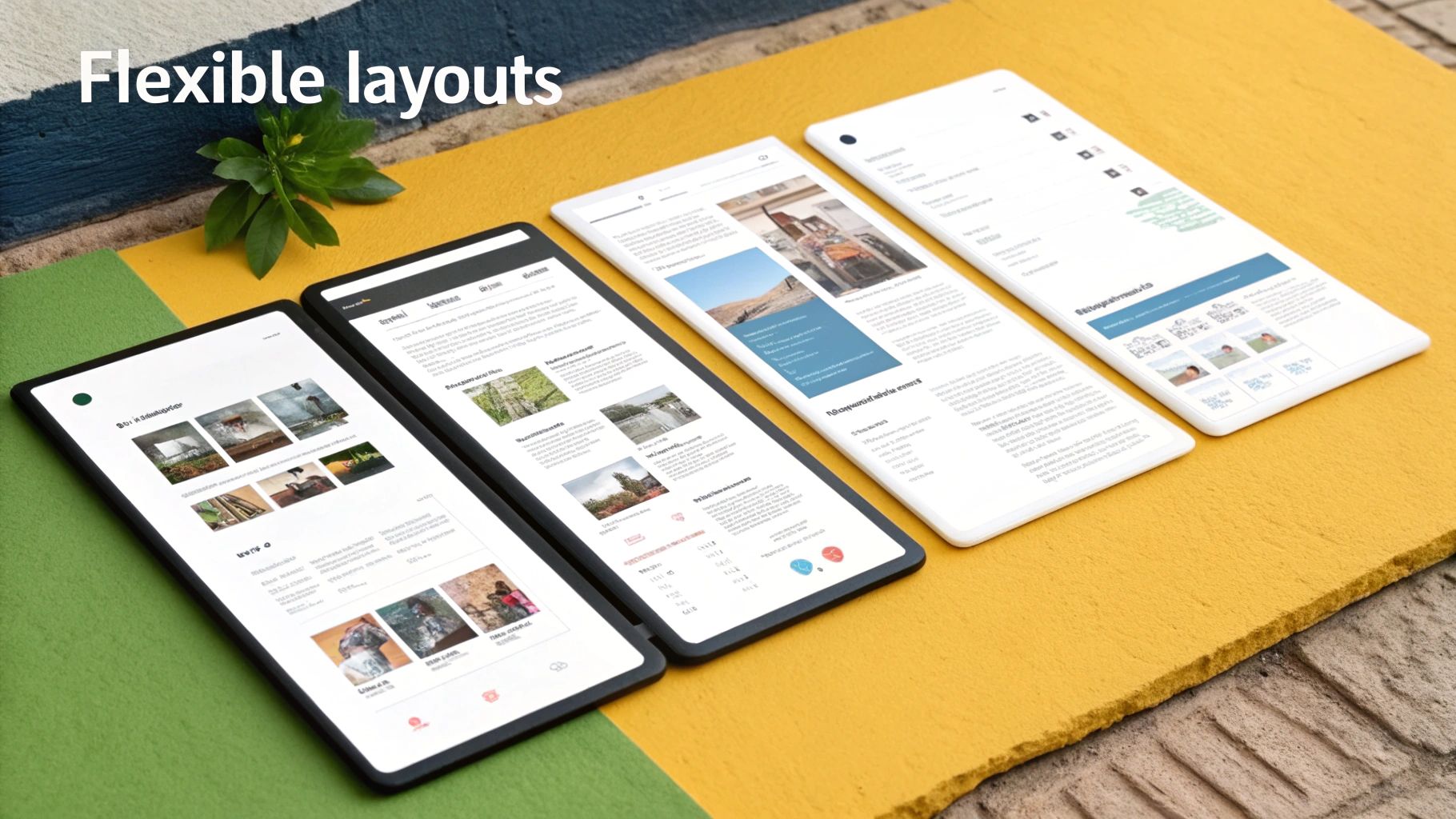
So, how does a website magically reshape itself to fit any device? It's not magic, but a clever combination of three core technical principles working together. Once you understand these, you'll see exactly how a site can deliver a seamless experience on a tiny phone screen and a giant desktop monitor.
Think of it like building a house. You need a foundation, a frame, and interior design that can all adapt on command. Each pillar plays a distinct, crucial role in making the whole structure flexible yet stable, no matter the final dimensions.
Pillar One: Fluid Grids
The first and most fundamental pillar is the fluid grid. Older websites were built with rigid, fixed-width layouts measured in pixels. That's like building a house with steel beams cut to exact, unchangeable lengths; it can only ever be one size.
A fluid grid, on the other hand, uses relative units like percentages. Instead of telling a sidebar it has to be "300 pixels wide," you define it as being "30% of the screen width." That simple switch means the layout's columns and elements automatically adjust their size in proportion to the screen they’re viewed on. They just flow into place, like water filling a container.
This percentage-based approach is the architectural blueprint of a responsive site. It ensures the core layout—the arrangement of your content—is inherently flexible and doesn't "break" when the screen size changes.
This dynamic structure is what allows a site to accommodate the massive range of devices we use today, from the narrowest smartphones to the widest desktop displays.
Pillar Two: Flexible Images
Next up, we have flexible images and other media. This is just common sense. If your layout grid is fluid but the images inside it are fixed, they'll spill out of their containers on smaller screens. The result is a broken, amateurish look. It’s like having flexible walls but a giant, solid piece of furniture that you can’t resize to fit the room.
The fix is surprisingly simple. Developers apply a straightforward CSS rule that tells images to scale down proportionally. A common technique is to set an image's maximum width to 100% of its containing element.
This one instruction does two important things:
- An image will never stretch to become larger than its original size, which would cause ugly pixelation.
- It will always shrink to fit inside its container if the screen becomes narrower than the image itself.
This pillar ensures all your visual content, including videos and infographics, resizes gracefully. For complex visuals, designers often use a carousel for a website which can adapt to various screen sizes while saving precious space.
Pillar Three: Media Queries
The final piece of the puzzle is the media query. This is the intelligent layer that directs the show. Media queries are CSS rules that act like a traffic controller, detecting a device's characteristics—like its width, height, or even orientation—and applying a specific set of styles based on those conditions.
For example, a media query can tell the browser: "If the screen is less than 768 pixels wide, then change the font size to 14px, hide the sidebar completely, and stack the navigation links vertically." This allows for targeted adjustments that dramatically improve usability on smaller screens without messing up the experience for desktop users.
To really get into the nuts and bolts of putting this all into practice, it’s worth exploring these responsive web design best practices.
Why Responsive Design is a Non-Negotiable for Modern SEO
Getting your head around the technical side of responsive web design is one thing, but seeing how it directly fuels business growth is where it all clicks. In today's market, a responsive website isn't just a nice feature to have; it's the very foundation for two things that matter most online: being seen by search engines and giving users a great experience.
These two areas are more connected than you might think. A frustrating user experience sends a clear signal to search engines that your site isn't up to scratch. On the other hand, if you've got poor search visibility, potential customers will never even get the chance to see what you offer. Responsive design is what holds it all together.
The Google Mobile-First Indexing Mandate
It wasn't that long ago that Google mainly looked at the desktop version of a website to figure out how to rank it. But as mobile traffic overtook desktop, Google completely flipped its script. Now, it almost exclusively uses the mobile version of your content for indexing and ranking. This is what's known as mobile-first indexing.
What this means for you is simple: if your website is a clunky, hard-to-use mess on a smartphone, Google will notice. It sees people landing on your site and leaving in a hurry (that's a high bounce rate) and decides your page isn't giving them what they want. As a result, your search rankings will take a hit, making it much harder for new customers to find you. A responsive site makes sure Google's crawlers see a polished, optimised version, no matter what.
A responsive design has gone from being a Google recommendation to a core requirement for strong search performance. Not providing a quality mobile experience is like telling Google not to bother showing your site to the majority of its users.
Boosting Conversions Through a Better User Experience
Search rankings aside, the user's journey is everything. Think about it: a visitor who has to constantly pinch, zoom, and squint to read your text or tap on impossibly small buttons is a visitor who's about to give up. Frustration kills conversions. This isn't just a hunch; the data shows it has a direct impact on your business.
A responsive site that’s easy to browse, read, and interact with keeps people engaged. This positive experience leads directly to lower bounce rates and, more importantly, higher conversion rates. When a customer can glide effortlessly from a blog post to a product page and through checkout on their phone, they are far more likely to actually buy something. Understanding how to reduce bounce rate is a vital skill, as it’s a key measure of user satisfaction.
Case studies from across the UK consistently show that making a site responsive delivers real, measurable results. Businesses often see bounce rates drop by around 22–25% and conversion rates climb anywhere from 11% to over 35%, especially when the mobile checkout is made dead simple. This isn't just a cost—investing in a truly responsive experience is a direct investment in your bottom line.
Responsive Versus Adaptive And Mobile-First Design
While responsive design is the go-to choice for most websites today, it’s not the only way developers have tackled the challenge of our multi-screen world. It’s helpful to understand the other main approaches—adaptive and mobile-first—to see why responsive usually comes out on top.
Think of them less as rivals and more as different philosophies aiming for the same goal: a great experience on any device.
The Alternative: Adaptive Design
If responsive design is like a single outfit made of a stretchy, one-size-fits-all fabric, then adaptive design is like having a closet with three distinct outfits: one small, one medium, and one large.
Instead of one fluid layout that adjusts continuously, an adaptive site detects the user's screen size and serves up one of several predefined, fixed-width layouts. It snaps to the best fit.
While this gives designers pixel-perfect control over a few specific screen sizes (often called "breakpoints"), it comes with some hefty trade-offs:
- Higher Maintenance: Every update means changing multiple, separate layouts.
- Less Flexible: What happens if a new device comes out with a screen size that falls between your predefined layouts? The experience can be less than ideal.
- More Upfront Work: Designing and building several distinct versions of your site takes a lot more time and resources.
The key takeaway is simple: responsive design is fluid, like water, while adaptive design is static, like a set of building blocks. For the vast majority of businesses, the simplicity and SEO advantages of a single responsive site make it the clear winner.
The Philosophy: Mobile-First Design
Finally, we have mobile-first design. It's important to realise this isn't a separate technique like responsive or adaptive. Instead, it’s a design philosophy—a way of thinking—that can be applied to either approach.
Traditionally, websites were designed for large desktop monitors first, and then scaled down. Mobile-first flips that entire process on its head. You start by designing for the smallest screen first—the mobile phone.
This forces you to prioritise. With such limited space, you have to focus on the absolute most essential content and features. This constraint often leads to a cleaner, faster, and more focused user experience across all devices, not just mobile. To really get a handle on modern web development, it's worth digging into the principles behind what is mobile-first design, as it’s a strategy often woven directly into responsive projects.
To help clarify these different methodologies, let's compare them side-by-side.
Comparing Web Design Approaches
| Approach | Core Principle | Best For | Potential Drawback |
|---|---|---|---|
| Responsive | A single, fluid layout that adjusts to fit any screen size. | The majority of websites, including blogs, e-commerce, and corporate sites. | Complex layouts can sometimes be challenging to translate perfectly to all screen sizes. |
| Mobile-First | A philosophy of designing for the smallest screen first, then scaling up. | Any project where mobile users are a primary or equal audience. | Requires a significant shift in design thinking from traditional "desktop-down" methods. |
| Adaptive | Serves one of several pre-built, fixed layouts based on detected screen size. | Complex, legacy web applications where a full responsive rebuild isn't feasible. | High maintenance costs and can deliver a poor experience on non-standard screen sizes. |
Ultimately, a mobile-first approach combined with responsive design has become the industry standard, offering the best blend of flexibility, user experience, and future-proofing.
This diagram neatly illustrates how a responsive foundation is crucial for achieving key SEO goals.
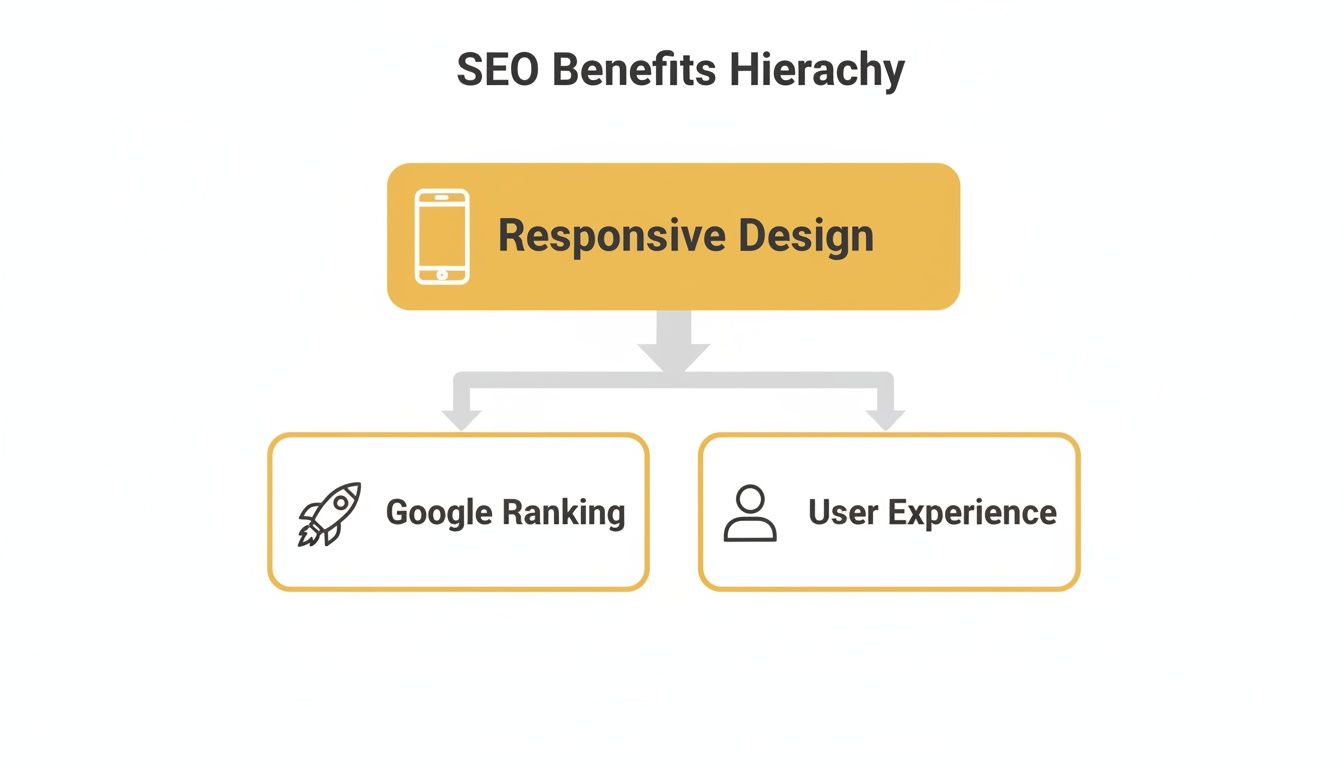
As you can see, it's not just about looking good. A responsive site is a fundamental building block for getting found on Google and keeping your visitors happy.
How to Check if Your Website is Genuinely Responsive
So, you understand that your website needs to be responsive, but how can you tell if it’s actually doing its job properly across different devices? You don't need to be a web developer to run a few quick checks. Thankfully, there are some simple, accessible ways to see exactly how your site holds up on various screen sizes.
The quickest way to get a feel for your site’s responsiveness is the good old-fashioned "browser resize" test. Just open your website on a desktop or laptop, grab the edge of your browser window, and slowly drag it to make it narrower.
Pay close attention to what happens. Does the text wrap neatly? Do images shrink to fit the new space? Does a three-column layout gracefully collapse into a single, scrollable column? If everything reshuffles and resizes smoothly without a dreaded horizontal scrollbar appearing at the bottom, you’re on the right track.
Dive Deeper with Browser Developer Tools
For a more accurate, device-specific view, you can use the powerful tools already built into your web browser. In a browser like Google Chrome, simply right-click anywhere on your web page and choose "Inspect".
Once the developer panel opens, look for a small icon that looks like a phone and a tablet side-by-side. Clicking this button activates the device simulator, which is a fantastic feature. It lets you instantly preview how your website looks and functions on specific models like an iPhone 14 Pro or a Google Pixel 7.

This kind of detailed inspection is brilliant for catching common mobile problems that a simple resize might miss, such as:
- Text that shrinks so much it becomes impossible to read comfortably.
- Buttons and links packed too closely together, leading to frustrating "fat finger" mistakes for users.
- Images that refuse to scale, breaking the layout and pushing content off-screen.
Get the Final Word with Automated Tools
If you want a definitive answer from the most important critic of all—Google—then your best bet is to use a free online tool. The Google Mobile-Friendly Test is the industry standard here. Why? Because it shows you exactly what the search engine giant sees when it crawls your site.
All you do is pop in your website’s URL, and within a minute, you’ll get a clear pass-or-fail verdict. It’s that simple.
Getting a "pass" from this tool is a huge relief; it confirms your site meets Google's fundamental criteria for mobile usability. If you fail, don't panic. The report will list the specific issues it found, giving you the exact information you need to discuss a fix with your web designer or developer.
Think of these quick checks as the first step. They help spot the most obvious problems, but a more thorough review can reveal hidden issues. Running a complete website SEO audit for free is a great next move to uncover deeper technical snags that could be holding your site back.
Responsive Design FAQs: Your Questions Answered
Diving into the technical side of web design can feel a bit like learning a new language. To clear up some of the fog, let's tackle a few of the most common questions that pop up about responsive design and what it means for your website.
Is Responsive Web Design The Same As A Mobile Website?
That’s a great question, and the answer is no – they're two completely different beasts.
A separate mobile website (you might have seen these on an "m." subdomain) is a totally separate, stripped-down version of your main site. It’s built from the ground up just for mobile phones, meaning you have two sets of code, two sets of content, and twice the headache to manage.
A responsive website, on the other hand, is one website with one URL and a single, smart codebase. It cleverly adjusts its layout to look great on any device, from a giant desktop monitor to a tiny smartphone. This is the approach Google champions because it’s efficient, easier to maintain, and much, much better for your SEO.
Think of it this way: a responsive site is like having one clever building with moving walls that reconfigure for any event. A separate mobile site is like owning two separate buildings and having to maintain both.
How Much Does Responsive Web Design Cost?
This really depends on where you're starting from. If you're building a new website today, any reputable developer or agency in the UK will include responsive design as a standard, non-negotiable part of the package. It's just how modern websites are built.
The real cost comes when you're trying to modernise an old, rigid website that wasn't built to be responsive. Retrofitting an older site can range from a fairly modest investment for a simple brochure site to a significant project for a complex platform with lots of custom features. It all boils down to the site's original code and design complexity.
Can I Make My WordPress Website Responsive Myself?
Yes, absolutely. For most WordPress users, this is definitely within reach.
The vast majority of modern WordPress themes are designed to be fully responsive straight out of the box. If your site is running on an older, fixed-width theme, your best bet is often just to switch to a newer, more flexible one.
If you’re feeling a bit more hands-on, page builder plugins like Elementor or Beaver Builder give you drag-and-drop controls to design responsive layouts without touching a line of code. They’re fantastic tools, but for a highly customised or business-critical website, it's always wise to get a developer's opinion before making big changes. You don't want to accidentally break something important.
Does Responsive Design Slow Down A Website?
It shouldn’t, as long as it’s built properly. It’s a common concern – if a site has to load assets for all different screen sizes, won't that slow it down?
Modern development techniques have this covered. Smart practices like optimising image file sizes and using "lazy loading" (where images only load when you scroll to them) ensure a responsive site can be lightning-fast. In reality, a well-optimised responsive site will almost always be faster for a mobile user than their phone struggling to load a heavy, clunky desktop version. Performance isn't an afterthought; it's baked into the process from the start.
Ready to put these strategies into action? Discover the best tools for the job at The Digital Marketing Toolbox. We provide a curated selection of resources to help you optimise your website, improve SEO, and drive conversions. Find your perfect solution today.


