

Ever wondered which of your marketing efforts are actually bringing people to your website? UTM tracking is the answer. It works by adding little snippets of code, called parameters, to the end of your URLs. Think of them as digital name tags for your website traffic, telling you exactly which email, social media post, or advert led each visitor to your digital doorstep.
This simple addition solves the age-old mystery of marketing attribution.
What Is UTM Tracking Anyway?
Imagine you’ve sent out thousands of invitations for a massive party. Some were fancy printed cards, some were social media event posts, and others were simple flyers. When guests arrive, you have no clue which invitation brought them. That’s marketing without UTM tracking – a lot of effort, but you're left guessing what actually worked.
UTM, which is short for Urchin Tracking Module, is a beautifully simple way to see what's paying off. By tacking a small piece of text onto the end of a URL, you create a unique signpost for each of your marketing channels. It's like giving every campaign its own unique postcode.
When someone clicks one of these tagged links, the parameters fire off that information straight to your analytics platform, like Google Analytics. Instead of seeing a vague source like "referral" or "direct," you get the full story:
- This visitor came from your summer-sale campaign.
- They clicked the link in your July newsletter.
- The specific advert they clicked was the blue banner.
This level of detail is a game-changer. It turns a messy spreadsheet of data into a clear roadmap, showing you precisely which campaigns are driving traffic and, more importantly, conversions. You finally get undeniable proof of what’s working, so you can stop wasting money and double down on what's effective.
UTM tracking ends the guesswork. It gives you the power to make decisions based on real data, revealing the exact journey your audience takes from that first click all the way to a sale.
Ultimately, knowing what UTM tracking is means finally understanding your marketing performance with total clarity. It’s less complex than some other methods, like the ones you might encounter when reading about what is pixel tracking, but it’s absolutely fundamental for proper campaign analysis.
Without it, you’re flying blind. With it, you can finally see which channels are delivering a real return on your investment and which ones are just wasting your time.
The Five Core UTM Parameters Explained
To really get to grips with UTM tracking, you need to understand its five core components, known as parameters. Think of them like individual details on a name tag. Each one provides a specific piece of information, and when you put them all together, they tell you the complete story of how someone found their way to your website.
Three of these parameters are absolutely essential for any meaningful tracking. The other two are optional, but they’re brilliant for when you need to dig a little deeper into your data.
The Three Essential UTM Parameters
These are the non-negotiables you’ll use for nearly every trackable link you build. They answer the three most important questions: where did the traffic come from, how did it get here, and why did it come?
-
utm_source(The Where): This parameter pinpoints the exact platform or website that sent you the traffic. It’s the ‘where’ in your tracking story. Common examples includegoogle,facebook,linkedin, or the name of your email newsletter, likejuly-newsletter. -
utm_medium(The How): This tells you the marketing channel used to deliver your link. It’s the ‘how’ the visitor arrived. You’ll often see values likecpc(cost-per-click for paid ads),social(for organic social media), oremail. -
utm_campaign(The Why): This names the specific marketing campaign or promotion your link is part of. It’s the ‘why’ behind the visit. For example, you might use something clear likesummer-sale-2024ornew-feature-launch.
Getting these three right every single time is the foundation of solid campaign analysis. In fact, one study of UK SMEs found that consistent UTM tagging led to a 28% improvement in campaign attribution accuracy. That, in turn, directly contributed to a 15% lift in conversion rates. You can dive into the details by reading the full research on GBP UTM tracking.
This image shows it perfectly: traffic from different sources like email, social posts, and paid ads all points to one URL, but each carries its own unique UTM story.
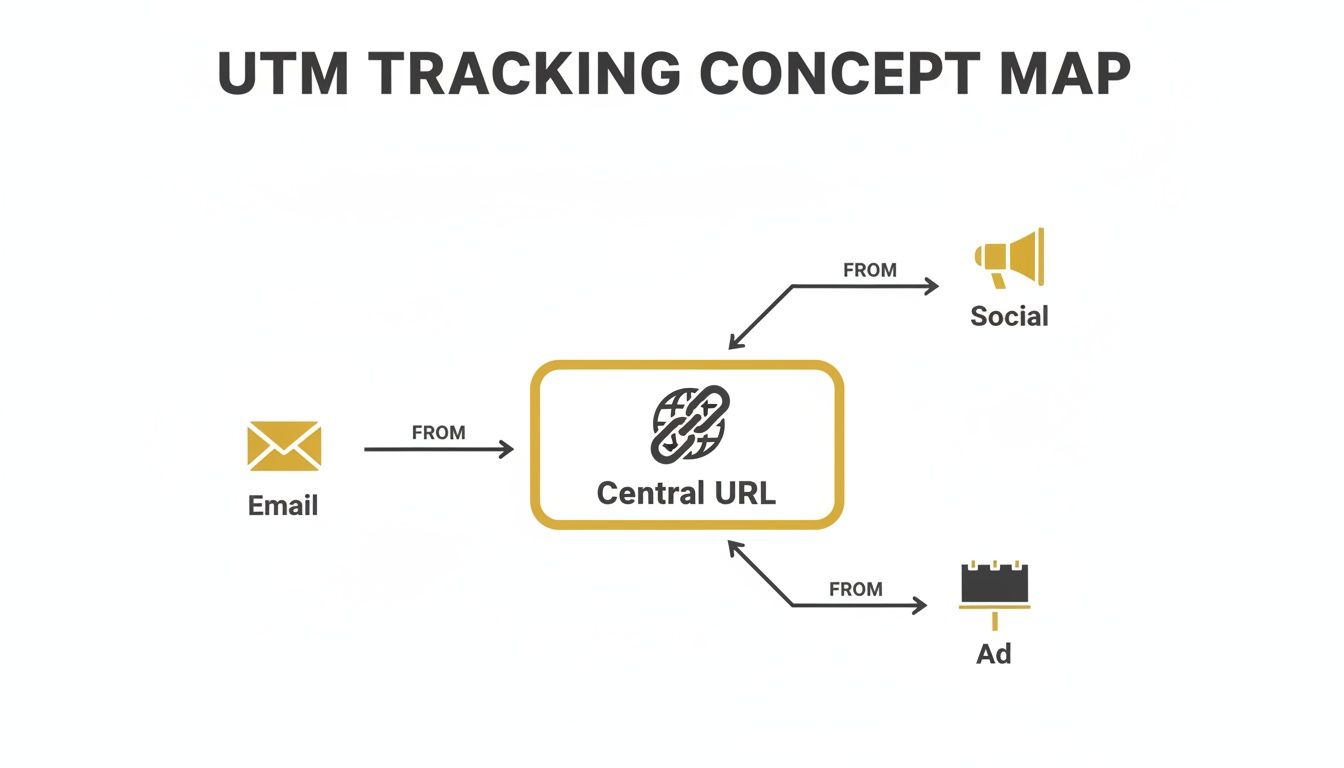
The main point is that no matter where your visitors come from, a well-structured UTM link lets you identify and measure every single path.
The Two Optional Granular Parameters
Sometimes you need an extra layer of detail, especially with complex paid advertising campaigns. That’s where these two optional parameters come in handy, giving you much more specific insights.
-
utm_term(The Keyword): Originally built to track the exact keyword someone searched for in a paid campaign, this is a lifesaver for PPC specialists. For instance, if you're bidding on 'mens-waterproof-running-shoes', you can pop that exact phrase in here to see how well it's performing. -
utm_content(The Specific Ad): This parameter is your best friend for A/B testing. It helps you tell the difference between multiple links that all point to the same URL within the same campaign. If you’re testing two ad creatives, you could useblue-banner-adfor one andred-image-adfor the other to see which one drives more clicks.
A Breakdown of the Five UTM Parameters
Here’s a quick-reference table that breaks down each UTM parameter, explaining its role in your tracking strategy and giving a practical example of how it's used.
| UTM Parameter | Purpose | Example |
|---|---|---|
utm_source | Identifies the traffic source, like a search engine or social network. | google, facebook, linkedin |
utm_medium | Specifies the marketing channel or medium. | cpc, social, email, organic |
utm_campaign | Names the specific promotion or campaign. | summer-sale-2024, webinar-promo |
utm_term | Tracks the specific keywords in a paid search campaign. | digital-marketing-agency |
utm_content | Differentiates between ads or links pointing to the same URL. | video-ad, blue-button-cta |
With this table, you have a handy guide to ensure you're tagging your URLs consistently and accurately every time.
By combining these five parameters, you stop guessing where your customers came from. You transform a simple URL into a powerful data-gathering tool that tells you exactly which advert, email, or social media post brought someone to your site. You know with certainty.
So, you’ve built your UTM-tagged link. What happens next? This is where the real value kicks in, and it all happens inside Google Analytics.
When someone clicks on your special link, the Google Analytics code on your website immediately springs into action. It reads those UTM parameters you so carefully added and uses them to categorise that visitor’s session. It’s a bit like a digital sorting office, automatically filing every piece of incoming traffic into the right pigeonhole before it even lands.
The platform is designed to instantly recognise utm_source, utm_medium, utm_campaign, and the rest. You don't have to lift a finger. This is what makes UTMs so incredibly useful.
It’s this behind-the-scenes work that lets you distinguish between a click from your Instagram Stories and one from a paid Google ad, even when they both point to the exact same landing page. To see this for yourself, just head over to the Reports > Acquisition > Traffic acquisition section in Google Analytics 4 (GA4).
Finding Your Campaign Data in GA4
Once you're in the Traffic acquisition report, you'll see how GA4 has automatically organised all your incoming data. The default view usually groups traffic by 'Session default channel group', but the real gold is just a click away. Simply use the dropdown menu to change the primary dimension to 'Session source / medium' or 'Session campaign'.
This is where all that effort you put into consistent naming conventions really shines. You can directly compare how your 'summer-sale-email' campaign is stacking up against your 'summer-sale-facebook' campaign, looking at everything from sessions and users to actual conversions.
When GA4 first rolled out, it caused quite a stir. In fact, it led to a 25% initial drop in attribution confidence among UK marketers. But disciplined UTM use has been a game-changer in regaining that clarity. Today, a solid 73% of agencies credit consistent UTM tracking with providing a much clearer picture of their marketing ROI.
The screenshot below points out exactly where you'll find that primary dimension dropdown menu in your GA4 Traffic acquisition report.
By switching the view to 'Session campaign', you get a clean, high-level overview of which marketing initiatives are genuinely driving results. Of course, this all hinges on having your analytics set up correctly in the first place. If you need a hand with that, take a look at our guide on how to set up Google Analytics.
This seamless link between your tagged URLs and your analytics reports provides undeniable proof of your marketing's impact. It turns vague 'clicks' into hard numbers, giving you the data you need to justify your budget and invest where it counts.
Ultimately, good UTM hygiene goes beyond just identifying where your traffic comes from. It’s the foundation for true revenue attribution, allowing you to connect the dots from a specific tweet or email all the way through to a final sale.
Building Your First UTM Link Step by Step
Alright, let's move from theory to practice. Understanding what UTMs are is one thing, but actually building your first tracked link is where the magic happens. It might seem a bit technical, but trust me, it's surprisingly simple once you do it once.
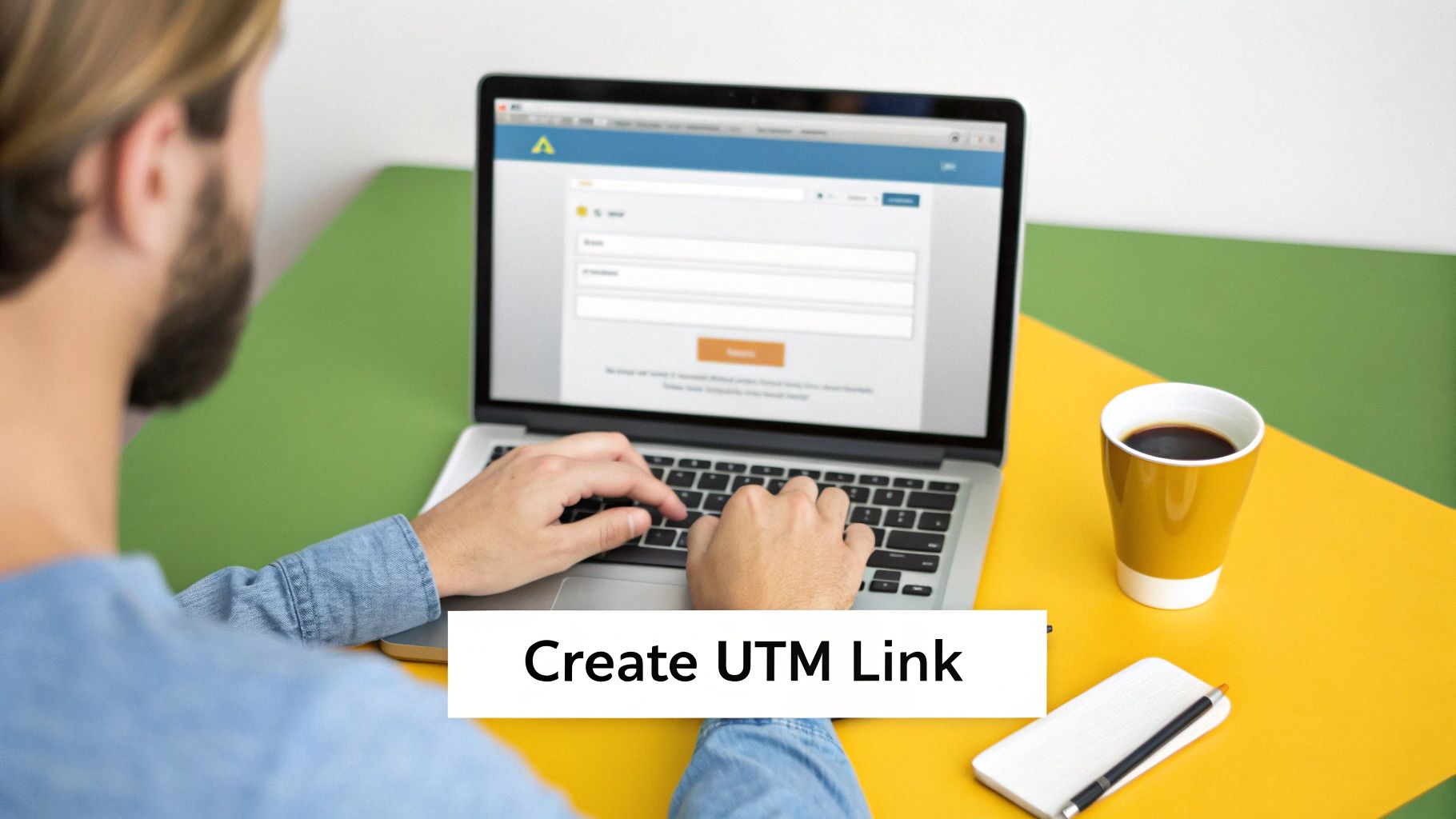
The easiest way to get started is with Google’s Campaign URL Builder. It’s a free and incredibly handy tool that takes all the guesswork out of formatting your links, preventing the kind of silly mistakes that can mess up your tracking data.
Let's walk through it together with a real-world example. Imagine you’re launching a new product and you're about to announce it in your monthly email newsletter. Your goal is simple: find out exactly how many people click through from that specific email and what they do on your site.
Step 1: Enter Your Destination URL
First things first, you need the web page you’re sending people to. This is your base URL—the landing page, blog post, or product page you want to promote.
Just copy the full URL of that page and pop it into the Website URL field in the Campaign URL Builder. For our example, let's pretend our landing page is https://www.yourshop.co.uk/new-product-launch.
Step 2: Define Your Core Parameters
Now for the important bit. This is where you fill in the three essential parameters that tell Google Analytics the story behind every click. A quick word of advice: consistency is king here. Getting your naming conventions right from the start will save you a world of headaches later.
Following our newsletter scenario, here’s what we’d put:
- Campaign Source (
utm_source): Where is the traffic coming from? Since it’s our newsletter, a good name would bemonthly-newsletter. - Campaign Medium (
utm_medium): How is the traffic getting here? It's an email, so the industry standard is simplyemail. - Campaign Name (
utm_campaign): What specific marketing push is this part of? We'll call this onenew-product-launch-apr24.
A pro tip: always use lowercase and swap any spaces for hyphens. This is a simple habit that stops Google Analytics from splitting your data. For example, it won't treat 'Email' and 'email' as two separate traffic sources, keeping your reports clean and accurate.
Step 3: Generate and Use Your Link
Once you've filled in those fields, the builder instantly creates your full, trackable URL right at the bottom of the page. It’ll look something like this:
https://www.yourshop.co.uk/new-product-launch?utm_source=monthly-newsletter&utm_medium=email&utm_campaign=new-product-launch-apr24
That’s it! This is the exact link you’ll use for the call-to-action button in your email. Now, every time someone clicks it, all that juicy tracking data gets sent straight to your analytics platform, ready for you to see exactly how well your campaign is performing.
Best Practices for Clean and Consistent Tracking
So, you're using UTM parameters. That's a great start. But the real secret to unlocking reliable marketing data isn't just using them—it's using them consistently.
Without a clear set of rules, your analytics platform can quickly turn into a chaotic mess, making it almost impossible to see what's actually working. Imagine trying to organise a library where every librarian uses their own random system for labelling the books. You’d never find anything.
That’s exactly what happens with inconsistent UTM tracking. A simple slip-up, like tagging one campaign with Facebook and another with facebook, causes Google Analytics to see them as two completely separate sources. This splinters your data, dilutes your results, and ultimately hides the true impact of your marketing. To prevent this, your entire team needs a shared, easy-to-follow framework to stick to. No exceptions.
Establish Your Ground Rules
To keep your data clean and trustworthy, everyone on your team needs to agree on a few non-negotiable rules. Think of these as the bedrock of your reporting; getting these simple habits right will save you countless headaches and hours of cleaning up messy data later.
Here are the essential best practices you should put in place right now:
- Always Use Lowercase: This is a big one. UTM parameters are case-sensitive, so
utm_source=linkedinandutm_source=LinkedInwill appear as two different traffic sources in your reports. Enforce a strict lowercase-only policy for every single tag. - Use Hyphens for Spaces: Spaces don't work in URLs. While you could use underscores, the common convention is to use hyphens (
-) to separate words. It’s cleaner and easier to read. For example, usesummer-sale-2024instead ofsummersale2024orsummer_sale_2024. - Keep It Simple and Descriptive: Your UTM tags should tell a story. Anyone on your team should be able to look at a campaign name and understand it instantly. Avoid vague terms like
promo2or internal jargon nobody else gets. A clear name likespring-webinar-promois far more useful.
Your goal here is to create a predictable naming convention. When your UTMs are consistent, your analytics data becomes a reliable source of truth, giving you the confidence to make smarter marketing decisions.
Maintain a Centralised Tracking Document
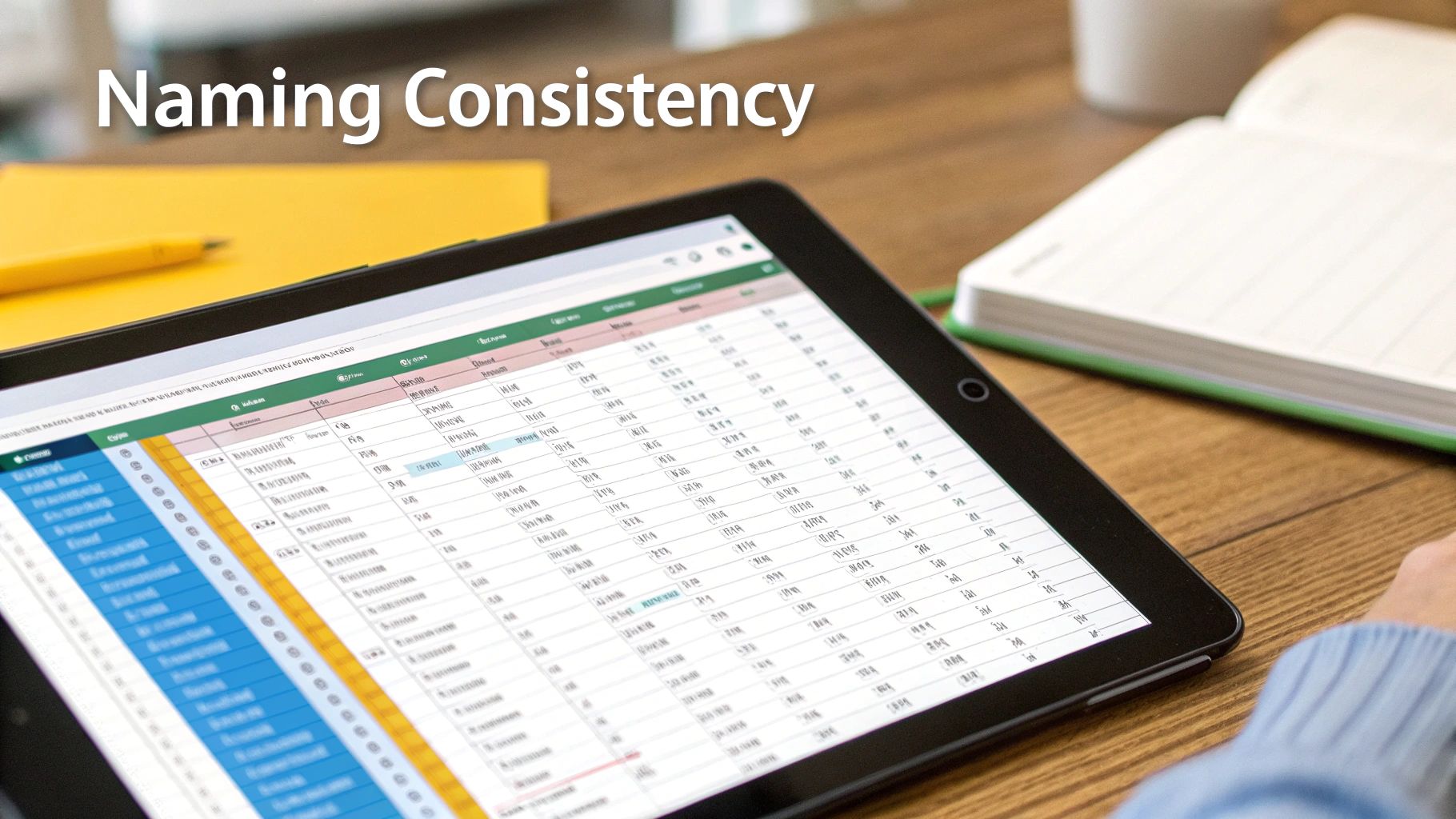
One of the most effective ways to guarantee consistency, especially when working in a team, is to use a shared spreadsheet or a dedicated URL-building tool. This document becomes your single source of truth for every UTM link you create. It stops people from going rogue, prevents duplicate links, and ensures everyone sticks to the naming rules you’ve established.
This becomes absolutely critical when you need to track influencer performance across TikTok and Instagram, where you might be generating dozens of links for different creators and posts. For example, a shared sheet helps unify how you collect data from everywhere. In one case study, a company that enforced consistency with its utm_id saw its cross-device attribution accuracy leap from a mediocre 41% to a brilliant 76%. By centralising how you create your links, you’re not just organising—you’re building a scalable system for clean, actionable data.
Common UTM Mistakes That Can Wreck Your Data
Even seasoned marketers can slip up with UTMs. These simple mistakes might seem minor, but they can quietly sabotage your analytics, turning what should be a goldmine of data into a confusing mess. Knowing what UTM tracking is is one thing, but sidestepping the common pitfalls is what keeps your data clean, accurate, and genuinely useful.
These blunders can seriously skew your reports, making it impossible to get a true picture of your campaign performance. Let's pull back the curtain on the most frequent mistakes and, more importantly, how to avoid them.
Tagging Your Internal Links
This is the absolute number one rule: never, ever use UTM parameters on links that go from one page of your site to another. Think of it like putting a UTM tag on a link from your homepage to your "About Us" page—it's a massive own goal.
Here’s why it's so bad: when a visitor clicks that internal link, it completely overwrites their original source data. Imagine someone comes to your site from a paid Google ad. If they then click a UTM-tagged link in your site’s footer, your analytics will suddenly think they came from your "footer-promo" campaign. Just like that, the original Google Ads source is gone. This completely breaks the session data, making it impossible to know where your visitors really came from.
The golden rule is simple: UTMs are for traffic coming to your website, not for navigating around it.
Mixing Up Source and Medium
It’s surprisingly easy to get utm_source and utm_medium mixed up, but keeping them straight is crucial for clean reporting. Just remember: the source is the 'who' (the specific platform, like google or facebook), and the medium is the 'how' (the general channel, like cpc, social, or email).
A classic mistake is putting the medium where the source should be, like utm_source=cpc. This splinters your data. Instead of seeing all your paid search traffic neatly grouped under the cpc medium, it gets scattered across various incorrect sources. This turns high-level channel analysis into a real headache.
Always keep the platform in the source field and the channel type in the medium. This structure is the bedrock of good reporting and helps you make sense of different attribution models.
Got Questions About UTMs? We've Got Answers
Once you get the hang of UTMs, you'll start seeing all the possibilities. But that's often when the practical, day-to-day questions pop up. Let's tackle some of the most common ones I hear from marketers.
Can I Use UTMs for My Offline Marketing?
Yes, you absolutely can, and it's a brilliant way to connect your real-world marketing to your digital results.
The easiest way to do this is with a QR code. Simply create your UTM-tagged URL, turn it into a QR code, and pop it onto a flyer, a business card, or even a poster. When someone scans it, their visit gets logged with the right tags, like utm_source=flyer and utm_medium=print. Suddenly, you have a clear picture of how well your print materials are driving traffic.
Will UTM Parameters Mess Up My SEO?
This is a big concern for many, but you can relax. UTM parameters have no negative impact on your SEO.
Search engines like Google are sophisticated enough to know these tags are just for tracking. They see the parameters, understand their purpose, and simply index the main, "clean" URL. Your search rankings won't be affected in the slightest.
What's the Real Difference Between utm_term and utm_content?
It’s easy to mix these two up since both help you get more granular with your tracking. Here’s a simple way to think about them:
-
utm_termis all about the keywords. If you're running a paid search campaign, you use this to track which specific search term a user typed in. For example,utm_term=mens-running-shoes. -
utm_contentis for telling different ads or links apart when they all point to the same destination. It's a lifesaver for A/B testing. You could haveutm_content=blue-banner-adandutm_content=red-image-adto see which creative performs better.
So, think of it this way: utm_term tracks the search query, while utm_content tracks the specific ad creative they clicked on.
Ready to find more tools that can make your campaign tracking and analytics a breeze? Explore The Digital Marketing Toolbox to find and compare the best solutions for your business. Visit us at https://grow-your-biz.com to get started.


