

In today's fast-paced digital marketplace, customers expect instant answers. Leaving them to hunt through your site for a contact form can mean losing a sale or a valuable lead. Adding a live chat for Squarespace is one of the most effective ways to engage visitors in real-time, solve their problems, and guide them towards a purchase or enquiry. But with so many options available, how do you pick the one that fits your business needs and budget without slowing your site down?
This comprehensive guide breaks down the 12 best live chat and chatbot solutions specifically for Squarespace users. We cut through the marketing noise to give you a clear, practical comparison. For each tool, you'll find a detailed analysis of its pros, cons, pricing, and ideal use cases, complete with screenshots to show you exactly how it looks and works. We'll explore everything from simple, no-code widgets to powerful, AI-driven platforms with full CRM integration.
Our goal is to help you confidently choose the right tool to transform your customer engagement and boost your bottom line. Of course, the effectiveness of any tool depends on a solid foundation. To ensure your site provides the best possible user experience before adding new features, you might consider professional Squarespace website design services. This list will help you select the perfect chat integration to complement your professionally designed, user-centric website, enabling you to connect with customers instantly and drive growth.
1. All In One Chat – Elfsight Live Chat
All In One Chat by Elfsight is our top choice for Squarespace users seeking a powerful, user-friendly, and highly adaptable live chat solution. It stands out by not being a standalone chat platform, but rather a sophisticated bridge that connects your website visitors directly to the messaging apps they already use and trust, such as WhatsApp, Messenger, and Telegram. This approach fundamentally reduces friction, allowing customers to initiate a conversation with a single click, using an interface they are already familiar with.
This widget is expertly designed for business owners who want a professional live chat for Squarespace without the complexity of a dedicated support desk. Its core strength lies in its simplicity and effectiveness. Instead of forcing visitors into a new chat window they may close and forget, it funnels all enquiries into your existing messenger inboxes, ensuring conversations persist and can be continued anytime, even after the user leaves your site.
Key Features & Analysis
- Multi-Messenger Support: Integrates over 10 popular messengers, including Facebook Messenger, WhatsApp, Telegram, and Viber, into a single, cohesive on-site widget.
- Plug-and-Play Squarespace Integration: The setup is remarkably straightforward. You configure the widget in Elfsight’s visual editor and then embed a single line of code into your Squarespace site’s Code Injection area. No developer assistance is required.
- Extensive Customisation: You have full control over the chat widget’s appearance. Adjust colours to match your brand palette, select icon styles, write custom welcome text, and even set up individual agent photos for a more personalised feel.
- Targeted Triggers: Display the chat widget based on specific conditions, such as time on page, scroll percentage, or exit intent. This allows you to engage visitors proactively at the most opportune moments without being intrusive.
Practical Use Cases
This tool is exceptionally well-suited for service-based businesses, consultants, and e-commerce stores that rely on direct customer interaction to close sales or provide support. For instance, a boutique retailer can use the WhatsApp integration to answer product questions and share images in real-time, directly mirroring an in-store conversational experience. Similarly, a consultant can use it to capture leads who prefer the immediacy of Messenger over filling out a contact form. If you're new to this kind of tool, you can learn more about how website widgets can enhance your site.
Pricing & Setup
Elfsight offers a tiered pricing model, including a free plan that allows for one widget with basic features. Paid plans start from around £4 per month and unlock advanced features like unlimited websites, custom triggers, and the removal of Elfsight branding.
Setup Tip: To install on Squarespace, customise your widget in the Elfsight dashboard, copy the provided installation code, and paste it into the "Footer" section of your site’s Settings > Advanced > Code Injection area. The widget will then appear across your entire site.
Pros:
- Meets customers on their preferred messaging apps.
- Incredibly simple setup, ideal for non-technical users.
- Persistent conversations that don't end when a user leaves the site.
- Highly customisable to align with your brand's visual identity.
Cons:
- Requires you to manage conversations across multiple, separate messenger apps.
- Lacks the advanced ticketing and team management features of a dedicated helpdesk system.
Visit the All In One Chat website to explore its features.
2. Tidio
Tidio presents a powerful, user-friendly platform that excels in blending live chat functionality with robust automation, making it a prime choice for Squarespace users. It is particularly well-suited for small e-commerce businesses and lean teams who need to provide instant support without being constantly online. The setup process is remarkably straightforward; Tidio offers dedicated instructions for Squarespace, allowing you to get the chat widget live by simply pasting a single JavaScript snippet into the Code Injection area of your site settings.
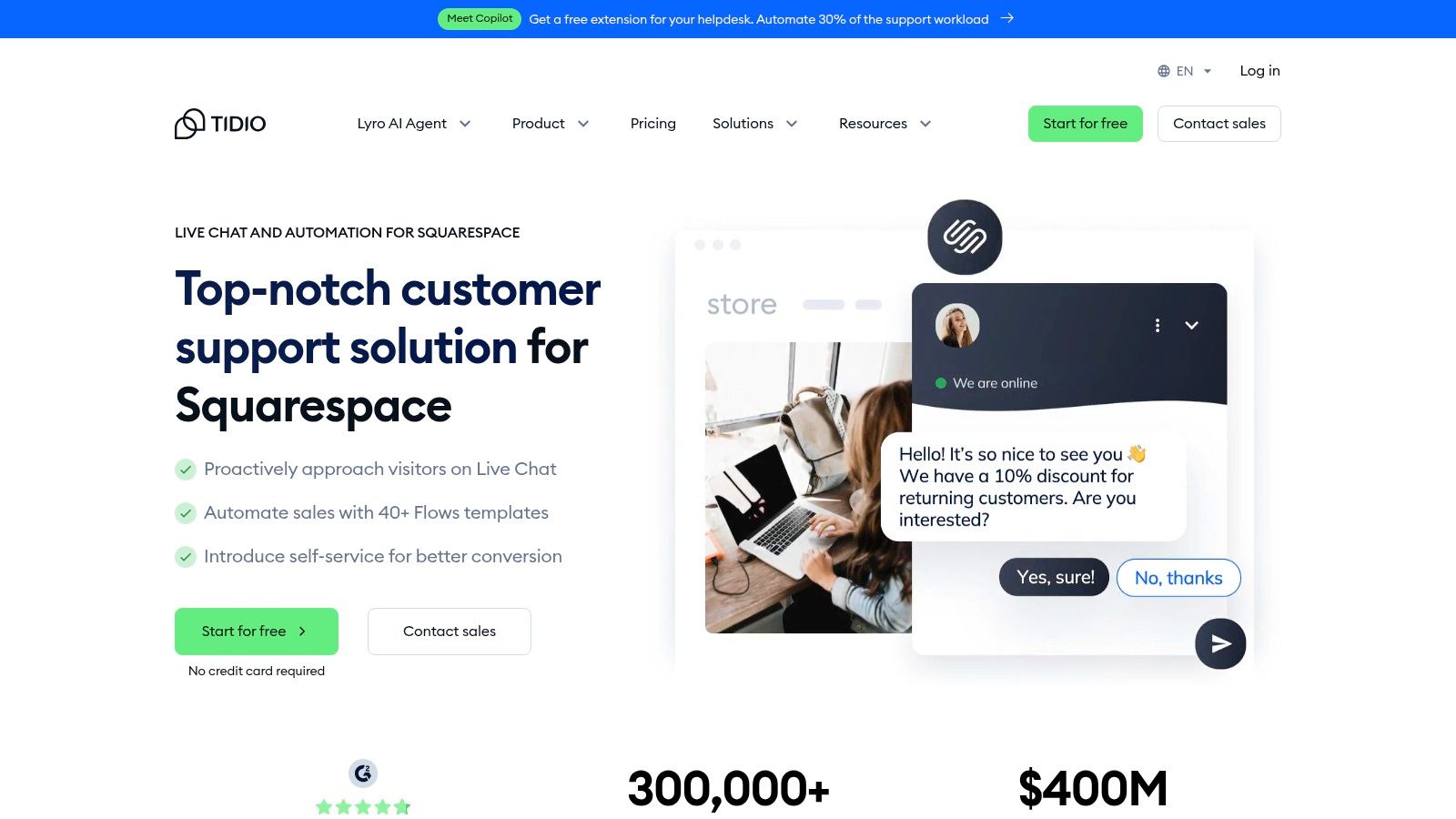
What truly sets Tidio apart is its visual chatbot builder, which comes with over 40 pre-built templates. These automations handle common scenarios like abandoned carts, product recommendations, and frequently asked questions. This allows you to proactively engage visitors, recover potential sales, and provide 24/7 support. If you want to dive deeper into how this works, you can learn more about how to automate customer service effectively.
Key Details & Pricing
- Best For: E-commerce sites on Squarespace needing a blend of live chat and sales-focused automation.
- Pros: Very quick installation tailored for Squarespace, an extensive library of chatbot templates, and a generous free plan for getting started.
- Cons: Higher chat volumes and advanced automation features require a paid subscription. The bots may need careful customisation to avoid sounding generic.
- Pricing: A Free plan is available with core live chat and basic chatbot features. Paid plans like Starter and Communicator start from around £25-£29/month, adding more chatbot triggers, analytics, and integrations.
Website: https://www.tidio.com/integrations/squarespace/
3. LiveChat
LiveChat is a mature and feature-rich platform that provides a professional-grade customer service toolkit for Squarespace websites. It is an excellent choice for businesses that prioritise detailed analytics, team performance tracking, and a highly customisable user experience. The integration process is streamlined with an official guide; adding the chat widget is a matter of copying a code snippet into Squarespace's Code Injection area, which takes just a few minutes to complete.
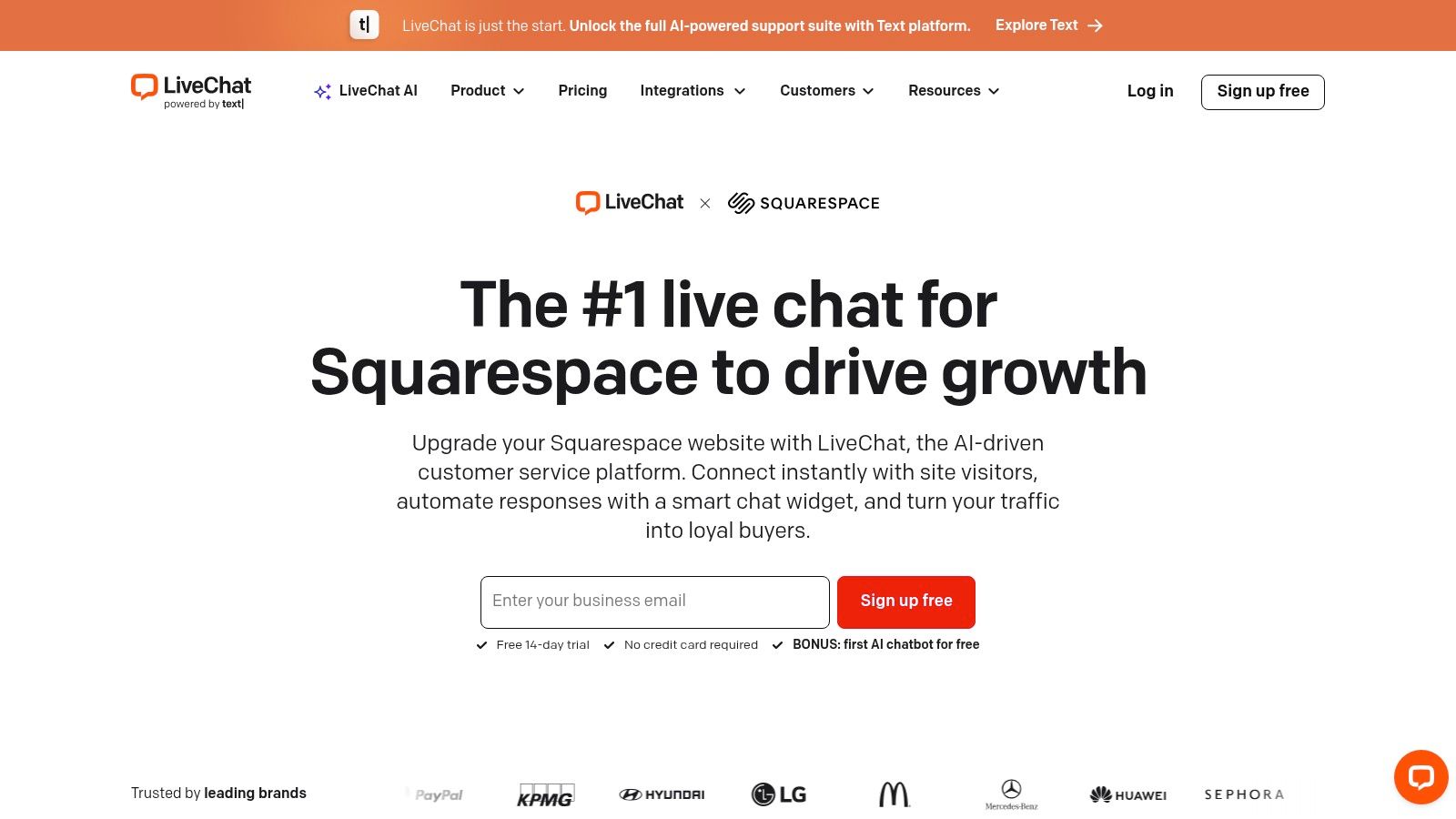
What makes LiveChat a strong contender is its focus on performance and scalability. Beyond the standard chat functions, it offers proactive chat invitations, a ticketing system for offline queries, and extensive reporting on chat duration, agent response times, and customer satisfaction. This data-driven approach allows you to continuously refine your support strategy. For those looking to scale, LiveChat offers add-ons like its AI-powered ChatBot, enabling you to build automated conversational workflows to handle routine questions.
Key Details & Pricing
- Best For: Growing businesses and established support teams needing robust reporting, agent management, and scalability.
- Pros: Very clear and quick 4-step Squarespace installation, powerful analytics and performance insights, and scales effectively for larger teams.
- Cons: The price can increase significantly with multiple agents and add-ons like ChatBot. Many of the best features are reserved for higher-tier plans.
- Pricing: Plans start with a 14-day free trial. The Starter plan is around £20/month per agent, with Team and Business tiers offering more advanced features like chat routing and full widget customisation.
Website: https://www.livechat.com/squarespace-chat-ai/
4. Olark
Olark is a stalwart in the live chat space, offering a simple, reliable, and highly accessible solution that integrates smoothly with Squarespace. It's an excellent choice for businesses and organisations that prioritise ease of use, transparent pricing, and making their support channels available to everyone. The setup is uncomplicated, with Olark providing clear, dedicated instructions for Squarespace users to add the chat widget by pasting a code snippet into their site's Code Injection area.
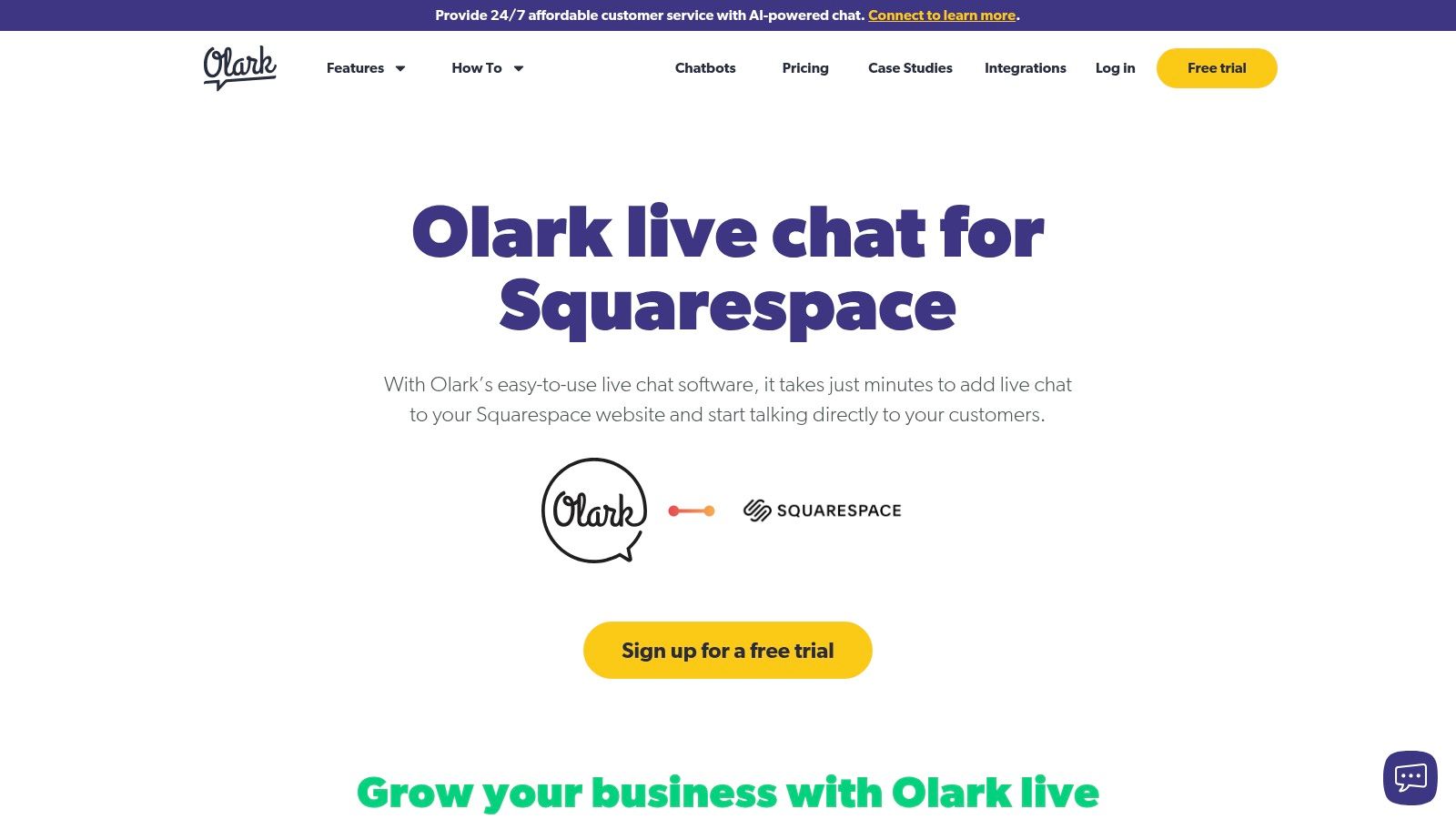
What makes Olark stand out is its commitment to accessibility, featuring a WCAG 2.1 AA certified widget that ensures users with disabilities can easily interact with your support team. Beyond accessibility, its features are built for practical team management, including searchable chat transcripts, agent groups, and customisable chat rules that trigger the chatbox based on visitor behaviour. This focus on core functionality over complex AI makes it a dependable tool for teams that need effective live chat for Squarespace without a steep learning curve.
Key Details & Pricing
- Best For: Teams and organisations prioritising website accessibility and a straightforward, no-fuss live chat experience.
- Pros: Very clear Squarespace setup documentation, a fully accessible widget for inclusivity, and transparent per-seat pricing.
- Cons: Fewer built-in AI and automation tools compared to competitors. The per-seat cost model can become expensive as your support team grows.
- Pricing: Olark offers a single, comprehensive plan priced at $29 per seat/month. A 14-day free trial is available to test all features.
Website: https://www.olark.com/integrations/squarespace
5. Intercom
Intercom positions itself as a premium, enterprise-grade customer communications platform, offering far more than just a simple chat window. It's designed for businesses that view customer interaction as a core part of their sales and support strategy and need powerful automation and data tools. Integrating Intercom as a live chat for Squarespace is managed by pasting a JavaScript snippet into the Code Injection area, making the technical setup straightforward for such an advanced tool.
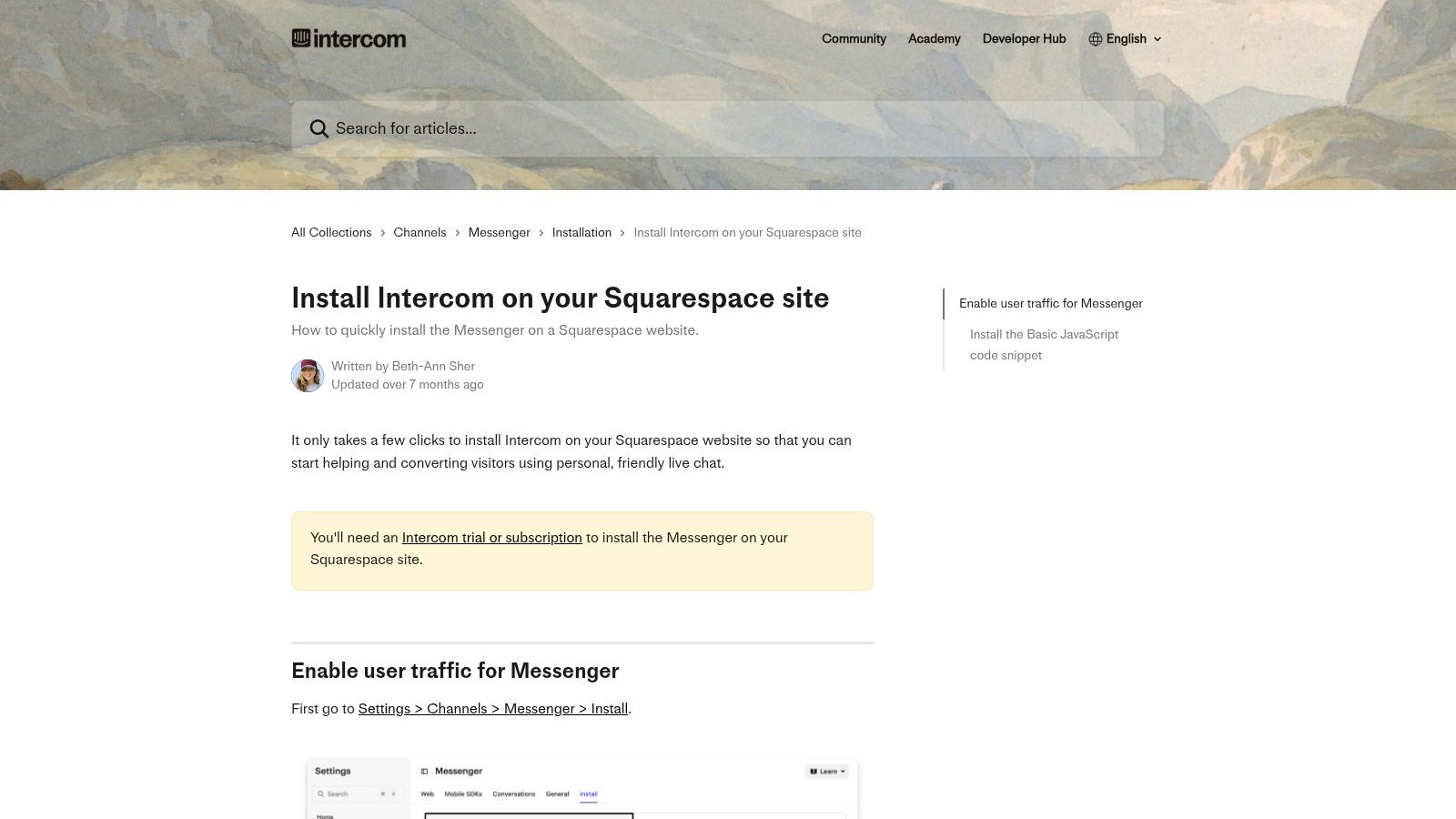
The platform excels with its Messenger, which can be customised with sophisticated bots, apps, and automated workflows called "Series". This allows you to create highly personalised user journeys, from onboarding new customers to proactively offering support based on user behaviour. Intercom’s strength lies in its ability to unify customer data from various sources, providing your support and sales teams with deep context for every conversation. It’s an investment in a complete customer engagement ecosystem rather than just a chat widget.
Key Details & Pricing
- Best For: Established businesses and scale-ups on Squarespace that require advanced automation, deep customer data integration, and a unified platform for sales, marketing, and support.
- Pros: Powerful automation and customer data tools, enterprise‑grade feature set and ecosystem, and a highly polished user experience for both agents and customers.
- Cons: The price can quickly exceed the budgets of small businesses, and like most third-party tools, the widget cannot be placed on Squarespace’s native checkout pages.
- Pricing: Intercom offers tailored plans based on business needs. The Starter plan for very small businesses begins at around £63/month, but costs scale significantly with features, seats, and contacts.
Website: https://www.intercom.com/help/en/articles/842394-install-intercom-on-your-squarespace-site
6. Zendesk (Web Widget / Messaging)
Zendesk is a comprehensive customer service powerhouse, offering a solution that extends far beyond a simple chat box. Its Web Widget provides a sophisticated live chat and messaging channel that integrates seamlessly into a broader ecosystem of ticketing, a help centre, and multi-channel support. This makes it an excellent choice for established businesses on Squarespace that require a unified system for managing all customer interactions, not just live conversations. Installation is managed by pasting a generated code snippet into Squarespace’s Code Injection area.
The real strength of Zendesk lies in its ability to connect live chat with a robust ticketing system. When a chat ends, the conversation can be automatically converted into a ticket, ensuring a full audit trail and easy follow-up. The widget can also intelligently surface relevant help centre articles before a customer even starts a chat, deflecting common queries and freeing up agent time. This makes it a powerful live chat for Squarespace for teams that want to build a scalable, long-term customer support operation.
Key Details & Pricing
- Best For: Growing businesses and service-focused teams needing chat integrated with a full help desk and ticketing system.
- Pros: Combines chat, tickets, and knowledge base in one unified platform. Highly scalable with advanced automation and AI add-ons available for enterprise needs.
- Cons: The per-agent pricing can be more expensive than simpler, chat-only tools. The full suite's breadth may be overly complex for very small businesses just starting out.
- Pricing: Zendesk offers various suite plans. The Suite Team plan starts at around £55 per agent/month and includes the core ticketing, messaging, and help centre features.
Website: https://www.zendesk.com/embeddables/web-widget/
7. Crisp
Crisp offers a modern, omnichannel live chat solution that feels clean and intuitive, making it an excellent choice for teams prioritising a seamless user experience. It centralises customer communications into a shared inbox, combining live chat with email, social media, and more. For Squarespace users, the setup is straightforward; Crisp provides clear, step-by-step instructions for adding its chat widget by pasting a simple HTML snippet into your site's Code Injection area, getting you online in minutes.
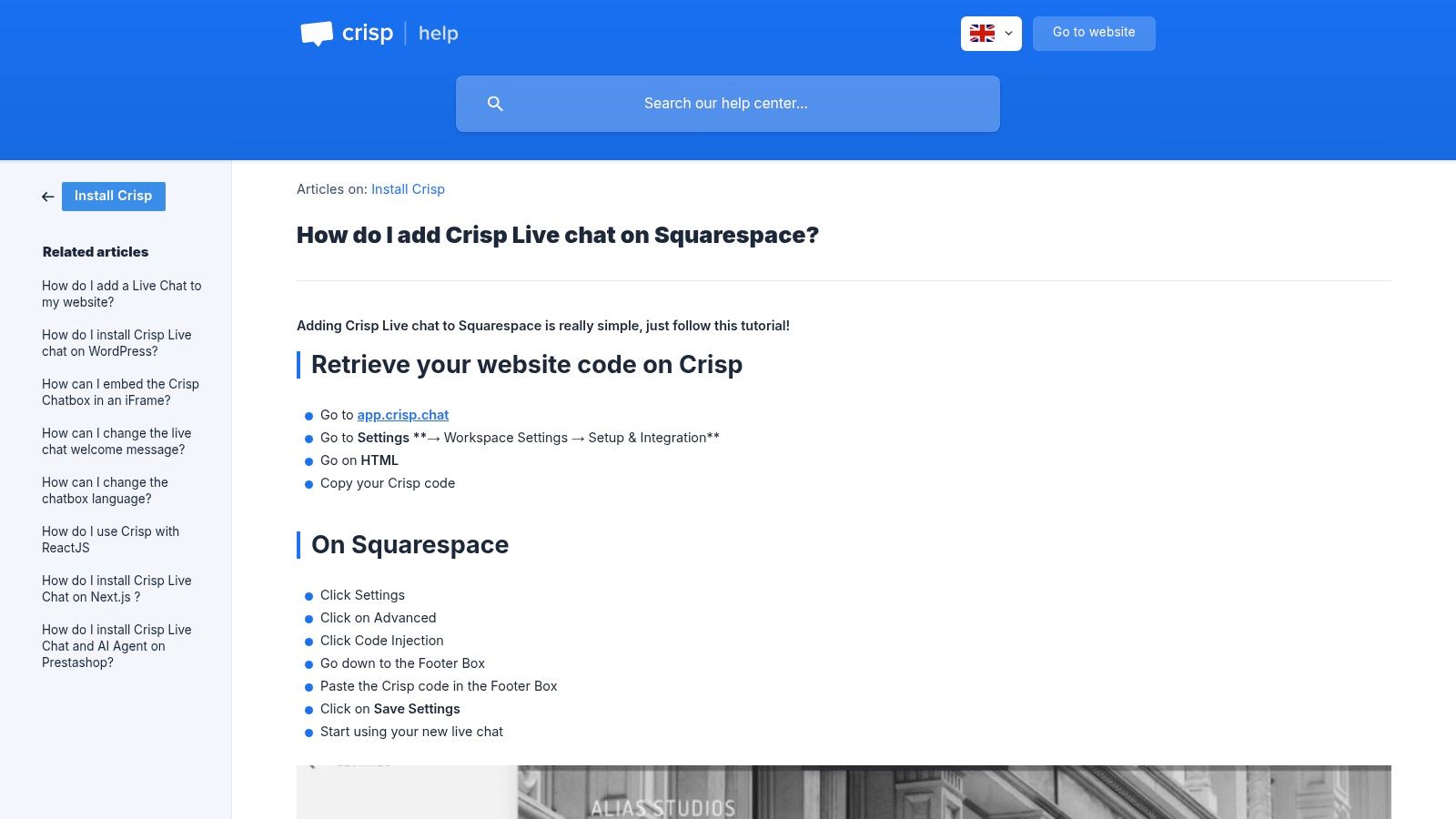
What makes Crisp a strong contender is its all-in-one approach. Beyond just chat, it includes a built-in knowledge base, chatbot automations, and dedicated mobile and desktop apps for managing conversations on the go. This integration of features into one platform helps reduce tool clutter and provides a unified view of customer interactions, which is particularly beneficial for small to medium-sized businesses looking to streamline their support and sales processes.
Key Details & Pricing
- Best For: Small and medium-sized teams wanting a unified, multi-channel communication platform with a clean interface.
- Pros: Competitive flat pricing per workspace on upper tiers, a very user-friendly interface, and a built-in knowledge base.
- Cons: Some advanced capabilities are locked behind higher-tier plans. Documentation can sometimes be developer-centric, which may confuse non-technical users.
- Pricing: A Free plan is available for personal websites or very small teams (2 seats). The Pro plan starts at £25/month per workspace, and the Unlimited plan is £95/month per workspace, offering extensive features without per-user pricing.
Website: https://help.crisp.chat/en/article/how-do-i-add-crisp-live-chat-on-squarespace-10jlo4o/
8. tawk.to
tawk.to is arguably the most well-known free live chat solution on the market, making it an excellent starting point for any Squarespace site owner on a tight budget. It offers a surprisingly robust set of features at no cost, including unlimited agents and the ability to deploy the chat on multiple websites. The integration process is simple; their guide walks you through adding a JavaScript snippet to your site's footer code injection area, getting you up and running in minutes.
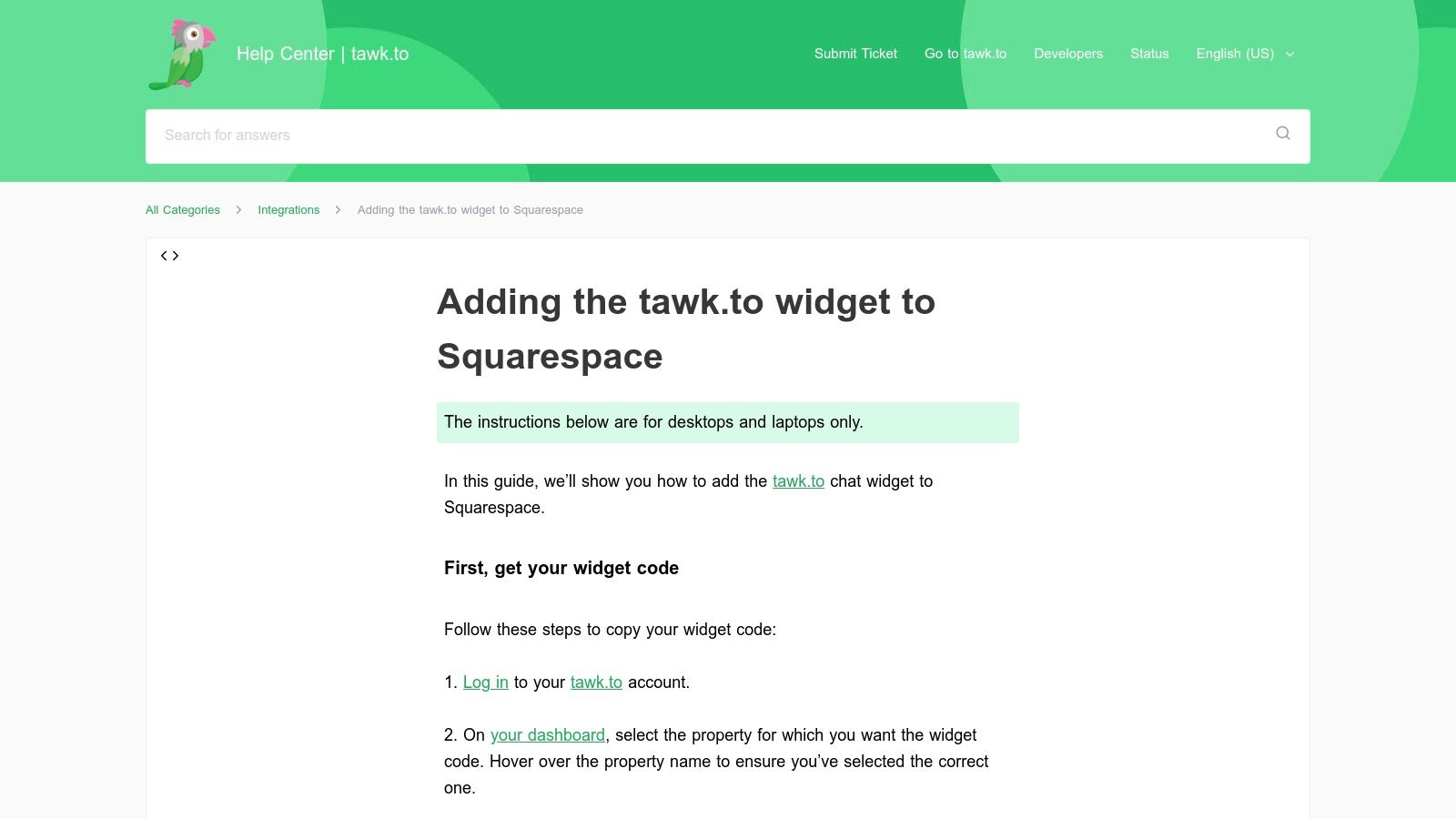
The platform's core strength is its commitment to being a free tool, which is a significant differentiator. While other services offer free tiers, tawk.to provides the core live chat functionality without limits on conversations or agents, which is ideal for growing teams. Key features like canned responses, chat history, and basic analytics are all included, allowing you to provide professional-level support without the recurring subscription fees. For those who want more, tawk.to offers add-on services like hiring chat agents.
Key Details & Pricing
- Best For: Startups, non-profits, and small businesses needing a completely free, yet powerful, live chat for Squarespace without agent or volume limits.
- Pros: Genuinely free for core live chat features, supports unlimited agents and sites, and has a very straightforward installation process.
- Cons: The tawk.to branding is present on the chat widget unless you pay a small monthly fee to remove it. It lacks the advanced automation and deep CRM integrations found in premium platforms.
- Pricing: The platform is Free forever. You can pay to remove branding (around £15/month) or hire dedicated chat agents as an optional add-on service.
Website: https://help.tawk.to/article/squarespace
9. Smartsupp
Smartsupp offers a unique combination of live chat, video recordings, and e-commerce-focused chatbots, making it a versatile tool for Squarespace business owners. It is especially effective for those who want to understand customer behaviour deeply, as its visitor recording feature lets you see how users navigate your site. Installation on Squarespace is done by manually embedding a code snippet into the Code Injection area, a straightforward process for which Smartsupp provides clear instructions.
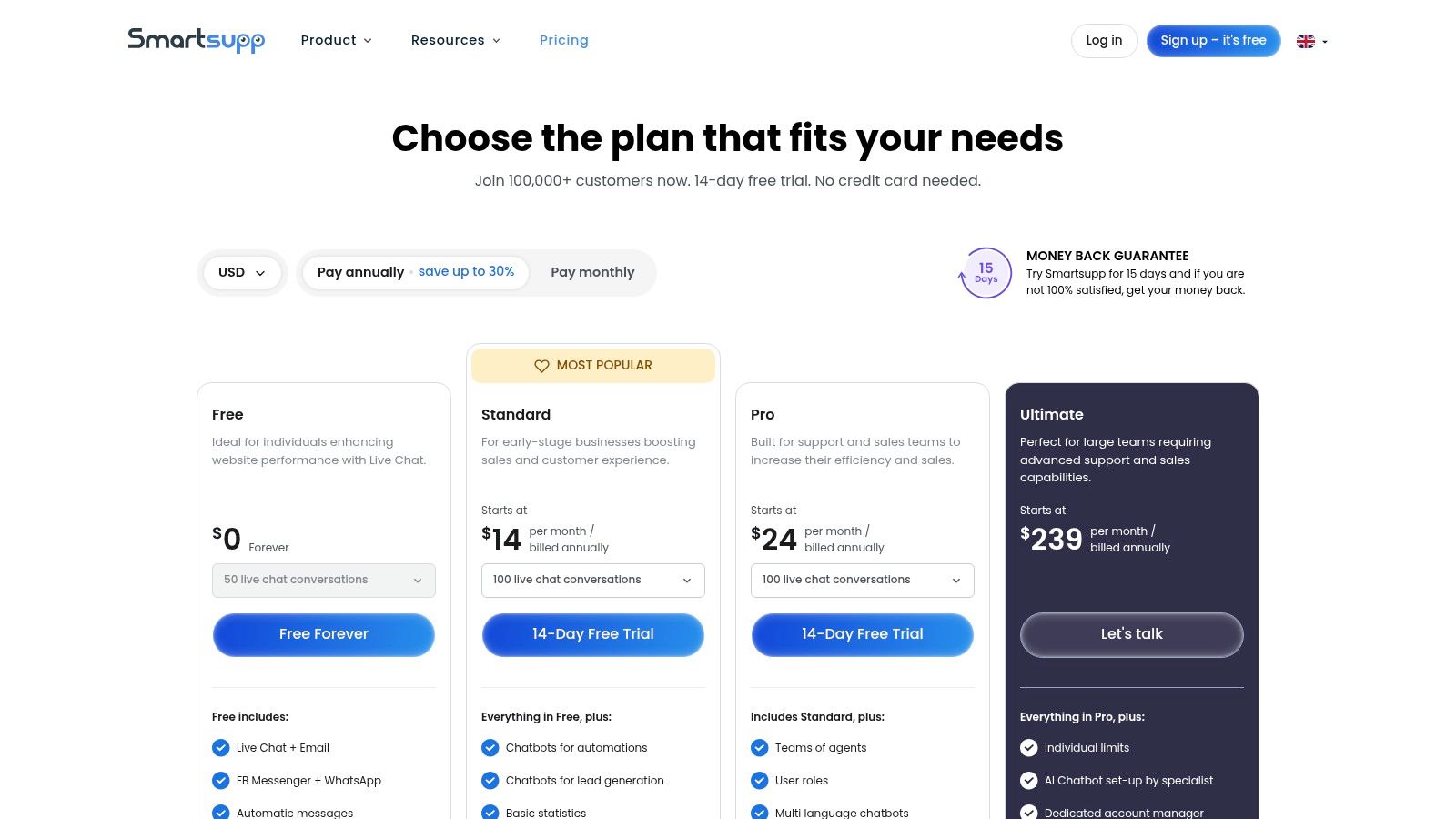
The platform stands out with its AI shopping assistant, designed to help guide customers through their purchasing journey and answer product-related questions automatically. This feature, combined with practical e-commerce automations, can help boost engagement and sales. Smartsupp’s ability to provide a complete picture of the customer journey, from initial click to chat interaction, makes it a powerful analytics tool as well as a communication platform, offering a strong option for data-driven live chat for Squarespace.
Key Details & Pricing
- Best For: E-commerce stores on Squarespace that want to analyse visitor behaviour alongside providing chat support.
- Pros: Good value pricing tiers, including a capable free plan, and practical e-commerce automations that help drive sales.
- Cons: No dedicated Squarespace plugin means you must manually embed the code. Advanced AI features like the shopping assistant are only available on higher-tier plans.
- Pricing: A Free plan is available for one agent. The Standard plan starts at around £16/month, and the Pro plan is approximately £40/month, unlocking advanced features like video recordings and the full chatbot suite.
Website: https://www.smartsupp.com/pricing
10. HubSpot (Live Chat + Free CRM)
HubSpot offers much more than just a live chat tool; it provides an entire business growth platform, and its free tier is an excellent entry point for Squarespace users. The core offering bundles a capable live chat widget and chatbot builder directly with HubSpot’s powerful, free CRM. Installation involves adding the HubSpot tracking code to your Squarespace site’s Code Injection area, which connects your website visitors to a centralised contact database and a unified conversations inbox.
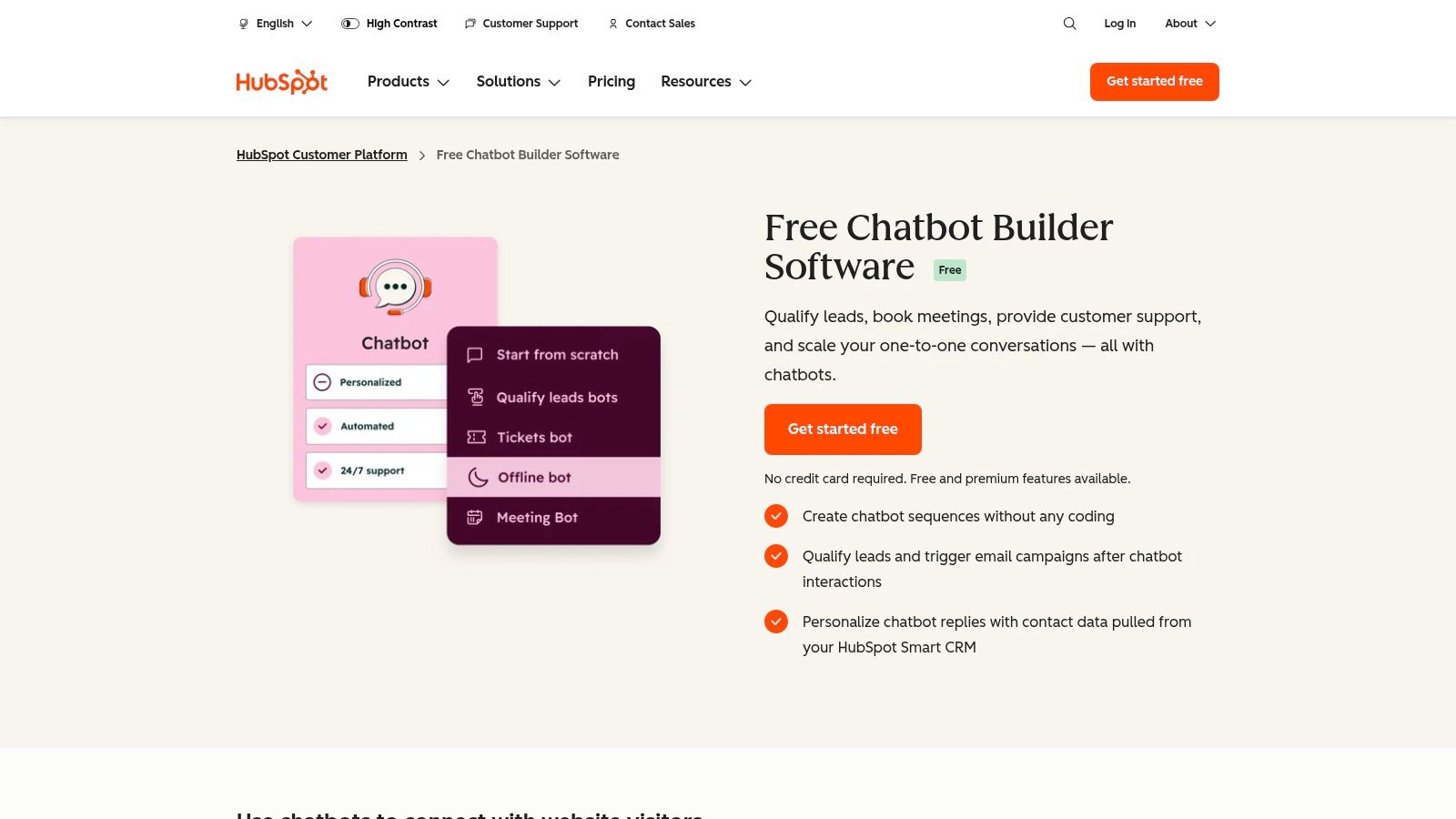
The primary advantage of choosing HubSpot is the seamless integration between communication and contact management. Every chat conversation is automatically logged against a contact's record, giving your team a complete history of all interactions. This data-rich environment is invaluable for nurturing leads and understanding your customer base. As your business grows, you can leverage this foundation to increase your e-commerce sales by expanding into HubSpot's paid Marketing, Sales, or Service Hubs for more advanced automation and reporting.
Key Details & Pricing
- Best For: Businesses wanting a free, scalable live chat solution that is fully integrated with a world-class CRM from day one.
- Pros: Generous free plan includes live chat, basic bots, and a comprehensive CRM. The platform scales incredibly well as your business needs evolve.
- Cons: The HubSpot branding is present on the free chat widget. More advanced chatbot logic and automation features are locked behind the paid Hubs.
- Pricing: The Free Tools plan includes live chat, chatbots, and CRM. Paid plans like the Starter tier (from ~£15/month) remove branding and add more features.
Website: https://www.hubspot.com/products/crm/chatbot-builder
11. Zoho SalesIQ
For businesses already embedded in the Zoho ecosystem, Zoho SalesIQ is a logical and powerful choice. It goes beyond simple chat, offering a comprehensive visitor intelligence and engagement platform. While it doesn't have a direct, one-click Squarespace plugin, it integrates smoothly by embedding a code snippet into your site's Code Injection area, making it a viable option for adding live chat for Squarespace websites. The platform is designed to provide deep insights into who is visiting your site and what they are doing.
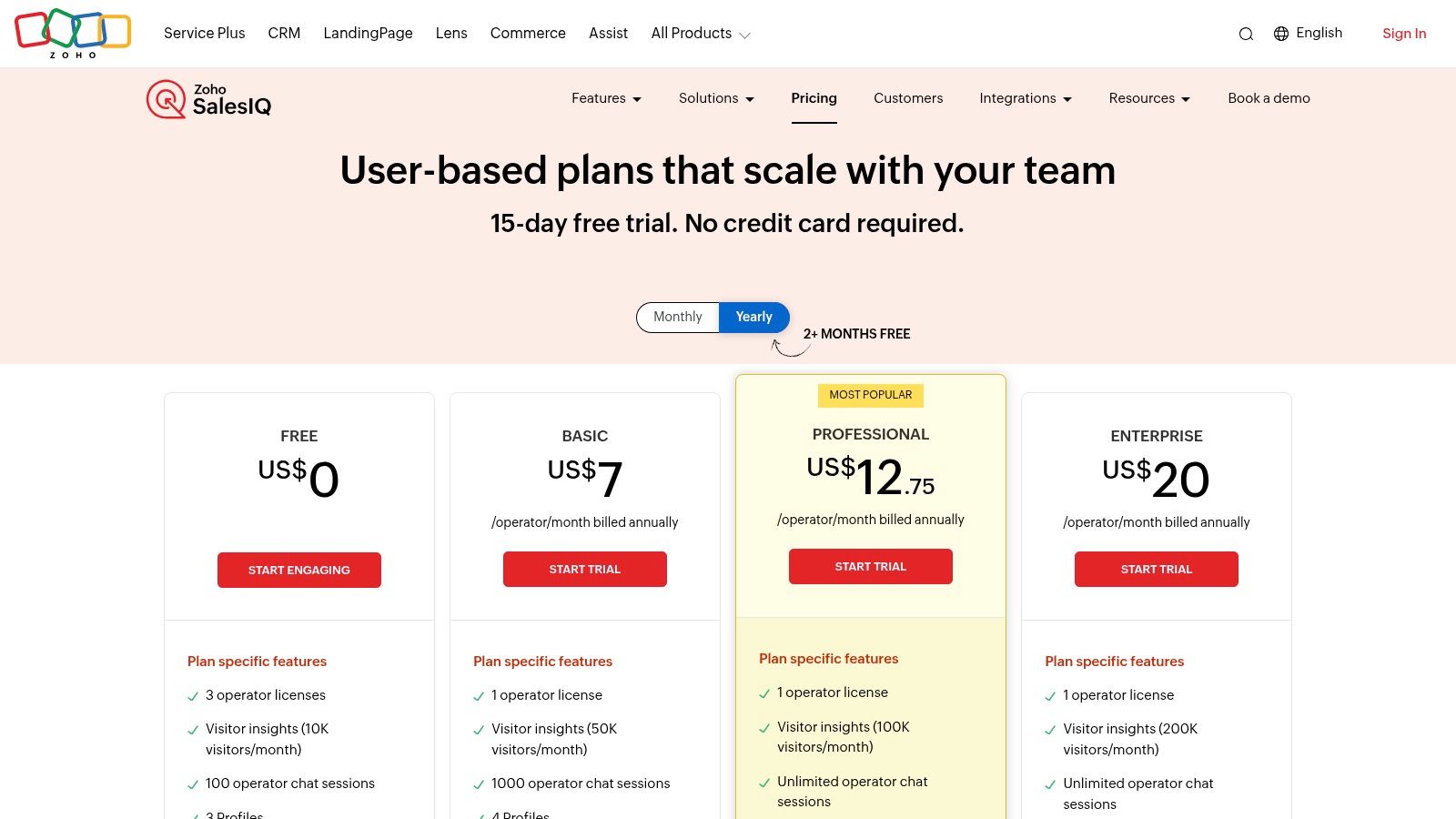
Zoho SalesIQ's strength lies in its tight integration with other Zoho products, like Zoho CRM. This allows you to turn conversations directly into leads or support tickets and view a visitor's entire interaction history within one system. It also features a codeless chatbot builder for simple automations and programmable options for more complex workflows, alongside proactive triggers based on visitor behaviour, such as time on page or location.
Key Details & Pricing
- Best For: Businesses that currently use or plan to use the Zoho suite of business applications.
- Pros: Very competitive per-operator pricing with generous feature limits, and offers unparalleled integration if you already use Zoho CRM or Zoho One.
- Cons: The setup complexity can increase significantly when building advanced bot logic. E-commerce-specific features may be stronger on platforms with dedicated Squarespace plugins.
- Pricing: A Free plan is available for two operators. Paid plans start with Basic at £6/operator/month, adding chatbots and more integrations. The Professional plan at £10/operator/month offers more advanced reporting and features.
Website: https://www.zoho.com/salesiq/pricing.html
12. Elfsight (All‑in‑One Chat & WhatsApp Chat)
Elfsight offers a different approach to live chat for Squarespace by acting as a powerful multi-channel messaging hub. Instead of a standalone chat platform, it provides plug-and-play widgets that redirect visitors to popular messaging apps like WhatsApp, Facebook Messenger, and Telegram. This is ideal for businesses that prefer to manage customer conversations within the apps their team already uses daily, eliminating the need to learn a new helpdesk system. The setup is entirely code-free, relying on Elfsight’s visual editor and a simple block integration within Squarespace.
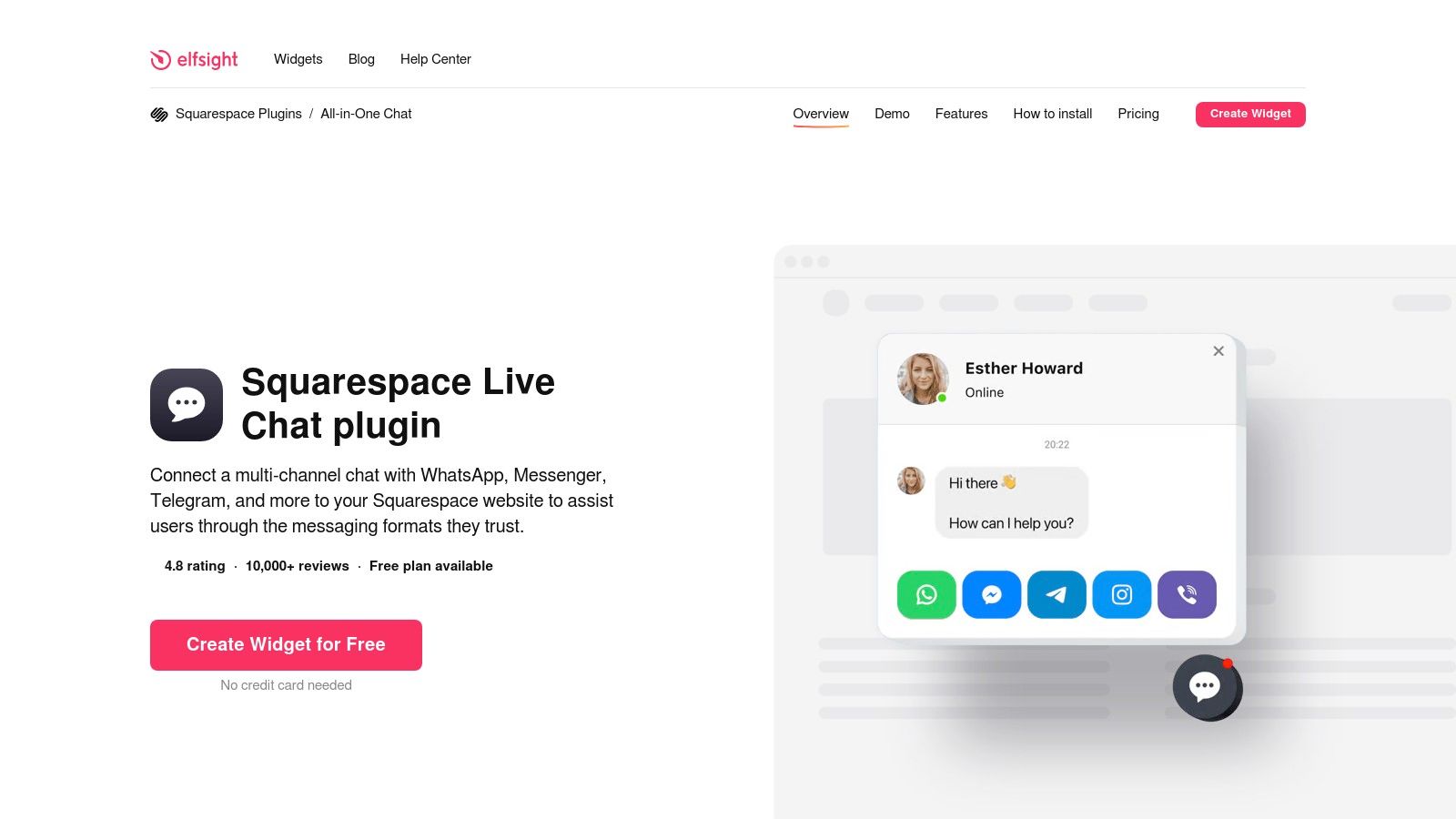
The key strength of Elfsight is its simplicity and convenience for both the business and the customer. You can customise the chat launcher, set page-level display rules, and configure behaviour triggers to engage visitors at the right moment. By letting customers initiate a conversation on their preferred platform, you create a more familiar and less formal support experience, which can be highly effective for sales enquiries and quick support questions.
Key Details & Pricing
- Best For: Businesses wanting to route website chats directly to existing messaging apps (like WhatsApp or Messenger) without a traditional helpdesk.
- Pros: Extremely fast and simple no-code installation for Squarespace, allows customers to use their favourite messaging apps, and offers great visual customisation options.
- Cons: It is not a complete ticketing or helpdesk solution and is entirely dependent on external messaging platforms. Plans have message limits and Elfsight branding on lower tiers.
- Pricing: A Lite plan is free with basic features. Paid plans like Basic (from £4/month) and Pro (from £8/month) remove branding and offer more views and widgets. A premium Enterprise plan is also available.
Website: https://elfsight.com/all-in-one-chat-widget/squarespace/
Squarespace Live Chat: 12-Tool Comparison
| Tool | Core features | Quality (★) | Price / Value (💰) | Audience (👥) | Unique selling point (✨/🏆) |
|---|---|---|---|---|---|
| All In One Chat – Elfsight Live Chat | Multi‑messenger widget (WhatsApp, Messenger, Telegram); no‑code embed | ★★★★ responsive, easy setup | 💰Low | 👥 Non‑technical SMBs, freelancers, Squarespace users | ✨Plug‑and‑play multi‑messenger launcher; fast visual customization |
| Tidio | Live chat + visual chatbot flows; cart saver & product automations | ★★★★ fast install, automation‑rich | 💰Free → Med | 👥 Small e‑commerce teams on Squarespace | ✨40+ chatbot templates; quick code‑injection install |
| LiveChat | Customizable widget, proactive campaigns, analytics, AI add‑ons | ★★★★★ robust reporting & scale | 💰Med‑High per agent/add‑ons | 👥 Growing teams & businesses needing analytics | 🏆Enterprise‑grade features and detailed performance insights |
| Olark | Targeted chat, searchable transcripts, agent groups, accessible widget | ★★★★ simple & accessible | 💰Med (per‑seat) | 👥 Small teams valuing accessibility | ✨WCAG 2.1 AA accessible widget; transparent per‑seat pricing |
| Intercom | Messenger, bots, workflows, shared inbox, customer data tools | ★★★★★ powerful automation | 💰High (enterprise) | 👥 Mid‑size to enterprise sales & support teams | 🏆Advanced automation + rich customer data tooling |
| Zendesk (Web Widget / Messaging) | Chat + ticketing, KB surfacing, multichannel inbox | ★★★★★ integrated support suite | 💰High (per‑agent) | 👥 Support teams and enterprises | 🏆Combines ticketing and chat for full helpdesk workflow |
| Crisp | Omnichannel chat, chatbot automations, knowledge base, apps | ★★★★ clean UI, user‑friendly | 💰Med (flat workspace pricing) | 👥 Small/medium teams wanting simplicity | ✨Competitive flat pricing; native mobile & desktop apps |
| tawk.to | Free live chat, unlimited agents/sites, customizable widget | ★★★ solid basics (branding unless paid) | 💰Free (paid branding removal) | 👥 Cost‑conscious sites, volunteers, startups | ✨Unlimited agents/sites — best free value |
| Smartsupp | Live chat with AI shopping assistant, visitor tracking, bots | ★★★★ ecommerce‑focused | 💰Low‑Med (free & paid tiers) | 👥 Ecommerce stores & retailers | ✨AI shopping assistant + visitor tracking for sales lift |
| HubSpot (Live Chat + Free CRM) | Free chat & chatbot builder tied to HubSpot CRM; Conversations inbox | ★★★★ CRM‑integrated chat | 💰Free tier → Paid Hubs | 👥 SMBs wanting CRM + chat in one stack | ✨Free CRM + chat; easy scale into Marketing/Sales/Service Hubs |
| Zoho SalesIQ | Live chat, codeless/programmable bots, visitor scoring & triggers | ★★★★ strong visitor insights | 💰Low‑Med per‑operator | 👥 Zoho users, SMBs needing visitor intelligence | ✨Codeless bot builder + deep Zoho ecosystem integration |
| Elfsight (All‑in‑One Chat & WhatsApp Chat) | All‑in‑one launcher & WhatsApp widget; visual setup & page rules | ★★★★ no‑code, lightweight | 💰Low | 👥 Non‑technical SMBs, Squarespace site owners | ✨No‑code multi‑channel widgets; page‑level display rules |
Making Your Final Choice: Which Chat Tool Is Right for Your Business?
Navigating the landscape of live chat for Squarespace can feel overwhelming, but after reviewing twelve distinct options, the path forward should be much clearer. We've explored everything from simple, no-code widgets like Elfsight’s All-in-One Chat to comprehensive customer service platforms like Zendesk and Intercom. The central theme is that there is no single "best" tool; instead, there is only the best tool for your specific business needs.
The decision ultimately hinges on a thoughtful evaluation of your unique circumstances. Before you commit, it's crucial to honestly assess your primary objectives. Are you a solo entrepreneur aiming to capture leads without being tied to a desk? Or are you an e-commerce manager focused on reducing cart abandonment and providing instant support? Your answer will significantly influence whether a simple, free tool or a feature-rich, paid platform is the right investment.
A Quick Recap: Matching Tools to Goals
To simplify your final decision, let's categorise the top contenders based on common business scenarios:
-
For Absolute Beginners & Budget-Conscious Startups: If your primary concern is cost and you need fundamental chat capabilities, tawk.to is an unbeatable free option. Similarly, HubSpot's Free CRM with live chat provides immense value by integrating conversations directly into a robust contact management system, setting you up for future growth.
-
For Maximum Simplicity and Social Integration: If you want a "set it and forget it" solution that meets customers on their preferred platforms like WhatsApp or Facebook Messenger, Elfsight's All-in-One Chat is a standout. Its no-code implementation is perfect for those who want to avoid technical complexities entirely.
-
For Growing E-commerce Stores: Businesses focused on conversion and proactive engagement should look towards Tidio and LiveChat. Both offer powerful automation, chatbot functionalities, and e-commerce-specific features designed to turn browsers into buyers and provide a superior shopping experience. Smartsupp, with its unique session recording feature, also offers a distinct advantage for understanding customer behaviour on your site.
-
For Scalability and Advanced Business Needs: When you're ready to build a sophisticated, multi-channel support and sales engine, platforms like Intercom, Zendesk, and Zoho SalesIQ become essential. These tools are built for teams and offer deep integrations, powerful analytics, and the infrastructure to manage a high volume of complex customer interactions.
Final Considerations Before You Commit
Beyond features and pricing, remember to consider the user experience-both for your team and your website visitors. The best live chat for your Squarespace website is one that feels seamless. Take advantage of the free trials offered by nearly every provider on this list. This is your opportunity to test the waters without risk.
During your trial, pay close attention to the setup process. How intuitive is the dashboard? Can you customise the widget to match your brand's colours and style? Most importantly, test the chat on a live page. See how it performs on both desktop and mobile devices. A clunky or slow-loading widget can do more harm than good, so real-world testing is non-negotiable. The right tool will feel like a natural extension of your brand, empowering you to build stronger customer relationships and drive tangible business results.
Choosing the right live chat is just one piece of the puzzle. To truly maximise your online presence, you need a full suite of curated tools that work together. Discover more vetted solutions and expert guides in The Digital Marketing Toolbox, our comprehensive resource hub designed to help you scale efficiently. Visit The Digital Marketing Toolbox to find the perfect apps to complement your new chat software and elevate your entire marketing strategy.


