

Wix Live Chat is the platform's own real-time messaging tool, built right into your Wix dashboard. The best way to think of it is like having a friendly shop assistant on your website, ready to greet visitors, answer questions, and gently guide them toward what they’re looking for.
What Is Wix Live Chat and Why Does It Matter
Picture this: a potential customer lands on one of your product pages. They love what they see but have a quick question about UK delivery times. If they can't get an answer instantly, there's a good chance they'll simply leave and you'll never see them again.
That’s the exact gap Wix Live Chat is designed to fill. It’s far more than just a little chat box in the corner; it’s your front line for turning curious browsers into paying customers.
By providing immediate answers, you stop potential sales from falling through the cracks. That instant connection builds trust and offers a level of personal service a static website just can't replicate. It transforms your site from a digital brochure into an active hub for sales and support.
The Power of Instant Connection for UK Businesses
For any UK business, a strong online presence is no longer optional. Wix is a massive player here, with the UK making up 5.7% of its total global users. This huge popularity with British small businesses and entrepreneurs shows just how much demand there is for effective, no-fuss digital tools. You can get more insights from these Wix UK market share statistics.
Having this direct line of communication with your visitors brings some major wins:
- Boosts Conversions: Sometimes, a quick answer is all someone needs to feel confident enough to click "buy".
- Captures More Leads: Engage visitors before they bounce, using the chat to gather contact details for your email list or sales team.
- Builds Customer Loyalty: Great, responsive service creates happy customers who come back and tell their friends about you.
Here’s a look at how clean and simple the chat interface looks when added to your site.
As you can see, the chat window is accessible without being annoying. It feels like a natural part of the page, unlike a more aggressive pop-up you might see on other sites. If you’re curious about those, we have a separate guide on how to add a pop-up in WordPress that offers a good comparison.
To give you a clearer picture, here’s a quick breakdown of what Wix Live Chat brings to the table.
Wix Live Chat Core Benefits at a Glance
| Benefit | Impact on Your Business |
|---|---|
| Instant Engagement | Greet visitors automatically, making them feel welcomed and supported from the moment they arrive. |
| Real-Time Problem Solving | Answer questions about products, services, or shipping on the spot, removing barriers to purchase. |
| Lead Generation | Capture names, emails, and phone numbers directly through the chat, even outside business hours. |
| Mobile Accessibility | Manage conversations from anywhere using the Wix Owner app, so you never miss a customer query. |
Ultimately, these benefits work together to create a smoother, more personal customer journey.
By removing friction and providing instant clarification, live chat shortens the sales cycle significantly. A question that might have taken hours to resolve over email is handled in minutes, keeping the customer's buying momentum alive.
If you’re ready to really get the most out of this feature, be sure to check out our detailed guide on Mastering Live Chat Wix for UK Business Growth.
Exploring the Features and Limitations of Wix Chat
Before you dive headfirst into any tool, it’s smart to get a feel for what it does brilliantly and where you might eventually hit a ceiling. Wix’s own live chat feature is a fantastic, built-in solution, but knowing its strengths and boundaries is key to using it effectively as your business evolves.
The beauty of Wix Chat lies in its seamless integration. It isn't some clunky third-party app you have to awkwardly bolt onto your site; it’s woven directly into the Wix ecosystem. That means setup is a breeze, and it plays nicely with your existing Wix contacts and inbox right out of the box.
Core Strengths of the Native Wix Tool
The biggest win here is simplicity. You can jump into conversations with visitors straight from your site’s dashboard or, even better, from the Wix Owner app on your phone. This untethers you from your desk, letting you offer top-notch support and capture leads whether you're at the office or on the go.
It also packs a punch with some genuinely useful features that help small businesses run a tight ship:
- Automated Greetings: Set up a friendly welcome message to pop up when someone lands on a key page or browses for a certain amount of time. It's a great way to break the ice.
- Saved Replies: Tired of typing out your business hours or return policy? Create pre-written answers to common questions and respond in a single click.
- Lead Capture Forms: You can set the chat box to ask for a name, email, or phone number before the conversation begins, making it a surprisingly effective tool for growing your contact list.
This simple workflow is designed to hit three main business goals: capturing leads, answering questions, and building trust with your visitors.
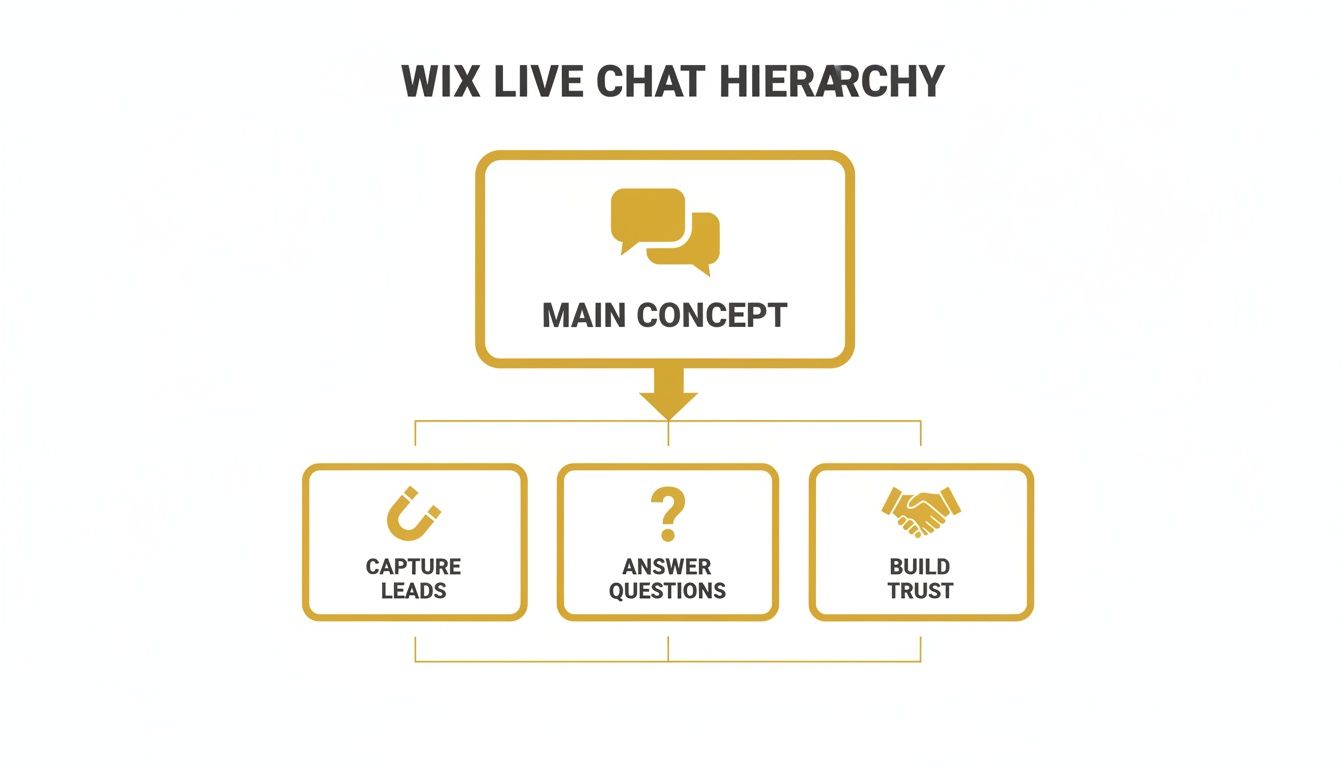
As you can see, it’s all about creating a straightforward path from that first "hello" to a lasting customer relationship, all without ever leaving your Wix dashboard.
Understanding the Potential Limitations
Being an all-in-one tool does come with trade-offs. For a solo business owner or a tiny team, Wix Chat is often more than enough. But as you scale, you might start to feel the pinch.
A major area is advanced team management. If you're running a bigger customer support crew, you’ll likely find the features a bit light. Things like automatically routing chats to the right department, assigning conversations to specific agents, or internal team collaboration tools aren’t as fleshed out as what you’d find in dedicated platforms like LiveChat or Tidio.
The reporting and analytics are also more functional than forensic. You can keep an eye on basic metrics like response times and chat volume, but you won’t get the deep-dive data on agent performance or granular customer satisfaction scores that specialised tools offer. If you’re obsessed with optimising every aspect of your support team, you may eventually outgrow it.
Let's break down how Wix's built-in tool stacks up against more specialised platforms.
Feature Breakdown: Wix Chat vs Standalone Chat Tools
| Feature | Wix Live Chat | Specialised Chat Platforms (e.g., Tidio, LiveChat) |
|---|---|---|
| Ease of Setup | Excellent. It's built-in, so activation is just a few clicks. | Good. Requires adding a code snippet or plugin but is generally straightforward. |
| Team Management | Basic. Good for 1-3 users, but lacks advanced routing or agent roles. | Advanced. Sophisticated ticket assignment, team departments, and internal chat. |
| Automation | Good. Offers saved replies and automated greetings. | Excellent. Advanced chatbots, complex workflows, and AI-powered responses. |
| Integrations | Limited. Primarily works within the Wix ecosystem (Contacts, Inbox, etc.). | Extensive. Connects with hundreds of CRM, helpdesk, and marketing tools. |
| Reporting & Analytics | Basic. Tracks chat volume and response times. | Comprehensive. Deep data on agent performance, CSAT scores, and conversion tracking. |
| Cost | Included in most Wix premium plans. | Typically a monthly subscription per agent, which can add up. |
Ultimately, Wix Chat delivers the core 80% of what most small businesses need, focusing on convenience over complexity. It’s a deliberate design choice that makes it incredibly user-friendly, but it's important to recognise when your needs might demand a more powerful, standalone system.
Getting Wix Chat Set Up on Your Website
So, you're ready to add Wix live chat to your site? Good news – you don't need to be a coding genius to get it done. Wix has made the whole process incredibly simple, more like flipping a switch than doing a complex installation. You can genuinely have it up and running in just a few minutes.
Everything starts from your Wix dashboard, which is your website's mission control. From there, you’ll head over to the Wix App Market. Think of it as an app store just for your website, filled with tools to add new features. This is where you'll grab the official Wix Chat app.
Adding the App to Your Site
The first real step is getting the app onto your site. It’s a quick, guided process that plugs the chat function right into your existing website design.
- Go to the Wix App Market: Find the "Apps" section in your site's dashboard and click on "App Market".
- Search for Wix Chat: Pop "Wix Chat" into the search bar. The official one from Wix will be right at the top.
- Add to Site: Just click the "Add to Site" button. Wix does all the heavy lifting, installing the app and placing a neat little chat widget in the corner of your site.
Once you add it, the chat widget is live instantly. But don't stop there! The default settings probably won't be a perfect match for your brand's style or your business hours. The next steps are all about making it truly yours.
Customising Your Chatbox Appearance
Your live chat should feel like it belongs on your website, not like some generic add-on. That’s why customising its appearance is so important for keeping your brand looking consistent. This involves tweaking the colours, text, and even its position to blend in with your site’s design.

The settings panel is clean and easy to follow. You can quickly change up the chatbox design, the welcome message, and your team's availability without getting lost in a maze of complicated menus.
You can easily switch out the background colour, header, and text to match your brand's colour scheme. It's also a great idea to write a warm, friendly welcome message to greet visitors. Something as simple as, "Hello! How can we help you today?" can make a huge difference in getting people to start a conversation. These little touches make the chat feel like an integral part of your website, not just an afterthought.
Using Automation to Supercharge Your Chat
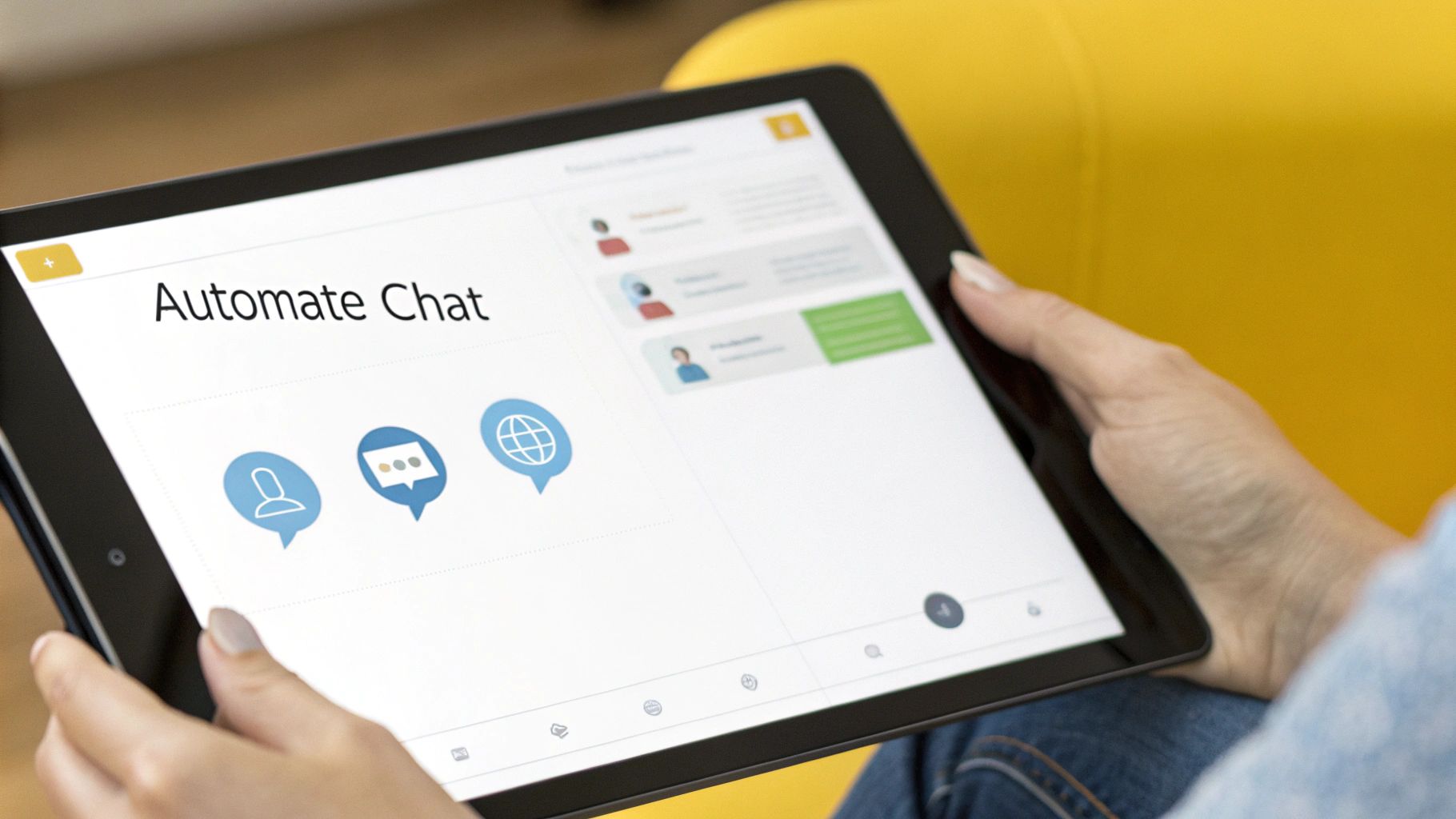
Right, so you've got the chatbox sitting on your site. Great. But letting it just sit there waiting for someone to ask a question is a missed opportunity. The real magic happens when you turn it from a passive tool into a proactive sales and support engine. That's where Wix live chat automation comes into play, making your chat work for you 24/7, even when you're away from your desk.
The easiest way to dip your toes in is with Saved Replies. Think of these as your go-to answers for the questions you get asked a dozen times a day. Instead of constantly re-typing your opening hours or delivery details, you can save a perfect response and fire it off with one click. It’s a simple timesaver that lets you focus on the trickier, more personal conversations.
Building Smart Automations
Now for the really clever stuff: trigger-based Automations in your Wix dashboard. This is where you can create simple "if this happens, then do that" rules that engage visitors based on what they're doing on your site. It’s like having a helpful shop assistant who knows the perfect moment to offer help or a nudge towards the checkout.
For instance, you could set up an automation that:
- Greets new visitors: A friendly "Welcome! Let us know if you need anything" message pops up for anyone landing on your homepage for the first time.
- Shares a discount: If someone lingers on a product page for more than two minutes, the chat can automatically offer a little incentive, like "10% off your first order!"
- Gathers leads: After a chat ends, you can set up an action to automatically add that person as a new contact in your Wix CRM. No more manual data entry.
Wix makes this incredibly straightforward. You just pick a trigger (what the visitor does) and then choose the action (what your chatbox does in response). You don’t need any coding skills to build these little workflows that can make a huge difference.
When you automate these first touchpoints, you make every visitor feel seen. That simple, proactive welcome can be what turns a casual browser into a committed customer, transforming your chat widget into a powerful lead-nurturing machine.
These automations handle the repetitive, everyday stuff, freeing you up for the conversations that really need that human touch. If you're looking to make your whole support system more efficient, learning to automate customer service processes is a brilliant next move. It’s all about being there for your customers at just the right moment.
Mastering the Art of Live Chat

Adding Wix live chat to your site is just step one. The real magic happens in how you use it. When done right, live chat turns a simple question into a real conversation, building the kind of trust that creates loyal customers and drives sales. It all comes down to your approach.
Think of your chat tone as you would a face-to-face conversation in a shop—professional but always approachable. Ditch the stiff, formal language and generic scripts. You want to sound like a real person who is friendly, helpful, and ready to solve their problem.
Set Clear Expectations from the Start
Managing what your visitors expect is vital for a good experience. If you’re running the show on your own, you can’t be online 24/7, and that’s perfectly okay. The key is to be transparent about it.
Simply displaying your business hours right there in the chat widget prevents a world of frustration. When people know when you're around, they understand whether they'll get an instant reply or need to leave a message. A few simple tweaks can make all the difference:
- Define Your Business Hours: Make it obvious when you're available for a live chat.
- Customise Your Offline Form: Make your offline form feel welcoming and let people know when to expect a reply.
- Use Automated Greetings: An instant automated message like, "Thanks for getting in touch! We'll be with you in just a moment," lets them know they've been heard.
This level of honesty shows you respect your customer's time and immediately starts building trust.
Train Your Team for Consistent Success
If you have a team handling chats, consistency is everything. Every agent should be ready to handle all sorts of queries, from someone asking about a product before they buy to a customer needing support. Good training ensures everyone maintains the same brand voice and has a solid grasp of your products and services.
One of the most overlooked goldmines of information is your chat transcript history. These conversations are packed with raw customer feedback, showing you common problems, frequently asked questions, and what crucial information might be missing from your site.
By reviewing these logs regularly, you can spot opportunities to beef up your FAQ page, clarify product descriptions, or even create new help articles. This transforms your Wix live chat from a reactive tool into a proactive source of business intelligence. It’s an essential part of any solid website maintenance plan.
When to Consider Advanced Chat Alternatives
While the native Wix live chat is a brilliant, straightforward tool for many businesses, there comes a point where you might start to bump up against its limits. Think of it like your first trusty car; it gets you from A to B reliably, but as your journey gets longer and more demanding, you'll eventually need something with a bit more horsepower.
Realising you've hit that ceiling is the first step. If you're consistently wishing for more powerful features, it’s a clear sign that it’s time to see what else is out there.
Signs You Are Outgrowing Wix Chat
So, how do you know you're ready for an upgrade? It usually comes down to running into challenges that the built-in tool just wasn't designed to handle. These growing pains often point towards a need for a more robust, specialised solution.
Here are a few tell-tale signs:
- Need for Advanced AI: You’re looking for a chatbot that does more than just say hello. You need a system that can actively qualify leads, handle complex questions, and independently guide customers through your sales process.
- Multi-Channel Support: Your customers are reaching out everywhere—Facebook, Instagram, WhatsApp. You’re desperate for a single, unified inbox to manage everything without the headache of constantly switching between apps.
- In-Depth Analytics: As your team expands, you need to dig deeper into the data. You want detailed reports on agent performance, customer satisfaction (CSAT) scores, and a clear view of how your chats are converting, so you can make smarter decisions.
When your business needs outstrip what the built-in chat can offer, it makes sense to look at more sophisticated tools. For instance, you can explore why some businesses find that the best chatbot builder for Wix sites is a dedicated third-party app designed to tackle these advanced needs. Many of these alternatives integrate beautifully with Wix, letting you level up your site's capabilities.
If you want to dive deeper into the world of automated chat, our detailed guide on the benefits of a website chatbot is a great place to start.
Your Top Wix Live Chat Questions, Answered
Jumping into any new tool can feel like you've got a million questions. So, let's clear up some of the most common ones about Wix Live Chat right now. This should give you the clarity you need to get the most out of it.
Is Wix Live Chat Genuinely Free?
Yes, for the most part. The basic Wix Live Chat feature comes free with every Wix website. You can pop the chat box on your site, tweak its colours, and have real-time conversations with visitors without paying a penny. For a lot of small businesses, that's all you'll ever need.
But, if you want to get fancier with things like automated messages or dive deep into chat analytics, you'll need to look at the paid Ascend by Wix plans. These bundle the chat's premium features with a whole suite of other marketing tools.
Can I Use Wix Chat on My Phone?
You absolutely can, and honestly, it’s a game-changer for anyone who isn't glued to their desk all day. Just download the Wix Owner app onto your smartphone.
Once you have the app, you can answer customer questions and manage chats from literally anywhere. You get a notification just like a text message, so you can reply instantly and never miss a lead.
Will Wix Chat Slow Down My Website?
It’s a fair question, as we all know how much site speed matters. But you can breathe easy on this one. Because Wix Chat is built by Wix, for Wix, it's designed to be incredibly lightweight and efficient.
Unlike some clunky third-party plugins that can really bog down your site, native Wix apps are optimised to have a minimal impact on your loading times. Your visitors will get a fast, smooth experience.
How Does Wix Chat Play with Other Tools?
Wix Chat isn't an island; it's tightly knit into the entire Wix platform. When someone starts a chat, that conversation instantly lands in your Wix Inbox, which is your mission control for all customer messages.
What's more, any details you collect—like a name or email—are automatically saved to your Wix Contacts. You can even use a chat interaction to kick off a workflow in Wix Automations, making it a really cohesive system for managing your customer relationships from start to finish.
Ready to add powerful marketing tools to your website? The Digital Marketing Toolbox offers a curated selection of the best solutions to help you grow. Explore our platform at https://grow-your-biz.com to find the perfect tools for your business.


